
 Español
  Français
  Português
  Italiano
 AGM Legion Pro
Lightweight rugged-style GPS watch with smooth UI and offline maps, but expensive for what it offers.
Ratings are contextual to quality band. A 4-star ultra-budget watch and a 4-star midrange watch offer different value propositions.
✓ Pros
- MIL-STD-810H certification
- Integrated GPS with offline map support
- Lightweight
- Decent battery life (6 days)
- Smooth UI animations and responsive SiFli-powered interface
✗ Cons
- Offline map functionality is very limited
- Lack of compelling watch faces
- Display isn't bright enough for outdoors
- In general, the watch is too expensive given its features and build quality
Specifications
- Release Date
- Q3 2025
- Approximate price (January 2026)
- £120 / $150 / €129 (January 2026)
- Other names
-
- AGM W1 Pro
- Display
- 1.43-inch AMOLED, 60Hz refresh rate, 600 nits max brightness
- Display protection
- Corning Gorilla Glass 3
- App
- AGM Nexus
- Review firmware version
- v1.0.44
- Processor
- SF32LB523
- Heart rate and SpO2 sensor
- HX3695H
- Heart rate sensor specs
- 2 Photodiodes (HX3501). LED: Green, Red, Infrared (HXLED-G004 / HXR004 / HXIR004)
- Battery capacity
- 370mAh
- Gyroscope
- 6 axis, ST LSM6DS3TR-C
- GNSS
- L1 single band. GNSS, GLONASS, Big Dipper, Galileo, QZSS
- Barometer & altimeter
- STK71161
- Geomagnetic sensor
- MMC5603NJ
- Battery life
-
- Advertised: 10+ days
- Standby: 30+ days
- Review: 6 days
- Durability standard
- MIL-STD-810H
- Water Resistance
- 5ATM
- Bluetooth version
- 5.3
- Weight without strap
- 36 g
- Weight with included silicone strap
- 57 g
- Dimensions
- 46.6 × 12.3 mm
- Watch band type
- Standard 22mm lug width
- Features
-
- GPS navigation
- Offline maps
- Barometer
- Altimeter
- Compass
- Heart rate monitoring
- SpO2 (blood oxygen) tracking
- Sleep tracking
- Stress monitoring
- 100+ sports modes
- Bluetooth calling
- Phone notifications
- Weather forecast
- Phone music control
- Activity reminders
- Hydration reminders
- Medication reminders
- Hand washing reminders
- Timers
- Stopwatch
- Alarms
- Camera shutter
Box contents
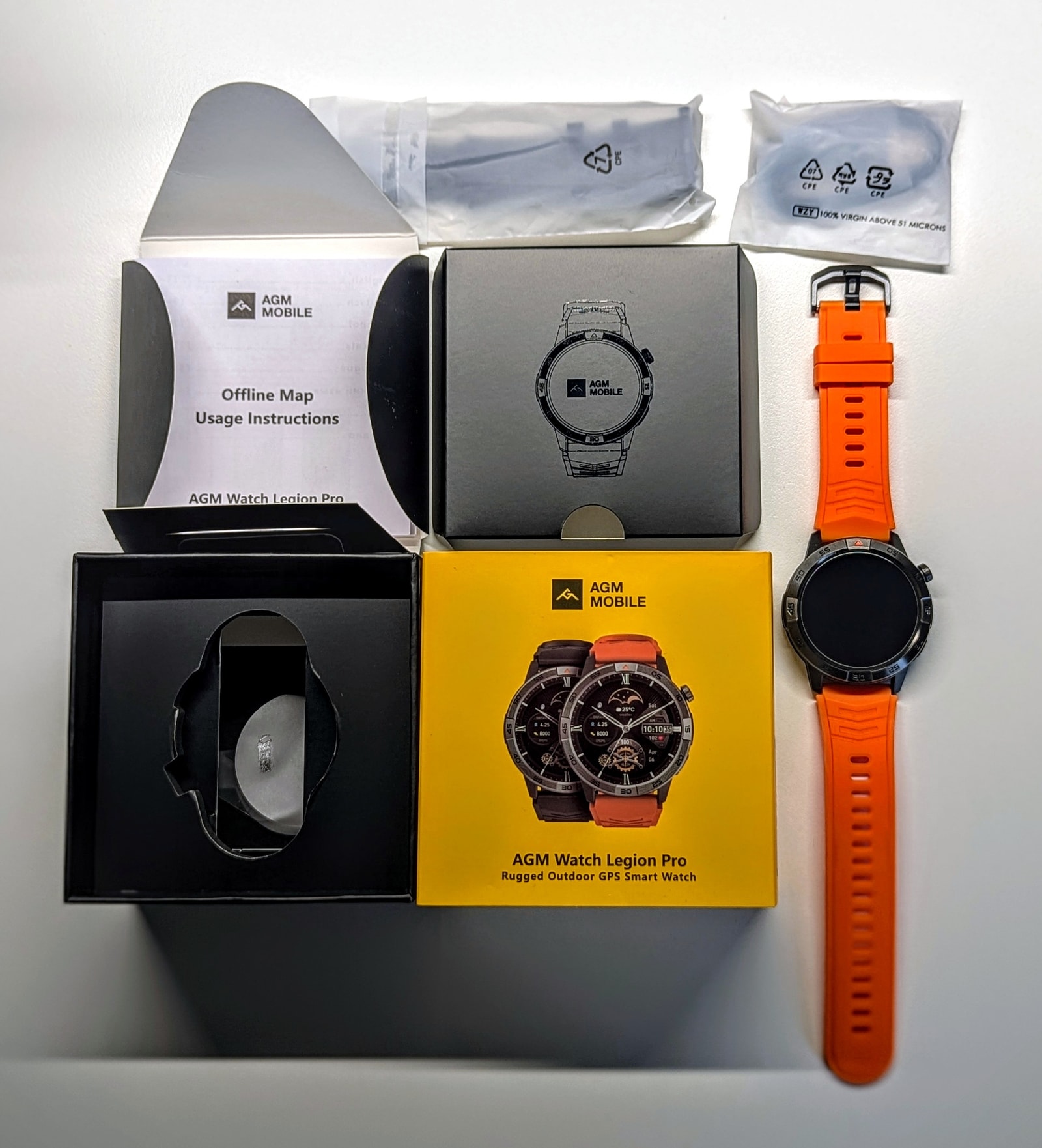
Packaging for the Legion Pro is certainly an area where AGM has put in some effort. It comes in a nice, compact box with a well-organized layout that includes the watch, an extra black strap, instructions, and a charging cable.
Design and Build Quality
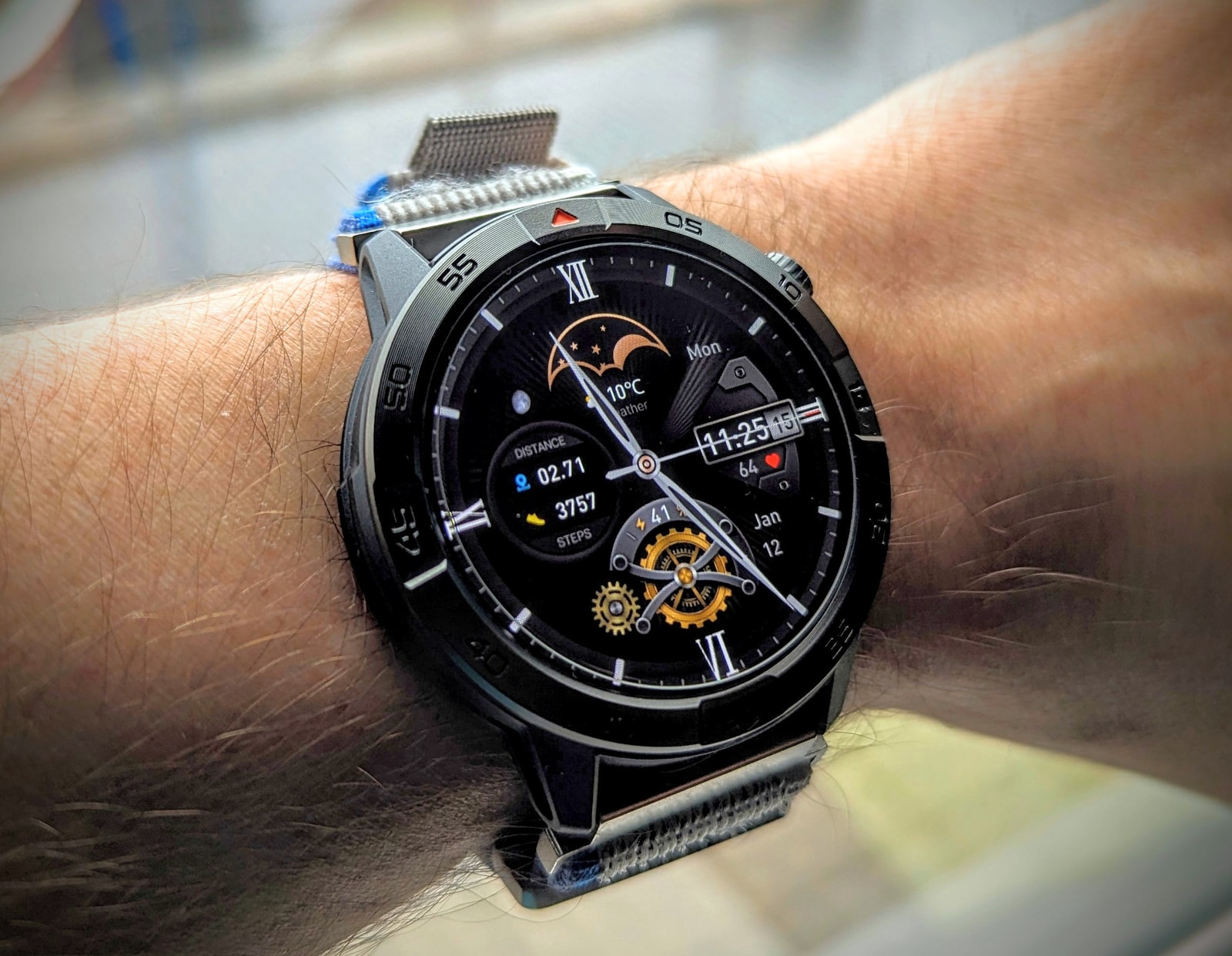
The Legion Pro is a fairly lightweight smartwatch, at only 57g with the included silicone strap. Both midframe and back panels are made of NCVM plastic, whereas the bezel and buttons are all made of metal, probably zinc alloy.
The watch feels very well put together - seams are tight, everything is well-aligned (including the display), and in general it feels solid and comfortable, partly due to the lightweight materials. It uses regular 22mm watch bands, so you’ll have no trouble finding replacements if you’re not happy with the bundled strap.
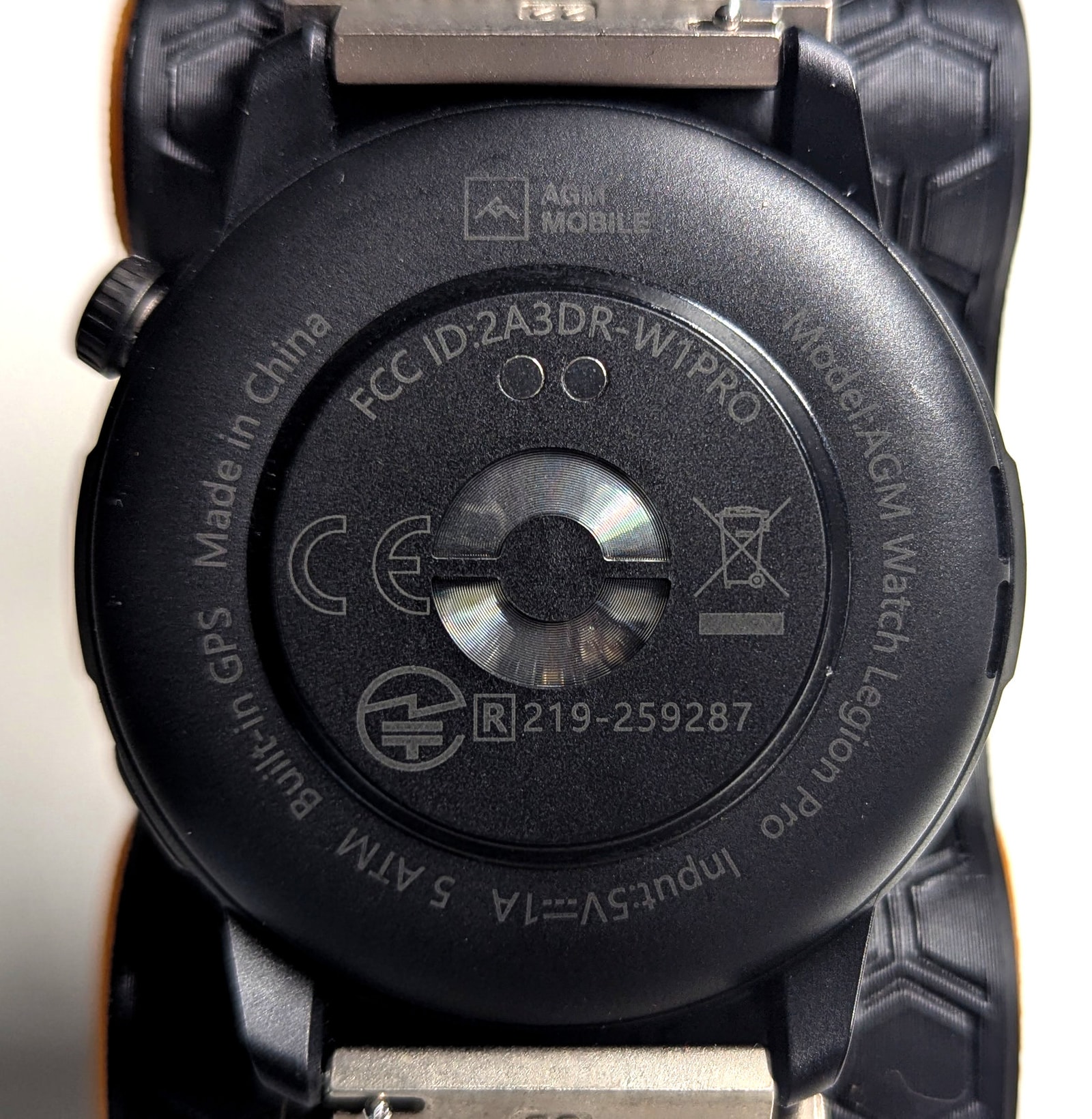
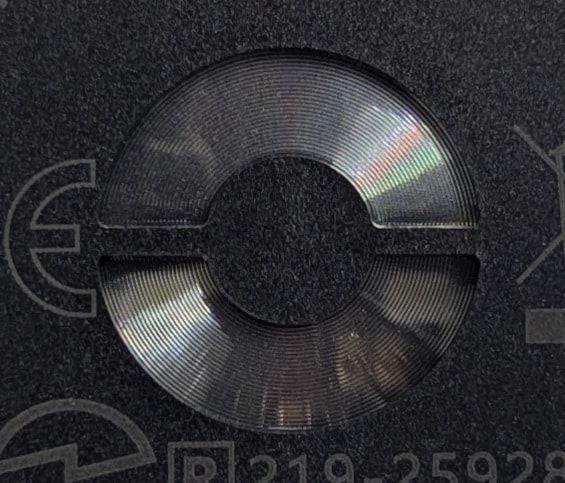
The back panel, made of the same NCVM material as the mid-frame, sports the usual charging port and sensor pod. The heart rate sensor is actually covered by a fresnel lens, with the LED’s on the bottom half and the photodiodes on the top separated by a partition, presumably to minimise light bleed directly from the LEDs into the photodiodes.
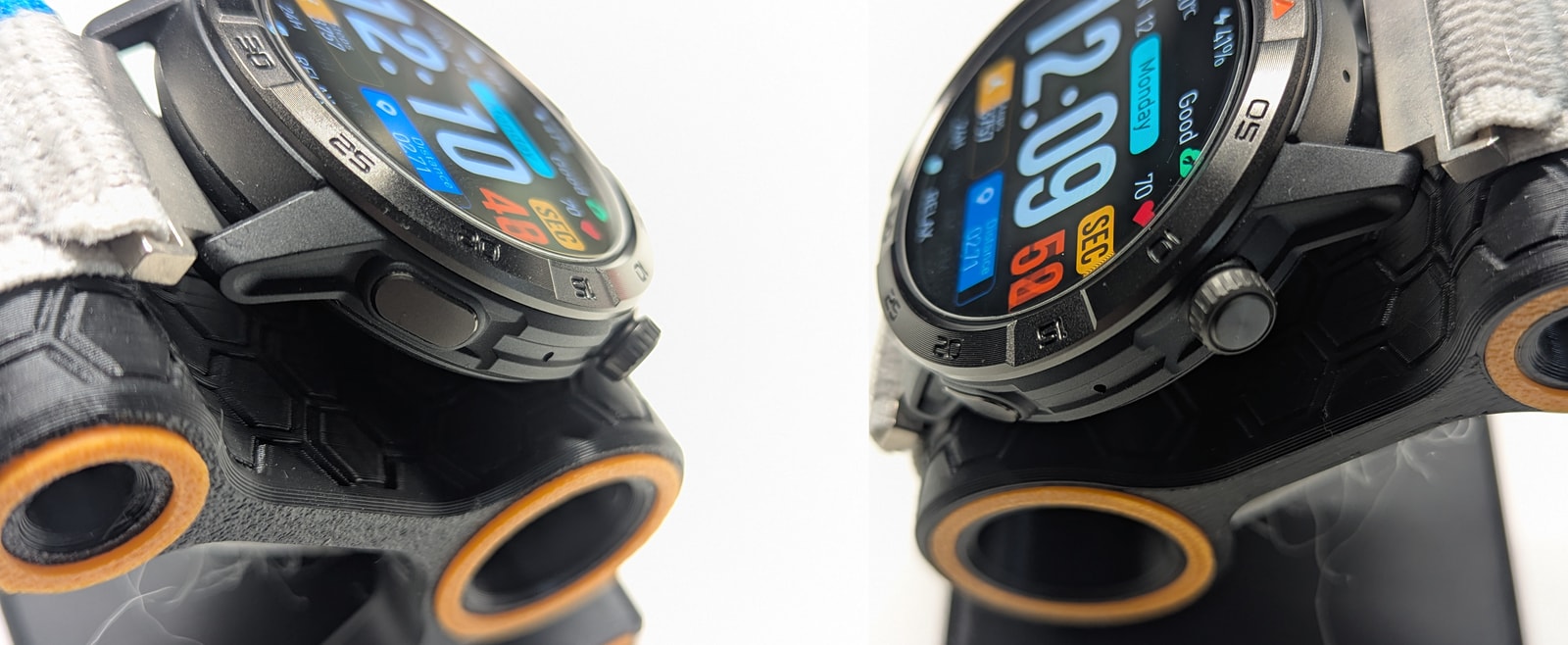
The right side houses the microphone and a classic two-button configuration, with the top being a rotating crown. I’m not a big fan of either - the clicking is a touch stiffer than it should be, and the crown is clicky rather than optoelectric, making it hard to use with a single finger. The speaker sits on the left side.
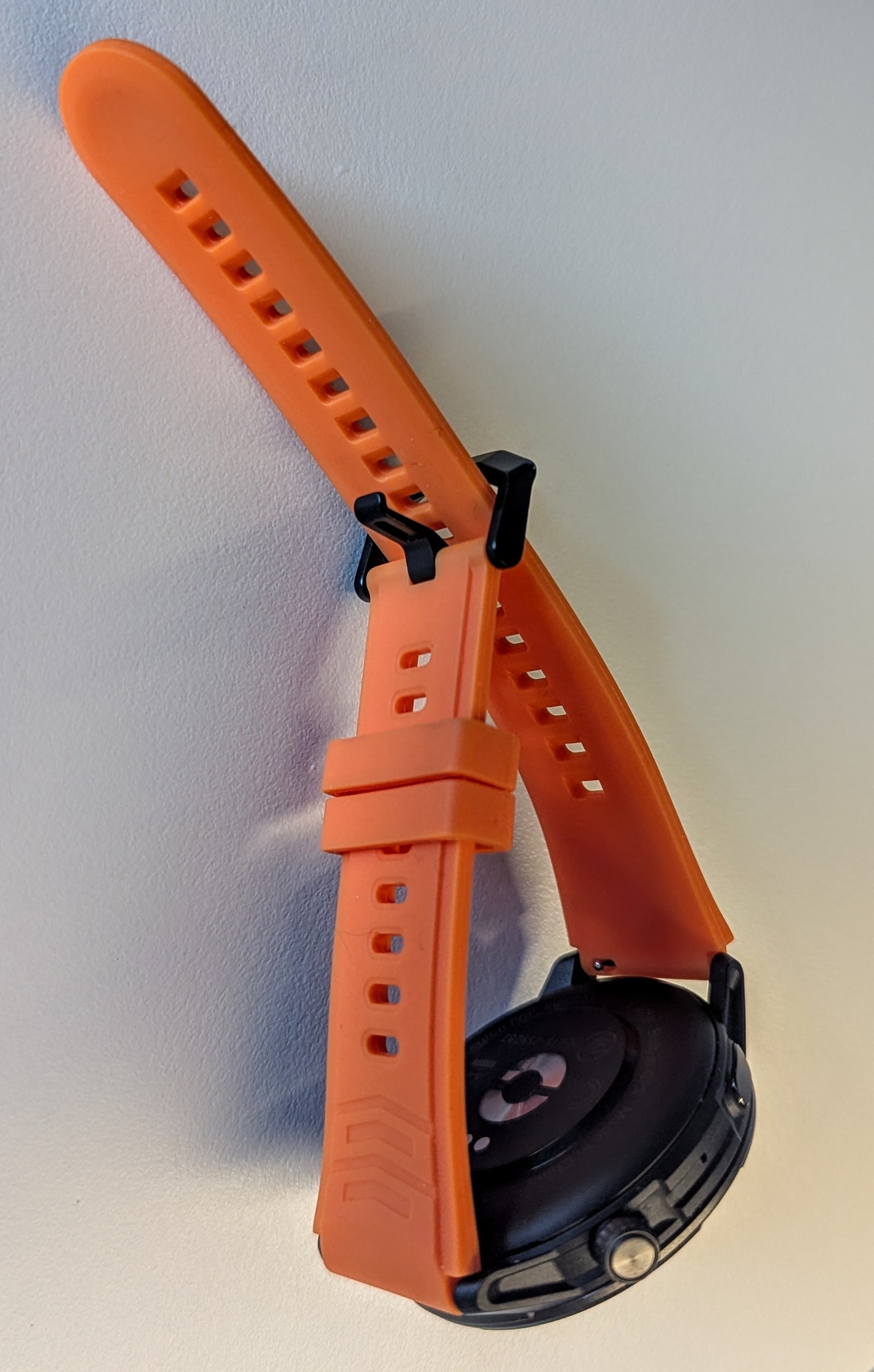
The included rubber watch straps aren’t particularly good - both are identical (one black in the box, one orange pre-fitted), thick, and fairly stiff. At 21 grams each, they add unnecessary heft that can cause noticeable issues with heart rate detection.
All in all, the build quality is quite good, although given the retail price, I would have expected higher-grade materials like aluminum or stainless steel for the bezel and fluororubber for the straps. This, unfortunately, is a recurring theme with this watch.
Display
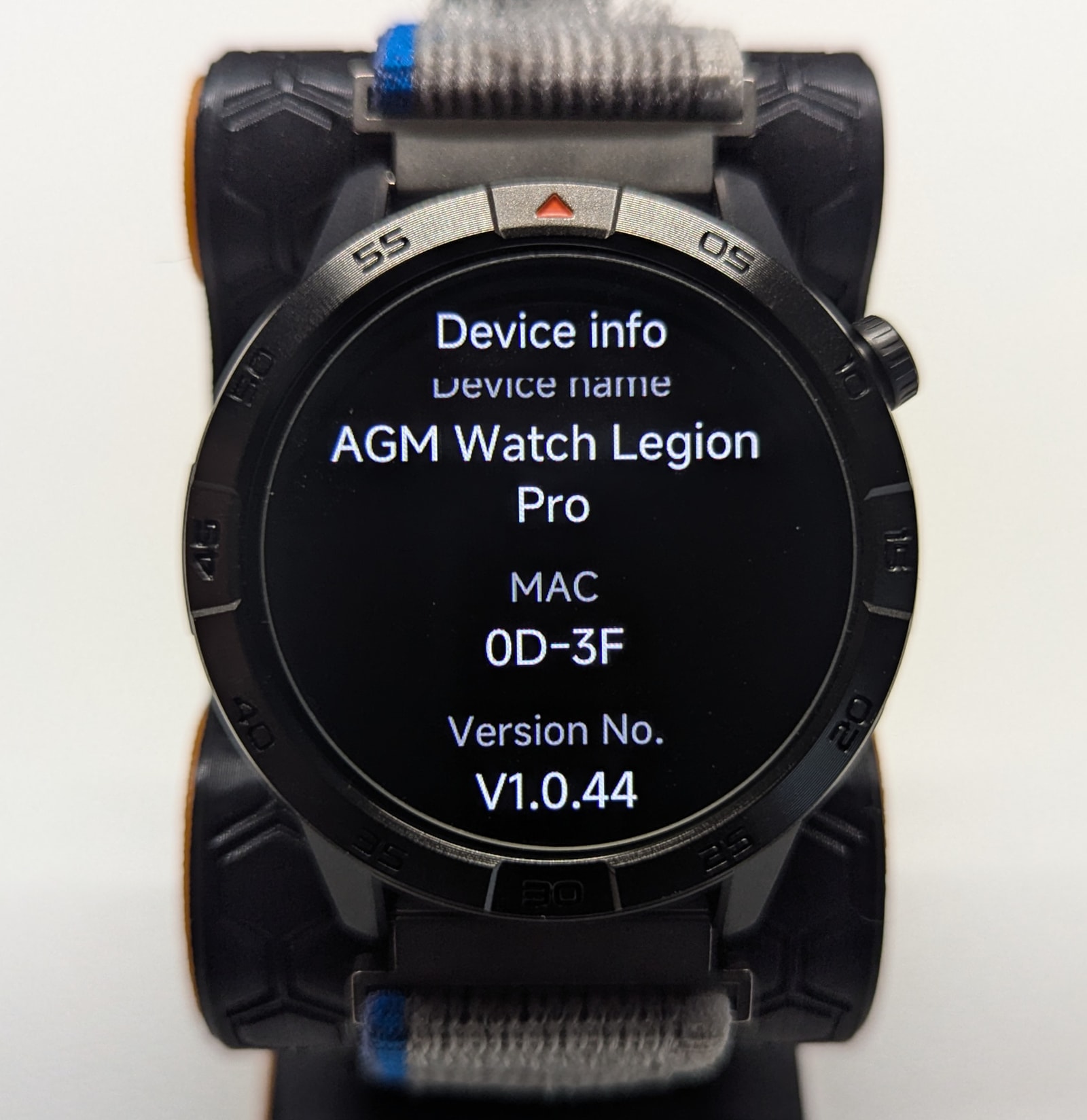
The watch features a 1.43-inch AMOLED panel with a resolution of 466x466 pixels and a max brightness of 600 nits. It lacks automatic brightness but has very thin bezels. Image quality is good, with sharp text, clear graphics, solid contrast, and a reasonable refresh rate.
The panel is covered with Gorilla Glass 3, which should provide good resistance to scratching. The screen is recessed so that placing it face down on a flat surface won’t get it scratched, but screen protectors (tempered glass, 38mm ideal) for circular screens are easy and cheap to buy and I’d definitely recommend fitting one to also protect against impact.
The screen is easily viewable with polarized sunglasses, but it’s not as bright as a watch in this price range should be - 1,000 nits and auto-brightness should be the minimum in this segment. You’ll likely struggle in direct sunlight.
Watch interface
The watch’s firmware (and the app) is based on InfoWear, a lesser-known budget smartwatch system. However, the watch is equipped with a dual-core SiFli SF32LB523 microcontroller, which includes a graphics accelerator that is put to good use - animations are smooth and responsive with plenty of detail. My only criticism is that the animations are tuned to run fairly slowly, which can make the watch feel sluggish. The interface itself is intuitive and works much like any other Bluetooth-style smartwatch system.
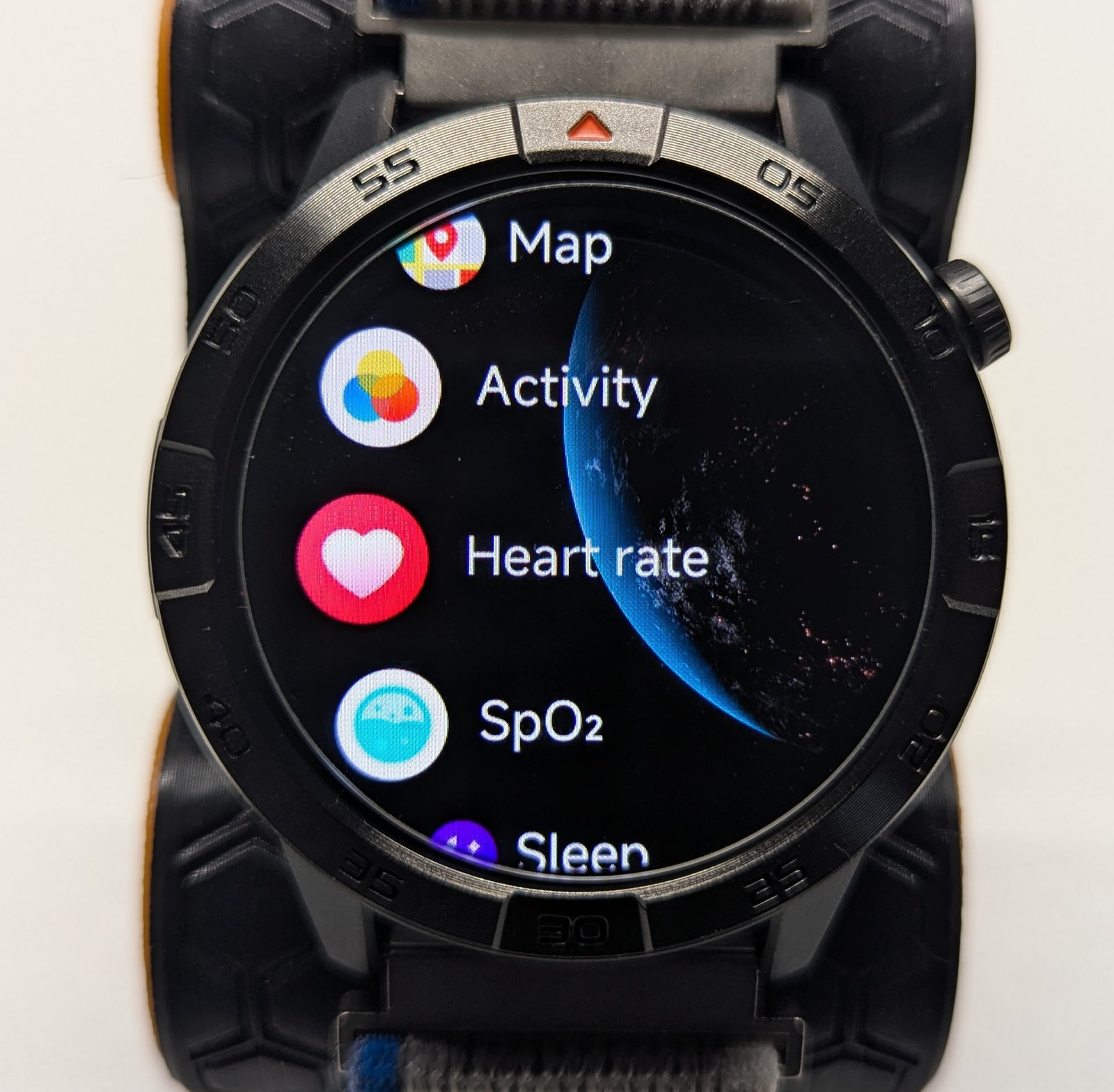
Swiping both left and right cycles through a (non-editable) selection of quick-access apps, like heart rate, weather, actvity rings, music control etc. This is pretty standard and offers quick access to the most commonly used features on a watch like this.
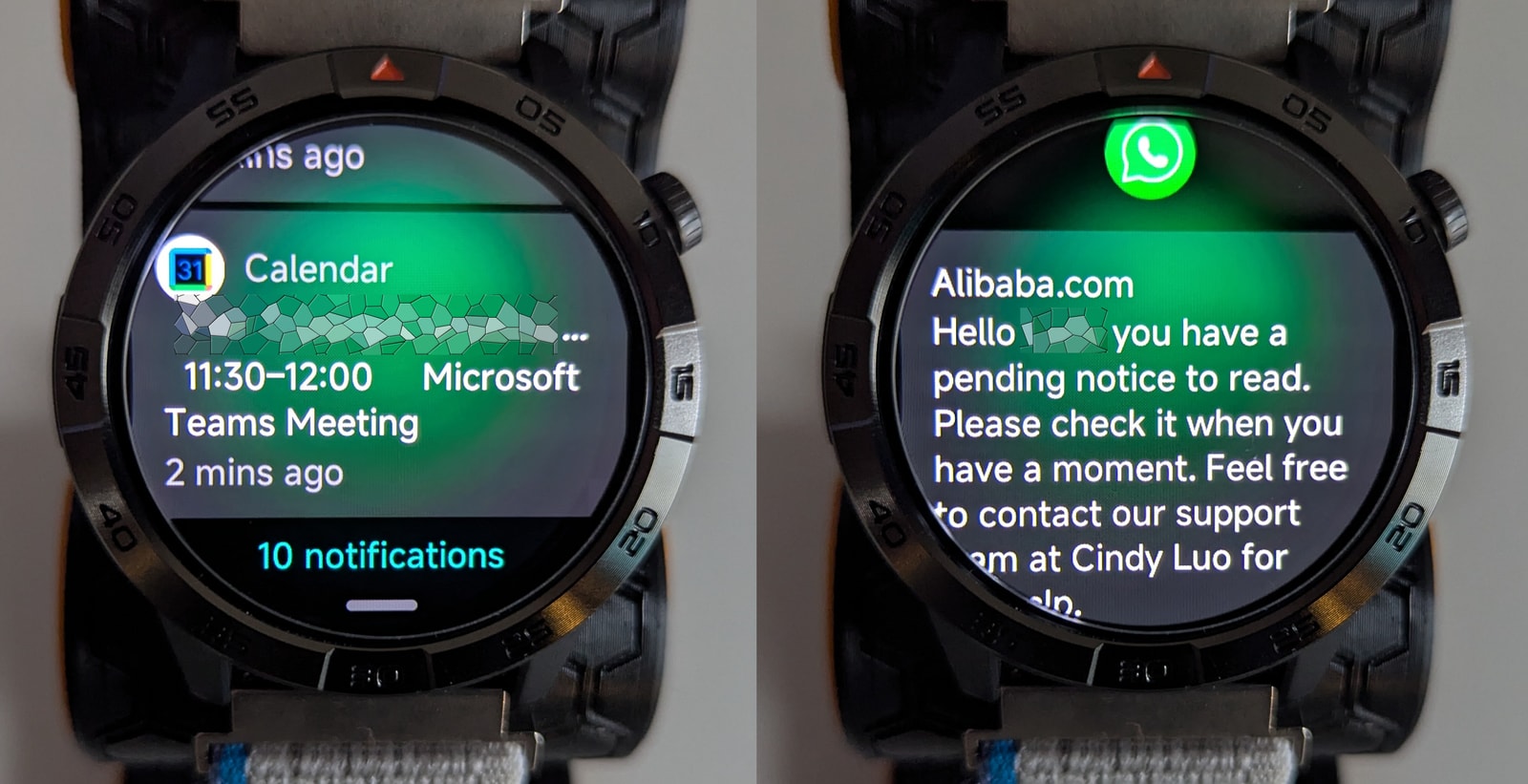
Swiping down brings up the notifications list. As usual, it’s mostly notification mirroring with no way to respond to messages and no emoji support - another glaring omission at this price point. On the bright side, the app allows you to capture notifications from almost any app on your phone, including the calendar.
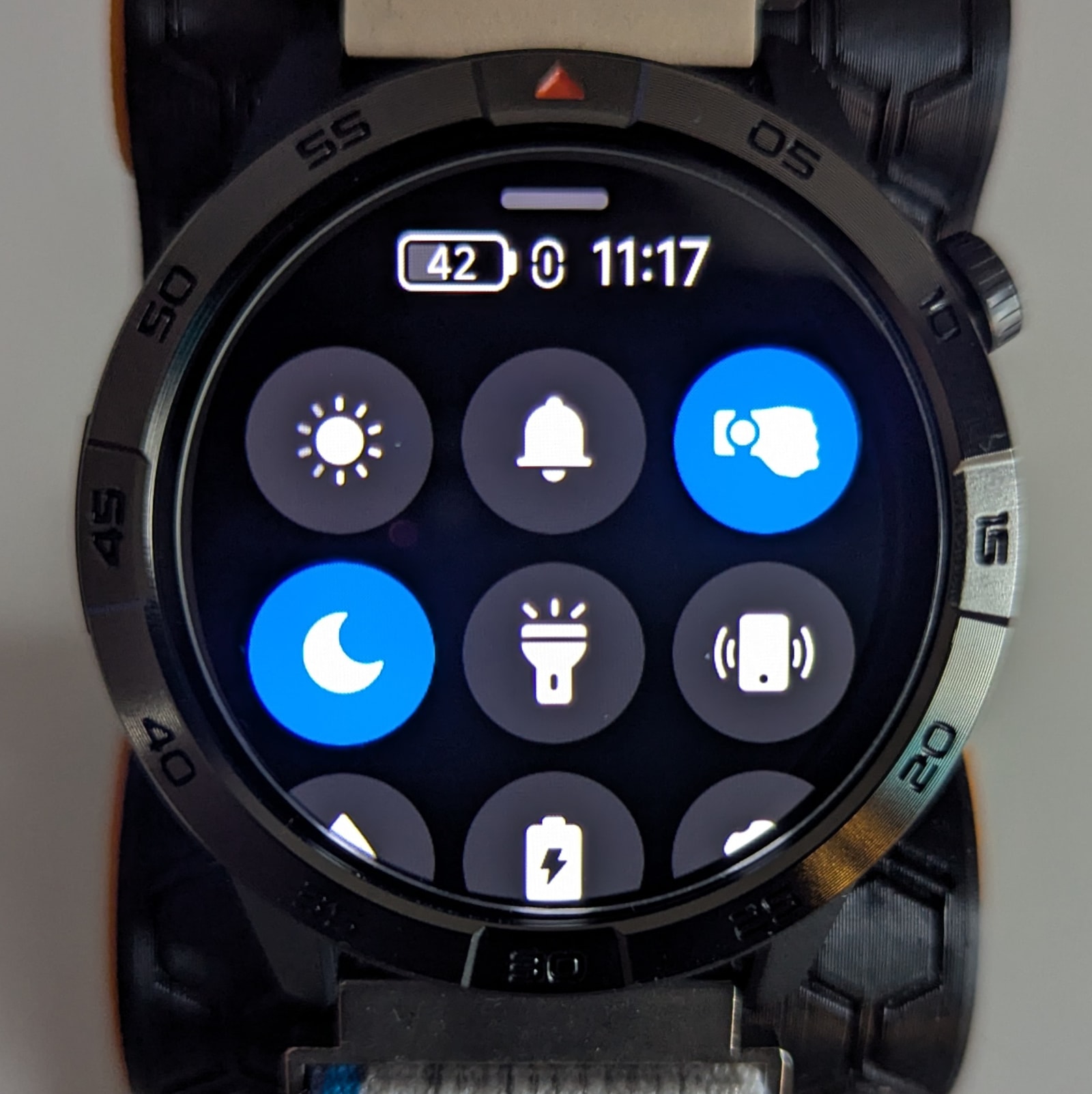
Swiping up brings up the quick settings menu with a good selection of toggles like “find my phone,” torch, and brightness. The list isn’t configurable and doesn’t quite fit on the screen, requiring a tiny bit of scrolling - an annoying oversight that could have been easily fixed by tweaking the icon sizing.
Buttons:
- Crown: As mentioned before, the crown is rotating as well as a click button. On the watch face, clicking it brings up the apps menu, and is also a shortcut to go back to the watch face from anywhere in the watch’s UI. Long-pressing it brings up the power menu.
- Secondary button: This button is actually configurable, which is a really thoughtful touch from the firmware developers. You can map, from settings, any app on the watch to both short and long press actions. For instance, I’ve mapped a short click to the workouts menu, and long press for the timer, which I use all the time.
Watch faces and AOD
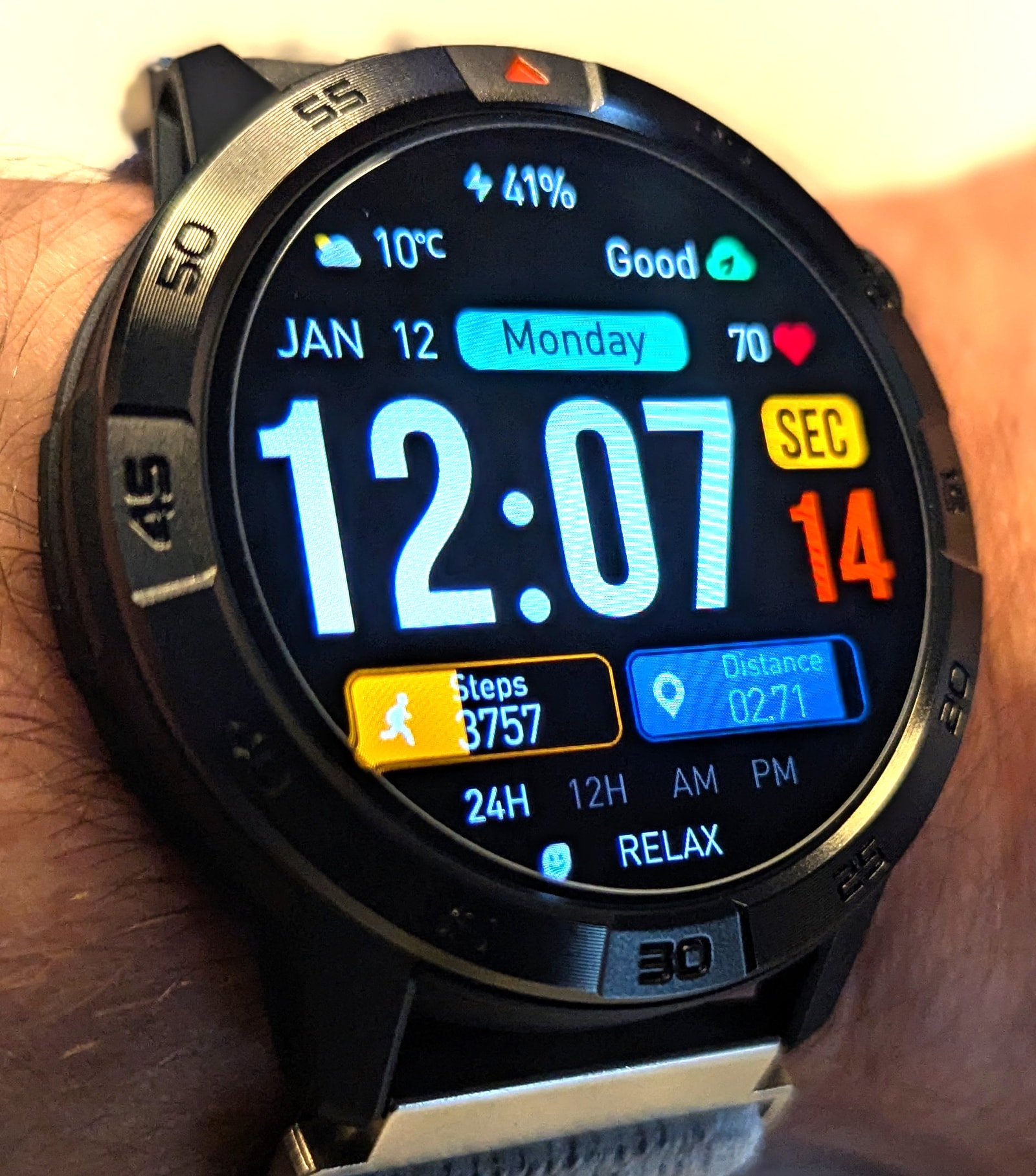
Preinstalled in the watch you’ll find 3 watch faces - not a lot, but at least they’re good ones. The app offers many more, although to my taste, they selection isn’t particularly impressive. I mentioned before the watch is basically an InfoWear device, and AGM Nexus a variation on the InfoWear app, and the watch face selection is identical - including the weird lack of watch faces with a weather widget.
Here’s a selection of default and downloaded watch faces.
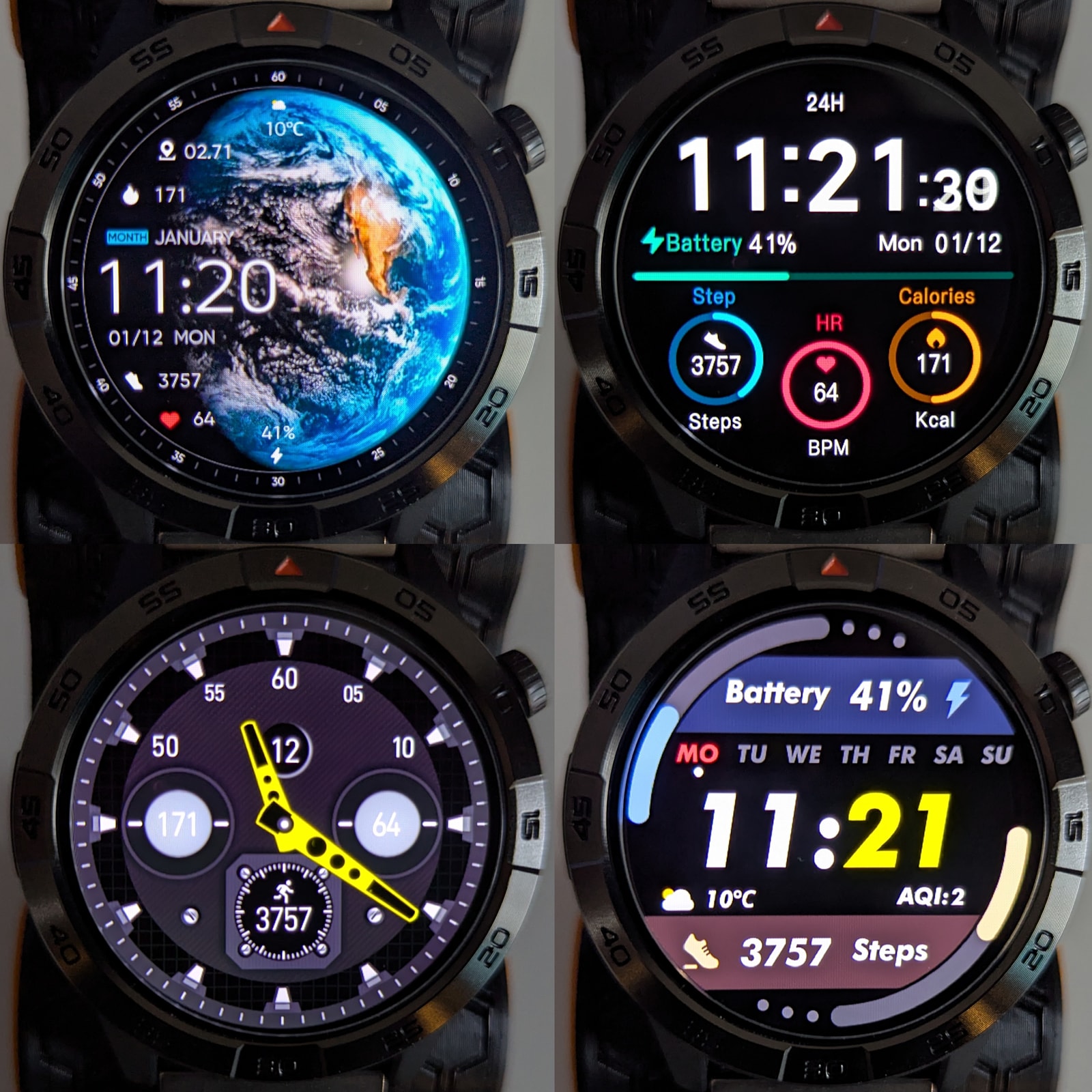
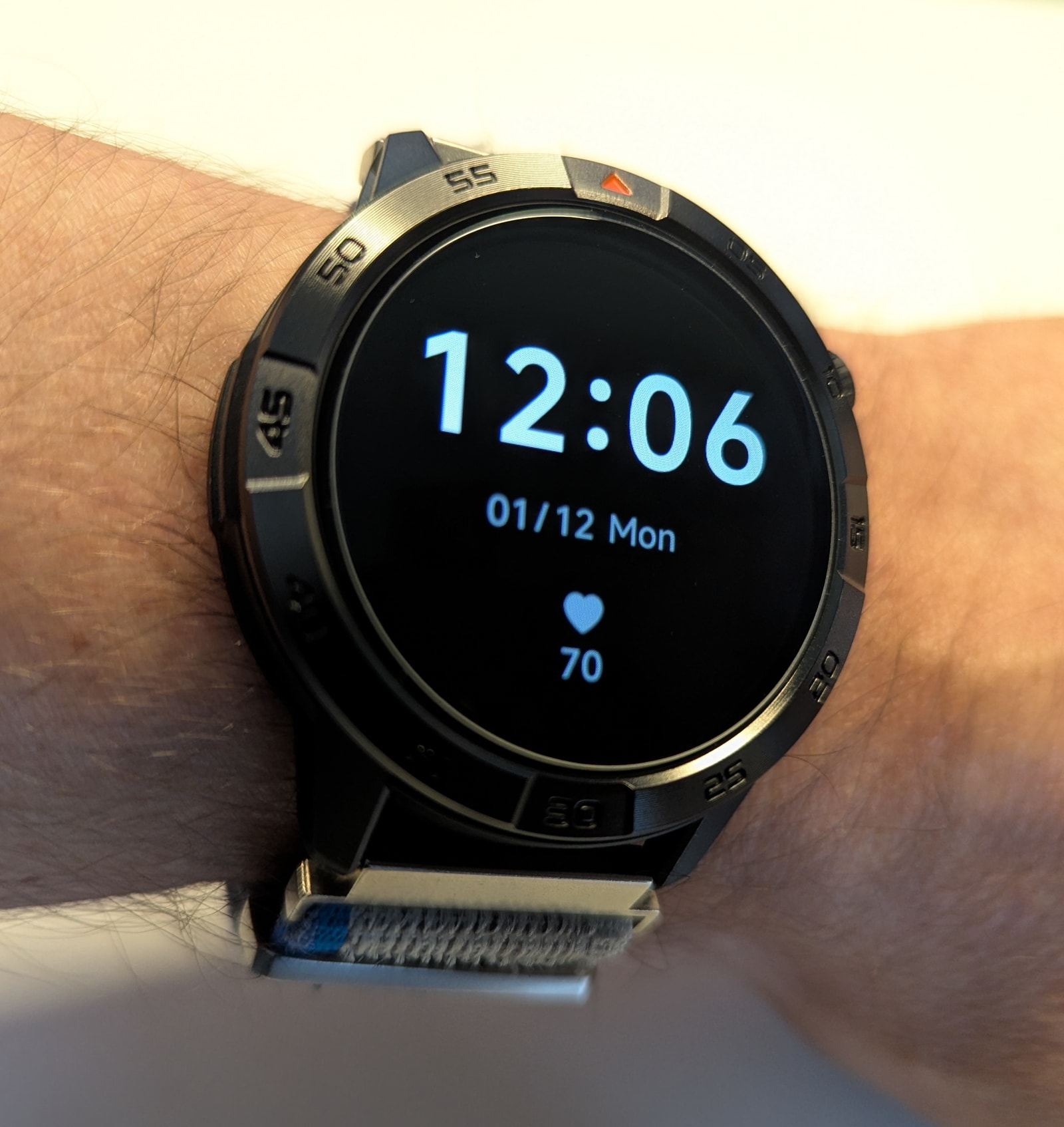
Always On Display (AOD) is supported, but be aware that it will halve your battery life. There’s a small, separate pool of AOD watch faces to choose from, with no extra options available for download. A unique feature of the AGM Legion Pro is its “Smart” AOD activation mode, which considers not only if you’re asleep but also if you’re actually wearing the watch.
Battery Life and Charging
The watch is fitted with a 370 mAh battery, offering a realistic 6 days of use with AOD disabled, 4 hours of GNSS-tracked activities, all health tracking enabled, and heart rate monitoring set to 5-minute intervals. This is a decent result, especially for city-dwellers. That said, this is advertised as a “Rugged outdoor GPS Smartwatch,” and a full day of trekking will likely drain the battery before you’re done. Since this isn’t a dedicated running watch, adding a bit more weight to accommodate a 500 mAh battery would have been a better design choice.
The watch sports the standard magnetic pogo-pin charging system and charges from empty to full in less than an hour.
Health Monitoring
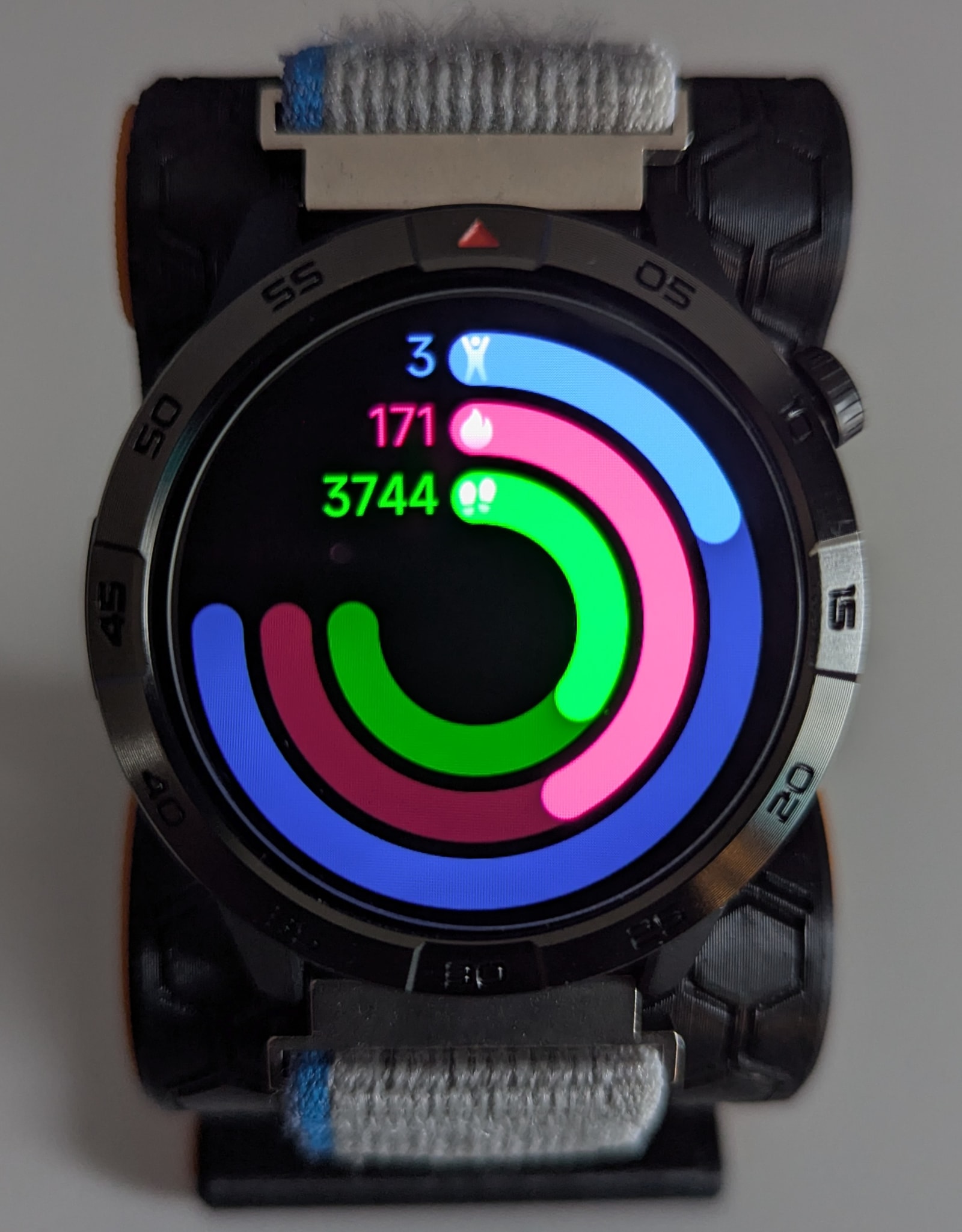
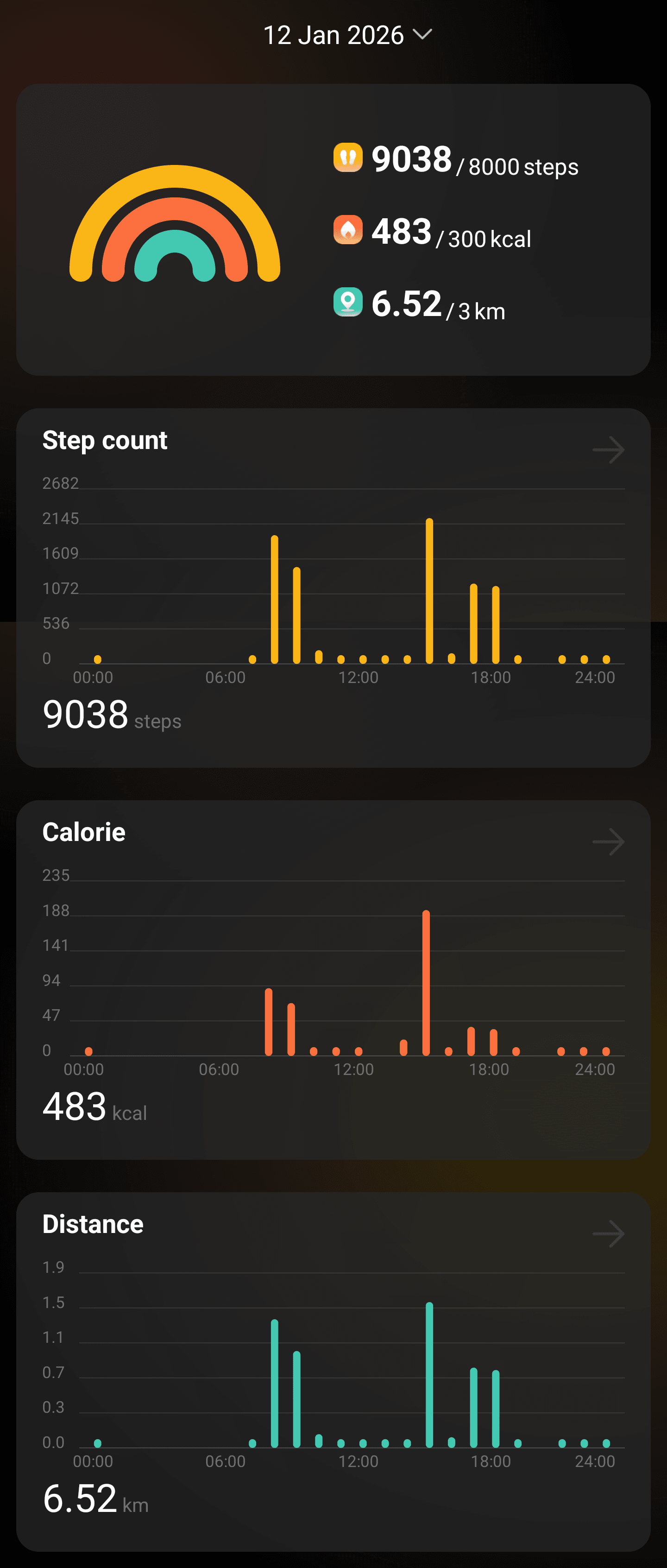
The AGM Legion Pro features the standard array of health metrics: heart rate, blood oxygen, stress, and sleep tracking. Notable absences include breathing exercises and menstrual cycle tracking. The AGM Nexus app allows you to set goals for steps, distance, active calories, and sleep duration, which are displayed prominently on both the watch and in the app:
The watch also offers number of reminders:
- Sedentary alert
- Water intake
- Medication
- Hand washing (bit of an odd one)
Heart rate and SpO2
The watch is equipped with a 3-LED, 2-PD (photodiode) PPG heart rate sensor. It’s a slightly souped-up version of the sensor you can find on the newer Fitbeing smartwatches, like the FT66, and shares many of the same characteristics:
- Initial calibration when the sensor turns on can sometimes lead to inaccurately high heart rate readings.
- The sensor is quite accurate for steady-state cardio.
- However, it is slightly laggy, missing the short heart rate peaks typical of activities like strength or interval training.
Now, while this sensor is good for a watch like the FT66 at about £35, on a watch of this price range it’s simply not good enough.
The sensor is covered by a fresnel lens, divided in two with the photodiodes in one side and the LEDs on another - the center partition minimises light bleed straight from the LED into the photodiode array.
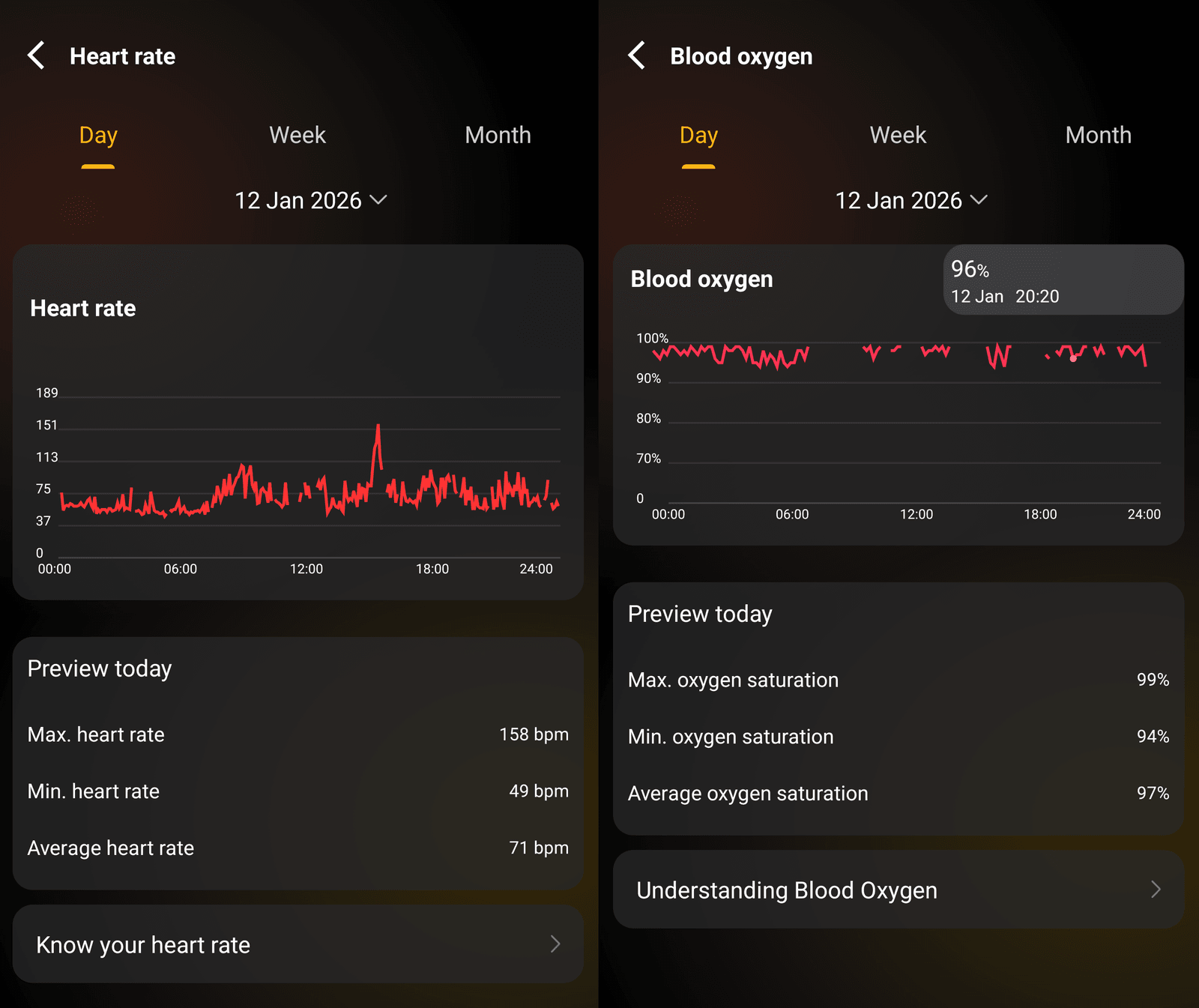
In terms of daily background monitoring, the watch allows you to turn heart rate tracking off, set it to 5-minute intervals, or set it to “real-time.” I expected the real-time mode to be continuous, but it’s actually just a 30-second sampling interval. You can set heart rate alerts, though they only seem to trigger for high heart rates while at rest, as they never activated during exercise.
Blood oxygen saturation can either be turned off, or set to record every 10 minutes. You can also set up alerts for sub-90% SpO2 levels.
Sleep tracking
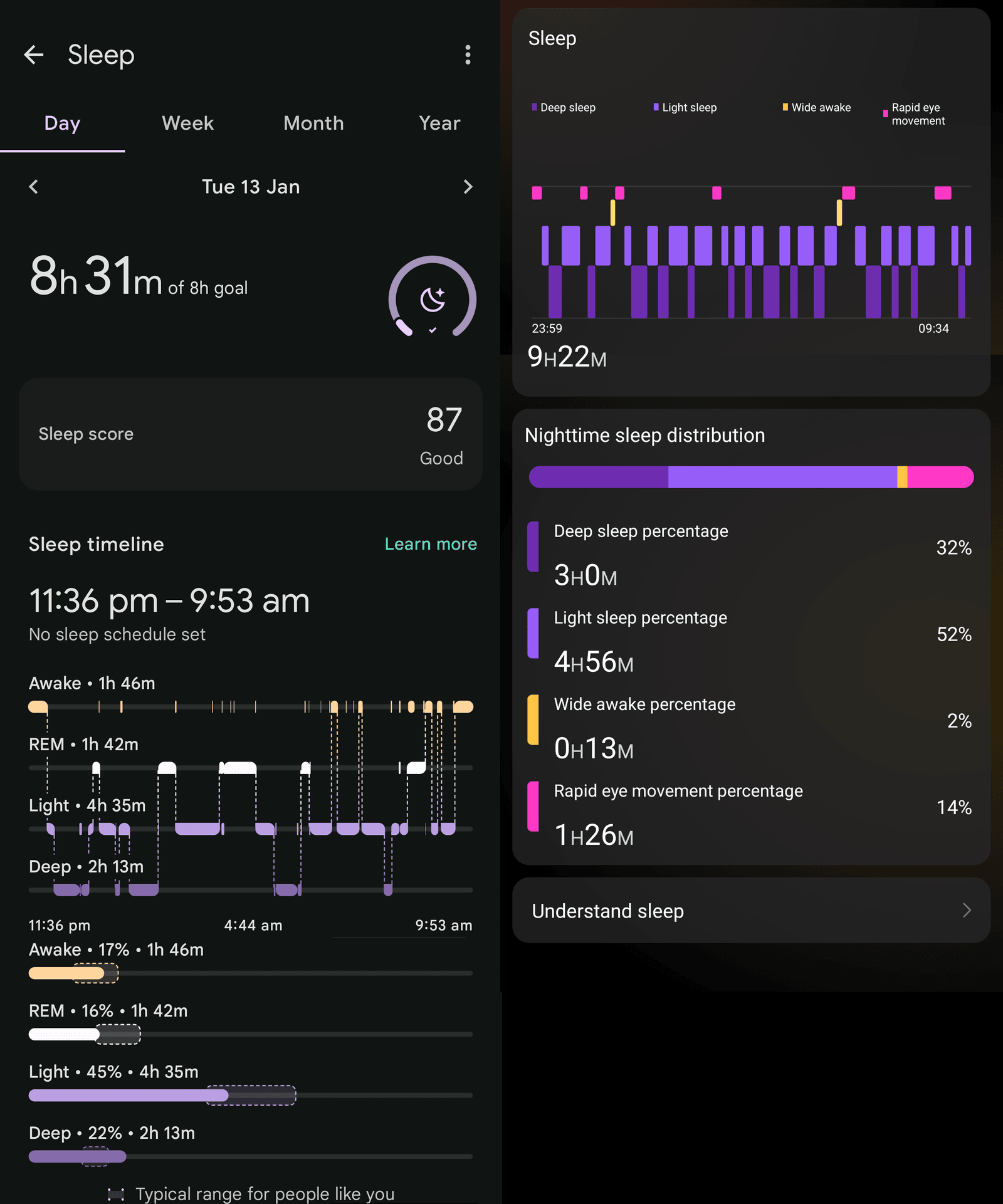
The watch accurately detects sleep, wake-up times, and naps. Sleep stage detection is a bit hit-or-miss, as it tends to overestimate deep sleep, but the general estimates are reasonable - especially for light sleep and awake times. It would have been great if AGM offered more data (like heart rate, SpO2, and stress) overlaid on the sleep graph for better context.
Consider this sleep session I logged on both the AGM watch and a Pixel Watch 2 (Fitbit devices are currently considered some of the top sleep trackers):
The watch itself also has a nice visualisation for the sleep tracker:
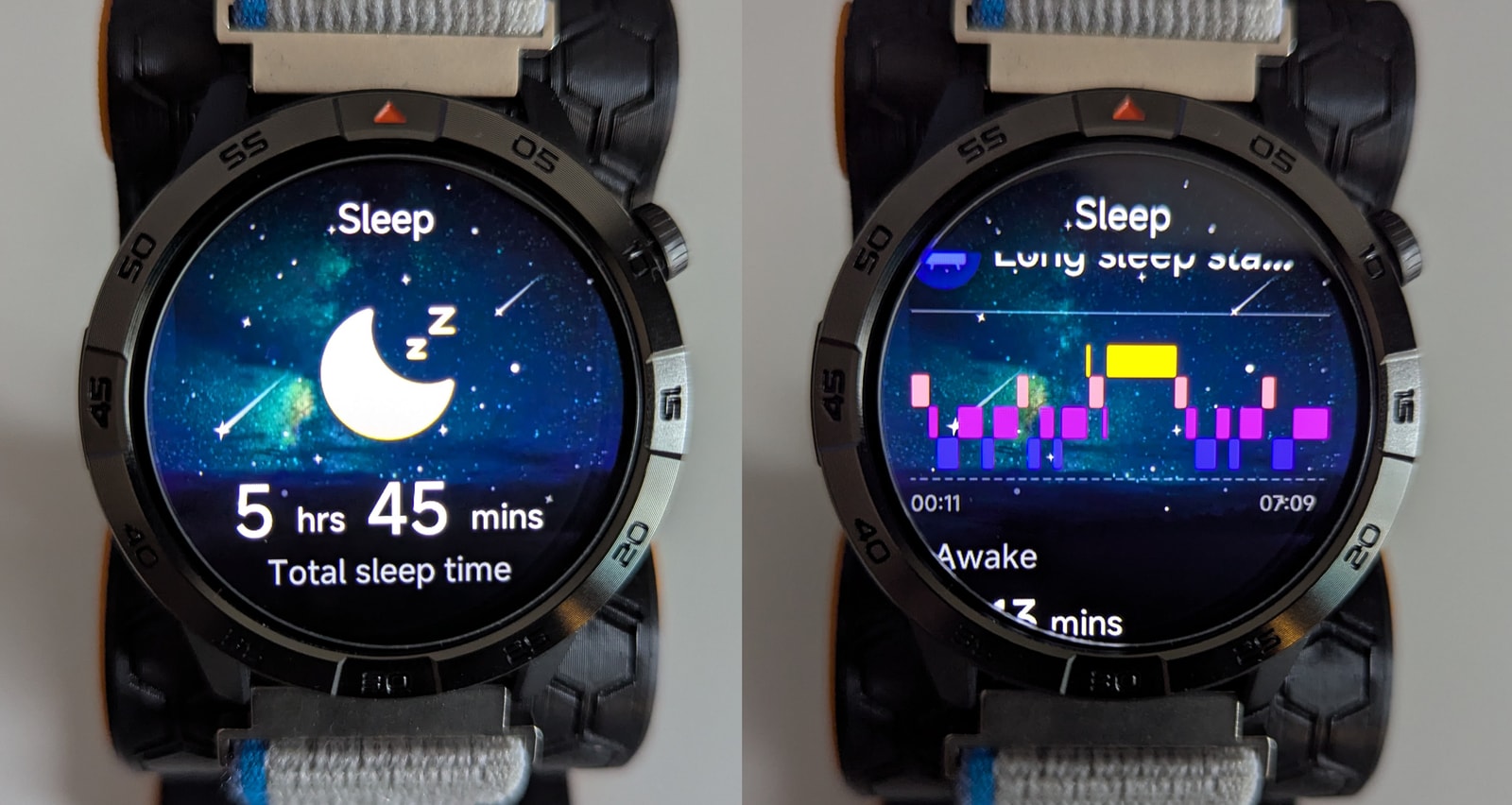
All in all, the sleep tracking is good enough for most purposes, but it’s disappointing that the app doesn’t integrate all of your nightly metrics into a single view.
Stress monitoring and standing stats
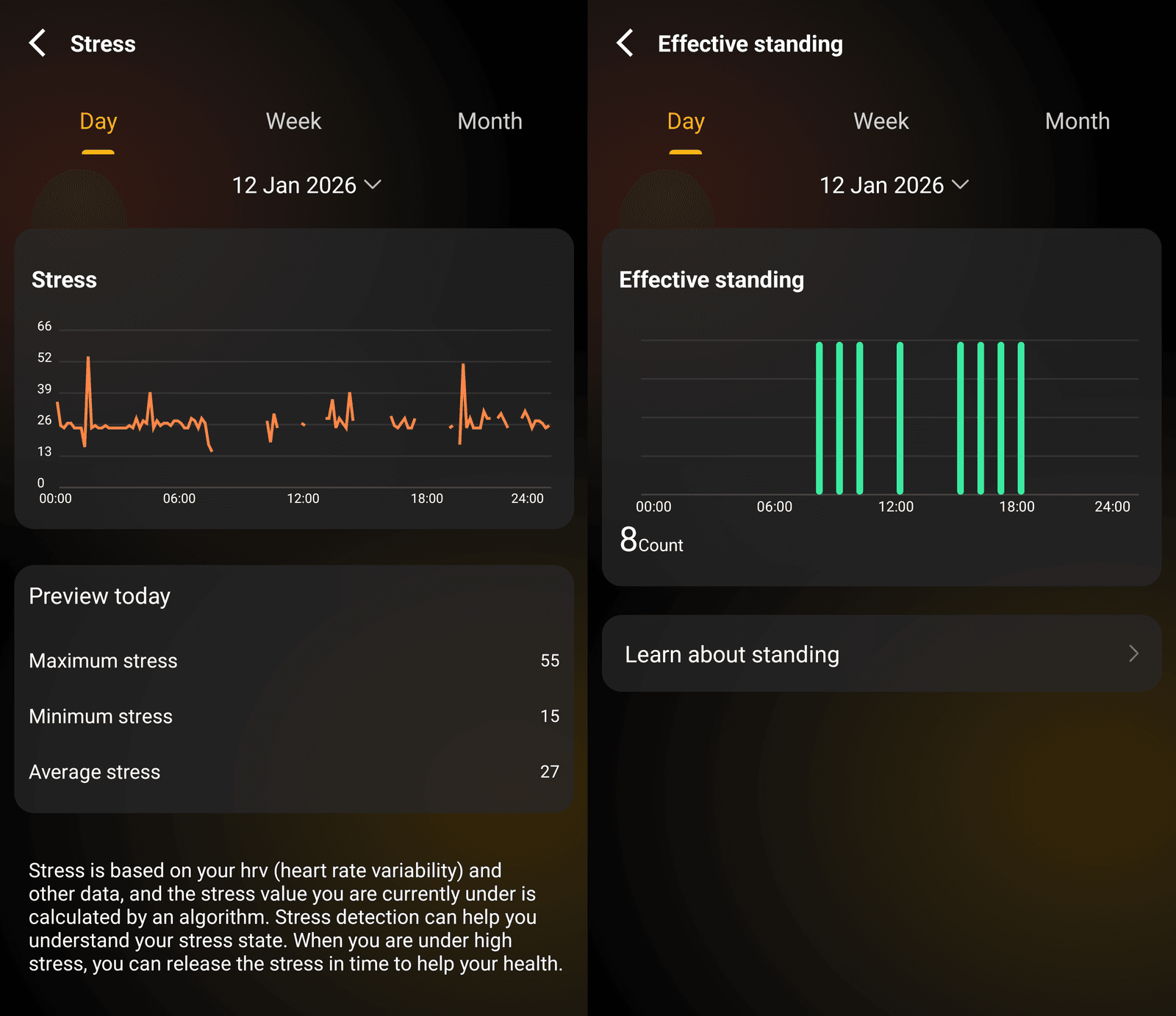
The watch also offers stress monitoring, which uses HRV to assess stress levels. It’s difficult to gauge exactly how effective this is, as I’m usually quite a chilled individual, so I’ll leave it to the reader to judge.
The last metric recorded is “Effective standing”, which records how many times you stood up during the day.
Fitness and Outdoor Features
Sports modes
The watch supports over 100 sports modes, including staples like running, walking, and elliptical training. However, the way activities are managed on the watch is slightly different from other devices: through the app’s settings, you can add up to 10 activities to the watch, which are then the only ones available on the device. While some might prefer having the full list on-device with a “favorites” system, I actually appreciate the ability to zero in on just the activities I intend to use.
As a side note, despite the advertised 5ATM water resistance, there are no water sports modes available. I wouldn’t recommend swimming with this watch regardless.
Strava
The watch offers Strava integration via the AGM Nexus app. This is a welcome feature, but the implementation is somewhat awkward:
- Activities are not automatically uploaded; you must manually sync them within the app.
- Only GNSS-tracked activities can be uploaded, so indoor sessions like strength training cannot be synced.
- This is likely because the app uses GPX as the sharing medium, which doesn’t support full heart rate data or detailed elevation graphs.
Incidentally, this has made it impossible for me to extract heart rate data for comparison with other devices, which you’ll see below.
GNSS tracking
The watch is equipped with a single-band (L1) GNSS module with five supported constellations. As expected from a single-band module, performance in urban environments is somewhat wobbly. Consider the following route in a built-up area:
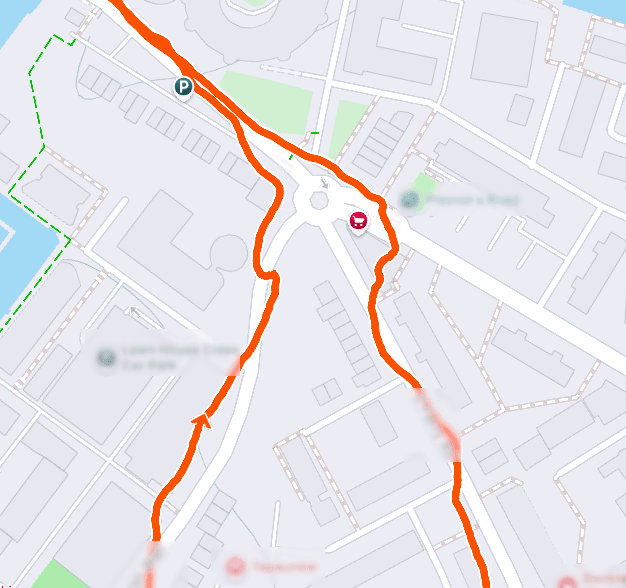
The track coming from the south-west corner is a city canyon, and you can see it drifting into the westward buildings when I was actually walking on the pavement opposite. However, it correctly detected when I crossed near the roundabout. This is common even on dual-band trackers. The disappointing part is the track leading south-east; despite the buildings being much lower (one or two stories), the watch still struggled to record which side of the road I was on.
That said, the watch acquires a GNSS lock quickly. Aside from a one-off five-minute wait the first time I wore it, acquisition has been consistently fast.
Offline maps
The watch supports offline maps, though with several caveats:
- There is no activity integration, so you cannot see your route on the map while tracking a workout.
- There is no obvious way to send GPX routes to the watch via the app.
- The only way to record a route is to enter the Map app itself and move around while recording; you can’t initiate this from within an activity.
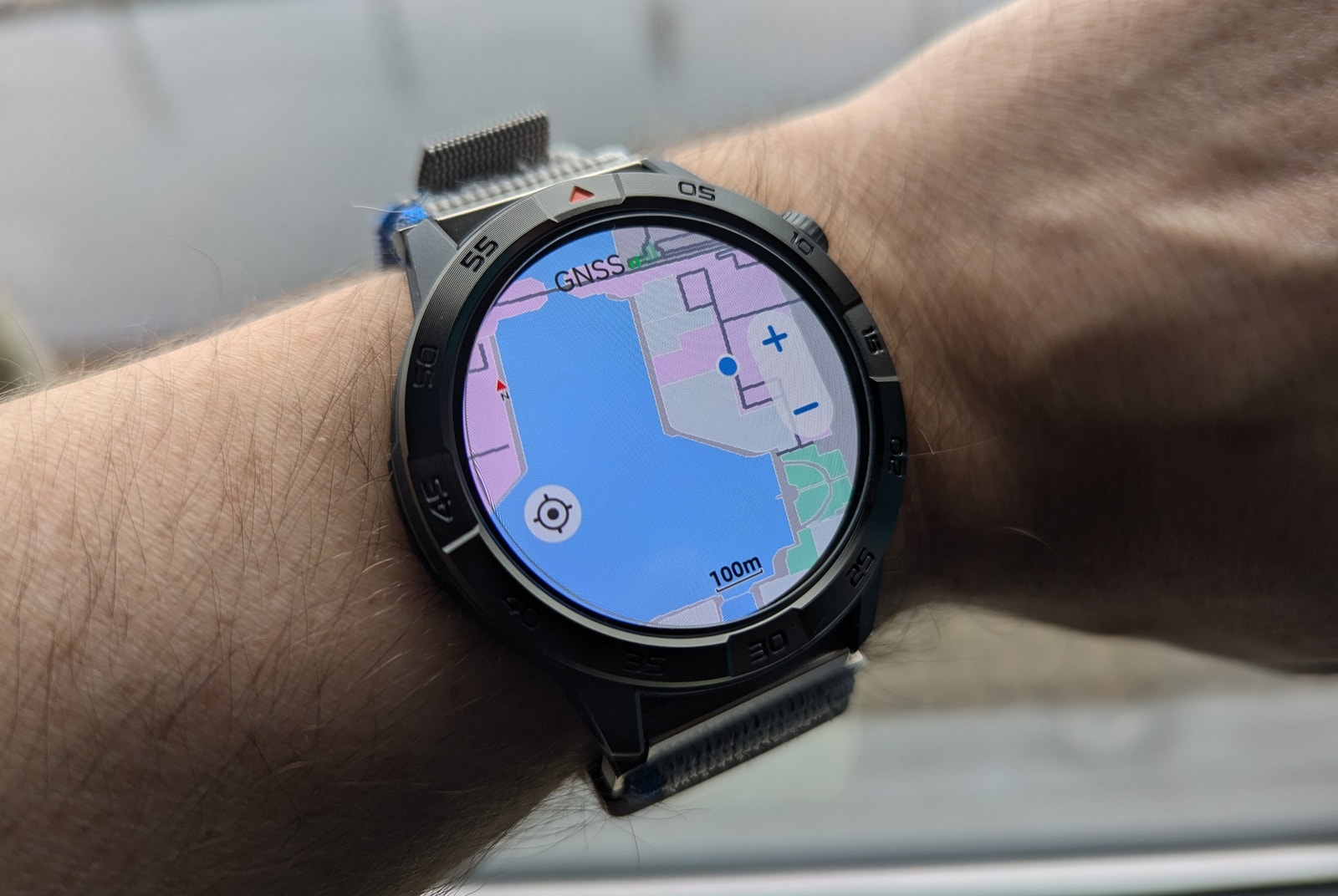
The map system is identical to other watches I’ve encountered (likely a standard firmware library), including the icons, options, and layout. The maps themselves aren’t very detailed - you can see street shapes but no street names. Since you can’t compose routes on your phone and send them to the watch, the utility of this feature is limited.
Additionally, you can only store a single map on the device; attempting to add a second for a different location requires deleting the first. On the plus side, the app’s interface for cropping and sending maps to the watch is straightforward and works well.
Compass and barometric altimeter
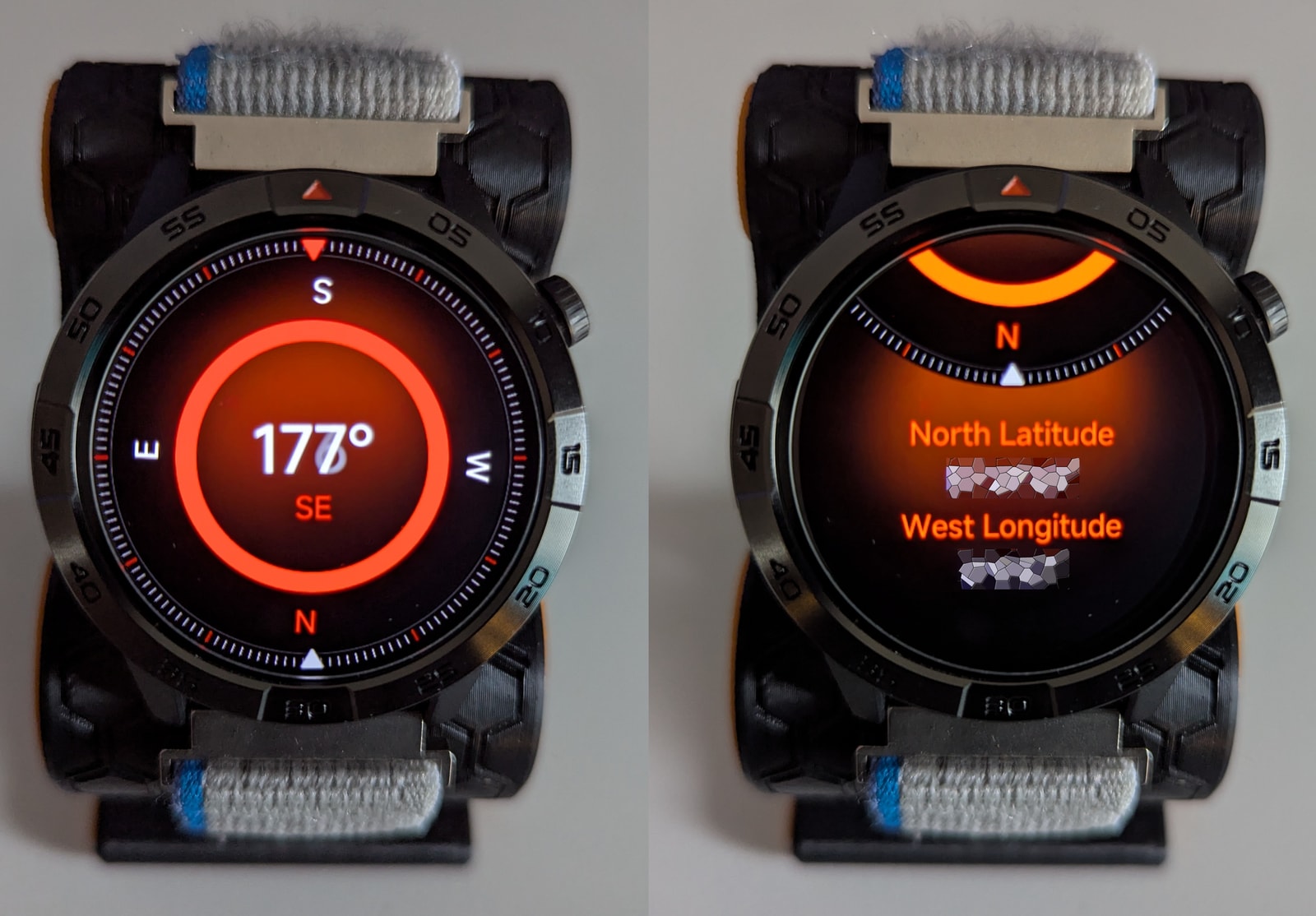
The compass is a bit of an oddball compared to other watches. The initial view of it is actually your current coordinates, but I’m entirely unsure where they come from since the GNSS module does not activate. Often, it will show 0.0 lat and 0.0 longitude, presumably whenever the GNSS module hasn’t been active at any point during the current 24h cycle. The compass calibrates with a figure of 8 and is able to point north with reasonable accuracy.
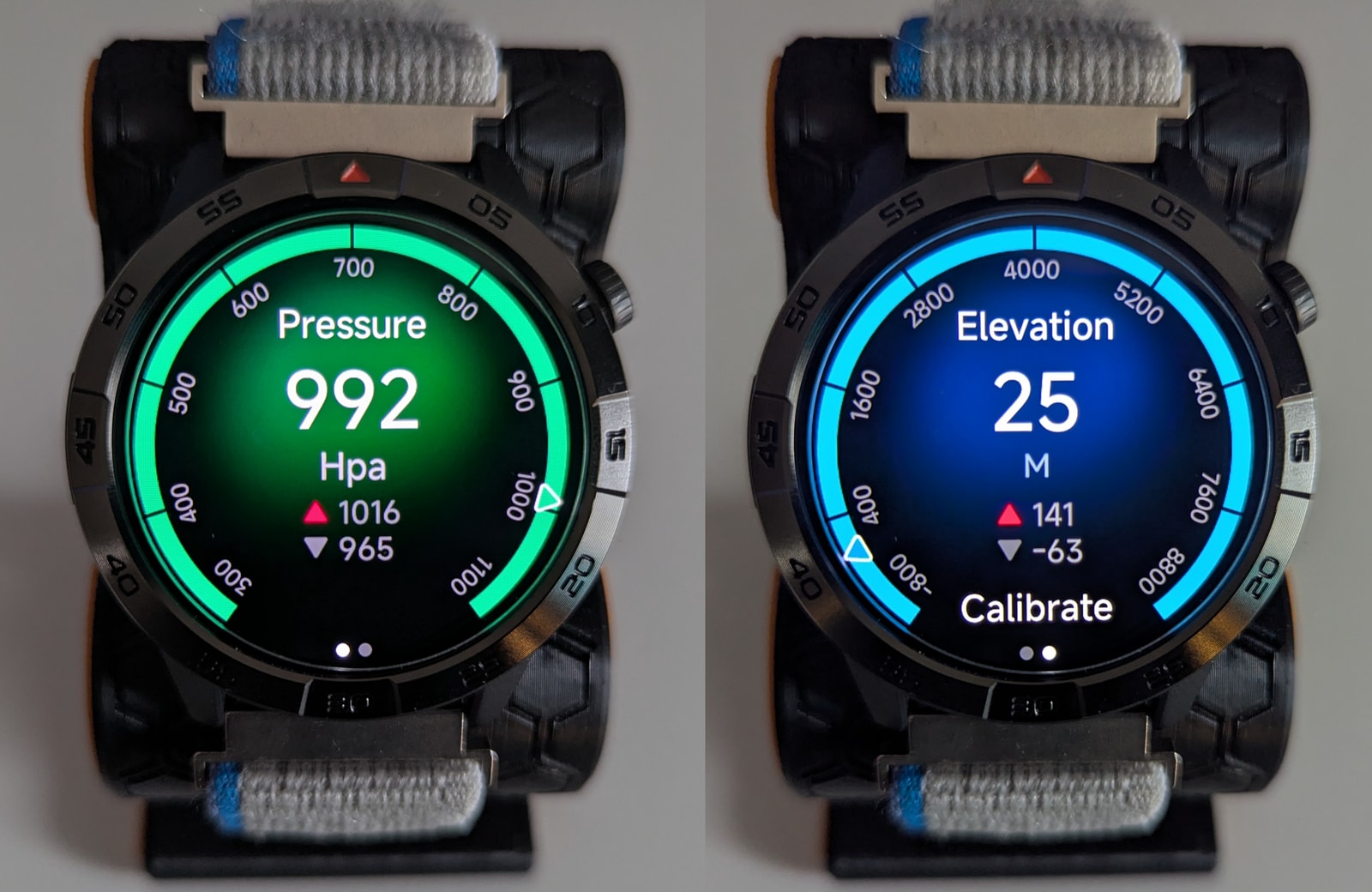
The barometric altimeter is fairly lackluster. For an “adventure” watch, I would have hoped for:
- Self-calibration via GNSS.
- Weather alerts when atmospheric pressure drops quickly.
- Historical graphs for atmospheric pressure or elevation.
Currently, this data doesn’t integrate with anything else on the watch. For activities like hiking, it would be extremely useful to see current altitude, slope, and heading directly on the activity screen.
Step counter
During activities, I found the step counter to be accurate and broadly in line with my comparison devices, so there’s nothing to complain about here. It does a fairly good job at weeding out false positives when your arm is moving but you aren’t walking.
Sports tracking and tests
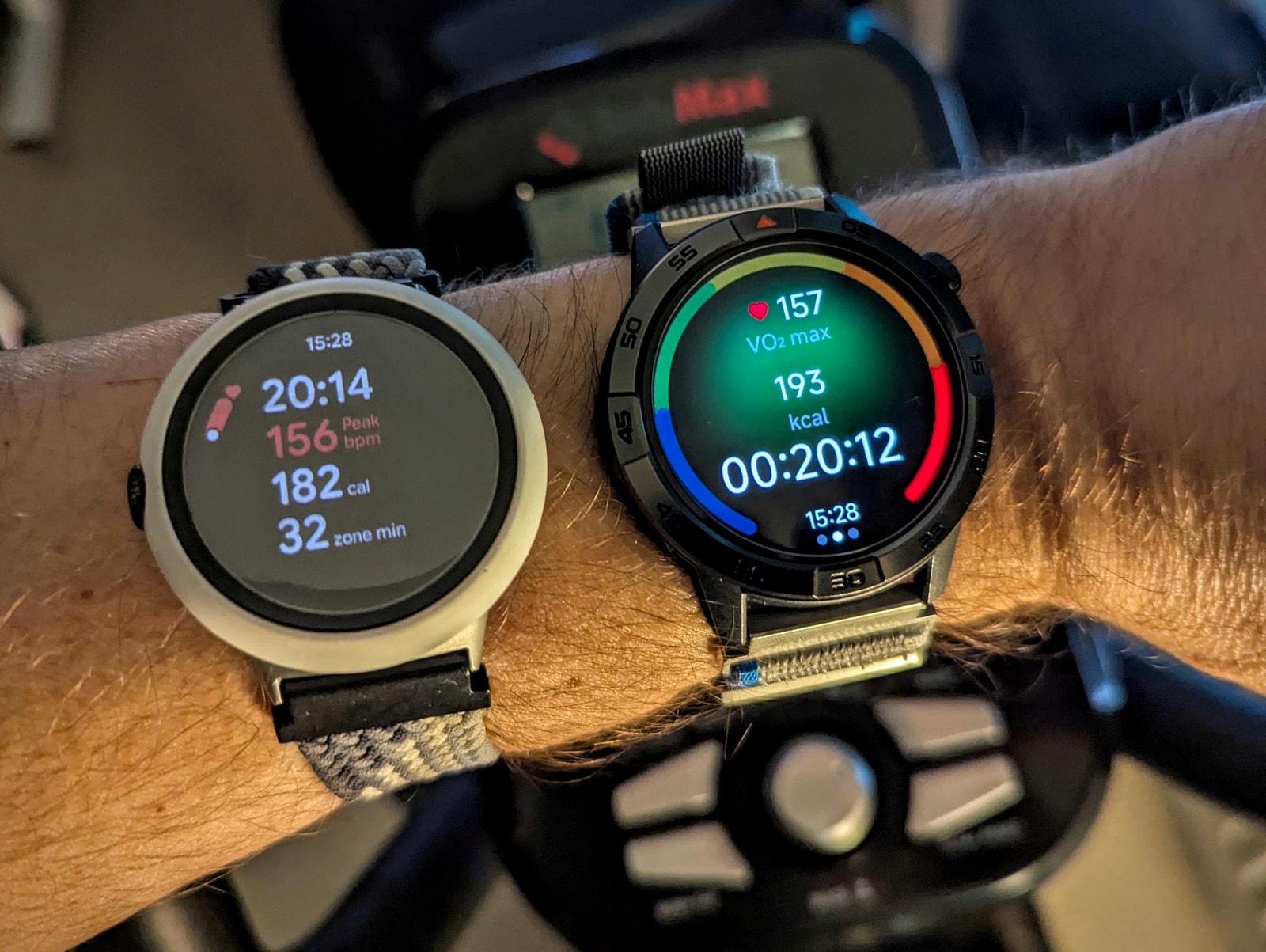
I wore this watch for about two weeks, occasionally alongside a Pixel Watch 2 and Amazfit T-Rex 3 Pro, to capture comparative data. Both of those devices feature solid sensors and reliable activity tracking. I logged various walks and workouts - including outdoor walks, elliptical sessions, and strength training - and selected a few representative sessions for this review.
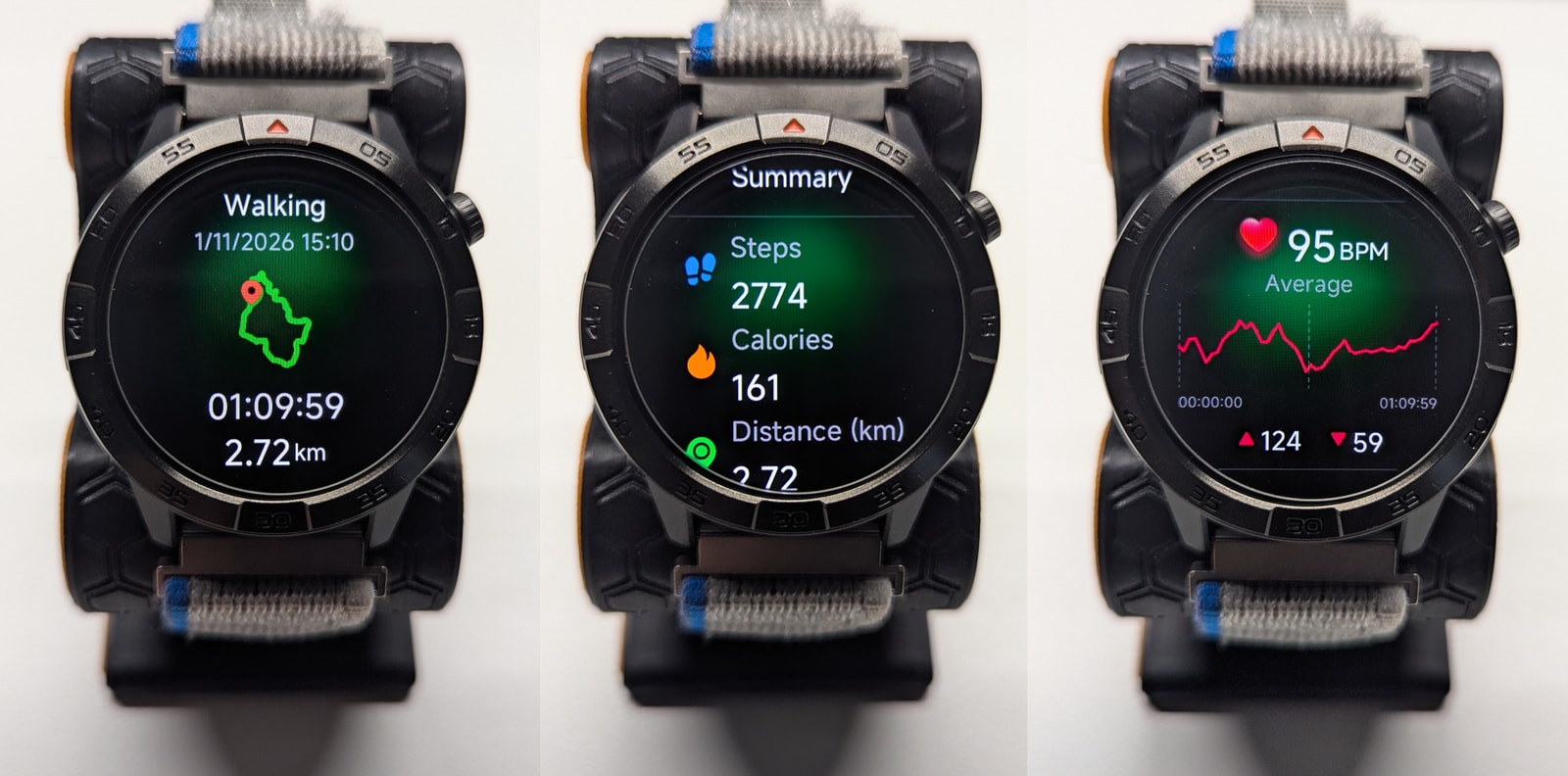
To cut a long story short, the watch performs well during steady cardio, like elliptical training or walking, where it accurately tracks heart rate and provides reasonable calorie estimates. However, for variable-intensity activities like strength training, the sensor struggles to capture heart rate peaks, which in turn affects derived metrics.
A bigger disappointment is the lack of integration for outdoor features - like offline maps or the barometer - during relevant workouts such as hiking or outdoor walks.
Note: The AGM Nexus app makes it difficult to gauge heart rate variance during activities, as the graphs are heavily smoothed (it appears to plot averages over one-minute windows). Since heart rate data does not export to Strava, I couldn’t perform a more granular comparison with other devices.
GNSS-tracked outdoor walk
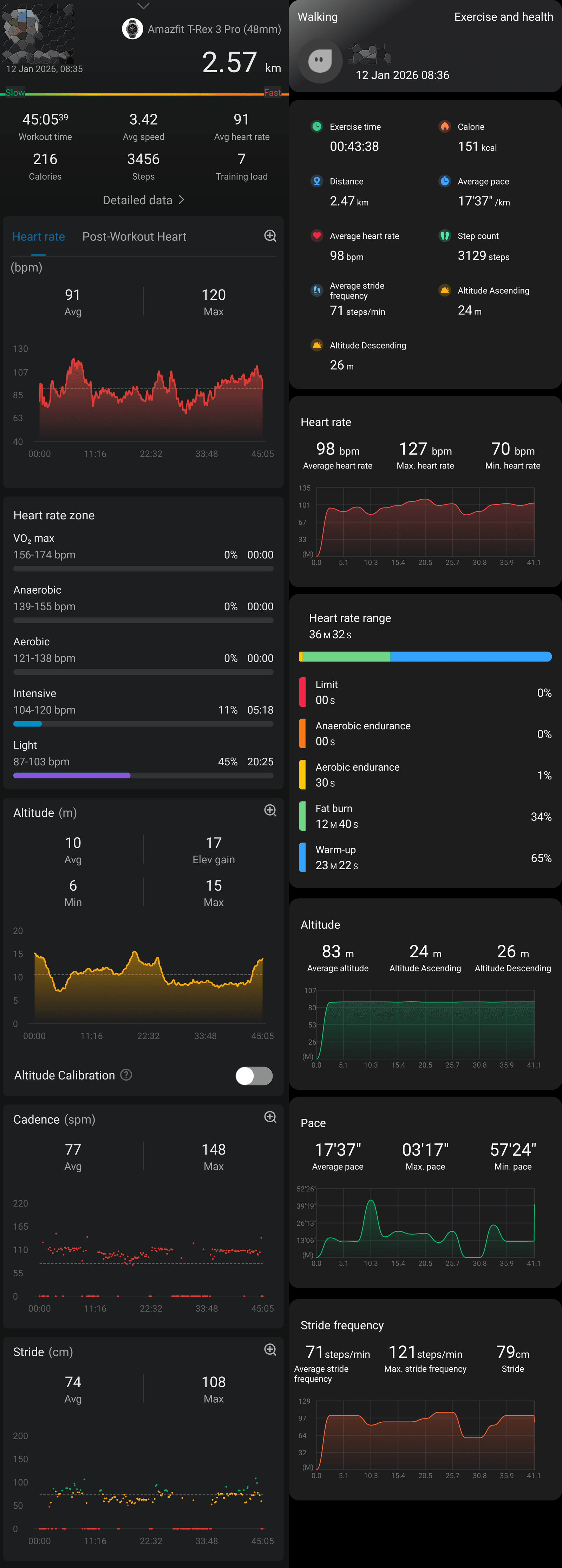
I logged several outdoor walks alongside my Amazfit T-Rex 3 Pro. While I won’t re-hash the GNSS accuracy points, I was disappointed by the activity screens. Despite being marketed as an adventure watch with offline maps, the activity screen provides no map, heading, or altitude data - just duration, heart rate, steps, and speed. It feels like a missed opportunity to have these features available but inaccessible when they’d be most useful.
Gauging how accurate heart rate monitoring is objectively is pretty hard, given the data export and visualisation caveats I already mentioned above, but anecdotically whenever I glanced at both devices, they showed a high degree of agreement.
Activity statistics are also broadly in line. There is some disagreement on step counts, likely because I wore the device on different arms, but other metrics like calorie burn all fall within the same reasonable ballpark. Distance is within 100m, not bad but not great given the total distance. Altitude data, given the lack of automatic calibration, is unfortunately completely mangled.
Strength training
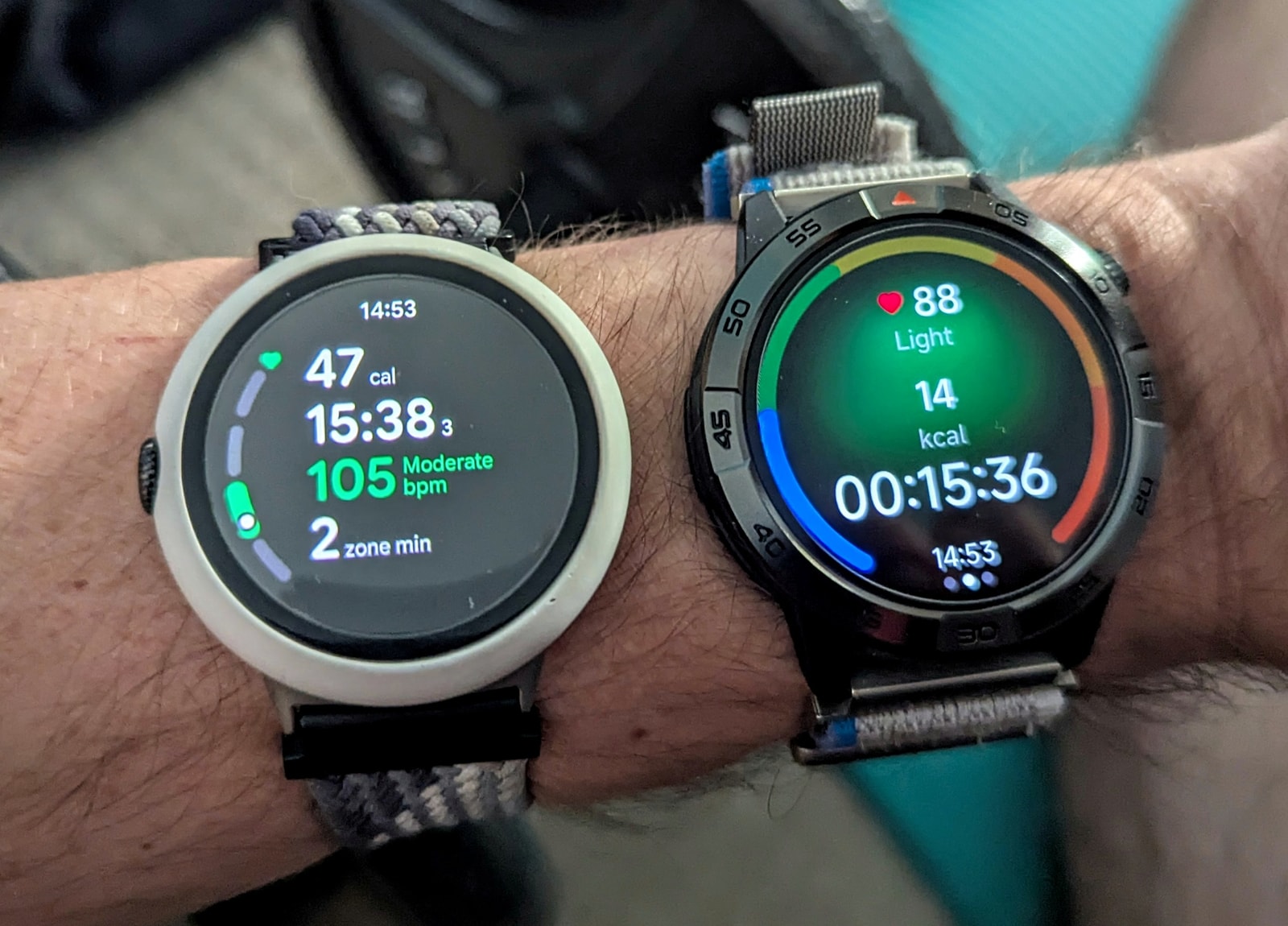
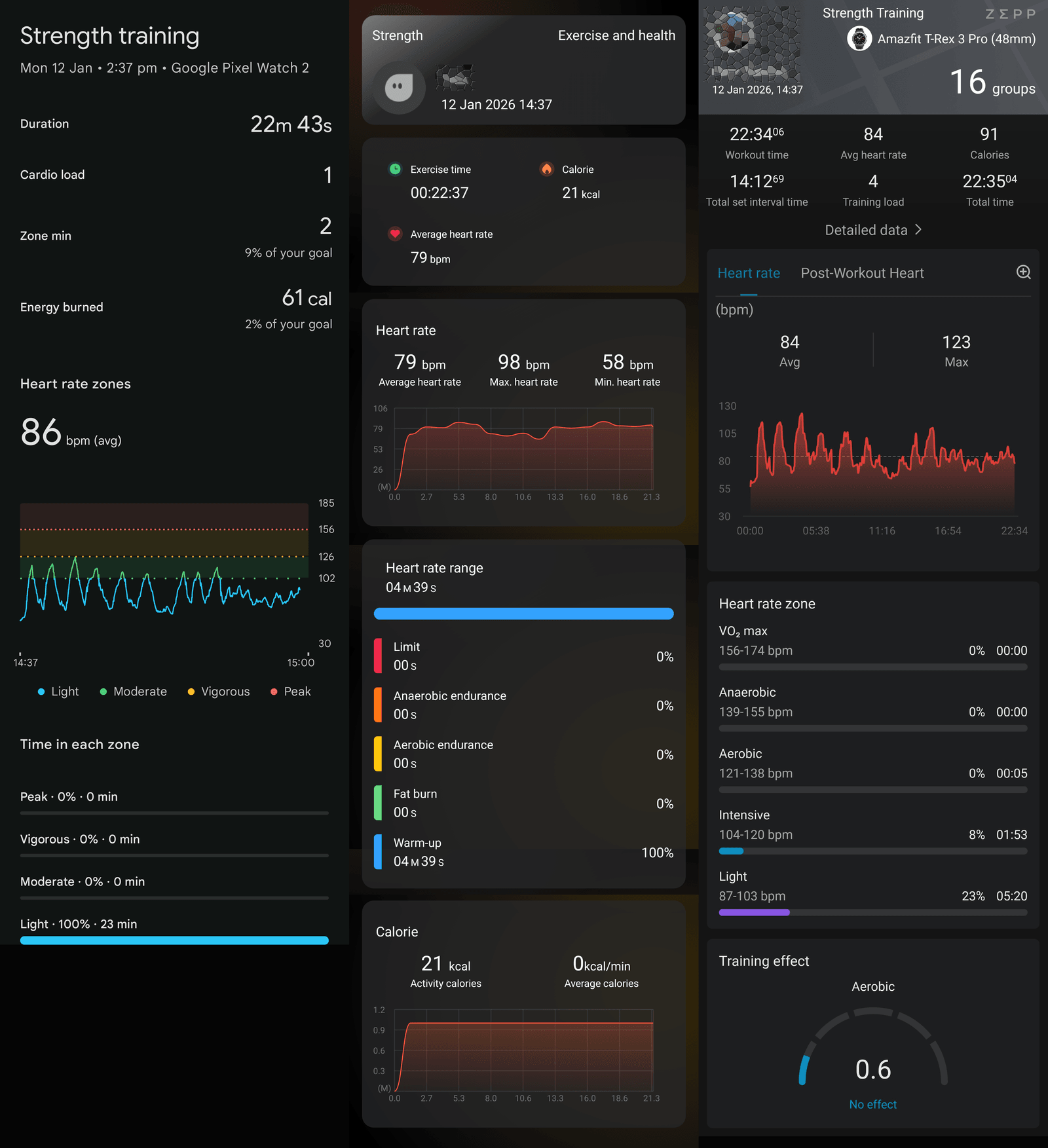
As I mentioned, the sensor cannot react in time to rapid changes in heart rate. It also likely gets confused by skin movement near the hands, which is typical of strength training - an activity notoriously tough on wrist-worn optical heart rate sensors. You can see this clearly in this comparison between my PW2 and the Legion Pro right after a set:
There aren’t many stats beyond calories and duration, and because of the heart rate tracking issues, the calorie burn is significantly underestimated.
Elliptical crosstrainer
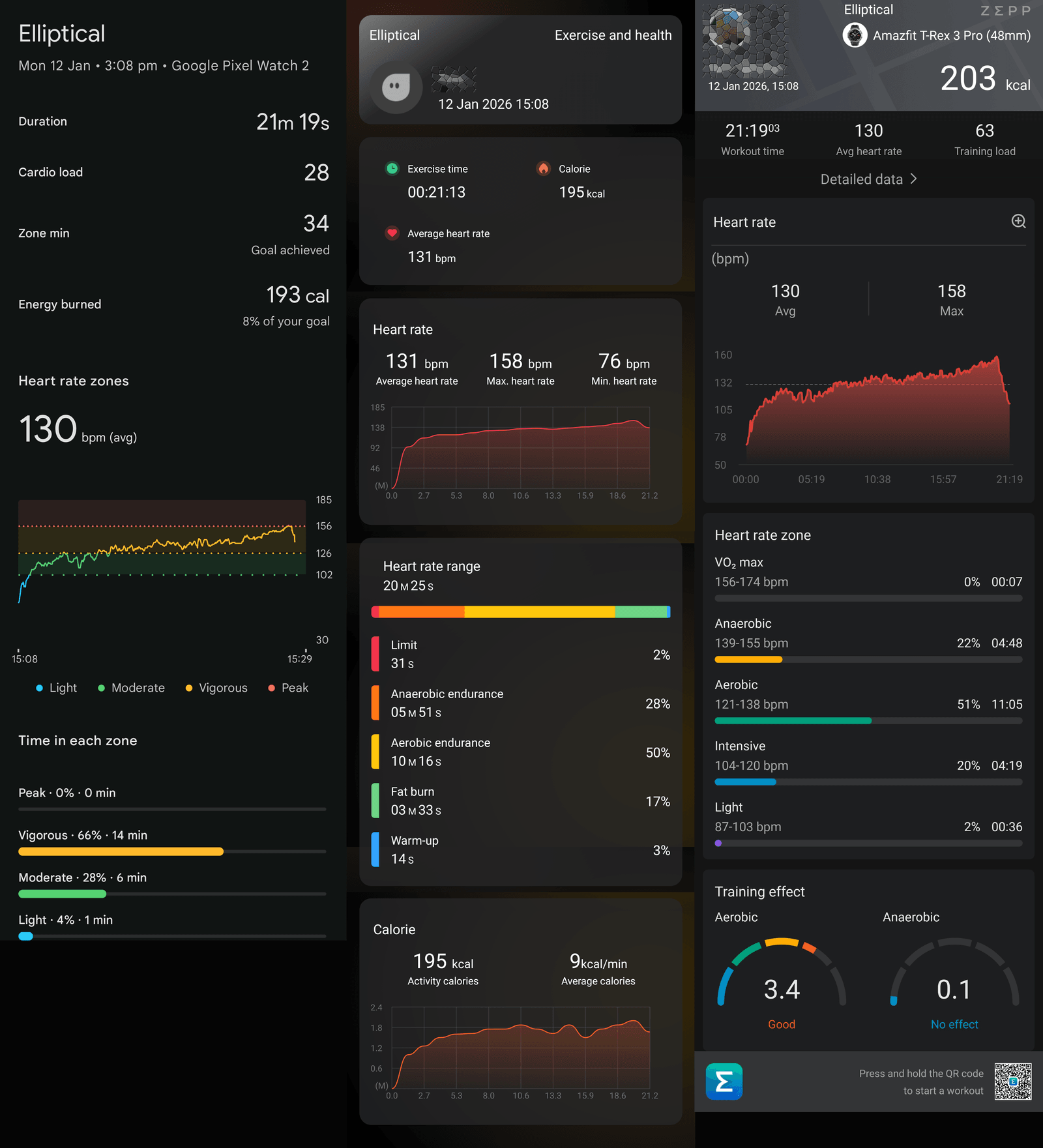
This activity tracked perfectly on the Legion Pro. Heart rate data was very accurate, lagging slightly behind the comparison devices, but overall correct.
Calorie burns and heart rate zones were also very accurate. This kind of exercise is what this watch is best suited for.
Smartwatch Features
As a smartwatch, the AGM Legion Pro handles notification mirroring, music controls, weather, and a handful of basic apps. Notifications display cleanly enough, though interaction is limited.
Key features include:
- Notifications/messages: The watch mirrors notifications from your phone effectively. The app offers control over how the watch behaves - for instance, whether the screen turns on or only notifies when the phone is locked - and allows you to select exactly which apps forward notifications. A nice touch is that the app icon is sent to the watch along with the message. However, there are limitations:
- No emoji support
- No ability to respond to messages
-
Alarms: These are set directly on the watch and work reliably. The audio alarm can get pretty loud, and I’d wager the vibration is enough to wake most people up.
-
Timers: You can leave timers running in the background, and you can easily return to them via a floating icon on the watch face, if you navigate away from the app.
-
Bluetooth calling: No issues here. The speaker and mic are clear; callers heard me well and I could hear them just fine. It worked impeccably.
-
Weather: The weather app is very basic. You get current conditions, a four-day forecast, humidity, and wind, along with a graph of the sun’s progress, but there is no hour-by-hour forecast for the current day.
-
Find my phone/watch: This works both ways. The range covered my entire home, and it worked perfectly.
The app: AGM Nexus
Unless you’re into budget smartwatches, you might think AGM Nexus is a solid first effort. However, the app is actually a variation of InfoWear, a less common budget smartwatch platform. The styling is slightly different, but the layout and watch face library are identical. This isn’t necessarily bad - for a budget device.
The positives: the app is well-organized, visually appealing, and supports dark mode. Stats are presented clearly, and health and workout data are easy to access.
Watch management also works well. The interface is similar to most companion apps, so users familiar with other smartwatches will have no trouble navigating or installing watch faces. The provisioning of offline maps is also well-implemented. Additionally, notifications and connectivity were reliable, with no syncing issues or delayed responses.
The negatives: as mentioned earlier, there’s little integration of data into a cohesive whole. Sleep data is disconnected from heart rate, SpO2, and stress data. Activity data is simply a list of records with no insight into effort or recovery, and many graphs lack the resolution to show meaningful detail. Strava integration is also limited, as previously noted.
Conclusion
The AGM Legion Pro is a bit of a head-scratcher. On one hand, it’s a genuinely well-built and lightweight piece of hardware that feels great on the wrist. The SiFli processor is a powerhouse in this category, delivering smooth animations that make the interface a joy to navigate - even if they are tuned a bit on the slow side. If you’re just looking for a rugged-looking watch for steady cardio like walks or elliptical sessions, it actually does a decent job.
However, once you dig into the “Pro” features that supposedly justify the price tag, things start to fall apart. The headline additions like offline maps and the barometric altimeter feel like they’ve been bolted on as an afterthought. They live in their own little silos and don’t talk to the sports modes at all. It’s incredibly frustrating to be on a hike and realize you can’t actually see your altitude or map data within the activity screen.
The sensors also leave a lot to be desired for a watch at this level. The heart rate tracking is too laggy for strength training or interval training, and the single-band GNSS is wobbly enough to make your urban runs look like you’re wandering through buildings. At the end of the day, it feels like a budget InfoWear watch wearing a premium “adventure” suit. Unless you’re absolutely in love with the specific aesthetic and the lightweight build, it’s hard to recommend spending this much when established competitors offer way more polish and better data for the money.
Ultimately, the biggest issue is the price. At its core, this is a £50 budget watch sold for nearly three times that amount. If you can find it in the £30-£40 range, it becomes a much more attractive option.