
 Español
  Français
  Português
  Italiano
 K72 Smartwatch Review
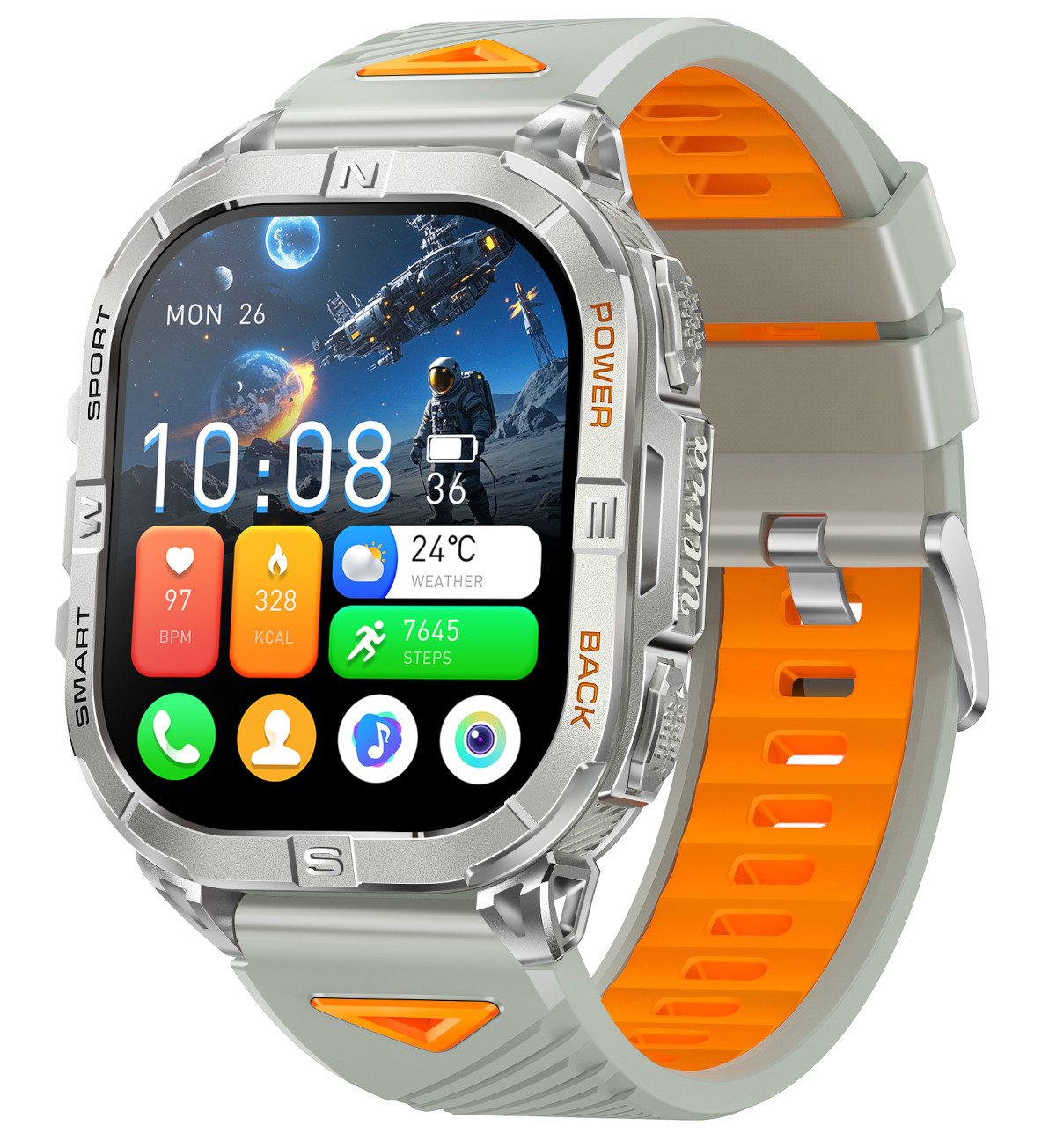
Exceptionally well-built smartwatch delivering remarkable value with a stunning AMOLED display and useful features
Ratings are contextual to quality band. A 4-star ultra-budget watch and a 4-star midrange watch offer different value propositions.
✓ Pros
- Excellent build quality
- Massive, pin-sharp AMOLED screen
- Really good value for the price
- Activity tracking is good
- Reliable GPS activity tracking
- Featureful watch OS
- Really useful LED torch with hardware button
✗ Cons
- Buggy heart rate monitoring
- Disappointing 5 day heavy use battery life
- Limited water resistance
Specifications
- Release Date
- Q4 2025
- Approximate price (July 2025)
- £33 / $44 / €38
- Other names
-
- Rogbid Apex K
- Display
- 2.13-inch AMOLED, 410x502, 600 nits
- App
- GloryFitPro
- Processor
- Actions ATS3085L
- Heart rate sensor
- VC30F-S
- SpO2 sensor
- VC30F-S
- Accelerometer
- STK8321
- GPS
- L1 single band. GPS, GLONASS, Big Dipper, Galileo, QZSS
- Barometer & altimeter
- Goerl SPL07-03
- Battery
- 580mAh
- Battery life
-
- Advertised: 10 days
- Review: 5 days
- Water Resistance
- 3ATM
- Bluetooth version
- 5.3
- Weight without strap
- 57 g
- Weight with included silicone strap
- 80 g
- Dimensions
- 44.8 × 53 × 13.8 mm
- Watch band type
- Standard 22mm lug width
- Features
-
- Heart rate
- SpO2
- Sleep tracking
- Step counter
- GPS activity tracking
- Torch
- Barometer
- Barometric altimeter
- Breathing exercises
- Bluetooth calling
- Phone notifications
- Weather forecast
- Phone assistant
- Phone music control
- Timers
- Stopwatch
- Alarms
- Camera shutter
Box contents
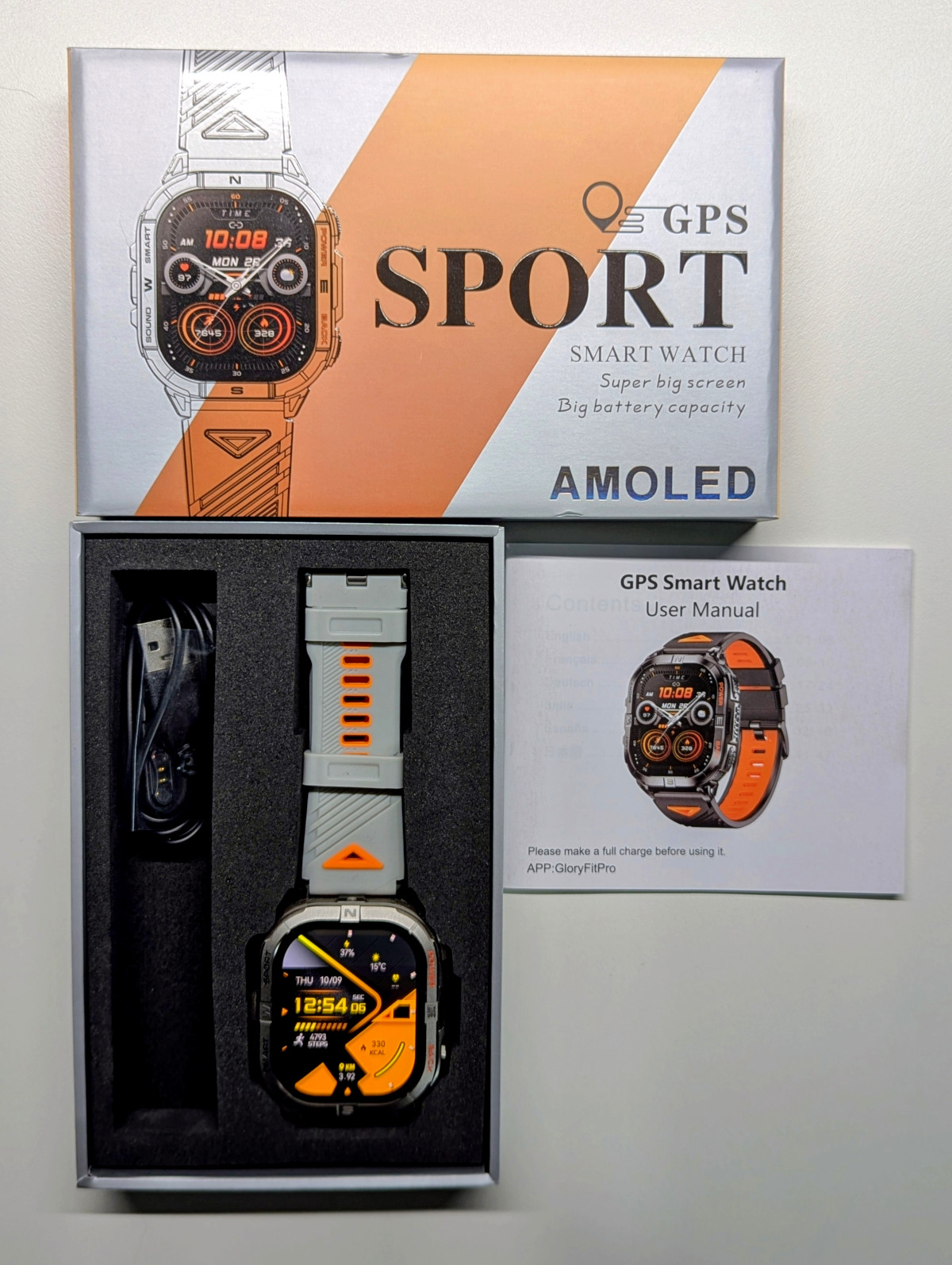
The package includes standard contents: the watch, watch band, charging cable, and manual.
Design and Build Quality
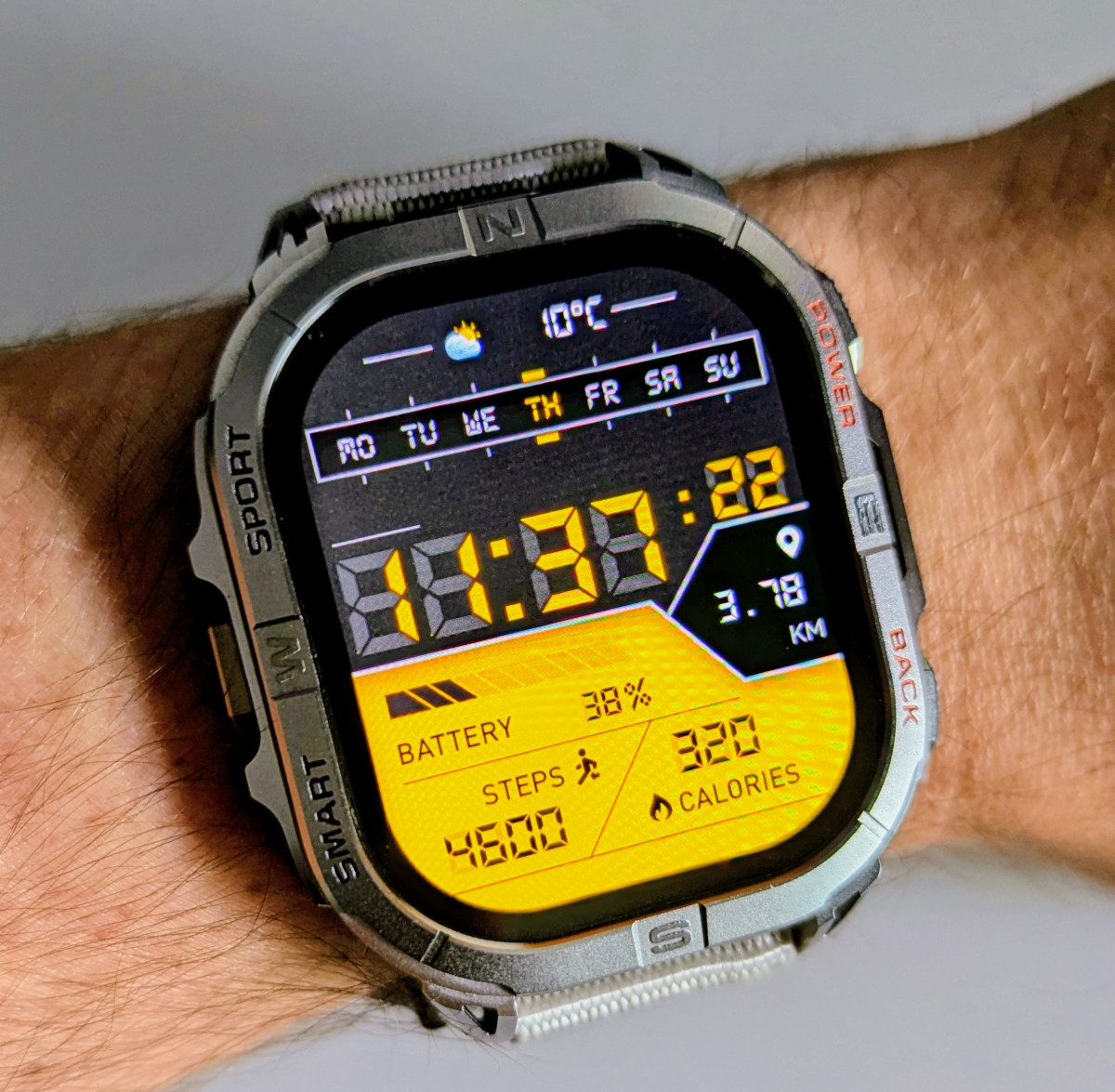
The K72 is a chunky zinc alloy watch with a plastic back plate. The build quality is absolutely outstanding, with the metal body featuring intricate grooves, engravings, and detailing throughout. The manufacturer (I believe it’s Shenzhen Sovogue) has really outdone themselves with this particular watch.
The front displays the default watch face, which is animated - the radar elements at the bottom rotate and pulsate.
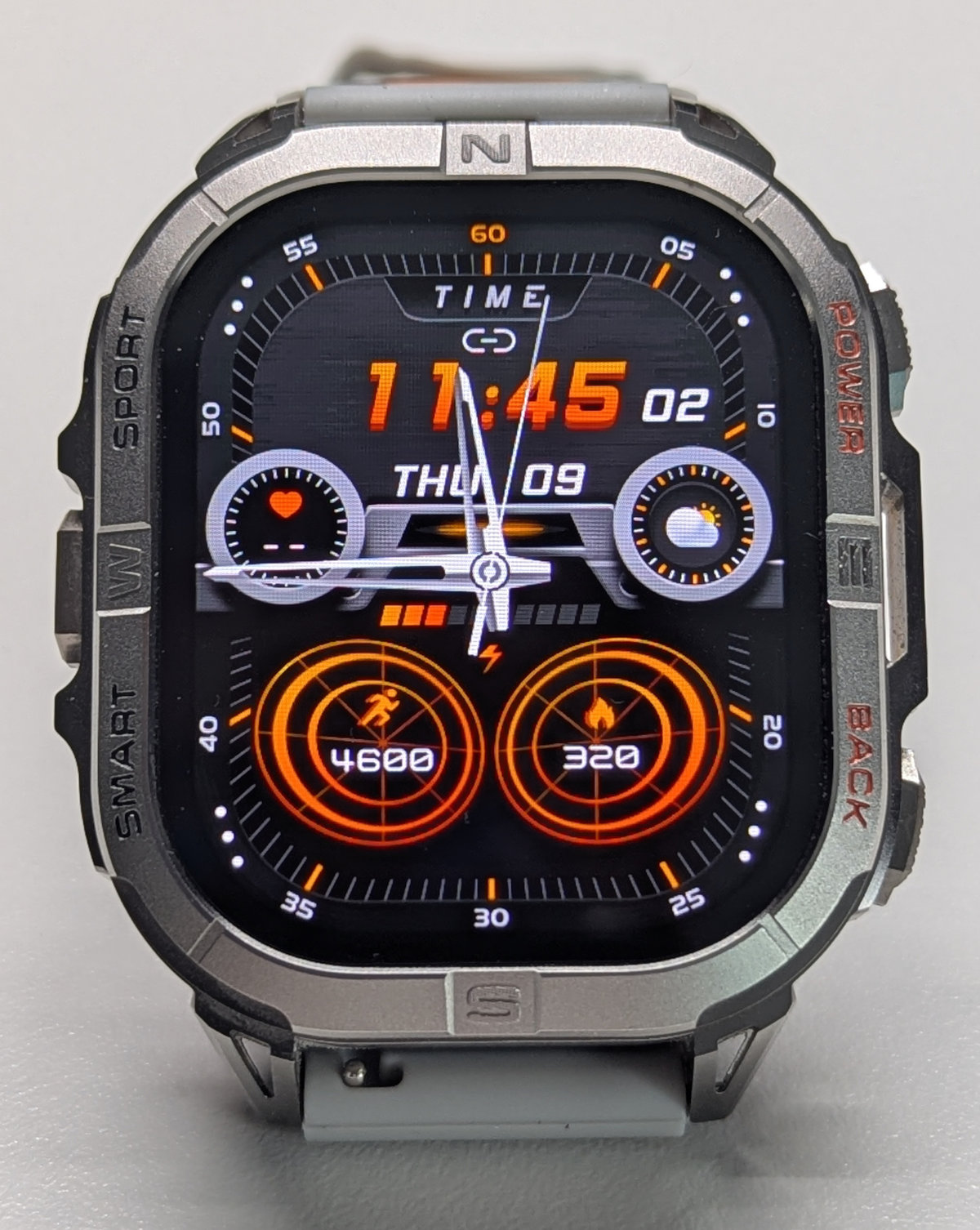
It feels solid, and despite being on the heavier side, with the right strap (I favour non-stretchy wide nylon bands for large watches), it’s extremely comfortable to wear on my 16cm wrist.
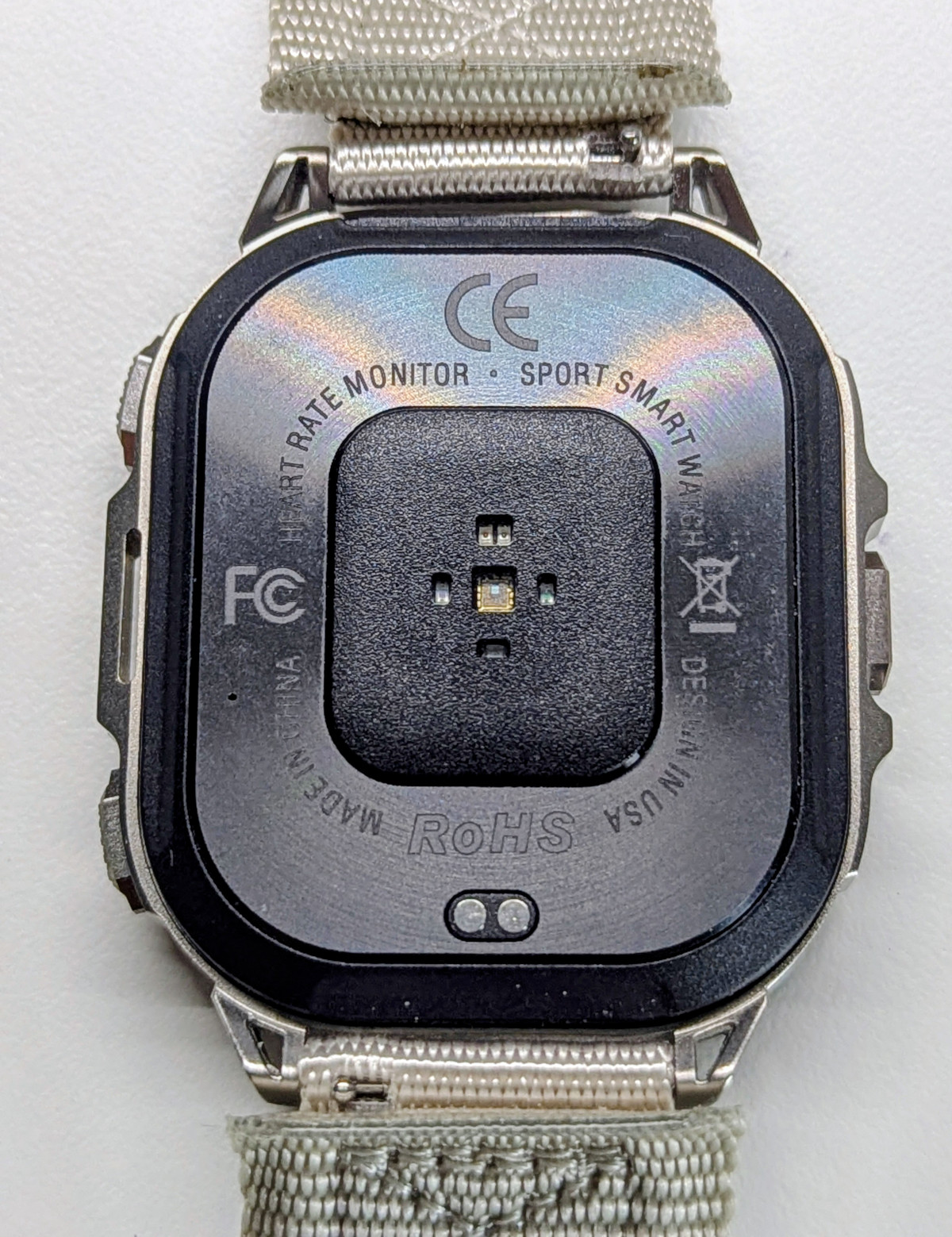
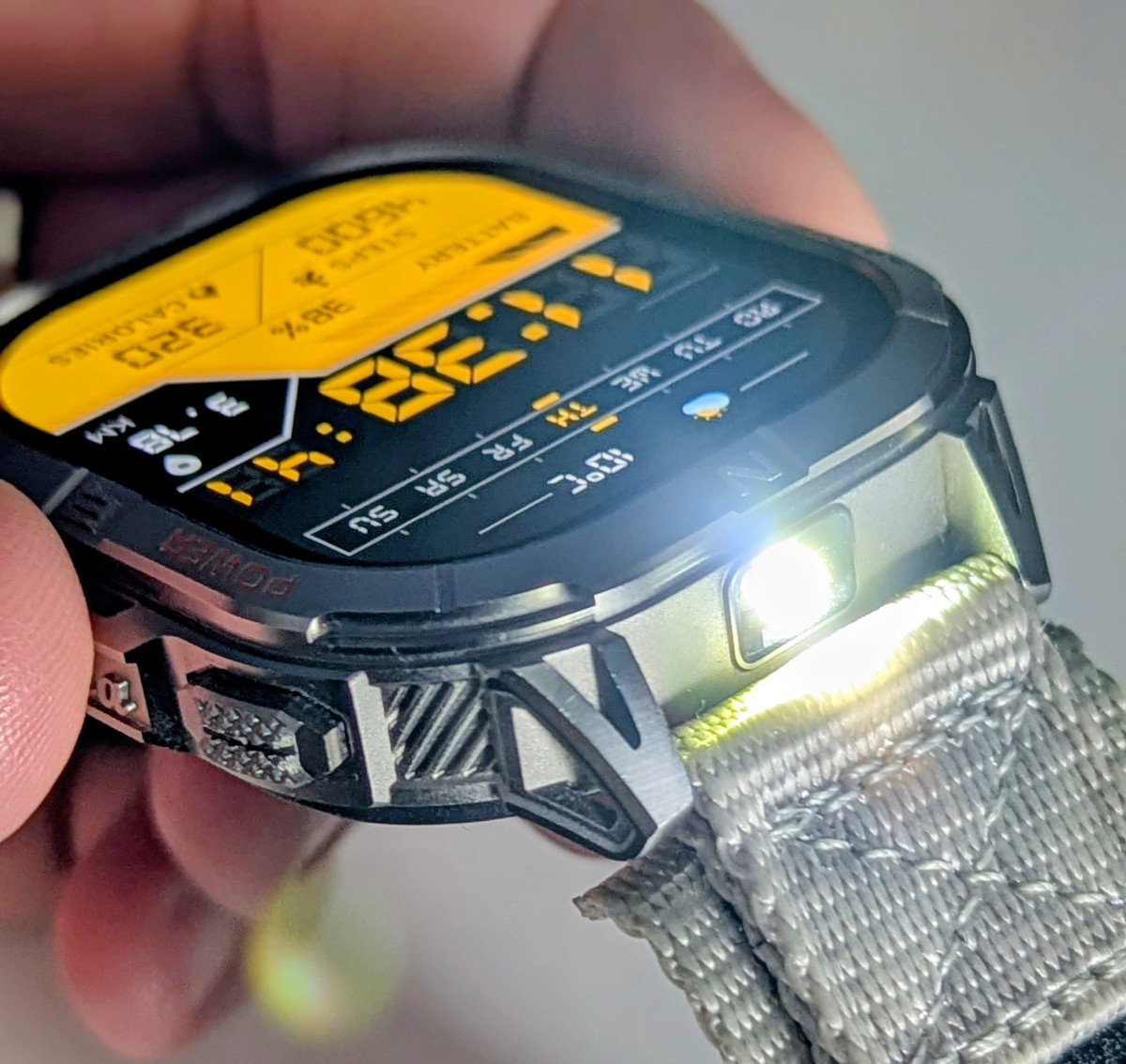
The torch is at the top, which is my personal preference.
Three physical buttons provide access to menus and power:
-
Top right: Power button when long-pressed, returns to watch face, and when on the watch face, turns the screen off.
-
Bottom right: Back button when outside of the watch face, a configurable shortcut when on it, and long press opens the timers app.
-
Left: Shortcut to the workouts app, and long press operates the torch.
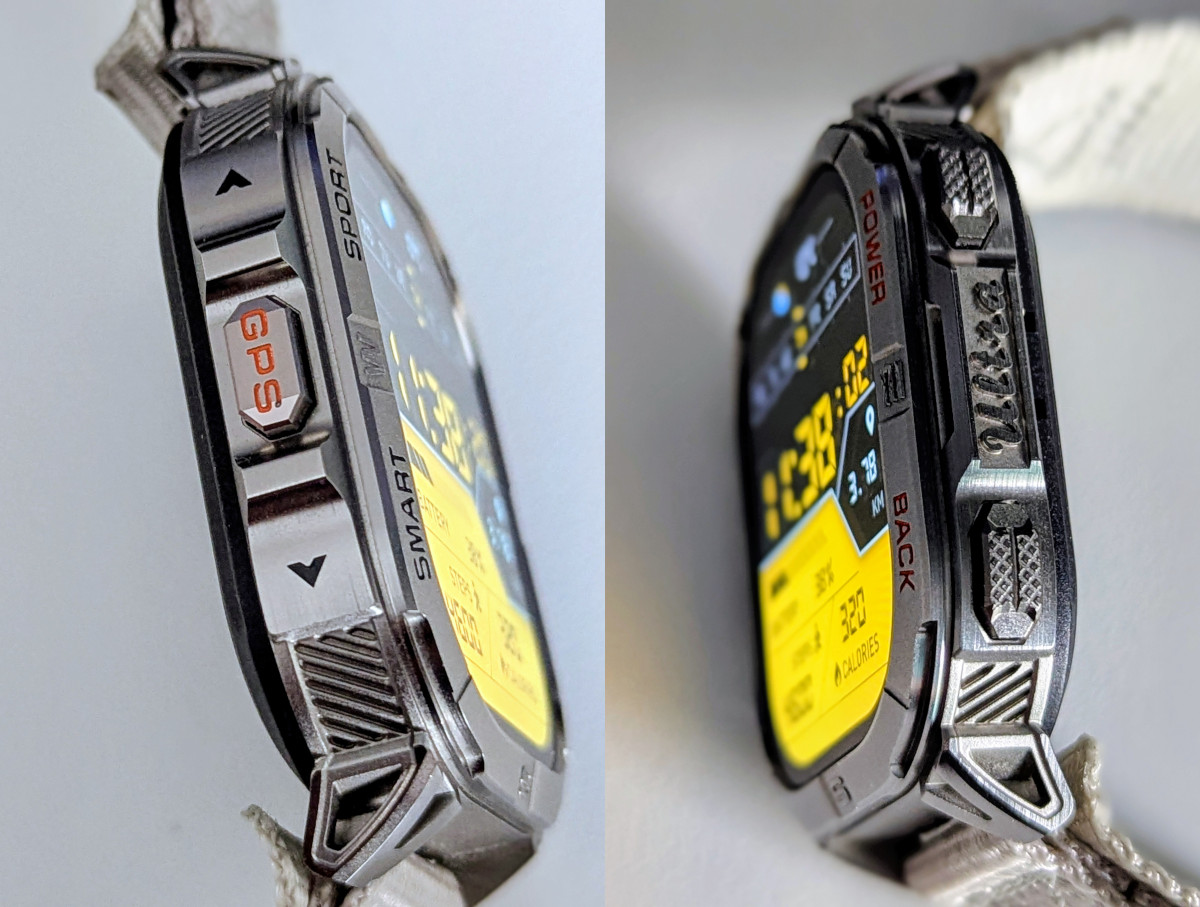
All in all, an excellent button layout. I particularly appreciate the fact that the torch and timers have dedicated button shortcuts, as those are features I use constantly.
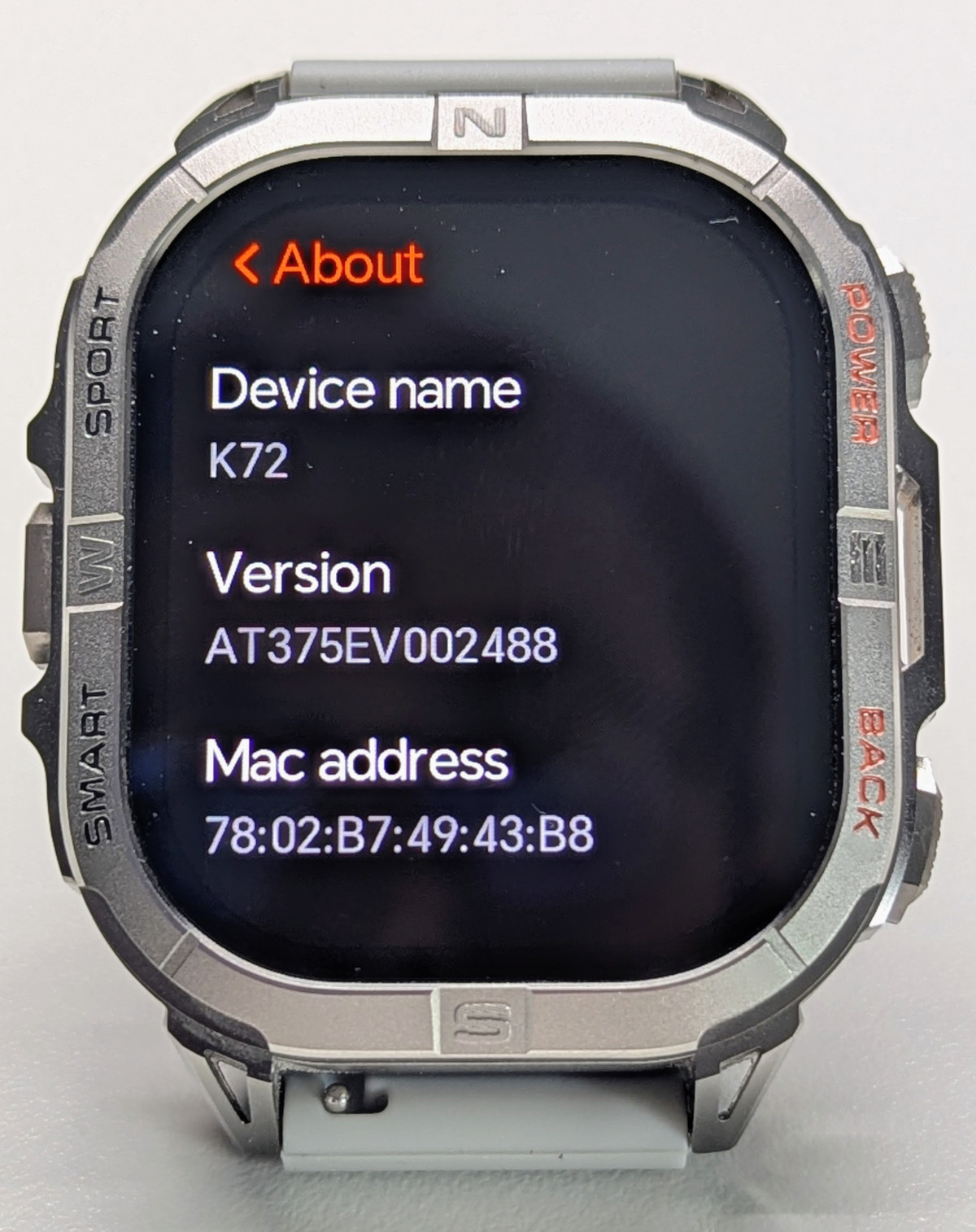
Display
The 2.13-inch AMOLED display is not just massive but also fairly bright and pin-sharp with excellent colour reproduction. The 600-nit (estimated) top brightness is bright enough for outdoor use, though it may struggle in direct sunlight. I haven’t found it to be an issue in the UK’s autumn sunlight. The screen is visible through polarised sunglasses, which is excellent for outdoors usage.
The glass is neither Corning Gorilla nor sapphire, which is expected at this price range. However, it is recessed, so placing the watch face down should protect it from scratches.
Finding screen protectors is challenging due to the non-circular face and off-brand nature. Protectors for the Kospet Tank M3 may be compatible, as it has similar proportions but a slightly smaller screen, so extra care is advised.
AOD (Always On Display) is available with its own library of watch faces, but be warned that the battery life impact is severe.
Watch interface
The K72 uses the same watch OS as other GloryFitPro watches with similar internal hardware, such as the Y101, Kospet Tank T3 Ultra 2, or Zeblaze Stratos 2. The system is intuitive and elegant, though not particularly fluid - on complex screens showing heart rate graphs, the framerate drops to single digits. This doesn’t impede operation but leaves me wishing GloryFitPro manufacturers would adopt the ATS3085S chipset, like the DM76 and Kospet Magic series.
The interface is standard and should be familiar to anyone who’s used a smartwatch before. Especially Amazfit devices, since they’ve basically copied the main navigation and the cards section (not a bad thing).
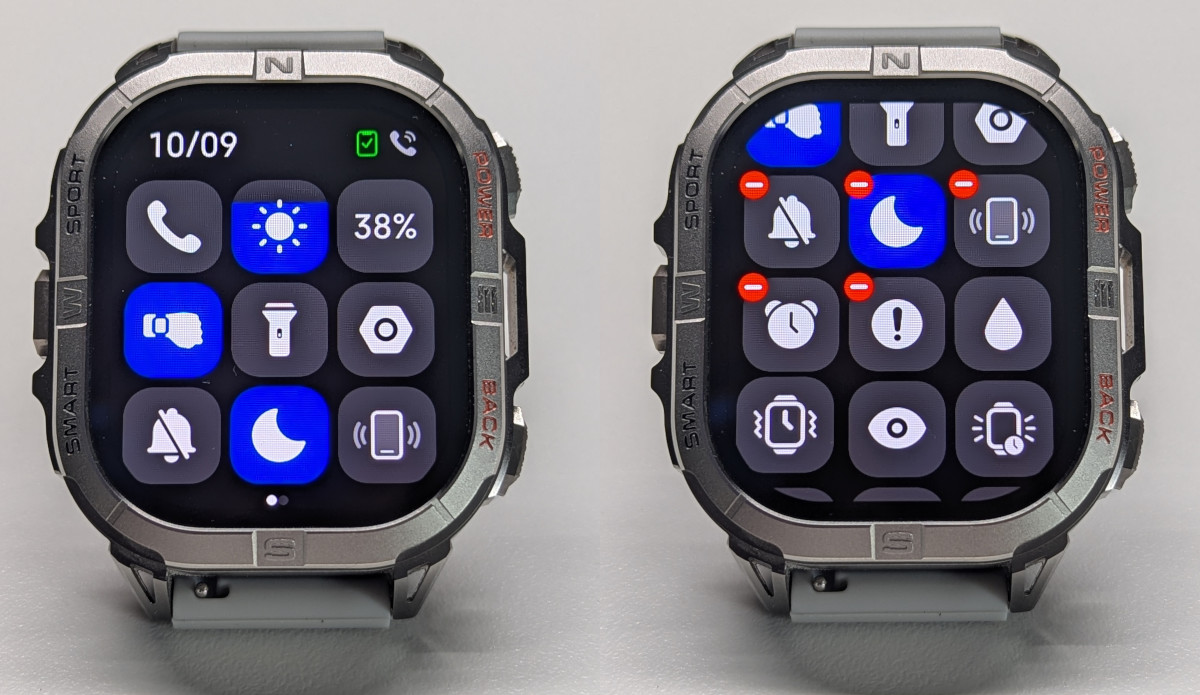
From the watch face, swiping down brings up the editable quick settings, which offer many useful options:
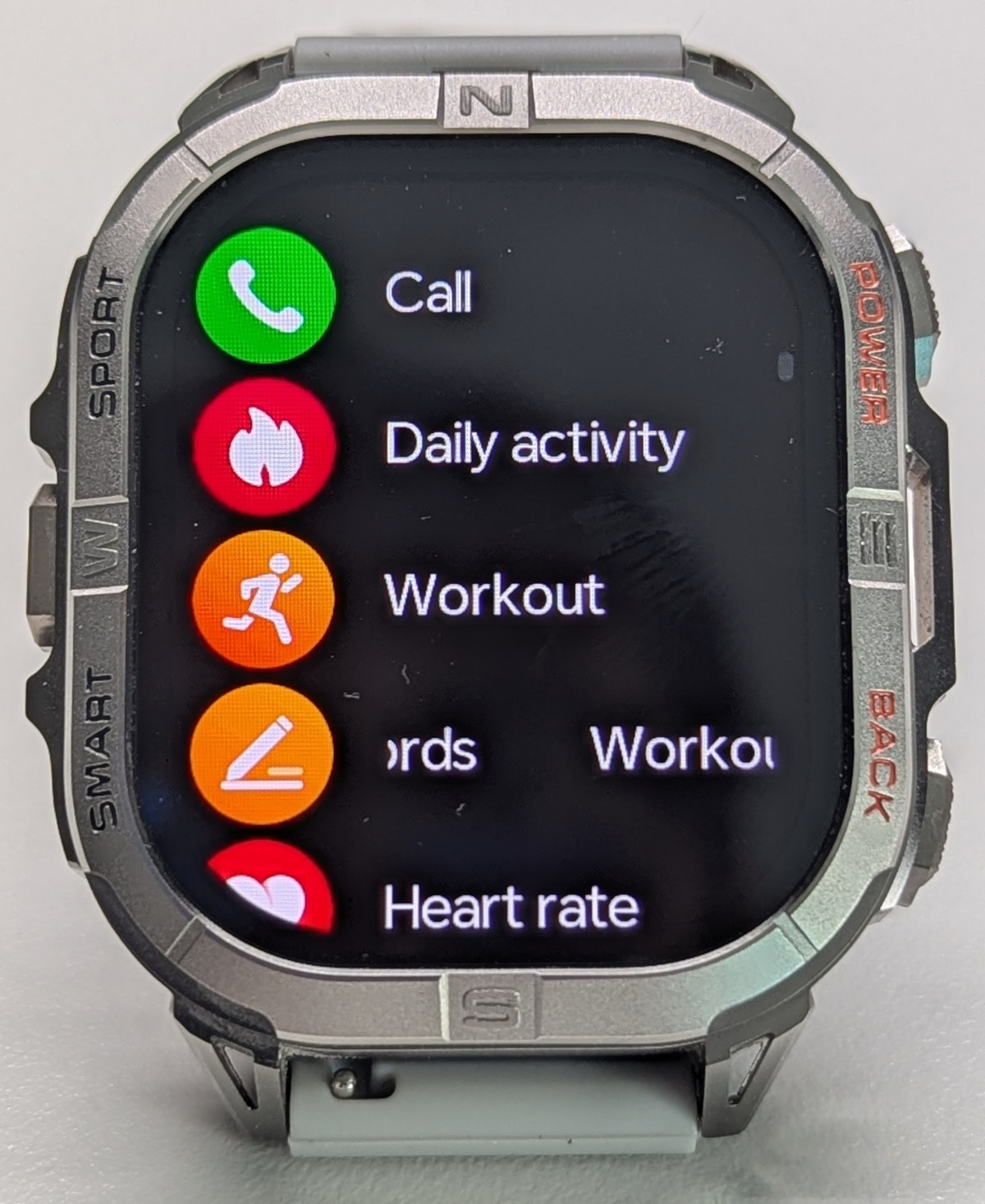
Swiping left opens the apps menu. While several menu styles are available, I find the list menu most useful as it displays app names for all currently visible apps. Unfortunately, the sorting is somewhat random, making items hard to locate:
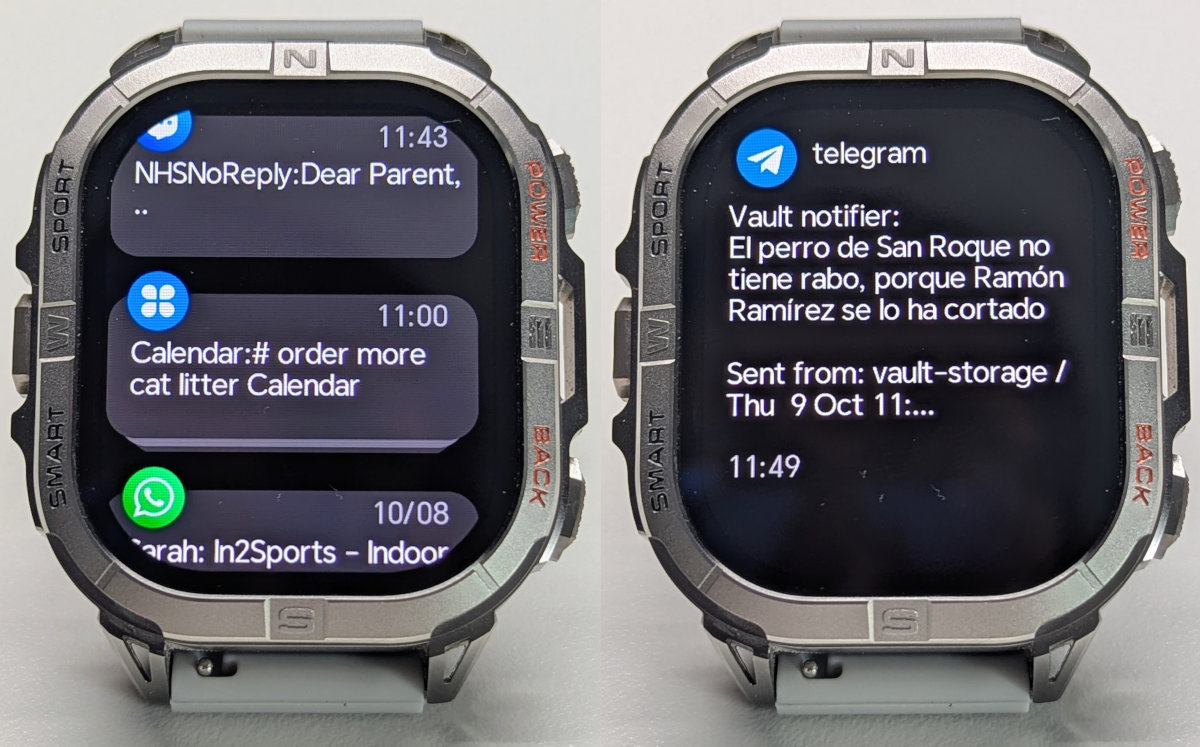
Swiping right brings up the notifications menu. Notifications simply mirror your phone’s notifications. You can select which apps send notifications to the watch, though the available selection is limited and missing key apps like Google Calendar or banking apps. The “Notify for Smartwatches” app from the Play Store offers a workaround, allowing you to route notifications from unsupported apps through GloryFitPro.
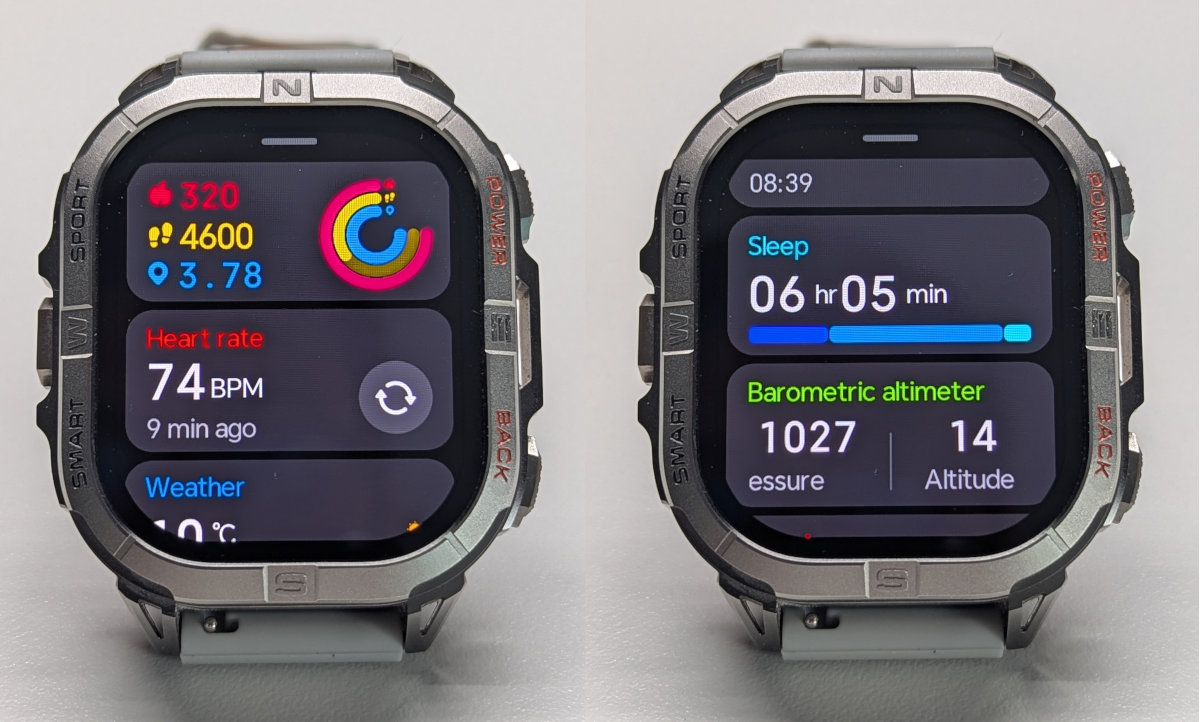
Finally, swiping up brings up the cards menu, a highly useful feature. Cards display daily activity, heart rate, sleep tracking, timers, and more. It’s the best way to access the watch’s apps, and it’s editable - you can remove and reorder items to suit your needs.
Note: Some configuration options are hidden and unavailable from either the app or watch settings, such as granular heart rate monitor settings. Configure these by accessing their respective apps on the watch and scrolling to the bottom.
The torch
The torch on this watch is identical in brightness to the Y101 and K67A. While not particularly bright, it’s definitely useful around the house, your tent, or under your car. I use it regularly and miss it on watches that lack this feature.
The torch is located at the top, which I personally prefer as the beam remains unoccluded by the hand. It also allows you to swap the watch between arms. The downside is that when working with that hand, the beam points orthogonal to it. It’s a compromise and ultimately a matter of personal preference.
The torch can be toggled using the left button with a long press. It takes about a second, but there’s one caveat: the button shortcut doesn’t work if the screen is off. This isn’t a significant issue, as you quickly adapt to double-tapping when necessary.
Watch faces
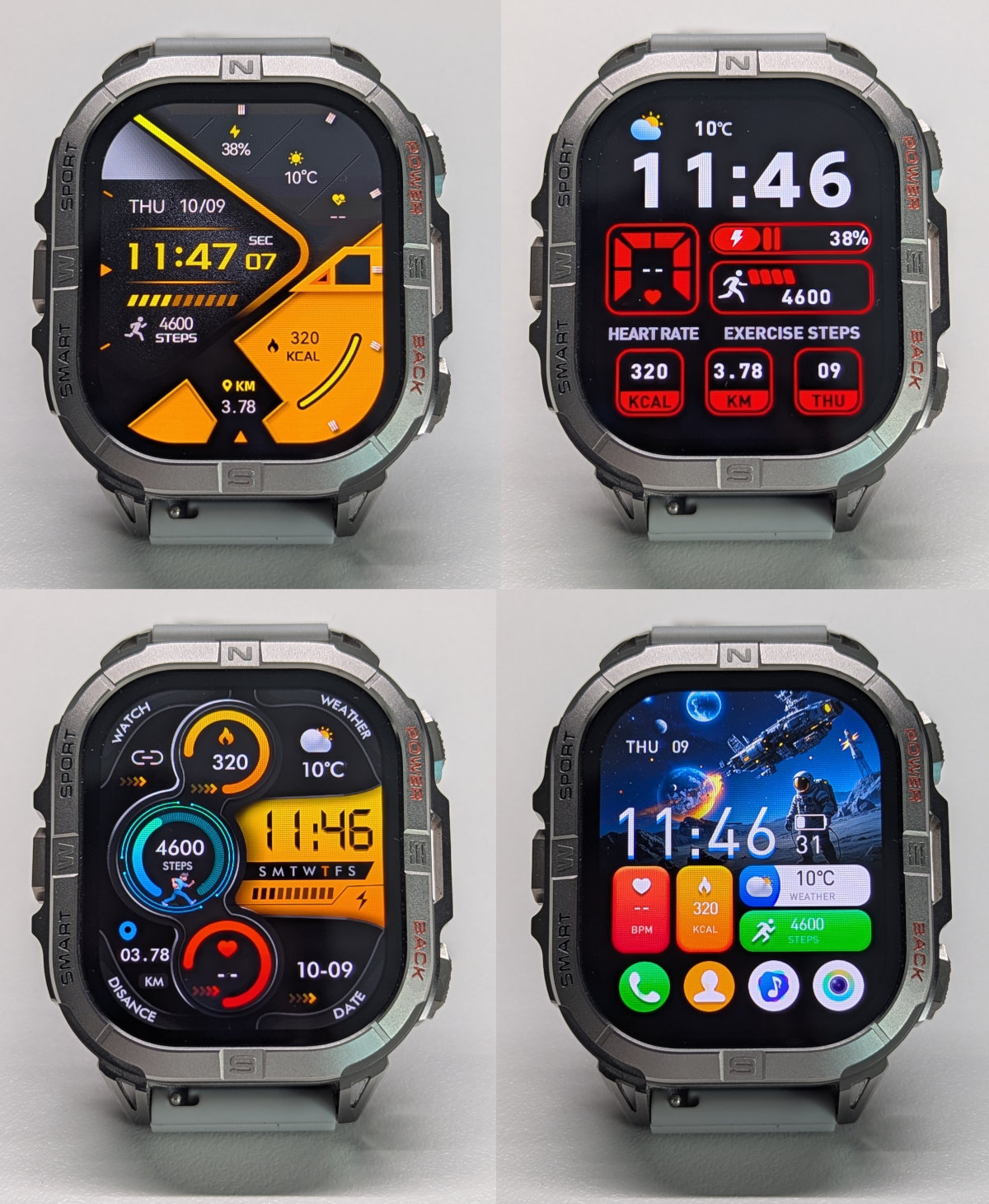
The watch includes 9 preinstalled watch faces that cannot be removed, some with actionable buttons (though hard to tap and barely useful), and allows installation of 4 additional faces from the app. The app selection is ample with many good options. Here’s a mix of default and app-installed watch faces:
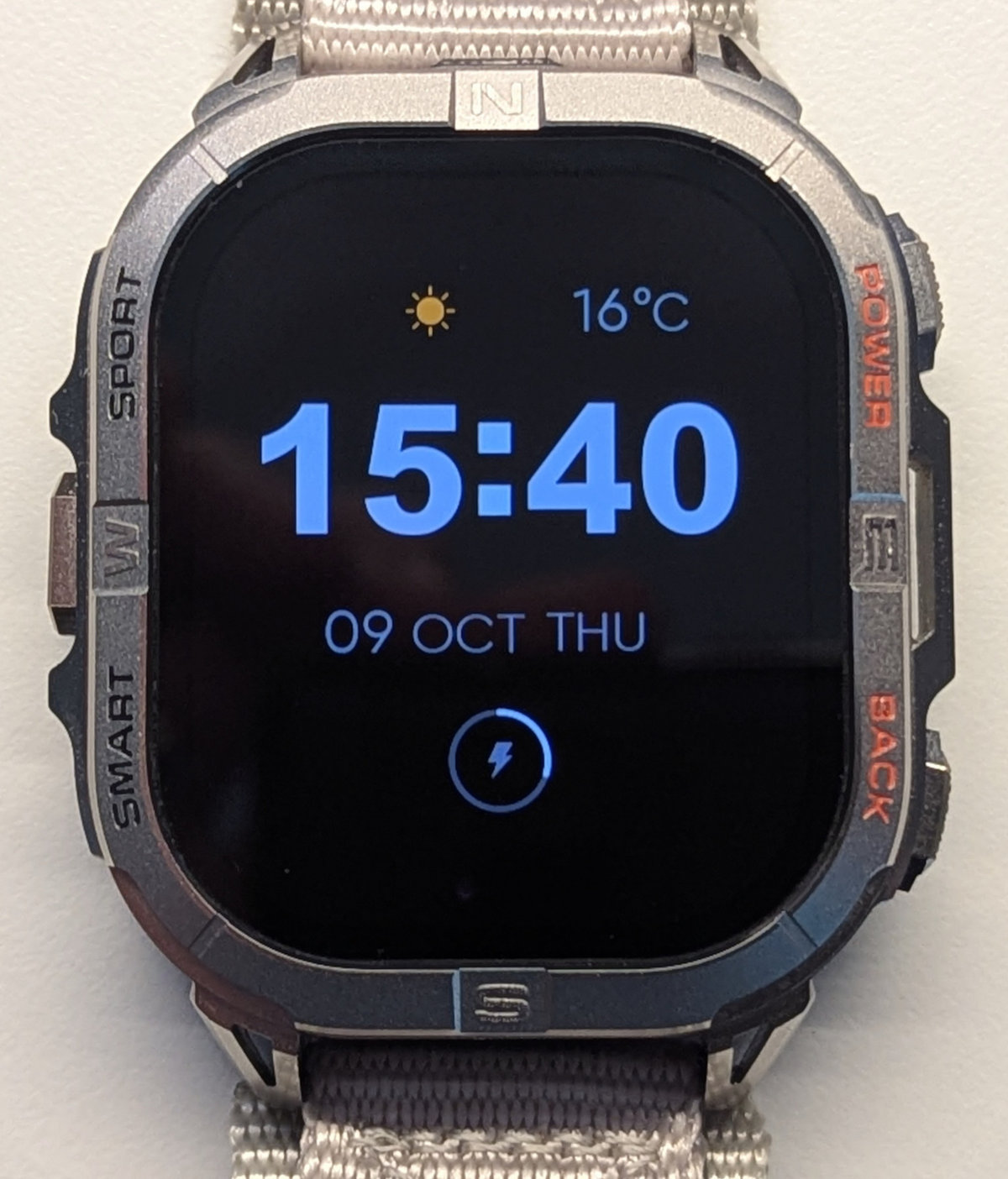
AOD has its own separate pool of watch faces - 3 preinstalled and one installable from the app.
Battery Life and Charging
Battery life is not this watch’s strong point, unfortunately. I managed about 5 days of use, which included approximately 150 minutes of GPS activity tracking.
This is puzzling, as the watch is essentially identical to the K67A, which manages about 7 days with similar usage and a smaller 530 mAh battery. The screen is larger - about 30% more pixels - but I was surprised the battery consistently dropped 5% overnight when the screen shouldn’t be a factor.
That said, 5 days is still quite usable, and the watch charges from empty to full in about an hour.
Always On Display, however, will reduce that 5-day figure to 2.5 days. I left it off and relied on raise-to-wake instead, which responds quickly enough to be useful.
The magnetic charging cable attaches securely and charges the watch in about 1 hour. The watch also has a power-saving mode that can extend battery life in emergencies, though in that mode only the clock and step counter remain functional.
Note: Although the cable is the same as other watches in this category use, it has different polarity. Specifically, the positive pin is closest to the cable, and the negative pin is furthest. Keep this in mind if you need a replacement cable. Kospet cables use the same polarity.
Health Monitoring
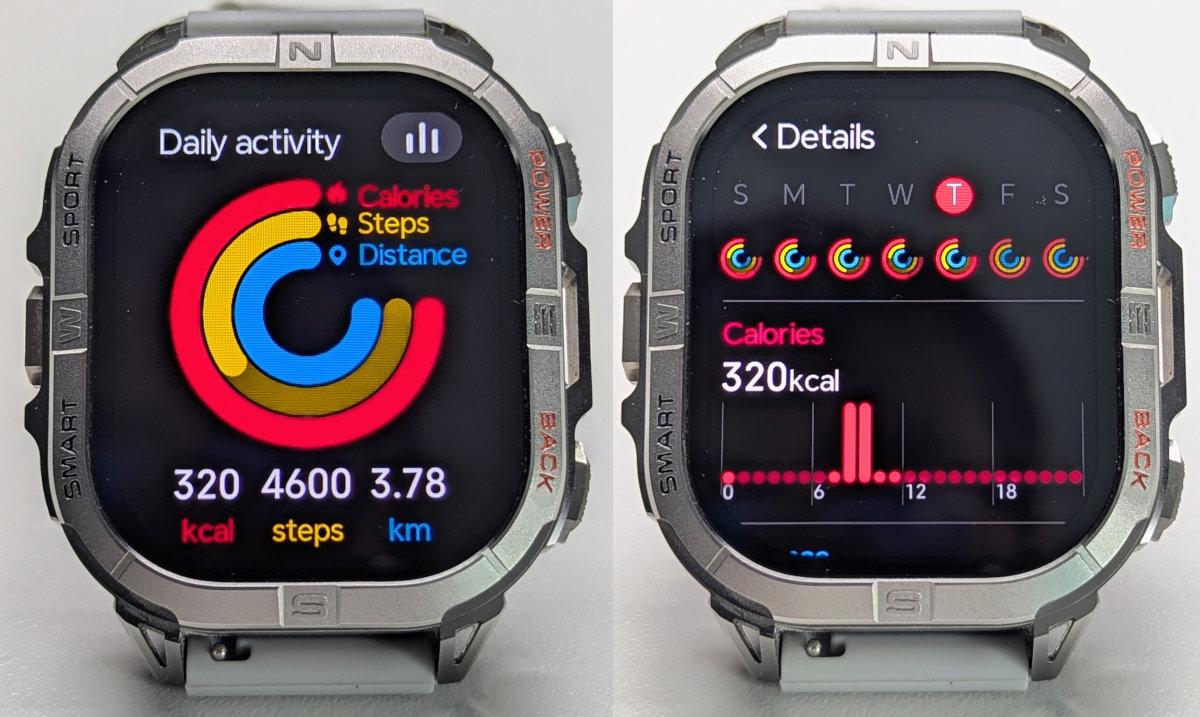
The K72 covers the basics of health monitoring with 24/7 heart rate tracking, blood oxygen monitoring, sleep tracking, breathing exercises, and menstrual cycle tracking. The app allows you to set the usual goals for steps, active calories, and distance, which are displayed prominently in both the watch and app:
Heart rate and SpO2
This watch features the VC30F-S sensor, widely found in the budget segment of Chinese watches. It appears to be the same heart rate sensor used across - but not limited to - all GloryFit and GloryFitPro watches.
This sensor reads both SpO2 and heart rate. SpO2 monitoring is available on a configurable schedule, but I can’t attest to its accuracy as I don’t yet have a suitable reference device for comparison.
Continuous heart rate monitoring, as recorded by the app, operates on a configurable schedule (5, 10, 20 minutes, etc.), and the sensor also activates when the screen wakes to take live readings until the screen turns off.
The implementation of this sensor unfortunately shares the same cold boot issues all GloryFitPro watches have. In my case, when the sensor initializes while I’m standing (my resting heart rate is usually around 65bpm), it often overshoots the HR initially to 110-140bpm, as if counting beats twice. When I’m at rest around 55bpm, the sensor has no trouble.
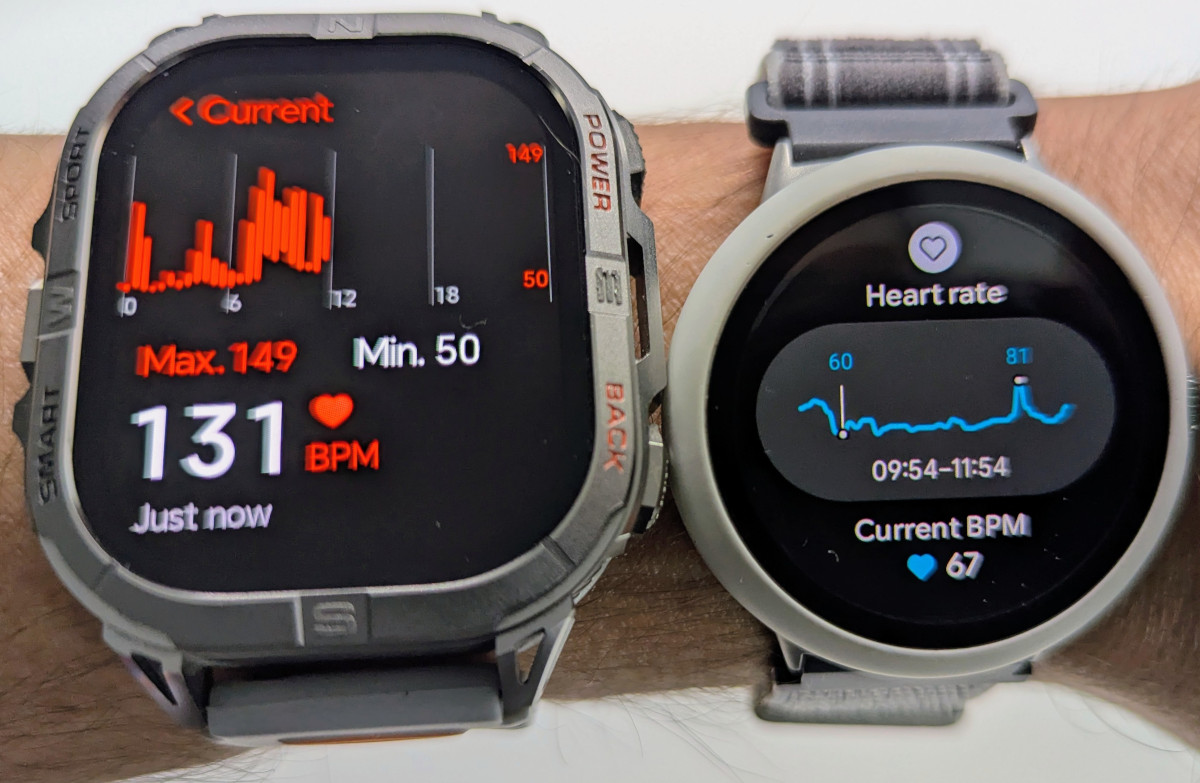
The K67A has the same problem, although the K72 is better - the watch will normally catch up to a real heartbeat most of the time, but not always. When starting an activity, I’d advise remaining at rest for a few seconds until it stabilizes; otherwise, it will overcount your heart rate for the duration. If this happens and doesn’t self-correct, remove the watch from your wrist to reset the sensor.
I don’t believe it’s tied to watch movement, as wearing it tight makes no difference. After owning several of these watches, I believe the heart rate sensor gets confused when your heart rate is in the 65bpm+ range at initialization. I wish manufacturers would abandon this sensor entirely and switch to the HX3XXX series or the sensors on the Kospet line, which are from the same manufacturer (VCare) and suffer somewhat from the cold boot issue but are far better at reacquiring an accurate heart rate.
Sleep tracking
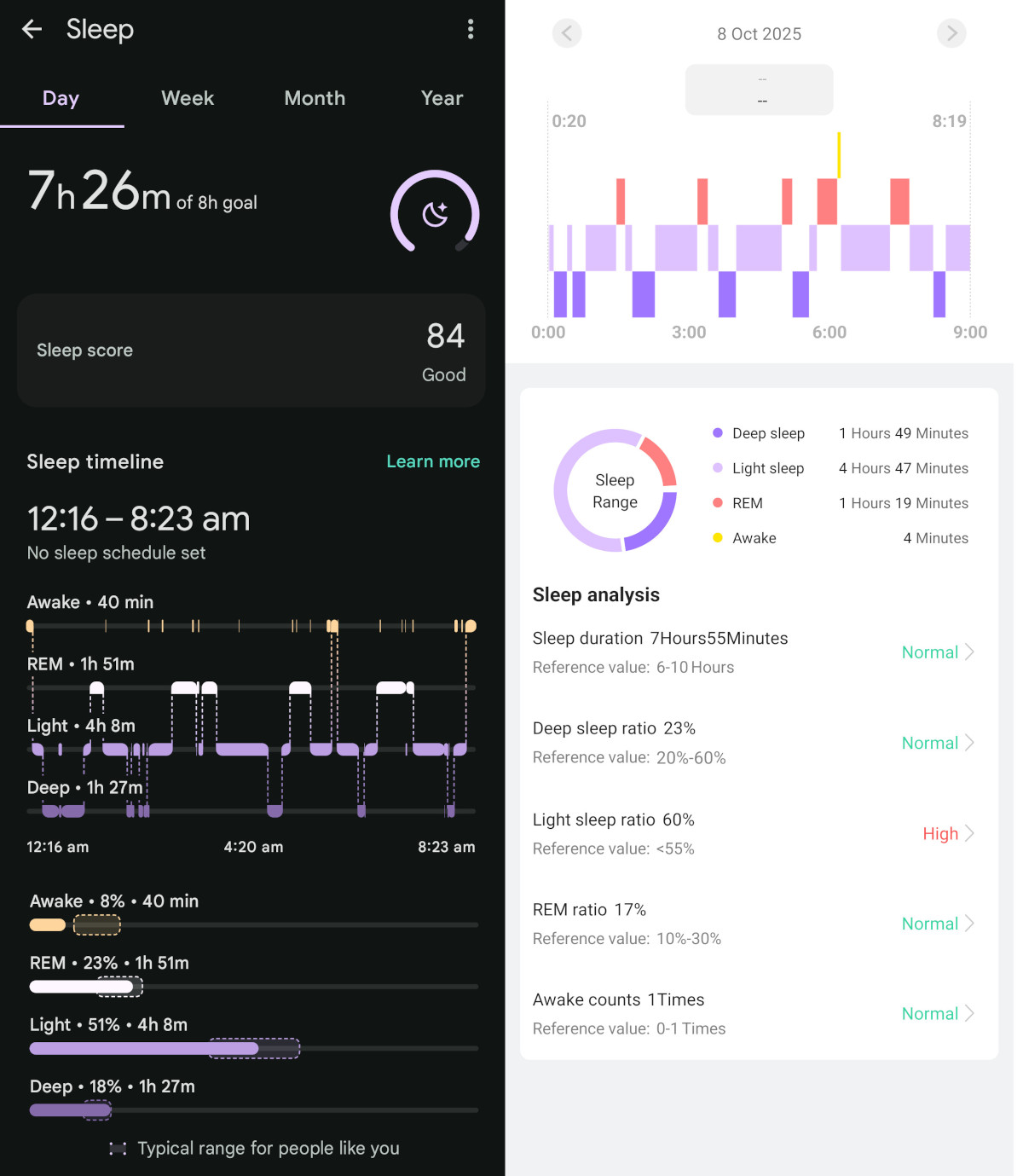
Sleep tracking, as with other GloryFitPro devices, is decent enough to be useful. It was able to detect some wakeup times (bathroom visits) and provide a reasonable estimate of the duration of different sleep stages.
It can also reliably detect your sleep and wakeup times. It’s a surprisingly good result considering this price range.
Stress
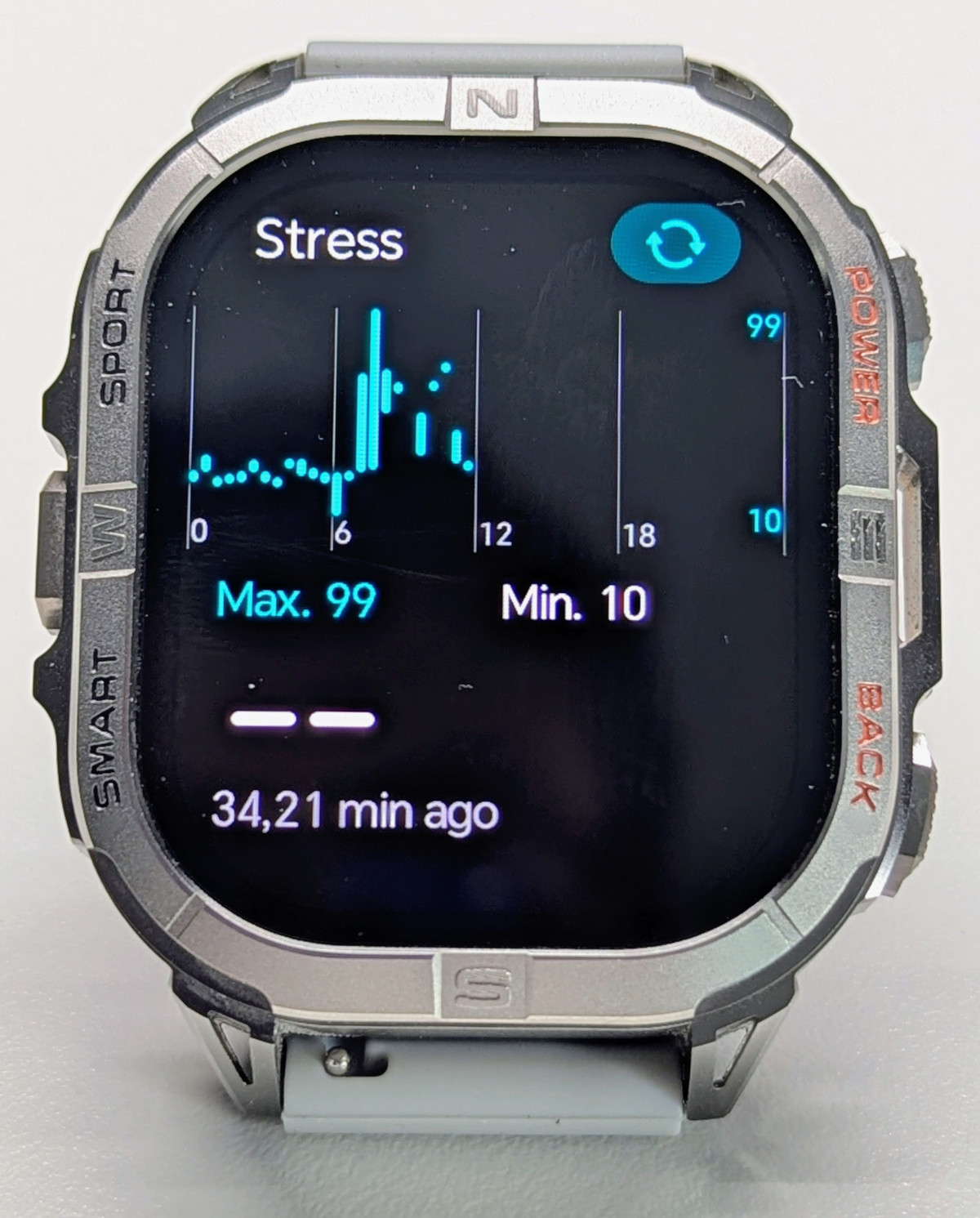
Not much to say about this. It measures your heart rate and gives you a stress score. It seems reasonably accurate when the heart rate sensor is working properly, but I found its usefulness rather limited - more of a curiosity.
Emotional state
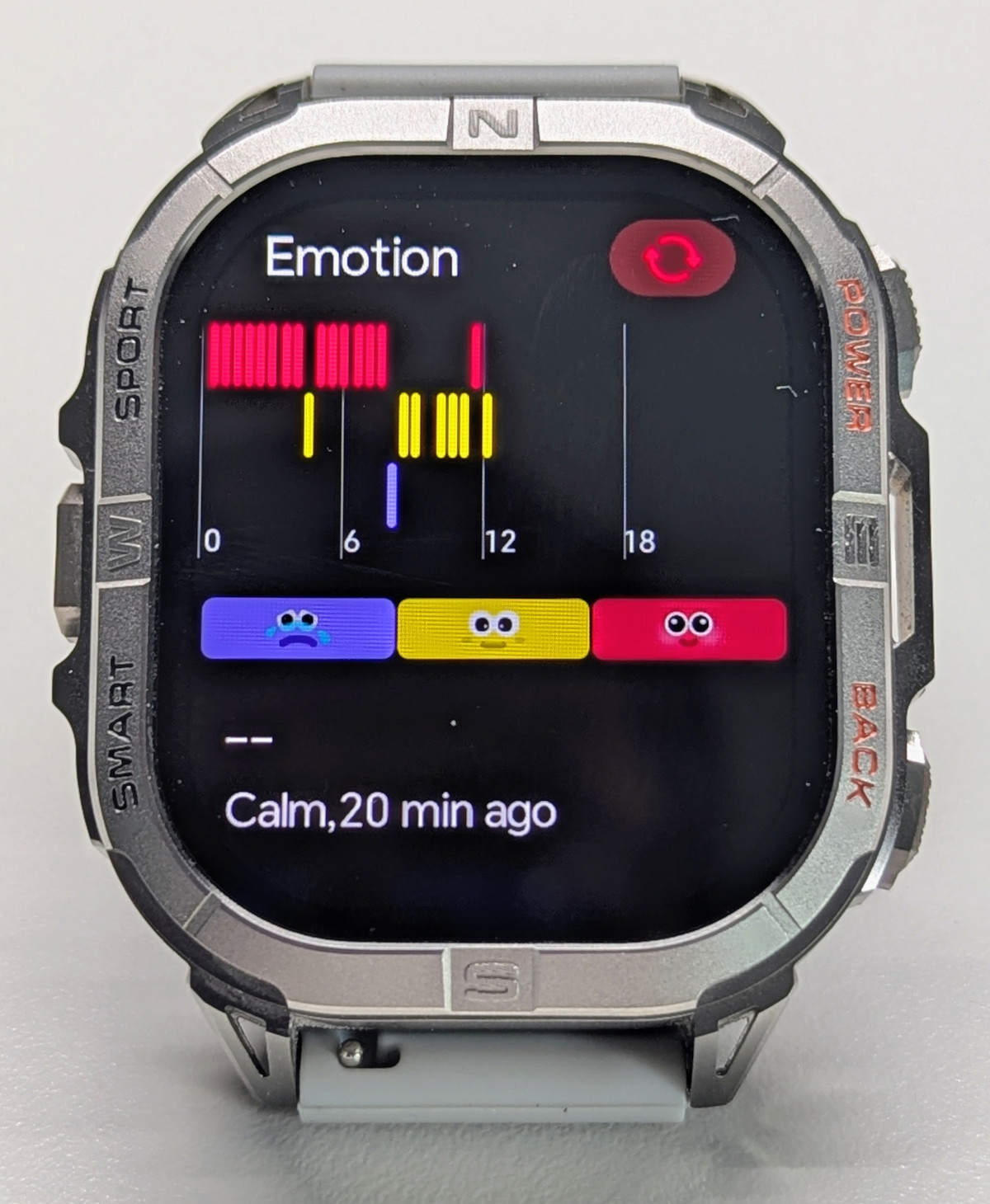
I honestly have no idea what this feature does or how it works. It’s probably filler functionality that could be removed by the manufacturer.
Fitness and Outdoor Features
The K72 supports approximately 170 sports modes, covering everything from running and cycling to more niche activities. The marketing materials single out swimming for this watch, and it’s rated 3ATM. Whether you should trust this rating and risk your watch in a pool session is up to your better judgment.
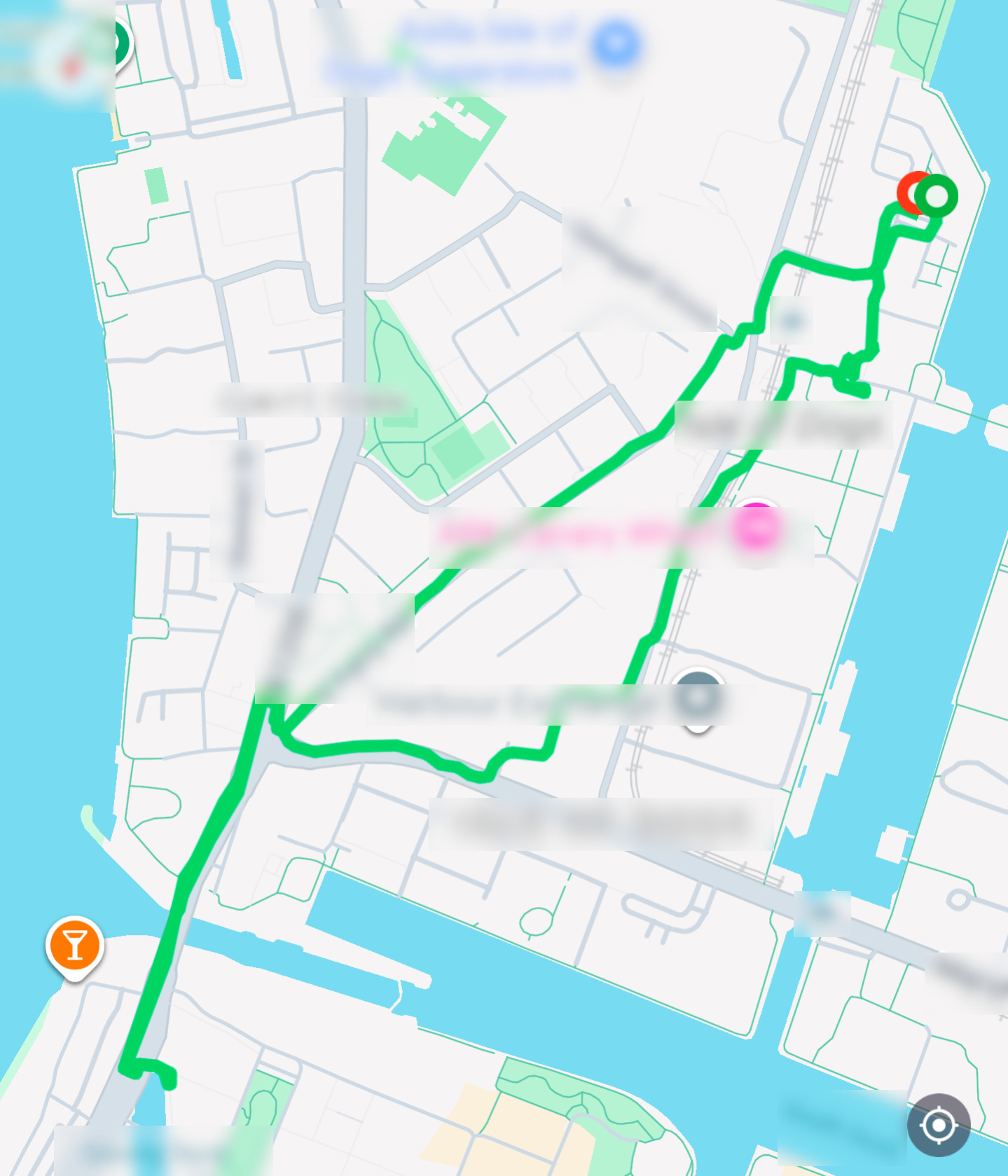
The GPS with AGPS provides reliable tracking in most environments, though it’s not as precise as the multi-band GPS systems found in premium watches. In my workouts, I found the GPS reliably tracked my routes with minor wobble.
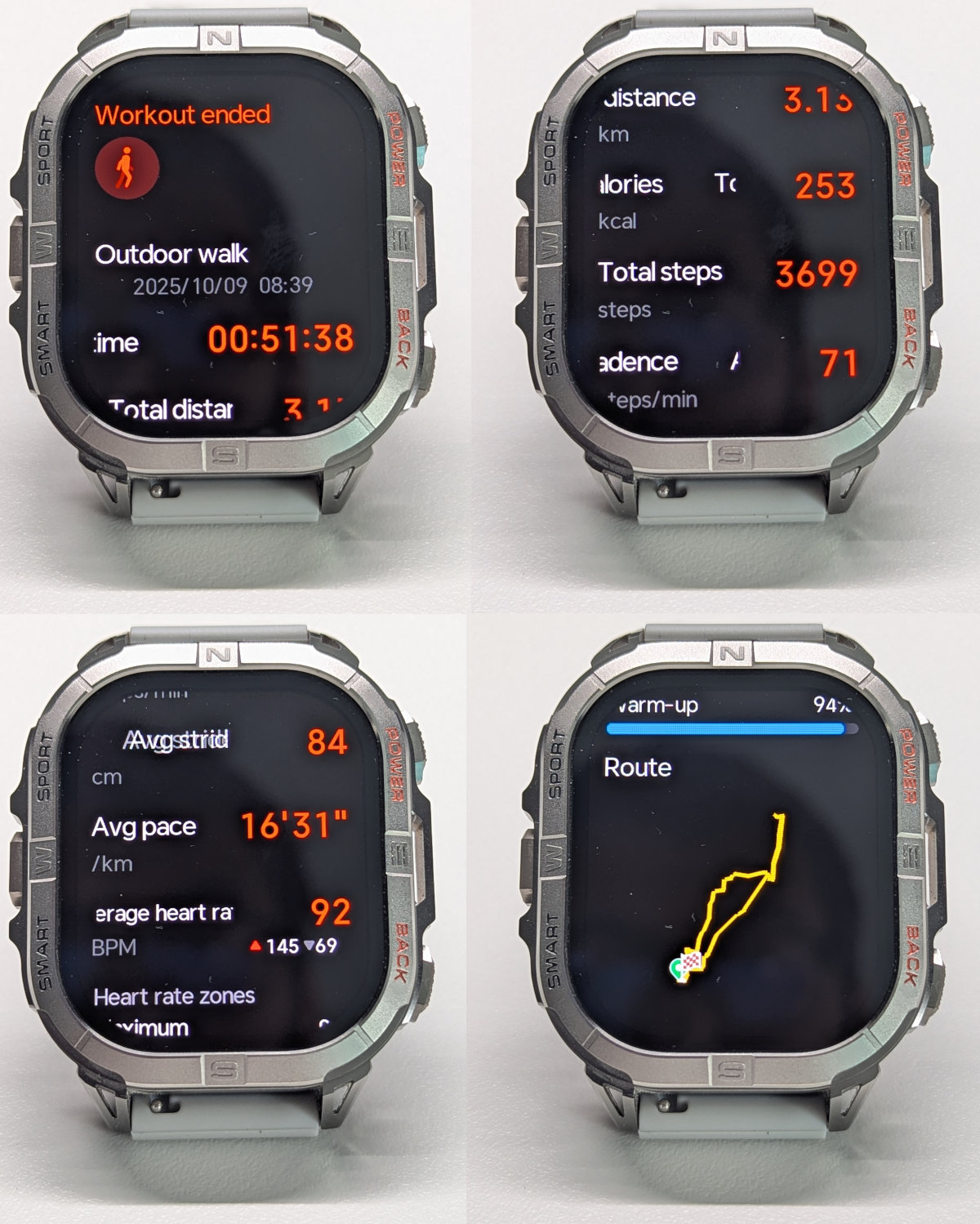
Here’s an example of a recent outdoor walk - keep in mind this is a high-rise area, quite a challenging environment for GPS in general, and for L1 band in particular. The route sometimes strays into buildings or onto the road in city canyons, then remains correctly on the pavements in lower built areas. It’s quite capable of noticing when and where I changed from one side of the street to another.
When it comes to stats like distances, calorie burns, and steps, I found it reasonably close to my reference Pixel Watch 2, one of the best watches on the market for this. The GloryFitPro app and watch OS have been polished considerably from the earlier GloryFit system, and the effort put into the number crunching behind these stats is evident.
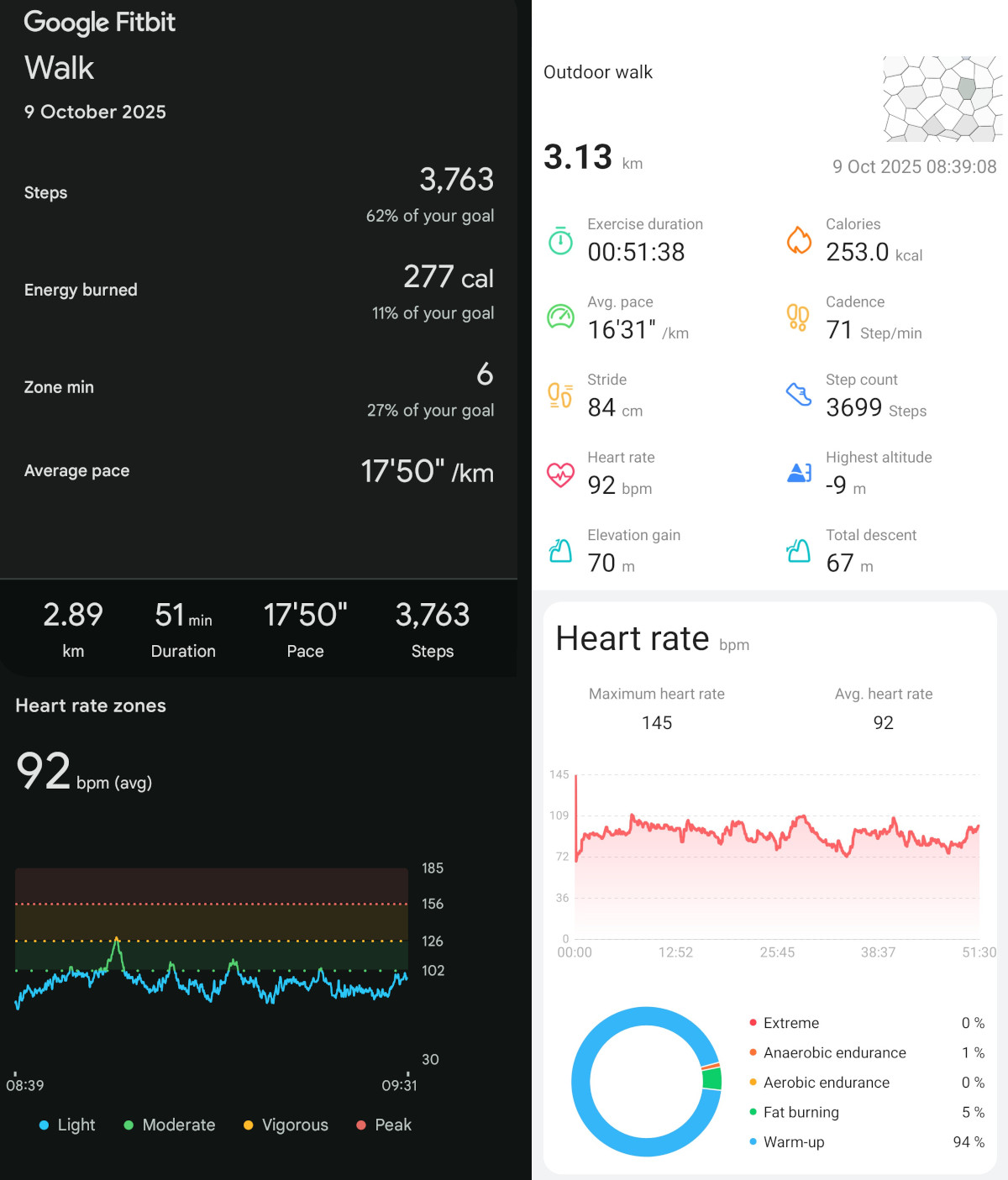
Heart rate is a different matter, however. This sensor is quite laggy, so sudden changes in heart rate are often missing, as shown in some of the workouts below.
Here’s an outdoor walk taken on both the K72 and the Pixel Watch 2. You can see an initial 140bpm peak that wasn’t there - the cold sensor issue mentioned earlier. Additionally, a significant 126bpm peak is entirely missing. Overall, though, I’d say the data is more than good enough for this activity.
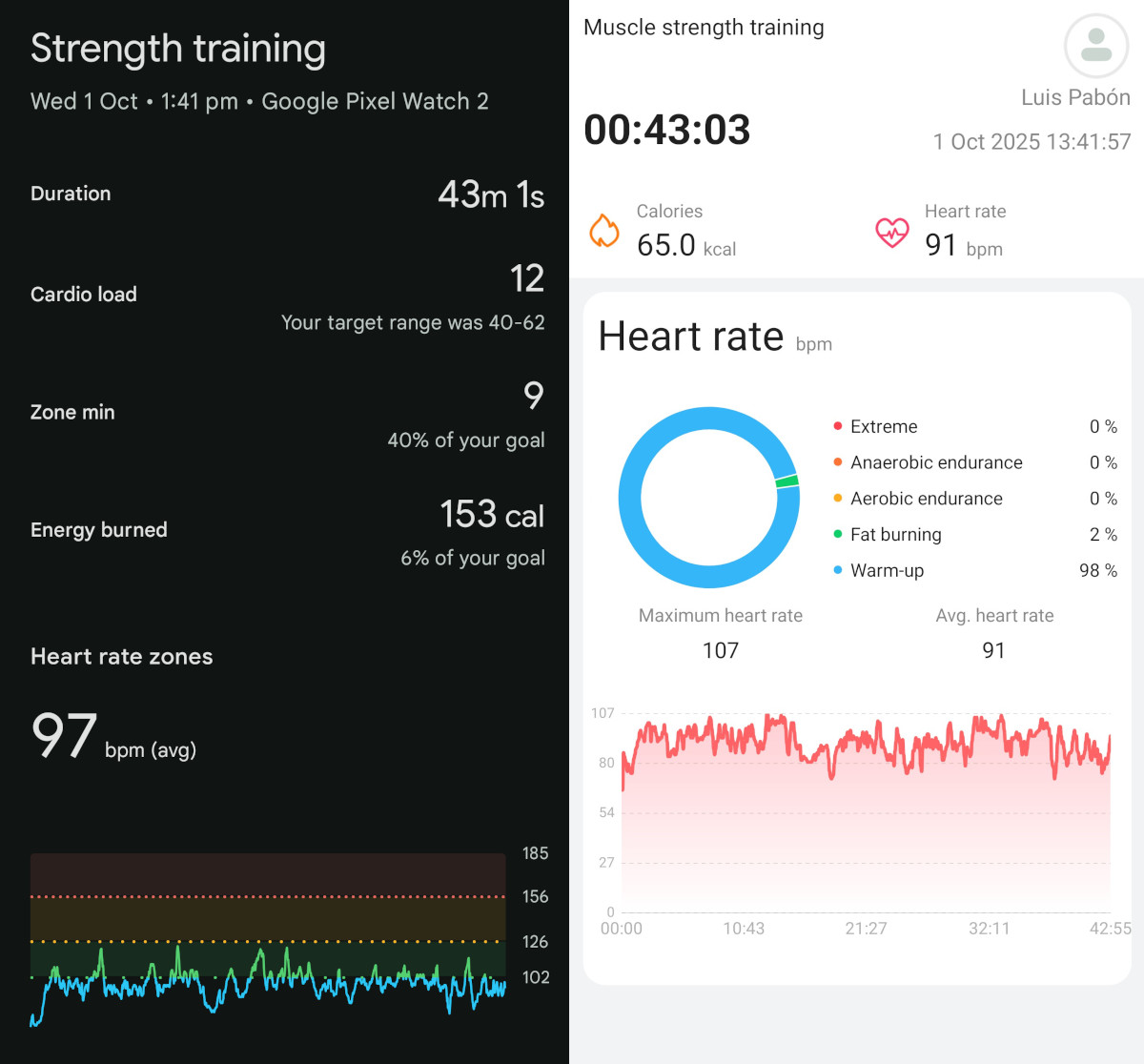
Next, a strength training session. Again, heart rate peaks typical of this activity, which in this workout reach about 130bpm, are absent, which lowers the average heart rate and calorie burn.
And an elliptical session. Again, the heart rate data is inconsistent, with an initial cold-boot peak followed by about a minute of underestimating heart rate. There’s also a dip mid-workout. However, the averages work out reasonably well, albeit on the low side, and calorie burn is optimistic but not excessively so. An acceptable result considering the price range.
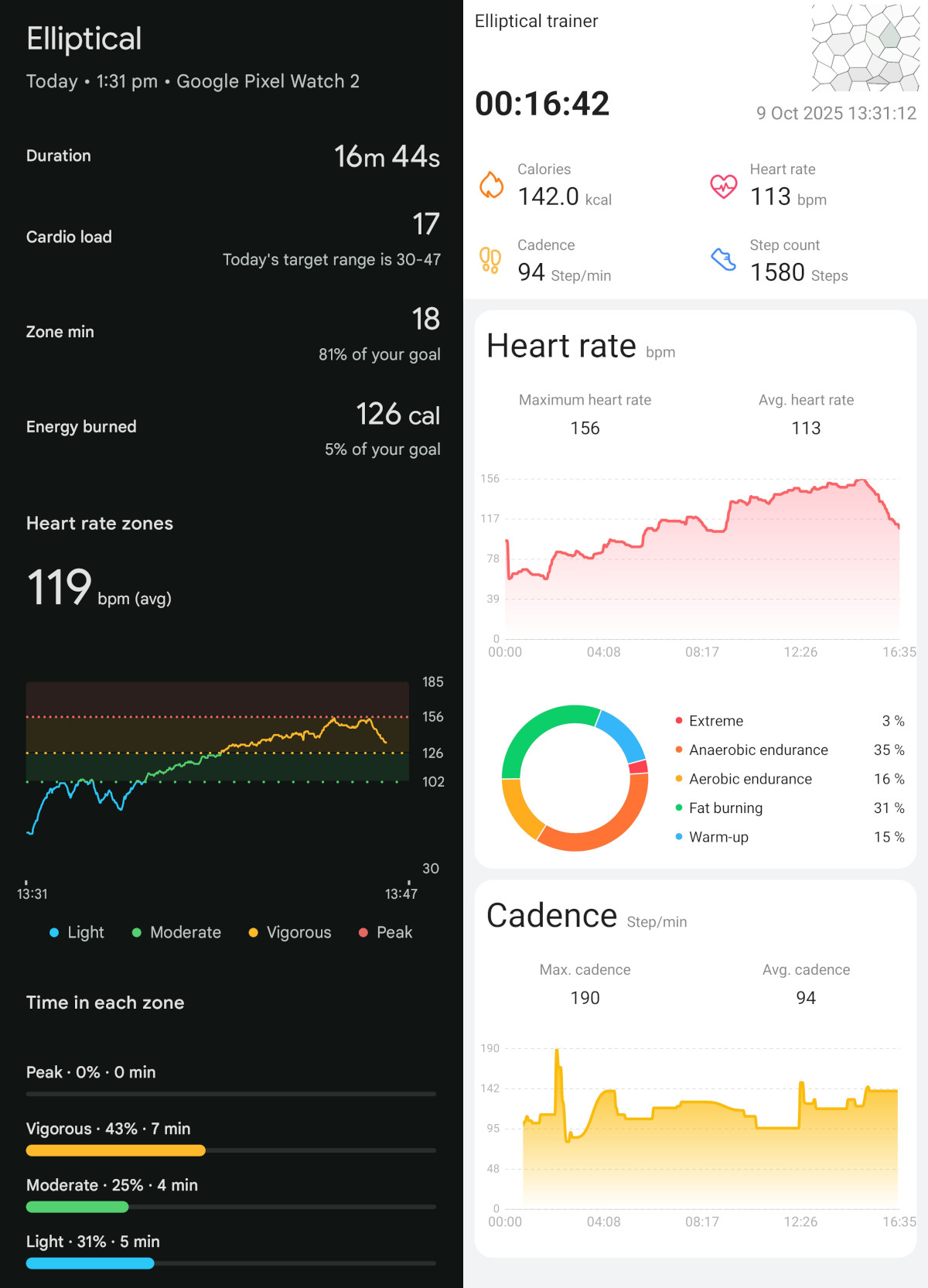
As mentioned before, as long as you double-check that the watch acquires your real heart rate when the activity starts (when it doesn’t, it’ll report 110bpm+, which you should be able to feel in your chest), activity tracking is good enough for steady cardio activities like walking and elliptical. However, I wouldn’t recommend this watch if your focus is strength training.
There are a few puzzling differences between rectangular and circular GloryFitPro and Kospet watches when it comes to activity tracking:
-
Walking calorie burns on rectangular watches align with my reference Pixel Watch 2, whereas round GloryFitPro watches report on average about 60% of that.
-
The workout screen on round watches is far better laid out, with more useful information at a glance without scrolling, even though rectangular watches have more real estate.
Smartwatch Features
As a smartwatch, the K72 offers notification mirroring, music control, weather updates, and several basic apps. The notification system works adequately, displaying messages and alerts from your phone, though interaction options are limited.
Key features include:
-
Notifications/messages: These watches don’t truly allow you to read messages. Instead, they mirror your notifications and are limited by what they display. Notifications are grouped by app and work well enough, but there are glaring omissions in the whitelist, such as Google Calendar. The “Notify for Smartwatches” app on the Play Store can help address this.
-
Alarms: Can be created on the watch and work reliably.
-
Timers: Timers can be left in the background without being discarded, but you need to be careful of using the swipe right gesture to do so instead of the back button. They work adequately, and vibrate for quite a while but with no sound.
-
Bluetooth calling: No issues here. The speaker and microphone work really well. Callers could hear me clearly, and I could hear them just fine. Worked impeccably.
-
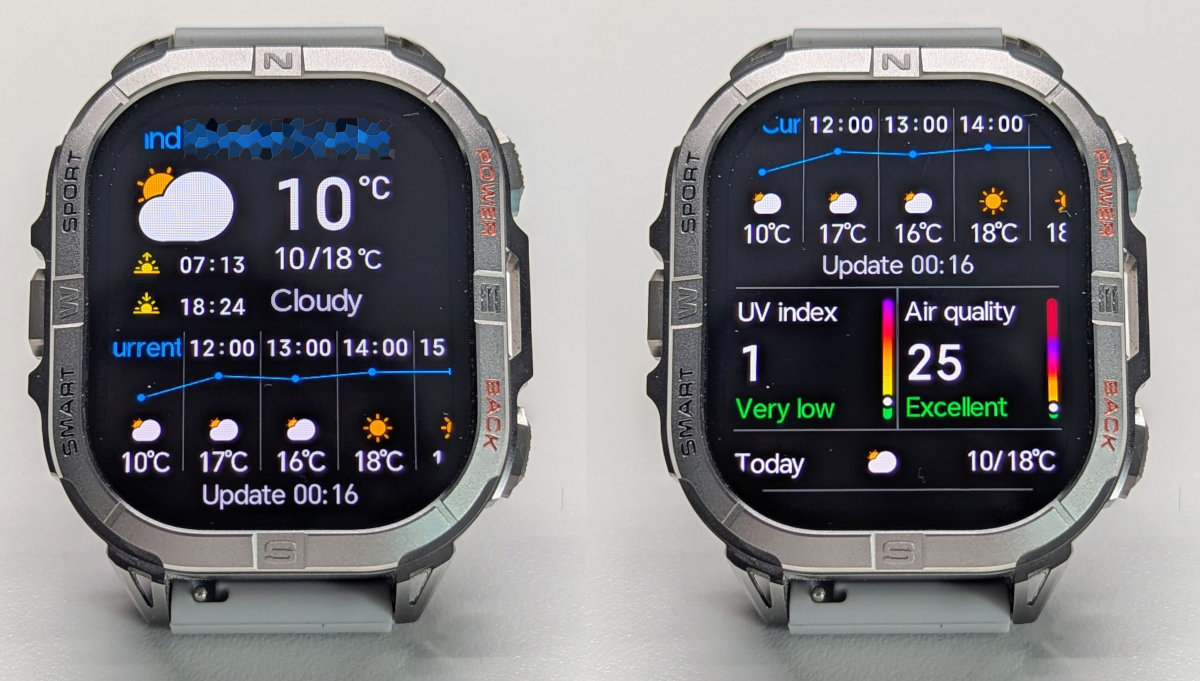
Weather: The weather app is the best among budget watches I’ve tried. It provides current conditions, a 12-hour forecast, and a 7-day forecast, all displayed clearly and easy to read.
-
Find my phone/watch: Works well both ways. Range is excellent, covering my entire flat.
The app: GloryFitPro
In my usage, the connection to the app has been stable without dropouts. Notifications would arrive in some cases even before those on my reference Pixel Watch 2.
The app itself is nicely laid out. Daily monitoring features like heart rate and SpO2 are easily accessible and displayed with relevant data and attractive graphs - which can’t be zoomed but do provide reading values and timestamps when tapped.
Workout records, however, are somewhat difficult to access - you can’t see a list of workouts and then choose which one to view. Instead, you navigate to the Sports tab, select the tab corresponding to the workout type (e.g., Outdoor Walk), which appears as a screen to start a new activity, then tap on the stat highlighted at the very top (e.g., Cumulative consumption (kcal) on strength training).
Conclusion
The K72 delivers exceptional value at its £33/$44 price point, primarily due to its outstanding build quality and massive, pin-sharp AMOLED display. The zinc alloy construction with intricate detailing feels premium, and the thoughtful button layout - particularly the dedicated torch and timer shortcuts - makes daily use genuinely convenient.
Combined with reliable GPS tracking, accurate distance and calorie measurements, and solid smartwatch features like excellent Bluetooth calling and a comprehensive weather app, this watch punches well above its weight class. I absolutely love wearing this device - it feels solid on your arm with excellent button action and genuinely useful features.
However, the K72 isn’t without compromises. The VC30F-S heart rate sensor suffers from cold boot issues that can cause inaccurate readings, particularly at activity start, making it less suitable for strength training. Battery life is disappointing at just 5 days with moderate use - shorter than expected given the 580mAh capacity - and the 3ATM water resistance rating is conservative for a watch marketed for swimming.
Overall, the K72 is an excellent choice for anyone seeking a feature-rich, well-built smartwatch on a budget, particularly for steady-state cardio activities. If you can work around the heart rate sensor quirks and aren’t focused on strength training, this watch offers remarkable value - though at this price, some compromises are inevitable.