
 Español
  Français
  Português
  Italiano
 DM76 Smartwatch Review
Affordable AMOLED smartwatch with tidy build, 6-day battery and basic fitness tracking
Ratings are contextual to quality band. A 4-star ultra-budget watch and a 4-star midrange watch offer different value propositions.
✓ Pros
- Excellent build quality
- Vibrant AMOLED screen
- Good battery life
- Good value for the price
- Featureful watch OS
✗ Cons
- Buggy background heart rate monitoring
- Despite the newer MCU, UI fluidity is not improved
- Limited storage for watch faces
- GNSS struggles in cities
Specifications
- Release Date
- Q3 2025
- Approximate price (December 2025)
- £33 / $44 / €38
- Other names
-
- Citijungle GPS Air
- Display
- 1.32-inch AMOLED, 466x466, 600 nits
- App
- GloryFitPro
- Processor
- Actions ATS3085S
- Heart rate sensor
- VC30F-S
- SpO2 sensor
- VC30F-S
- Accelerometer
- STK8321
- GNSS
- L1 single band. GNSS, GLONASS, Big Dipper, Galileo, QZSS
- Barometer & altimeter
- Goerl SPL07-03
- Battery
- 360mAh
- Battery life
-
- Advertised: 7 days
- Review: 6 days
- Water Resistance
- 5ATM
- Bluetooth version
- 5.3
- Weight without strap
- 31 g
- Weight with included silicone strap
- 45 g
- Dimensions
- 43.5 × 43.5 × 12.2 mm
- Watch band type
- Standard 18mm lug width
- Features
-
- Heart rate
- SpO2
- Sleep tracking
- Step counter
- GNSS activity tracking
- Barometer
- Barometric altimeter
- Breathing exercises
- Menstrual cycle tracking
- Bluetooth calling
- Phone notifications
- Weather forecast
- Phone assistant
- Phone music control
- Timers
- Stopwatch
- Alarms
- Camera shutter
Box contents
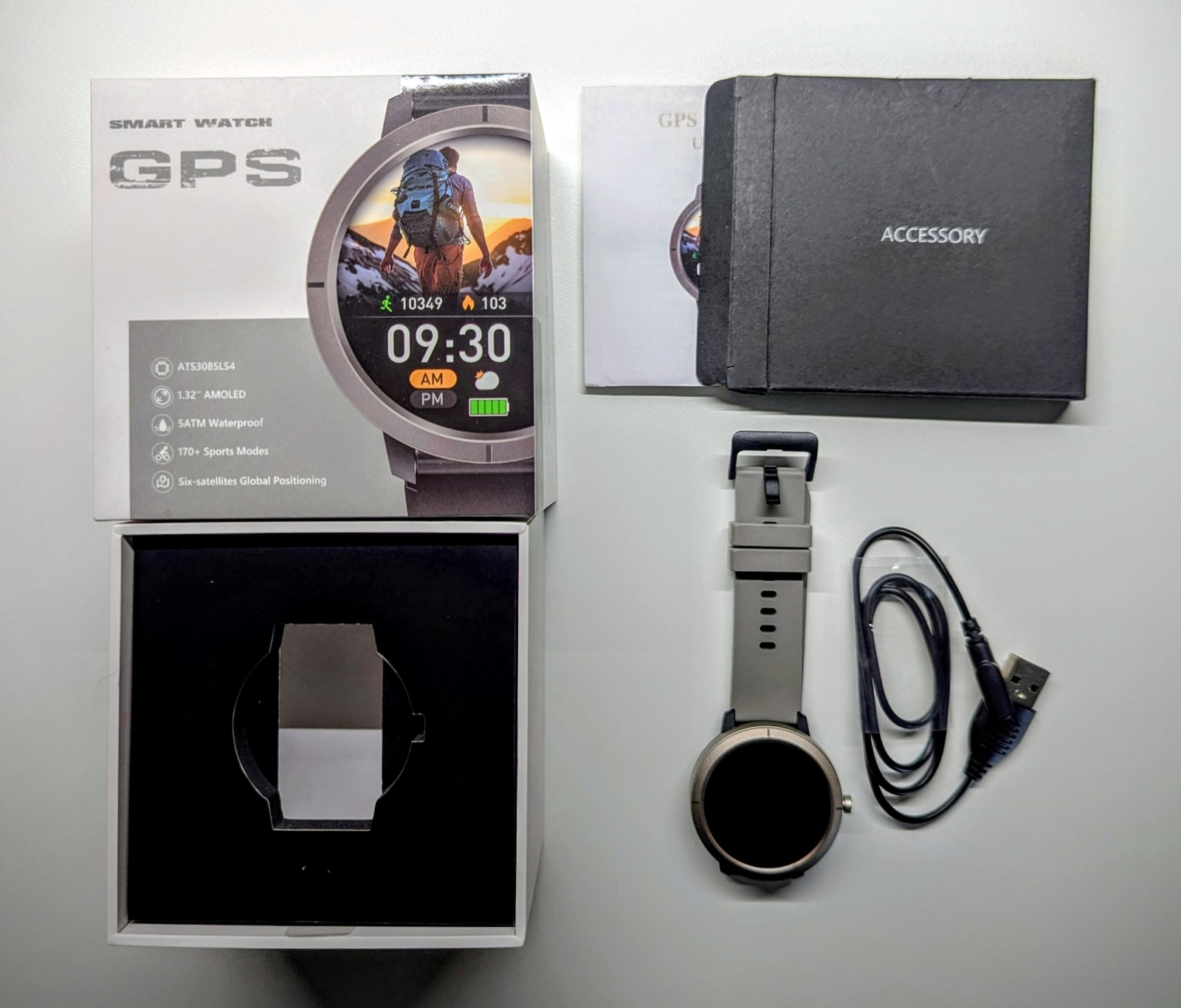
In the box you’ll find the watch, the band, the charging cable, and the manual.
Design and Build Quality
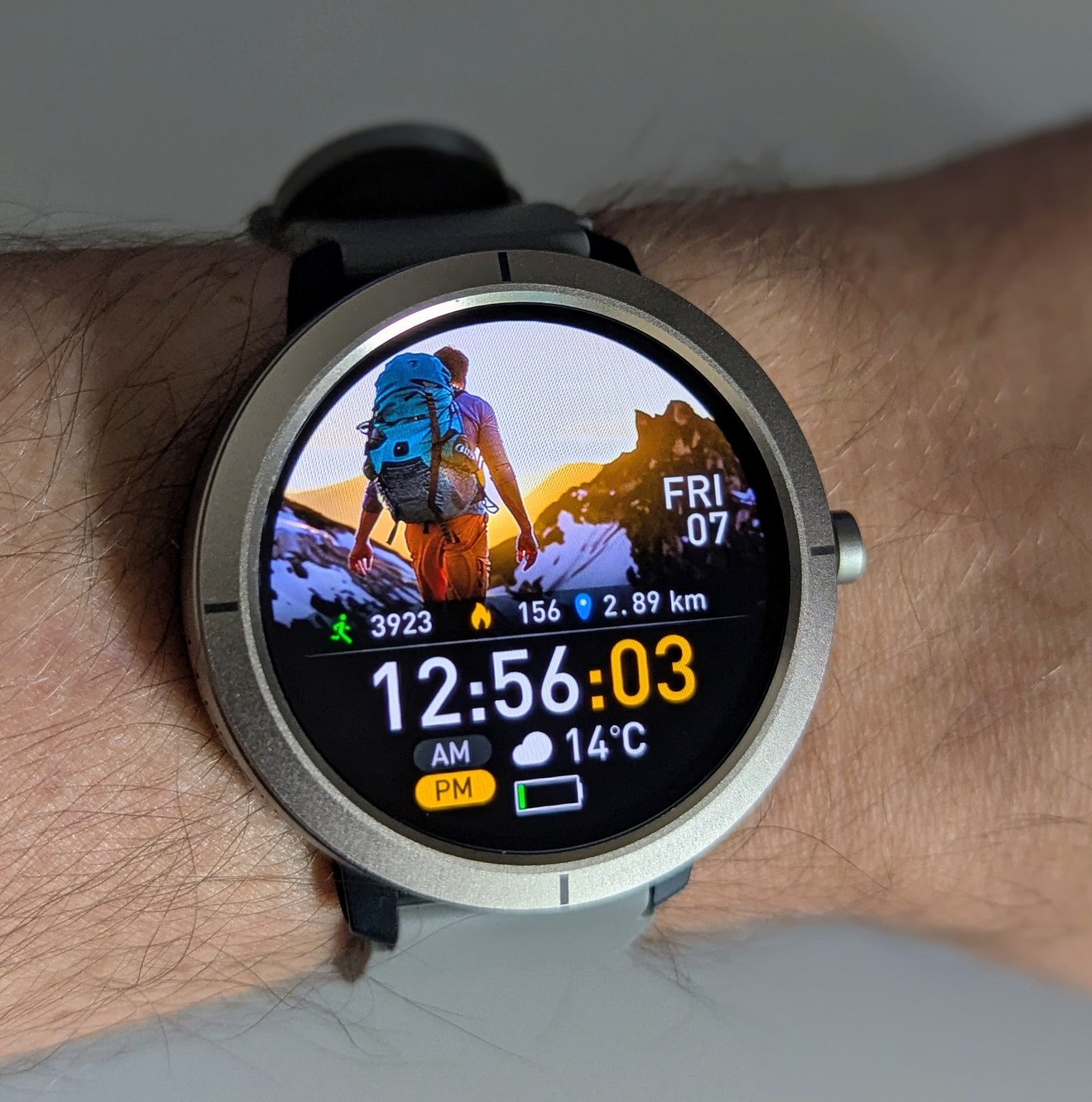
The DM76 is a small, lightweight watch with a brushed zinc-alloy bezel and mid-frame, while the back is polycarbonate. The heart-rate sensor sits under a smooth acrylic window. Build quality is excellent for the price - tight seams and nothing obviously out of alignment.
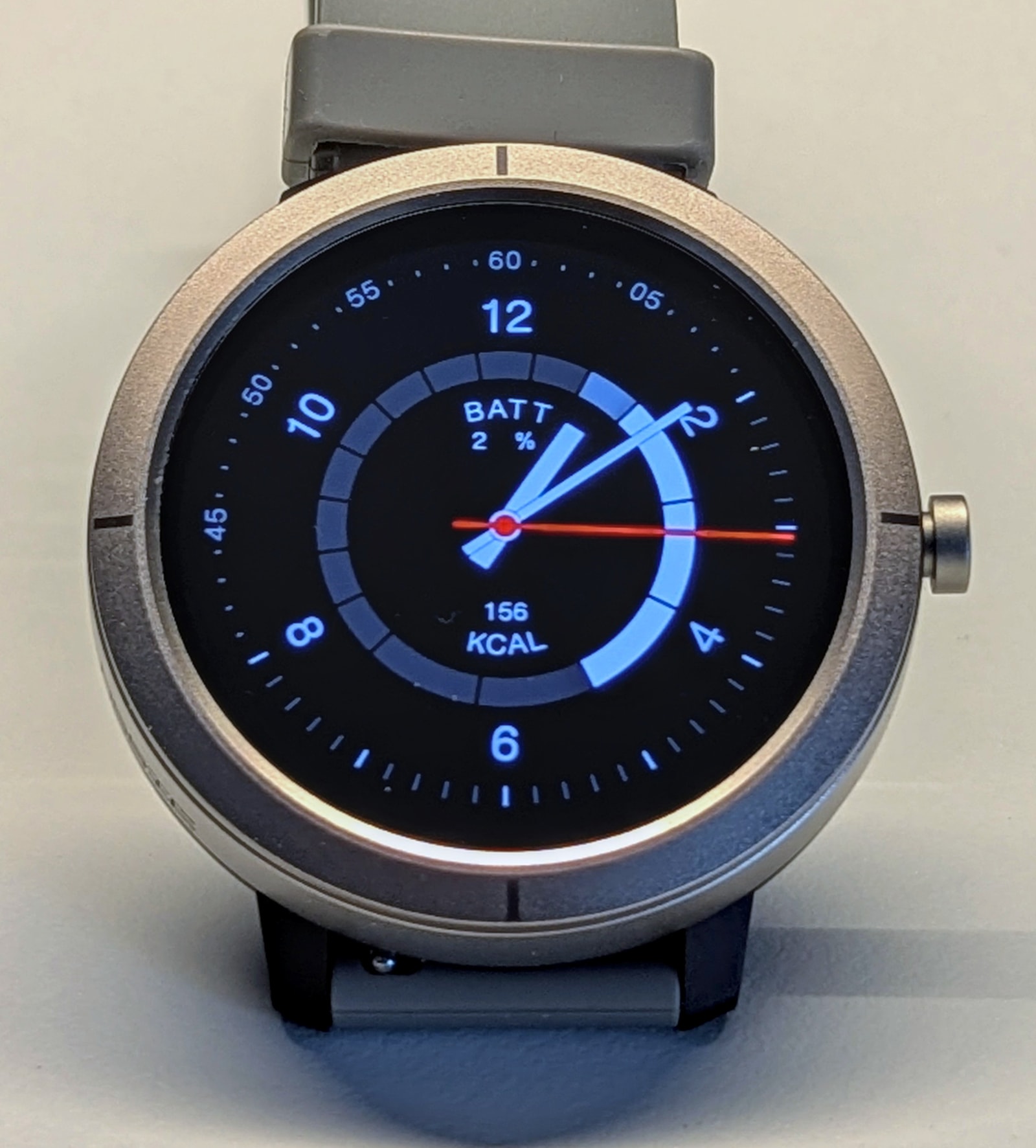
Despite the solid build, it wears light and is easy to forget on the wrist. The included strap is comfortable, with a soft feel and some flex.
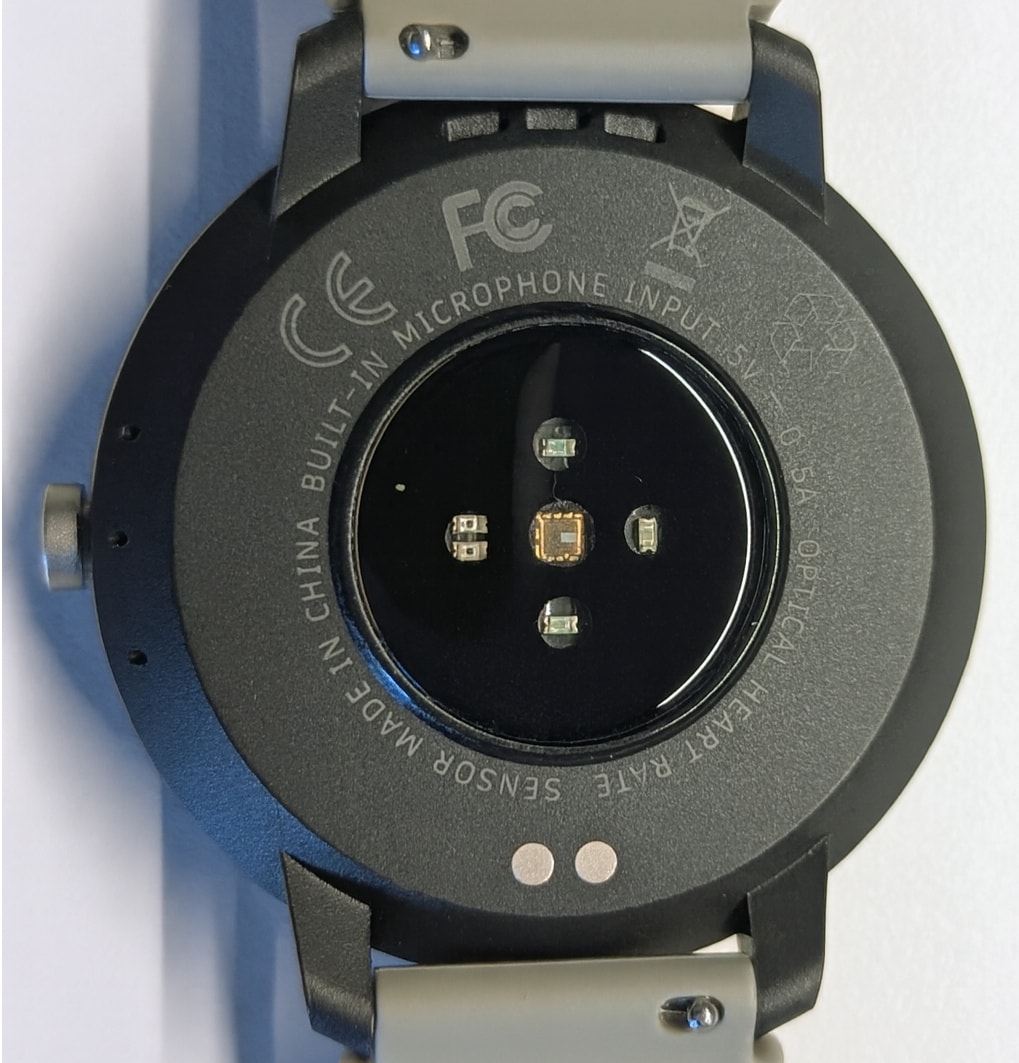
The only button (not a rotating crown) gives you access to the app menu as well as the power on and reset options.
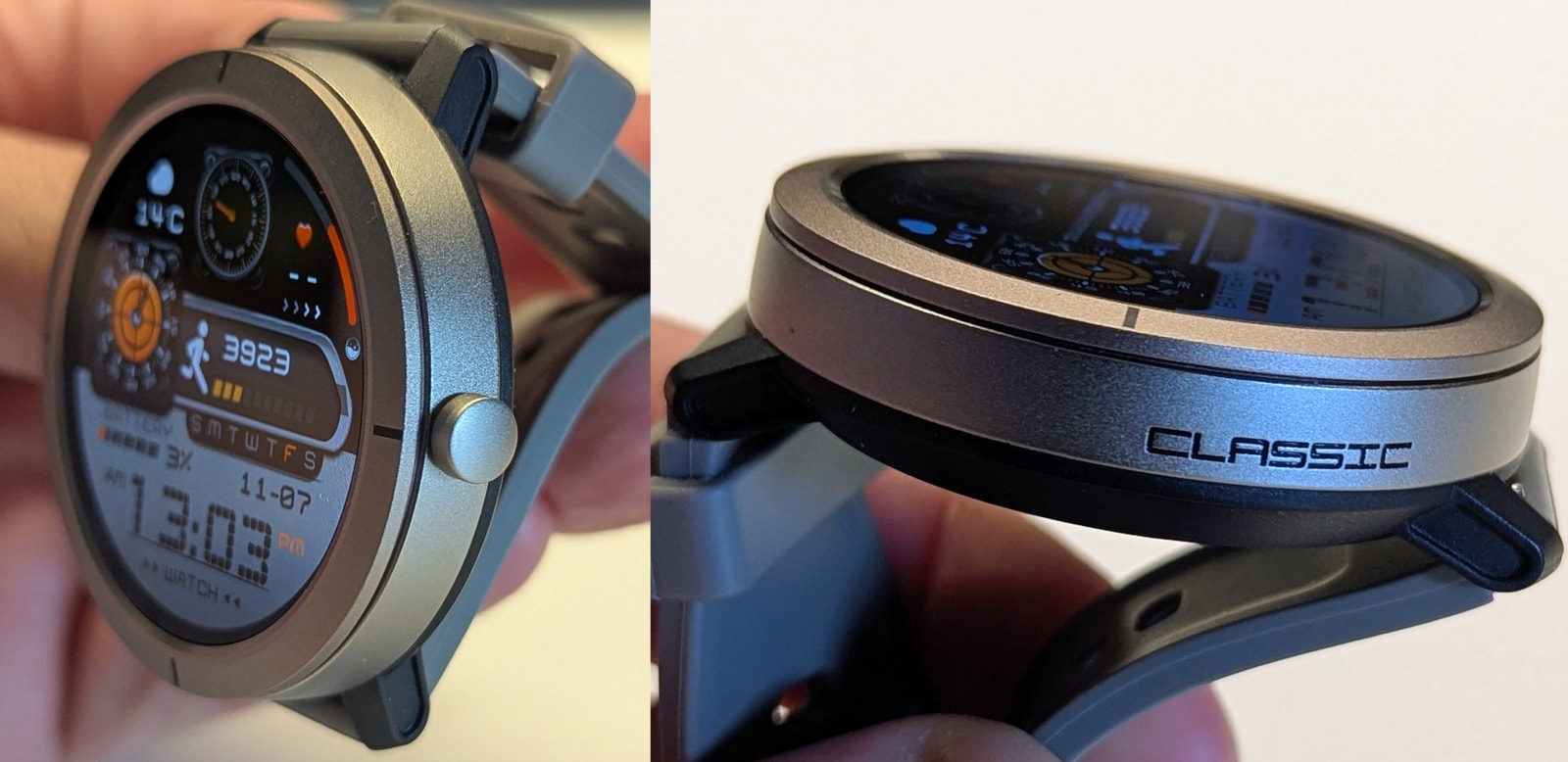
Marketing calls this a “swimming watch for women”, which explains the lack of a rotating crown and extra buttons. I wouldn’t treat it as a swim watch, and I would absolutely advise you against submerging it for any period of time, or showering with it.
Display
The watch has a 1.32-inch AMOLED panel at 466x466 pixels. It looks sharp with vibrant colours. Brightness is adequate for most use - the manufacturer does not disclose the exact level, but it’s likely around 600 nits. The screen remains visible through polarised sunglasses, which helps for outdoor use. The bezel is very narrow at just a few pixels wide.
The glass is neither Corning Gorilla nor sapphire, which is expected at this price. It is slightly recessed, so placing the watch face down should help protect it from scratches. Suitable screen protectors are easy to find and inexpensive, and I recommend using one.
As with other GloryFitPro AMOLED models, AOD (Always On Display) is available with its own library of faces - be aware the battery impact is severe.
Watch interface
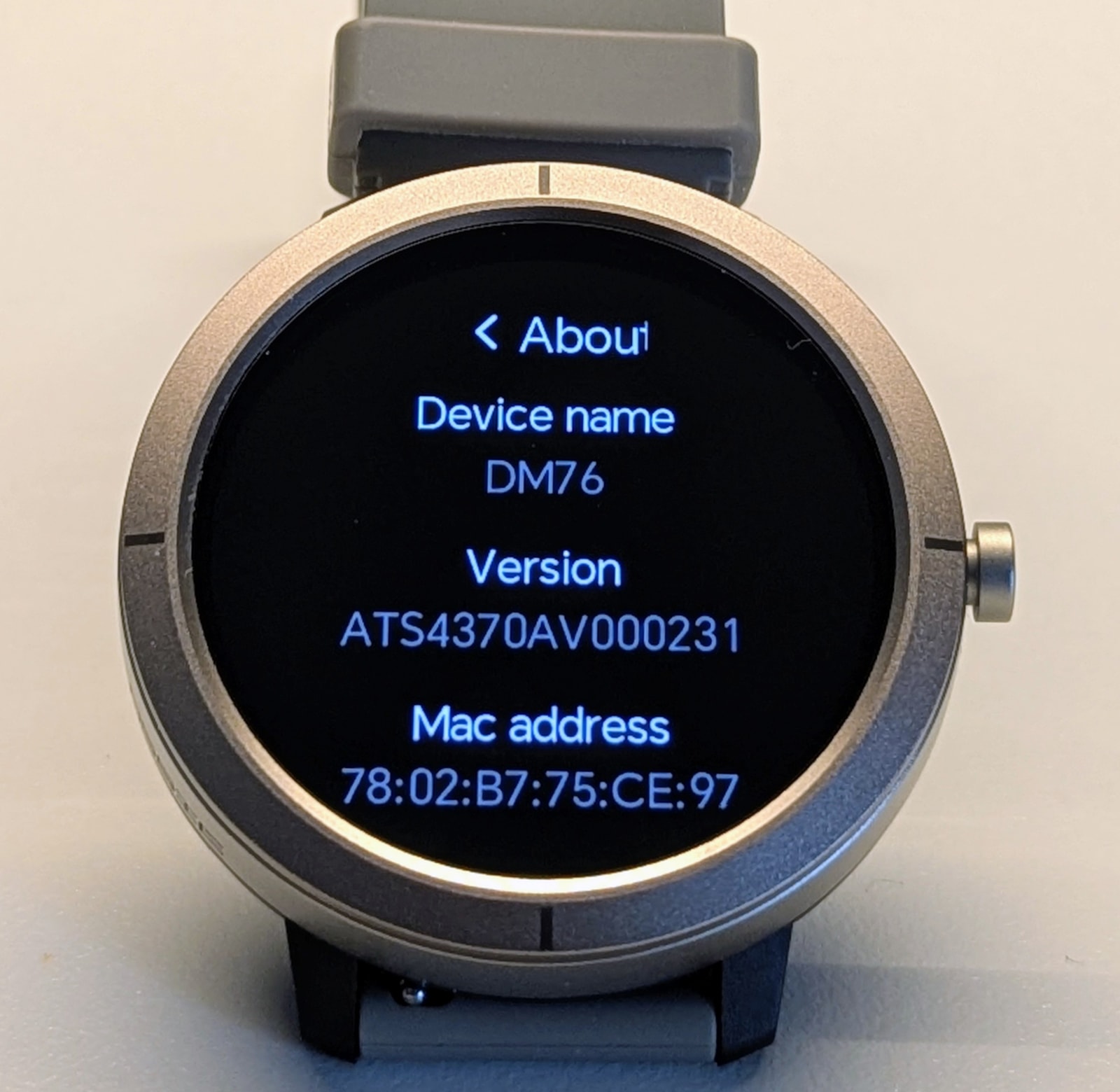
The DM76 runs the same watch OS used on other GloryFitPro models with similar hardware, such as the Y101. This unit uses the ATS3085S MCU, which on paper should bring smoother graphics like the Kospet Magic R10, but weirdly it does not. In practice, it’s only a little better than ATS3085L watches. There are extra transition effects (card flips and the like), but scrolling feels largely the same. I’m not sure why this is the case.
The interface is standard and should be familiar to anyone who’s used a smartwatch before. It feels close to Amazfit in main navigation and the cards view (not a bad thing).
From the watch face, swiping down brings up the editable quick settings, which offer many useful options:
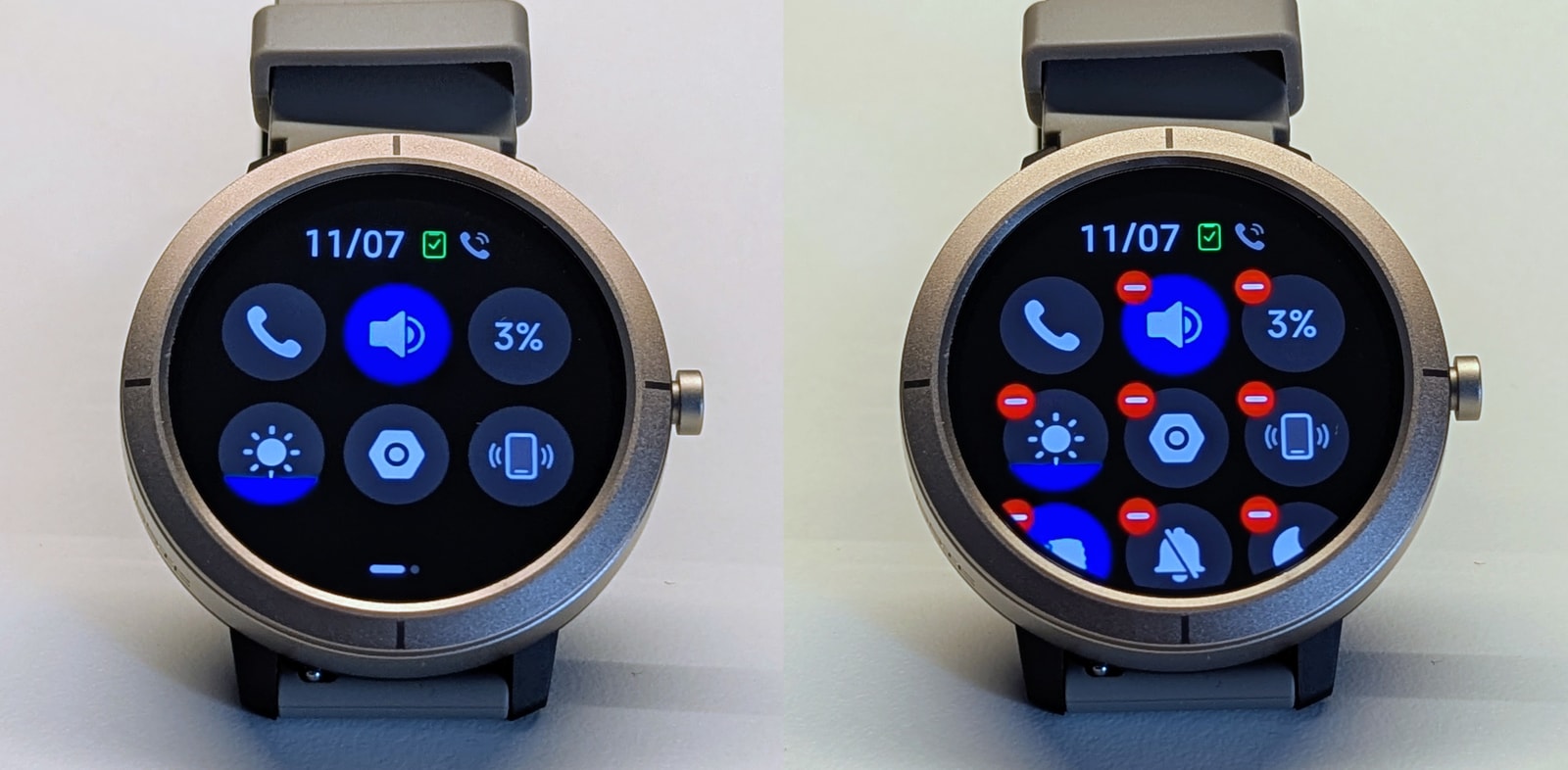
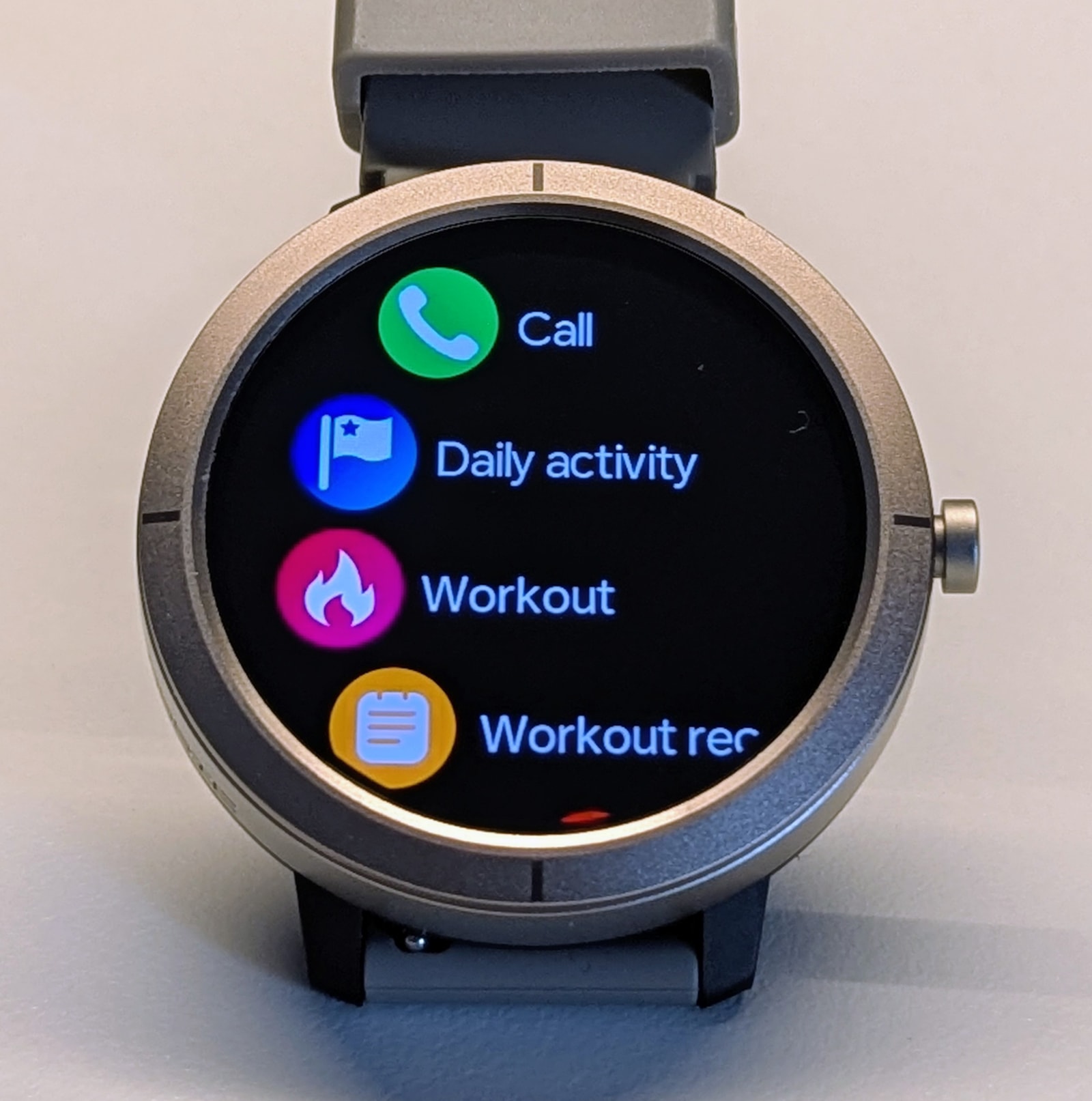
Swiping left opens the apps menu. Several menu styles are available, but the list view is the most useful as it shows app names alongside the icons. Unfortunately, the sorting is somewhat random, which makes items harder to locate:
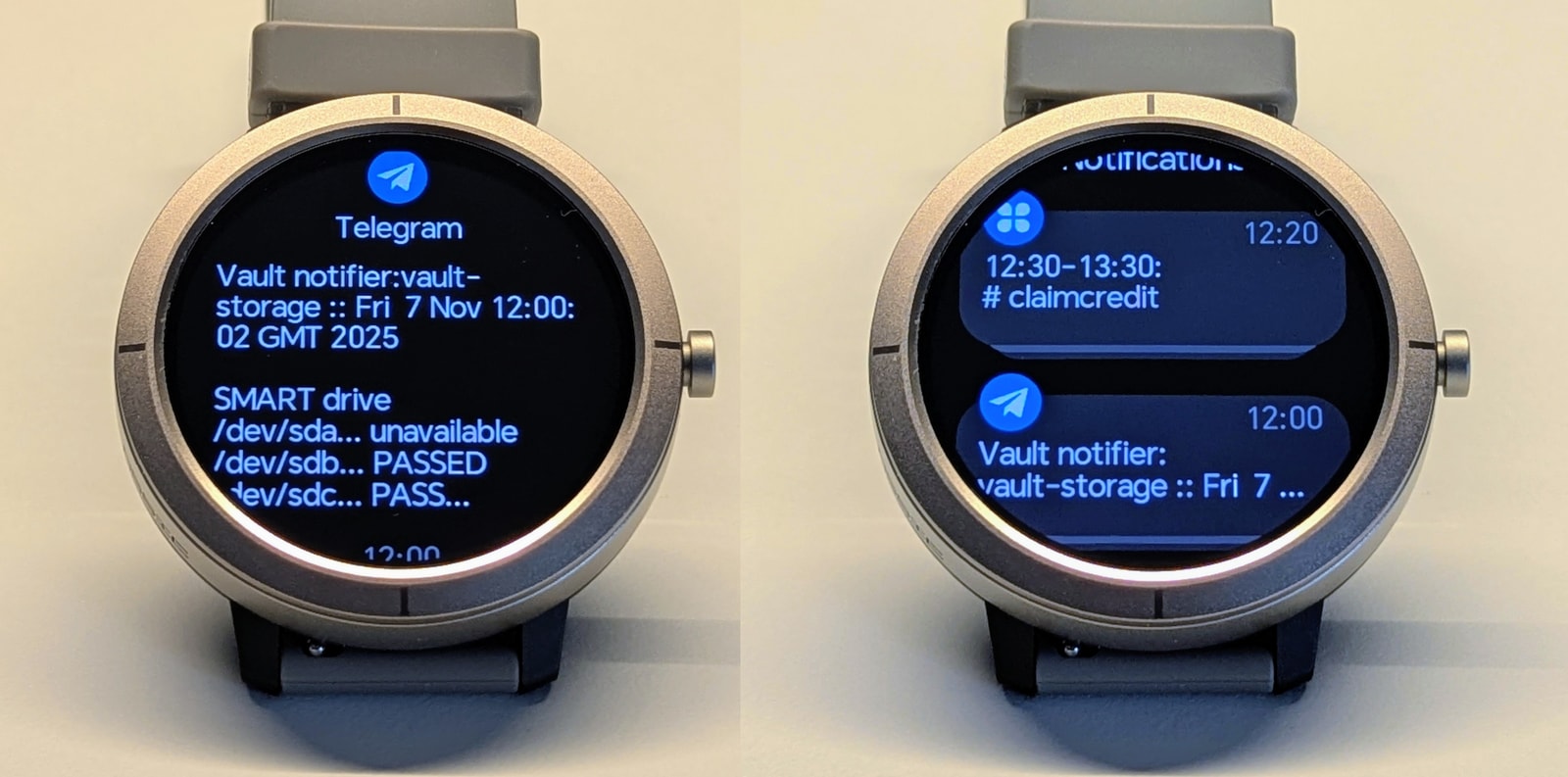
Swiping right brings up notifications. These simply mirror your phone’s notifications. You can select which apps can send to the watch, though the built-in list is limited and misses key apps like Google Calendar or banking apps. The “Notify for Smartwatches” app on the Play Store is a workable fix - it can route notifications from unsupported apps through GloryFitPro.
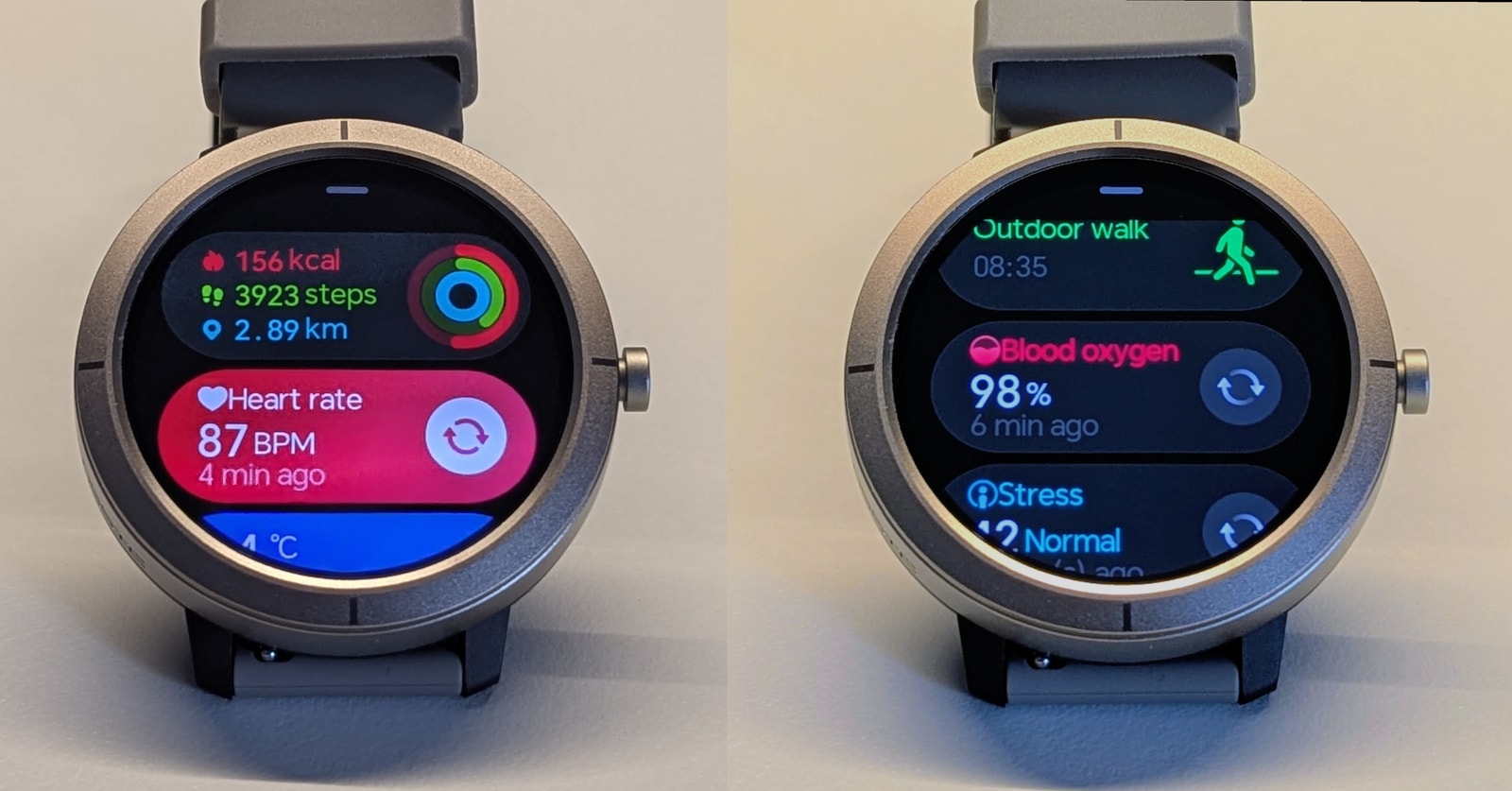
Finally, swiping up opens the cards view, which is genuinely useful. Cards show daily activity, heart rate, sleep, timers, and more. It’s also the fastest way to reach most apps, and it’s editable - you can remove and reorder items to suit your needs.
Note: Some options are hidden and not exposed in the main settings, such as granular heart-rate monitor controls. Open the relevant app on the watch and scroll to the bottom to find them.
Watch faces
The watch includes 7 preinstalled faces you can’t remove. Some have actionable buttons (hard to tap and barely useful). There’s also a photo‑background face you can customise from the app, and you can install 2 more from the catalogue. This is puzzling, as the ATS3085S MCU has more available storage than the ATS3085L, yet those watches let you install 4 more faces.
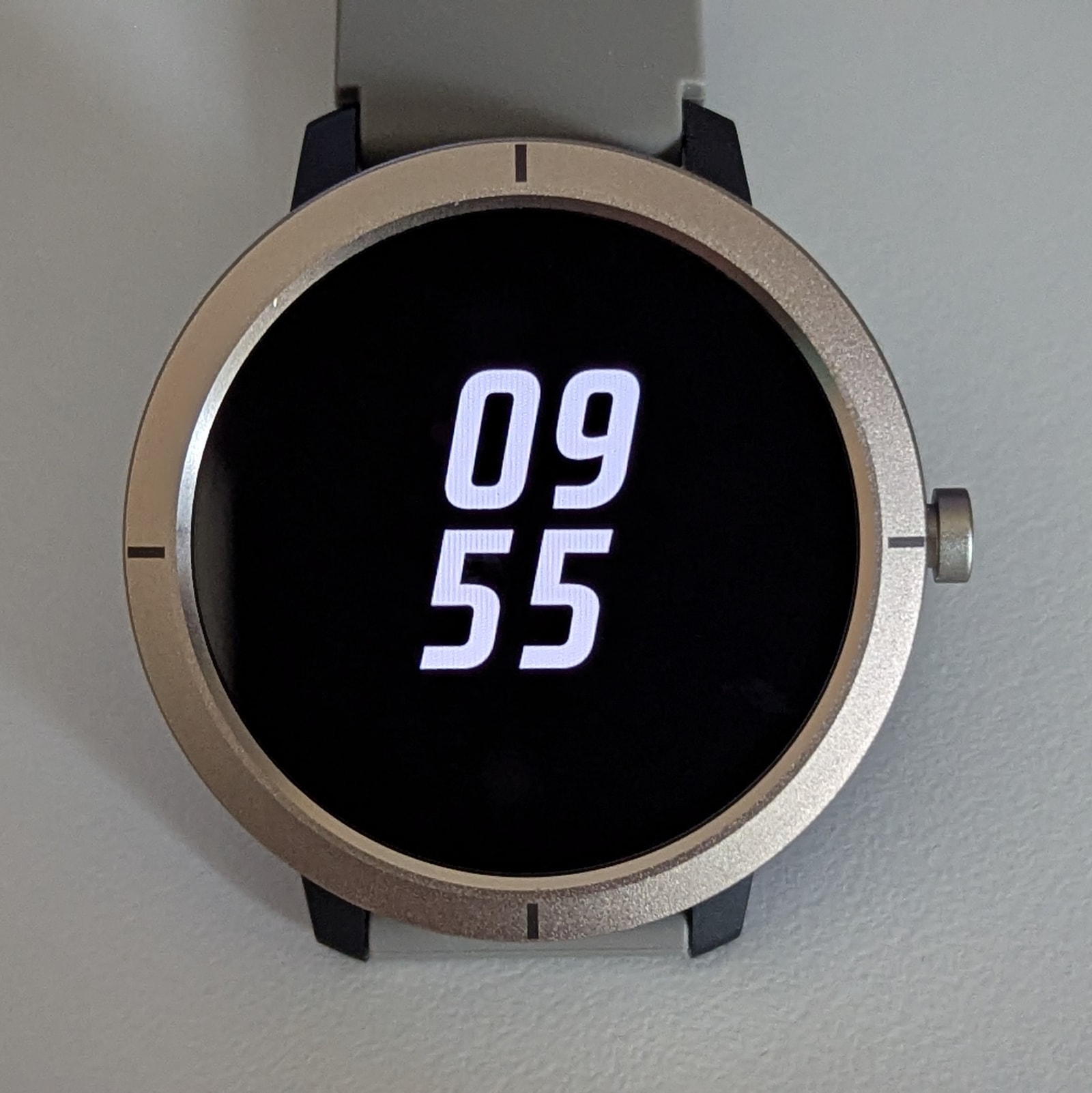
The app selection is ample with many good options. Here’s a mix of default and app-installed watch faces:
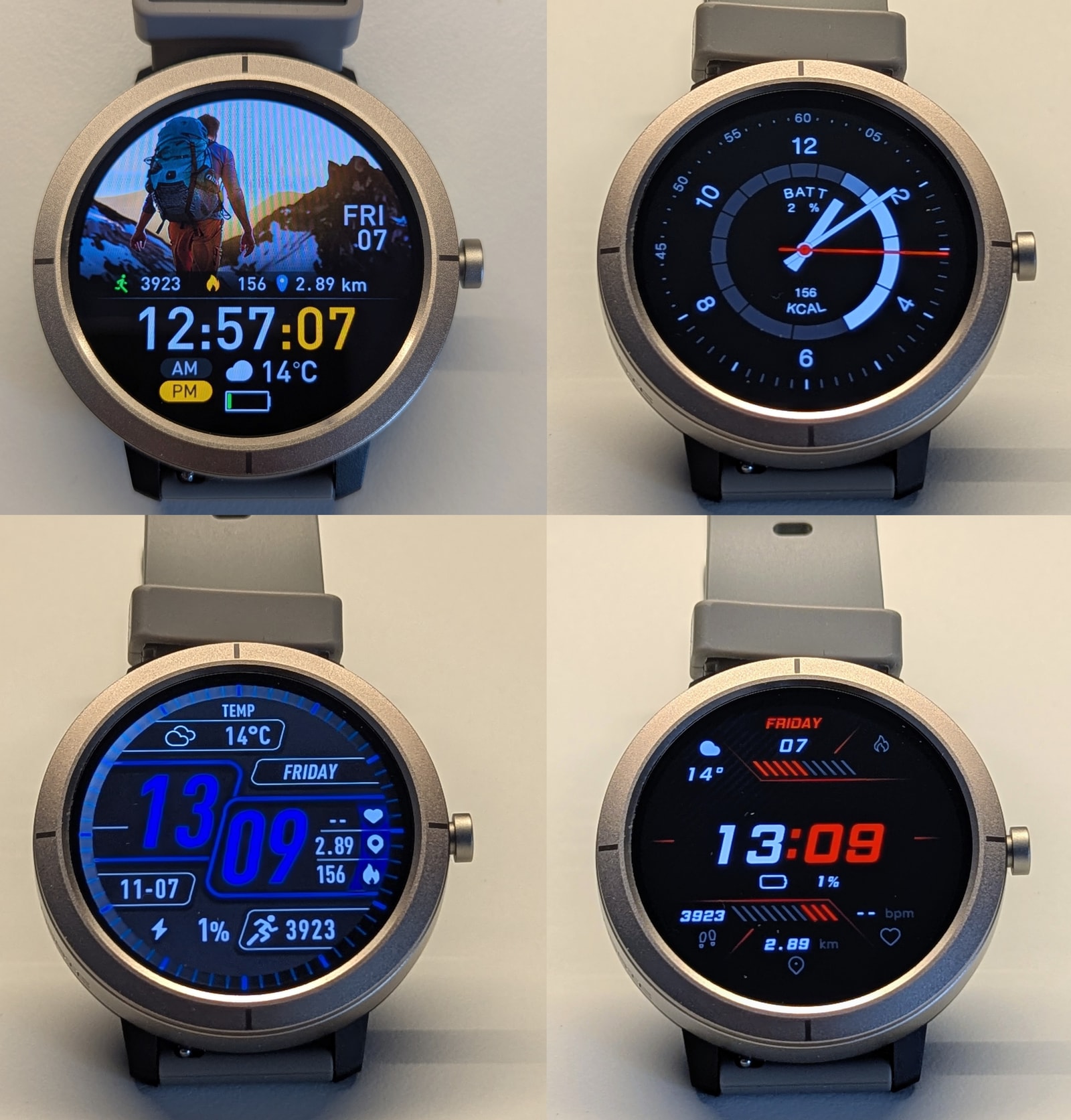
AOD has its own pool of faces - 3 preinstalled and one you can install from the app.
Battery Life and Charging
Battery life is OK despite the relatively small 360mAh battery. The smaller screen likely helps. I managed just about 6 days on a single charge, with around 200 minutes of GNSS use during that time. This was with AOD disabled and raise-to-wake enabled (very responsive on this watch) - enabling AOD drops that 6-day figure to about 3 days.
The magnetic charging cable attaches securely and brings the watch from empty to full in about 1 hour. There’s also a power-saving mode that can stretch battery life in a pinch, though only the clock and step counter remain functional in that mode.
Don’t charge it with a fast charger - these budget watches typically lack proper input regulation and the battery can be damaged. Use a computer USB port, or a USB-A charger that tops out at 5v / 1000 mA.
Health Monitoring
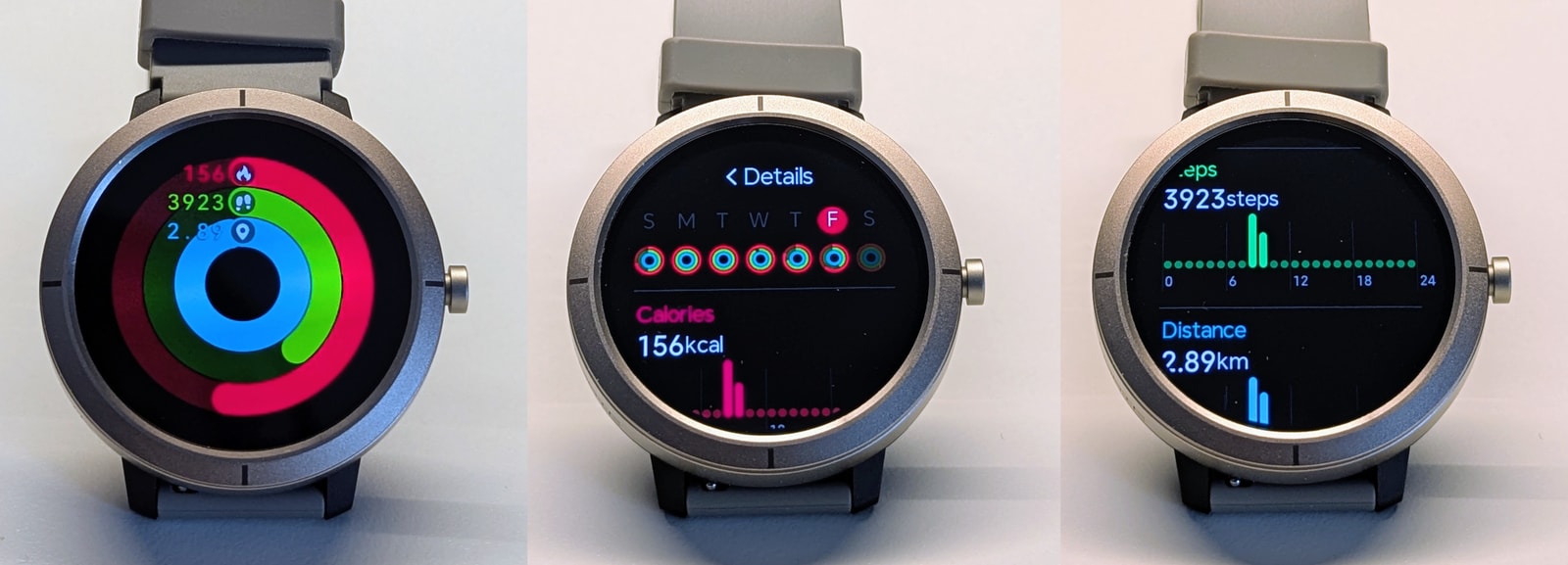
The DM76 covers the basics of health monitoring with 24/7 heart rate tracking, blood oxygen monitoring, sleep tracking, breathing exercises, and menstrual cycle tracking. The app allows you to set the usual goals for steps, active calories, and distance, which are displayed prominently in both the watch and app:
Heart rate and SpO2
This watch uses the VC30F-S optical sensor, common in budget Chinese watches and widely used across GloryFit and GloryFitPro models. It measures both heart rate and SpO2. SpO2 can run on a schedule, but I can’t vouch for its accuracy without a suitable reference device.
‘Continuous’ heart rate is actually periodic sampling on a schedule (every 5, 10, 20 minutes, etc.). The sensor also wakes for live readings while the screen is on, especially if the watch face shows heart rate. There’s an optional active mode that claims to sample when motion is detected (toggled from the heart rate app on the watch), but I couldn’t confirm it works.
As on other GloryFitPro watches, cold starts can overshoot. When the sensor initializes while I’m standing still, it often jumps toward 100 bpm when I’m actually around 65-70 bpm. The K72, K67A and Y101 show the same behaviour, though the DM76 does a better job of settling to a reasonable value after a brief calibration.
Sleep tracking
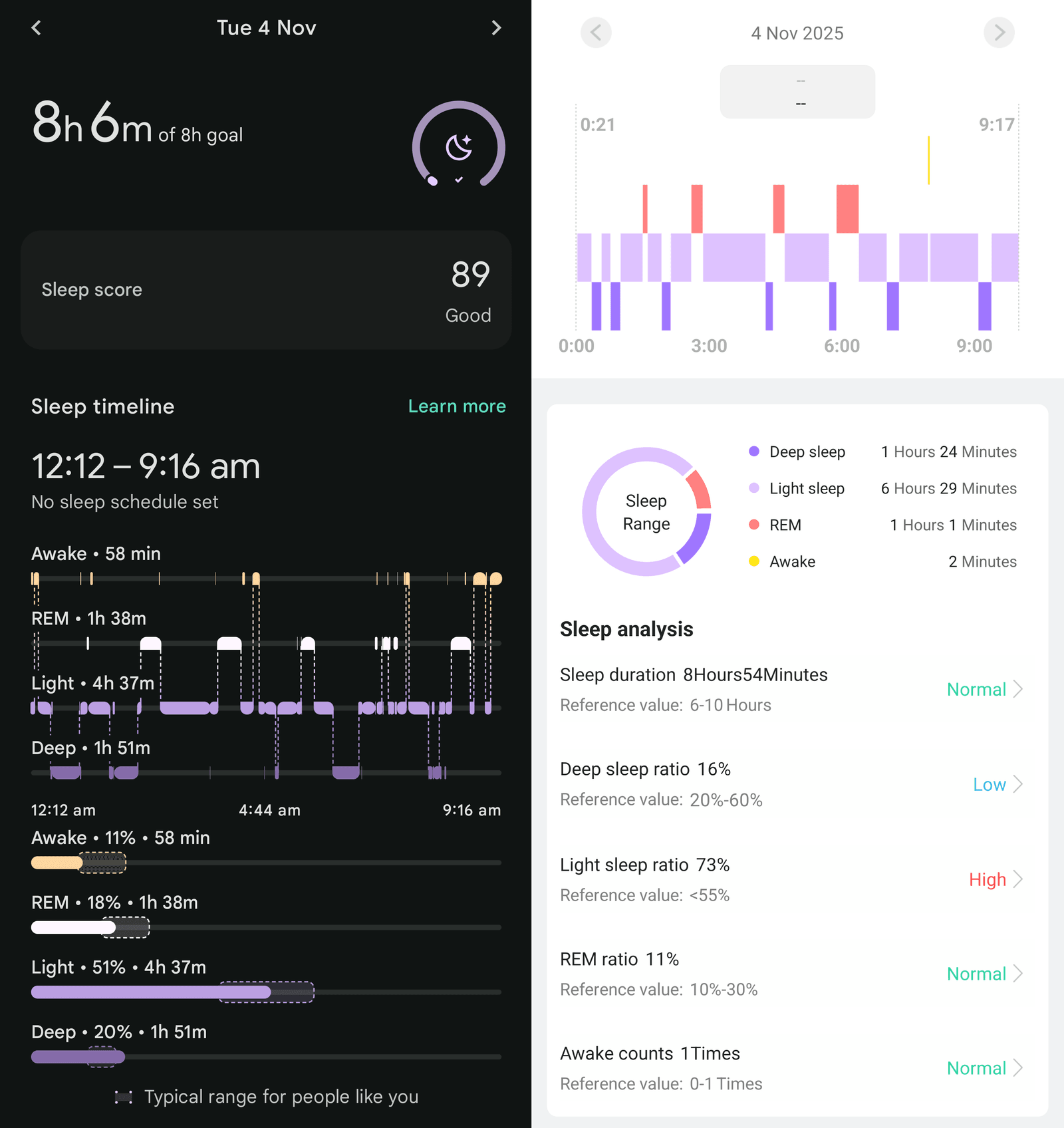
Sleep tracking, as with other GloryFitPro devices, is decent and useful. It detected some mid-night wake-ups and provided reasonable estimates for stage durations.
It also reliably pinned sleep and wake times. For this price range, that’s a solid result.
Stress & Emotional state
Usually, these two are derived partly on your heart rate and partly on your heart rate variability (HRV), but honestly I wouldn’t trust them too much considering the quality of the sensor itself.
Fitness and Outdoor Features
Sports modes
The DM76 supports roughly 170 sports modes, covering everything from running and cycling to niche activities. Marketing singles out swimming, and it’s rated 3ATM. I’d treat that as splash resistance rather than pool‑ready and avoid submerging it.
GNSS tracking, barometric altimeter and compass
GNSS tracking unfortunately is not a strong point on this watch. It’s functional, but it struggled in urban environments. If for whatever reason A-GNSS hasn’t been recently provisioned by the app to the watch, getting a first fix can take a while.
A couple of GNSS tracks here - in blue, the DM76; in red, an Amazfit T‑Rex 3 Pro. You can see a fair amount of wobble on the DM76, struggling at times to hold a straight line and the correct side of the street.
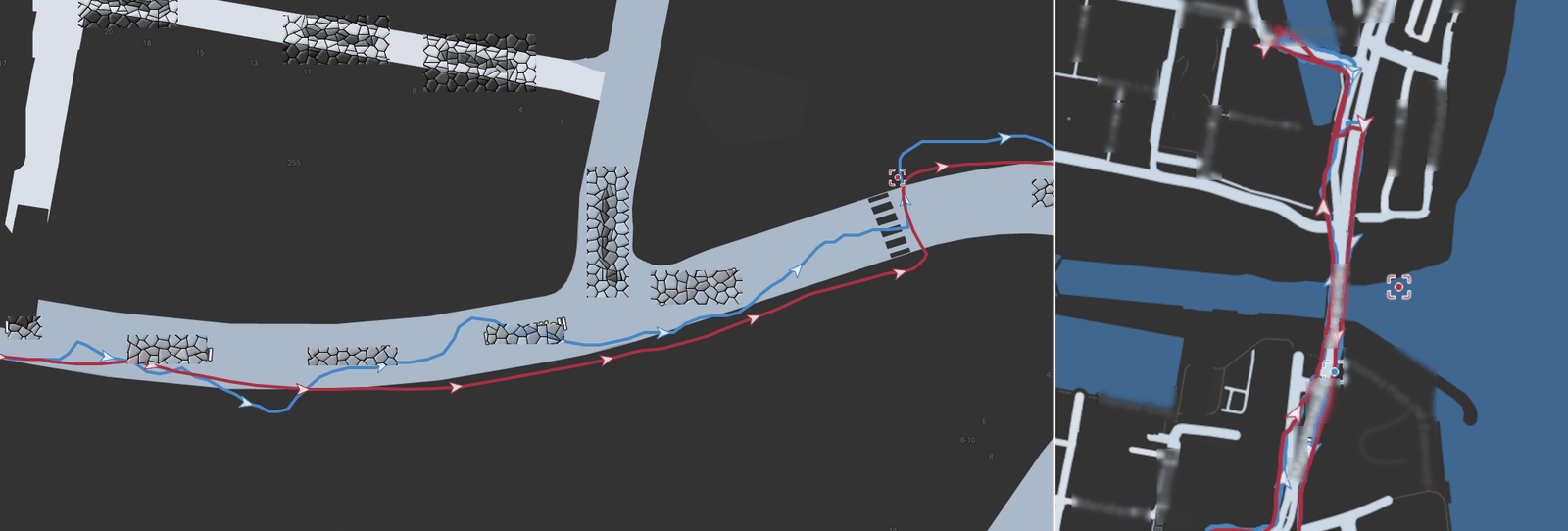
I’m not going to bash a cheap watch for failing to match a high‑end dual‑frequency adventure watch that costs 10x more, but it’s fair to note the limitations. I haven’t tested outside the city yet, though I’d expect better results in more rural or less high‑rise areas.
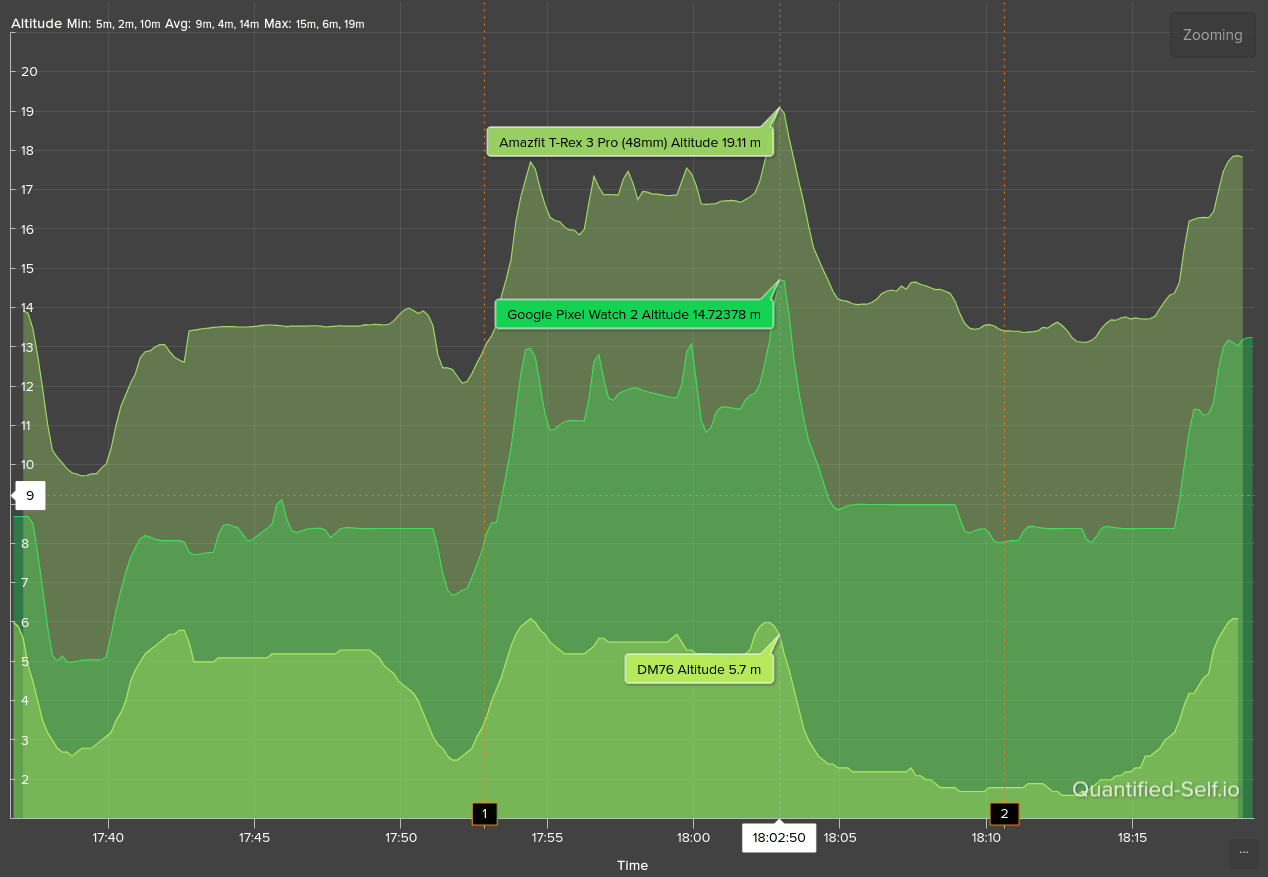
Alongside GNSS, there’s a barometric altimeter - useful outdoors, but with the usual caveats. Air pressure changes with weather, so readings drift; don’t rely on it heavily. It can self‑calibrate either manually after a GNSS lock, or automatically during GNSS‑tracked activities. Accuracy is decent but not perfect. Here’s a comparison between the DM76, the Pixel Watch 2, and the Amazfit T‑Rex 3 Pro (the Amazfit is the most accurate of the three here):
There’s also a compass, handy for navigation. It calibrates quickly with a figure‑eight motion and stays calibrated for quite a while. In addition to the dedicated compass app, it’s available on the track view during GNSS‑tracked activities for better route context.
Step counter
One of the basics, but done well: many watches overcount at home; this one doesn’t, delivering a realistic daily tally. Activity step counts also align closely with pricier watches.
Sports tracking and tests
I wore this watch for two full charge cycles alongside my Pixel Watch 2 and Amazfit T-Rex 3 Pro, both of which have solid sensors and activity tracking. I logged every walk and workout - hiking, elliptical, and strength training - then selected a few representative sessions for this review, favouring those that were a bit less than perfect.
GNSS-tracked outdoor walk
For some reason, only a single workout properly transferred to Strava, an outdoor walk. It’s limited in scope, but it does allow us to draw a few comparisons with better, more expensive activity trackers like a Pixel Watch 2 and an Amazfit T-Rex 3 Pro.
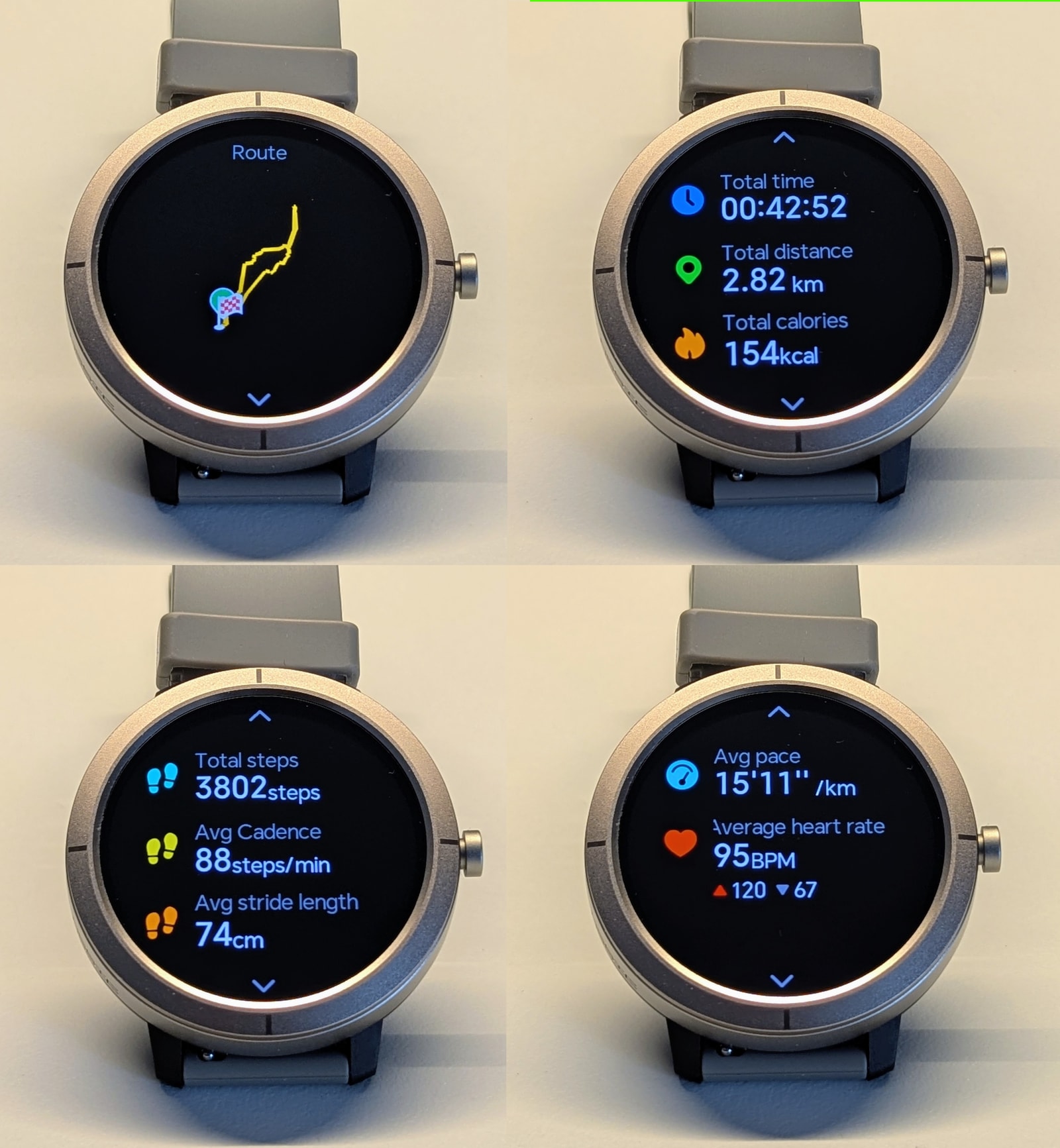
I already went into some detail about the quality of the GNSS tracking and barometric altimeter in the previous section, so I won’t repeat it here.
The VC30F-S sensor is quite laggy, so sudden changes in heart rate are often missing, even though the rough shape and trend of the activity match well enough at first glance.
Let’s look at some of the data from that activity that made it to Strava:
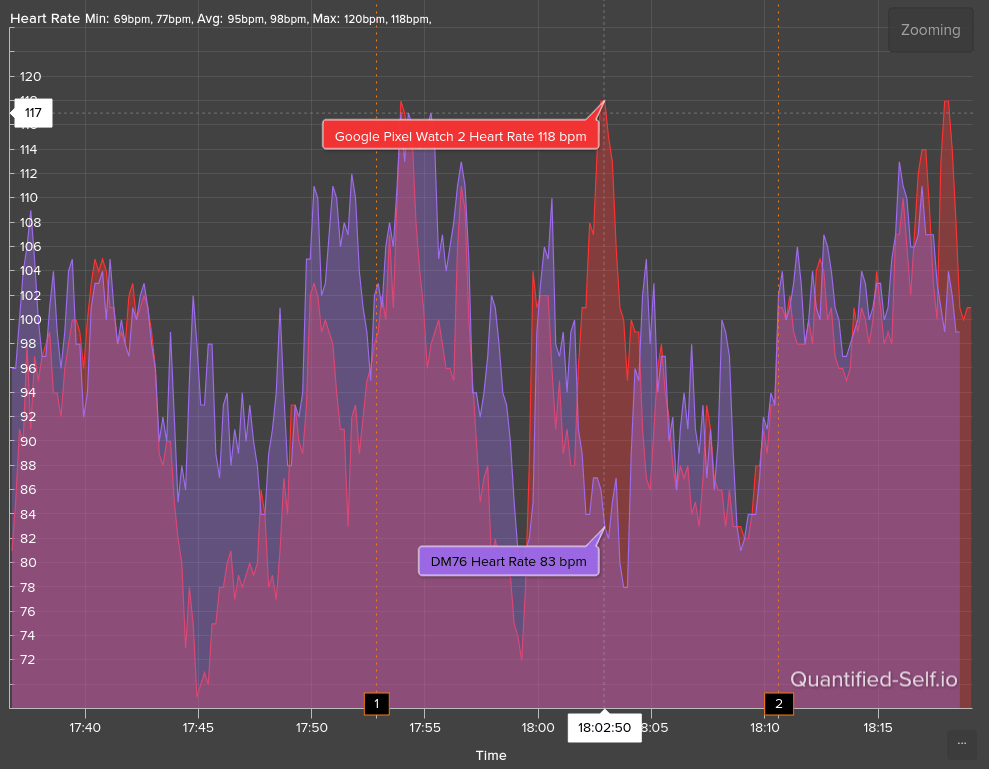
The result is not as bad as it looks at first glance - the peaks are a bit blown out due to the scale of the graph (its range is 70-120 bpm), which emphasises the differences. Basically, this is the best result you can expect from this budget sensor: roughly OK, but slow to react to changes.
Some more walking data:
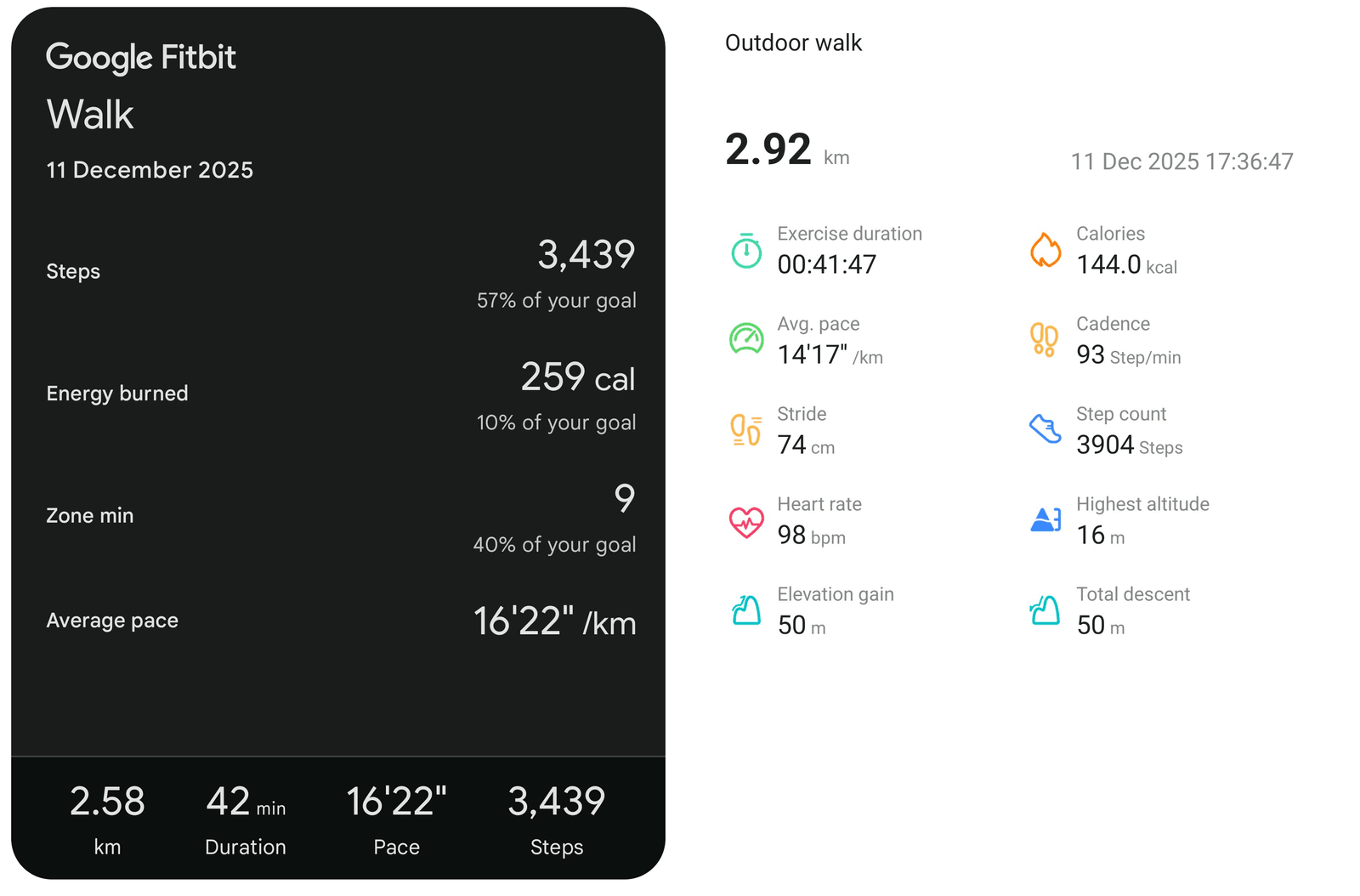
Both watches were on the same arm - note the step discrepancy. The DM76 calorie burn is in a reasonable ballpark here, considering Fitbit is also counting the roughly 50 kcal corresponding to my BMR for the duration of the walk.
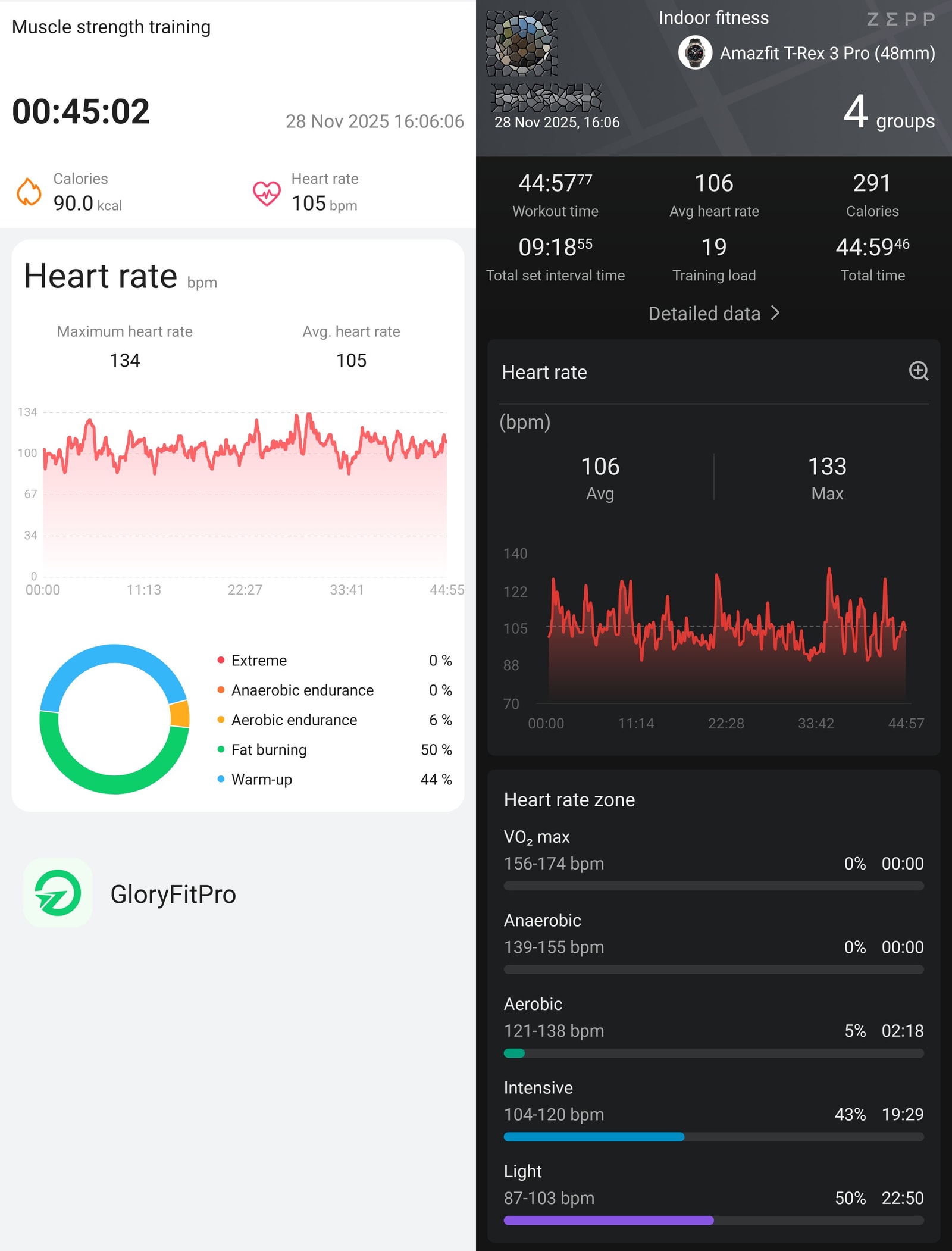
Strength training
Next, a strength training session. Again, heart rate peaks typical of this activity, which in this workout reached about 130 bpm, are absent. Calorie burns are pretty stingy as well - the Amazfit device is probably overestimating here, but not as much as the DM76 is underestimating.
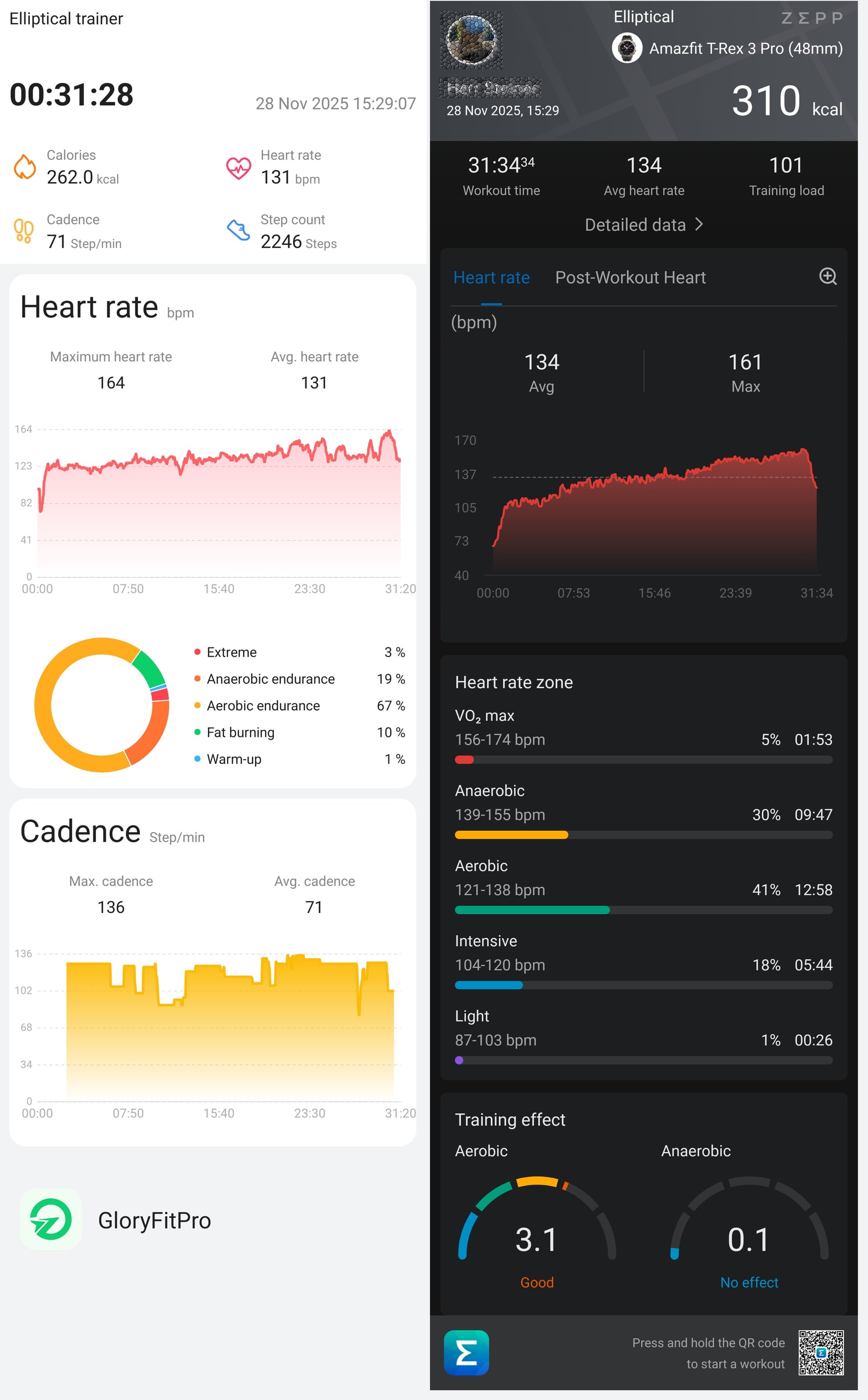
Elliptical crosstrainer
Steady cardio like this with little arm tension is fairly easy for PPGs to track. As you can see, heart rate is particularly wobbly at higher bpm on the most intense part of the session. It’s constantly wobbling up and down by as much as 10-15 bpm. The averages and trends are consistent though, and other workout data like calorie burns are reasonable.
So it’s a bit of a mixed bag. For casual use, and considering the price range, I’d say the DM76 does deliver a decent experience, and as long as you’re aware of its limitations, it’s probably good enough for a lot of people.
Smartwatch Features
As a smartwatch, the DM76 handles notification mirroring, music controls, weather, and a handful of basic apps. Notifications display cleanly enough, though interaction is limited.
Key features include:
-
Notifications/messages: You aren’t reading messages so much as seeing mirrored notifications. They’re grouped by app and work fine, but the whitelist misses obvious apps like Google Calendar. The “Notify for Smartwatches” app on the Play Store can route those through GloryFitPro.
-
Alarms: Set directly on the watch and they work reliably.
-
Timers: You can leave timers running in the background, but use the swipe‑right gesture to dismiss instead of the back button or they’ll be closed. They vibrate for a while, with no sound.
-
Bluetooth calling: No issues. The speaker and mic are clear; callers heard me well and I could hear them just fine. Worked impeccably.
-
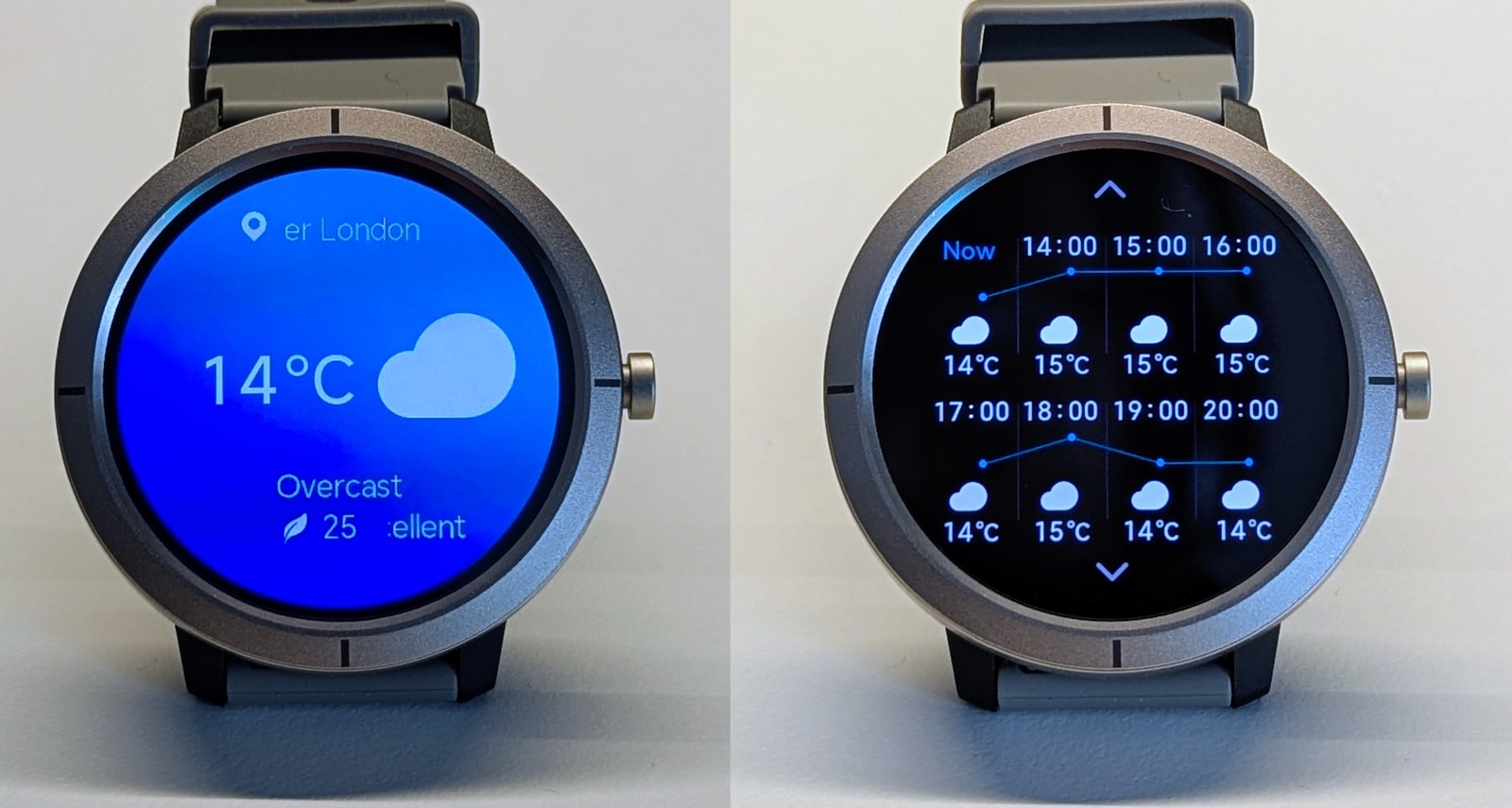
Weather: The weather app is a letdown. In pursuit of a different look, the useful overview screen is gone; instead you get a graphic with the current temperature. The 12‑hour and 7‑day forecasts are still there, at least.
-
Find my phone/watch: Works both ways. Range covered my entire flat.
The app: GloryFitPro
The app is basic but laid out well enough. Daily stats like heart rate and SpO2 are easy to find and shown with clear graphs. You can’t zoom them, but tapping reveals the reading and timestamp. Data depth is limited and you won’t find advanced metrics like HRV (which I don’t believe this sensor can provide).
Workout records UX is poor and confusing to reach. There’s no simple timeline of sessions; instead, tabs list workout types and a small total‑looking link opens records for that activity. It’s an odd way to organise things.
Connection between watch and phone is reliable, with good range, and sync works as expected. The bigger issue is the lack of an A-GNSS status or push indicator, so there’s no way to tell if the latest ephemeris was sent - and this watch really benefits from having A-GNSS up to date to get a fix.
Strava integration is unreliable. Some workouts transfer correctly - maps and heart rate included - while others fail to appear, arrive with missing data, or show wrong dates.
Conclusion
At this price, the DM76 is easy to like. The hardware feels better than the number on the box suggests: tidy build, a sharp AMOLED, comfortable on‑wrist, and battery life that comfortably stretches to nearly a week. As a daily companion it covers the basics well - notifications, calls, music controls, alarms, timers - and throws in useful extras like a compass and a barometric altimeter for light outdoors use.
The limits are clear. GNSS struggles in city streets, heart‑rate tracking lags on spikes, the face storage cap is odd, and UI fluidity isn’t the step up you’d expect from this MCU. Treat 3ATM as splash resistance rather than pool‑ready, and keep AOD off if you want that multi‑day battery.
If you need accurate training data or rock‑solid mapping, look higher up the ladder. If you want an inexpensive, good‑looking everyday watch that nails the basics and lasts, the DM76 delivers - and the value is strong.