
 Español
  Français
  Português
  Italiano
 Doogee Anywise W1 Pro
Well-built budget smartwatch with strong battery life, practical buttons and a genuinely useful LED torch, held back by patchy heart-rate tracking and still-maturing software at £100.
Ratings are contextual to quality band. A 4-star ultra-budget watch and a 4-star midrange watch offer different value propositions.
✓ Pros
- Bright LED torch with hardware shortcut
- Good build quality and generous bundle
- Useful four-button navigation
- Solid battery life (~9 days)
- Good step tracking
✗ Cons
- Overpriced at £100
- Inconsistent heart-rate tracking under changing effort
- Broken GPX route guidance in testing
- Manual altimeter calibration (no GNSS auto-calibration)
- App insights are too shallow
Specifications
- Release Date
- Q4 2025
- Approximate price (May 2026)
- £100 / $139.99 / €120 (May 2026)
- Display
- 1.43-inch AMOLED, 466x466, 87% screen-to-body ratio, 600 nits brightness (guessed)
- Display protection
- Panda Glass
- App
- Doogee Fit
- Review firmware version
- ATS328BV000617
- Processor
- Actions ATS3085S4
- Heart rate and SpO2 sensor
- VC9213-VP60A4
- Battery capacity
- 550mAh
- GNSS
- Dual-band (L1+L5), Six satellite systems
- Barometer & altimeter
- STK71161
- Geomagnetic sensor
- MMC5603NJ
- Battery life
-
- Advertised: 18 days
- Review: 9 days
- Water Resistance
- 5ATM, IP68
- Bluetooth version
- 5.3
- Weight without strap
- 54g
- Weight with included silicone strap
- 73g
- Dimensions
- 47.5 × 47.5 × 13.7 mm
- Materials
-
- Bezel & back plate: stainless steel
- Mid-frame: plastic
- Watch band type
- Standard 22mm lug width
- Local storage
-
- Total: 256MB
- Available: 153MB
- Features
-
- GPS navigation
- Offline maps
- 170+ sports modes
- Heart rate monitoring
- SpO2 (blood oxygen) tracking
- Sleep tracking
- Stress monitoring
- Mood monitoring
- Bluetooth calling
- Phone notifications
- Weather forecast
- Phone music control
- Bluetooth headphones
- Local music
- Sedentary reminders
- Timers
- Stopwatch
- Alarms
- Camera shutter
Box contents
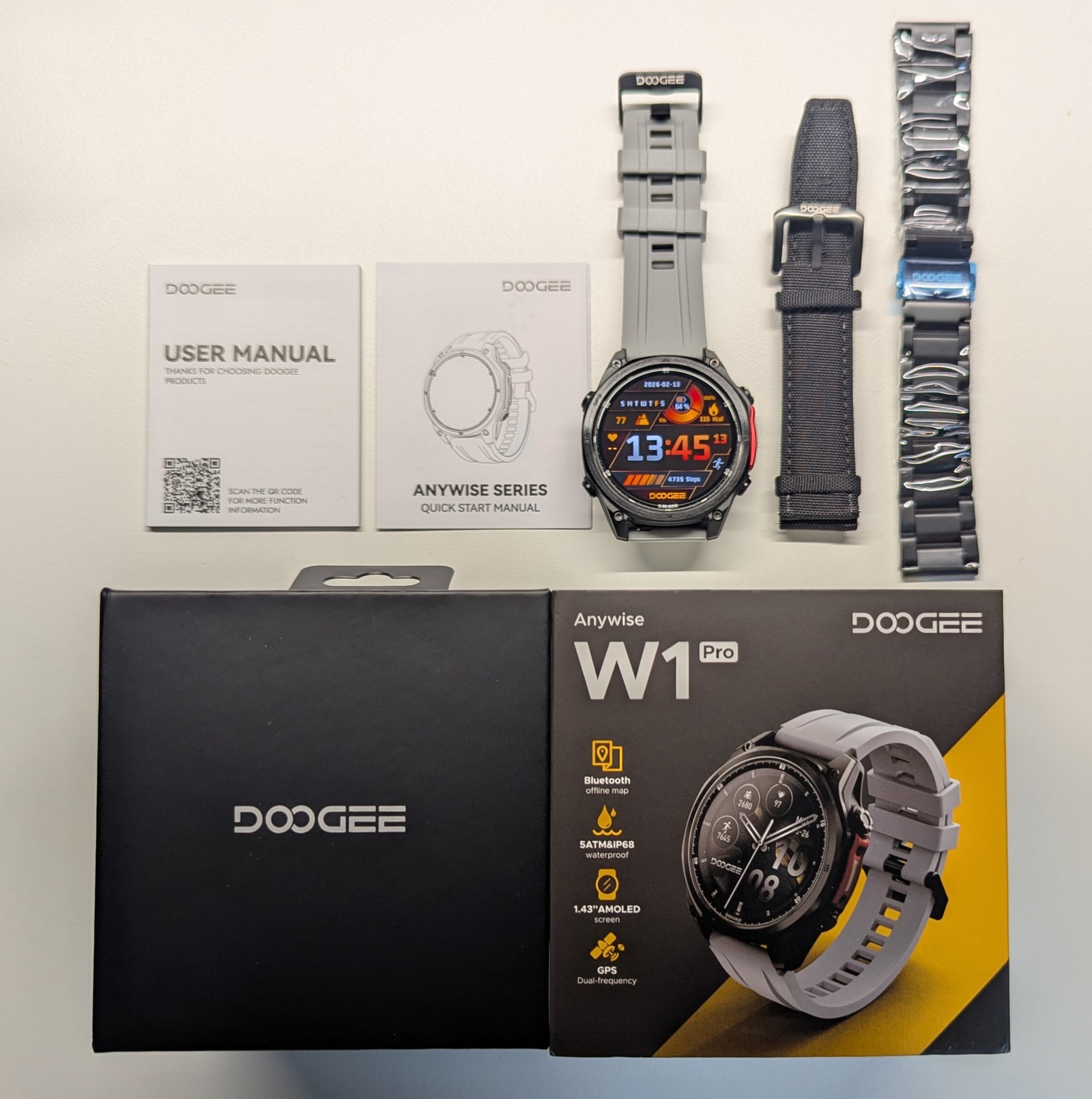
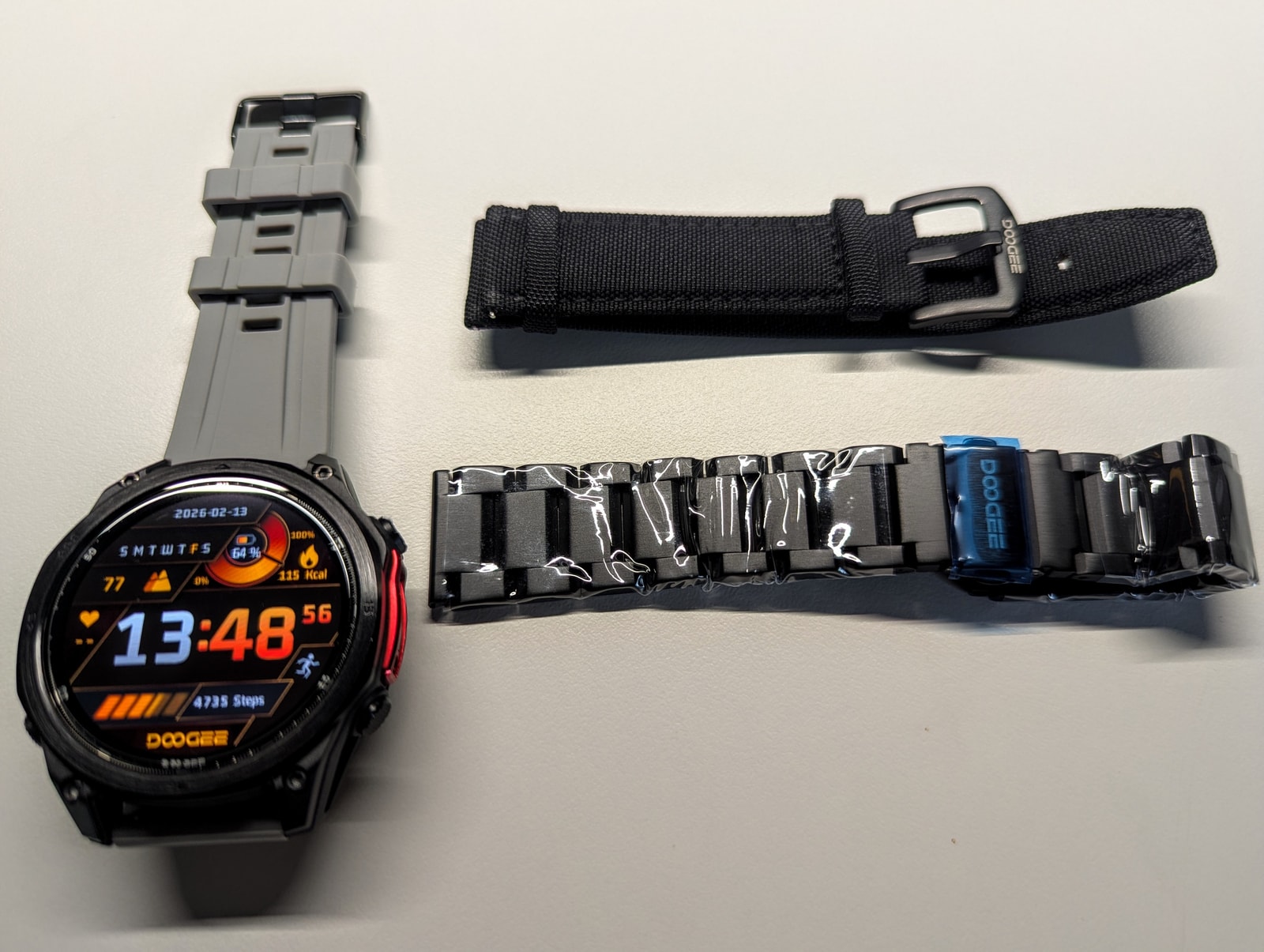
The packaging for the Anywise W1 Pro is excellent, containing the watch, charging cable, a screen protector, manuals, and two extra straps - steel and woven nylon. Quite generous, and well-matched to the price point.
Design and Build Quality
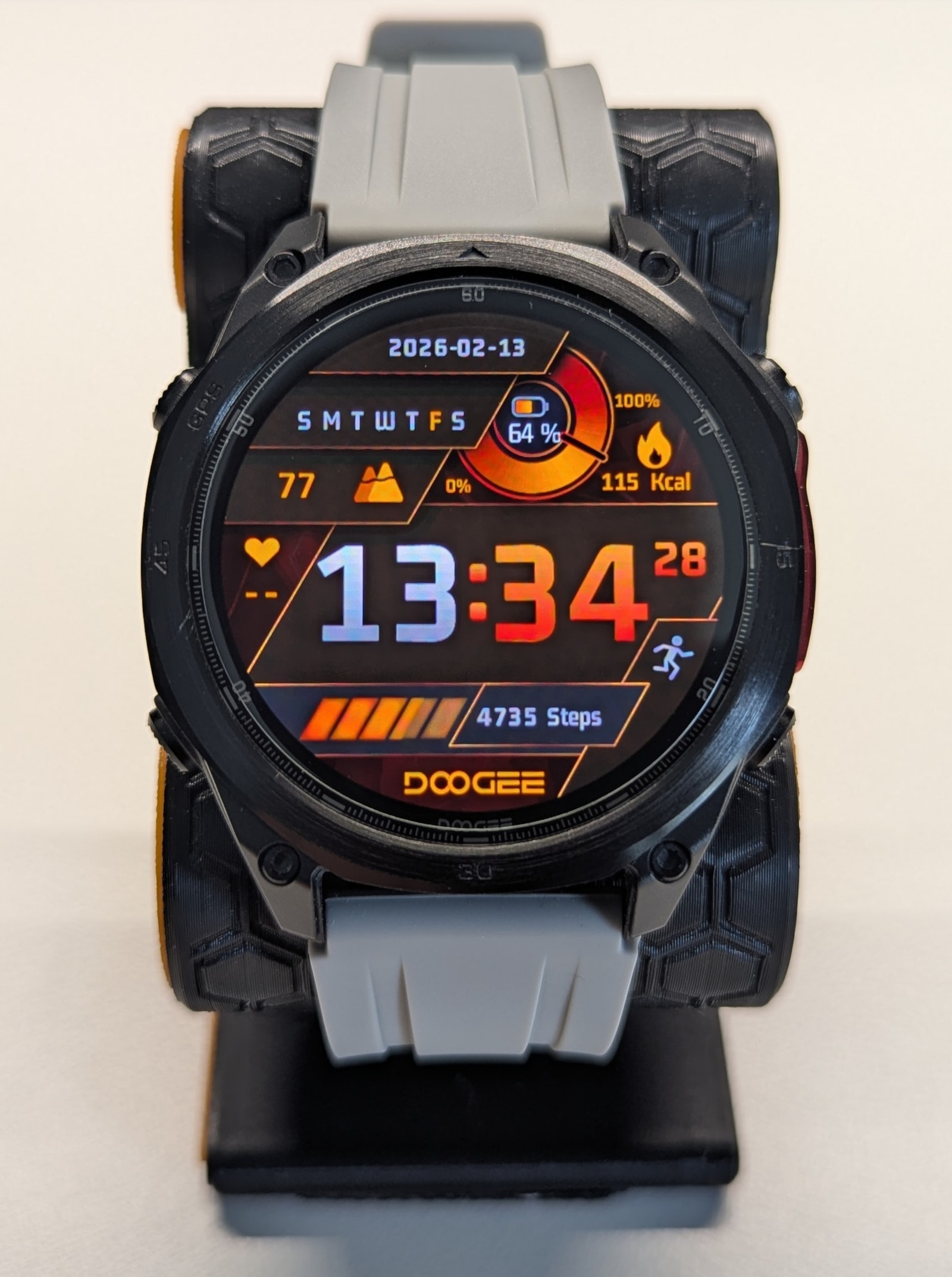
The first impression I got of the Anywise W1 Pro is its reassuring weight. It’s not too heavy, but at 73g with the included silicone strap it’s not a lightweight watch either. The case is a plastic mid-frame sandwiched between a stainless steel bezel and back plate.
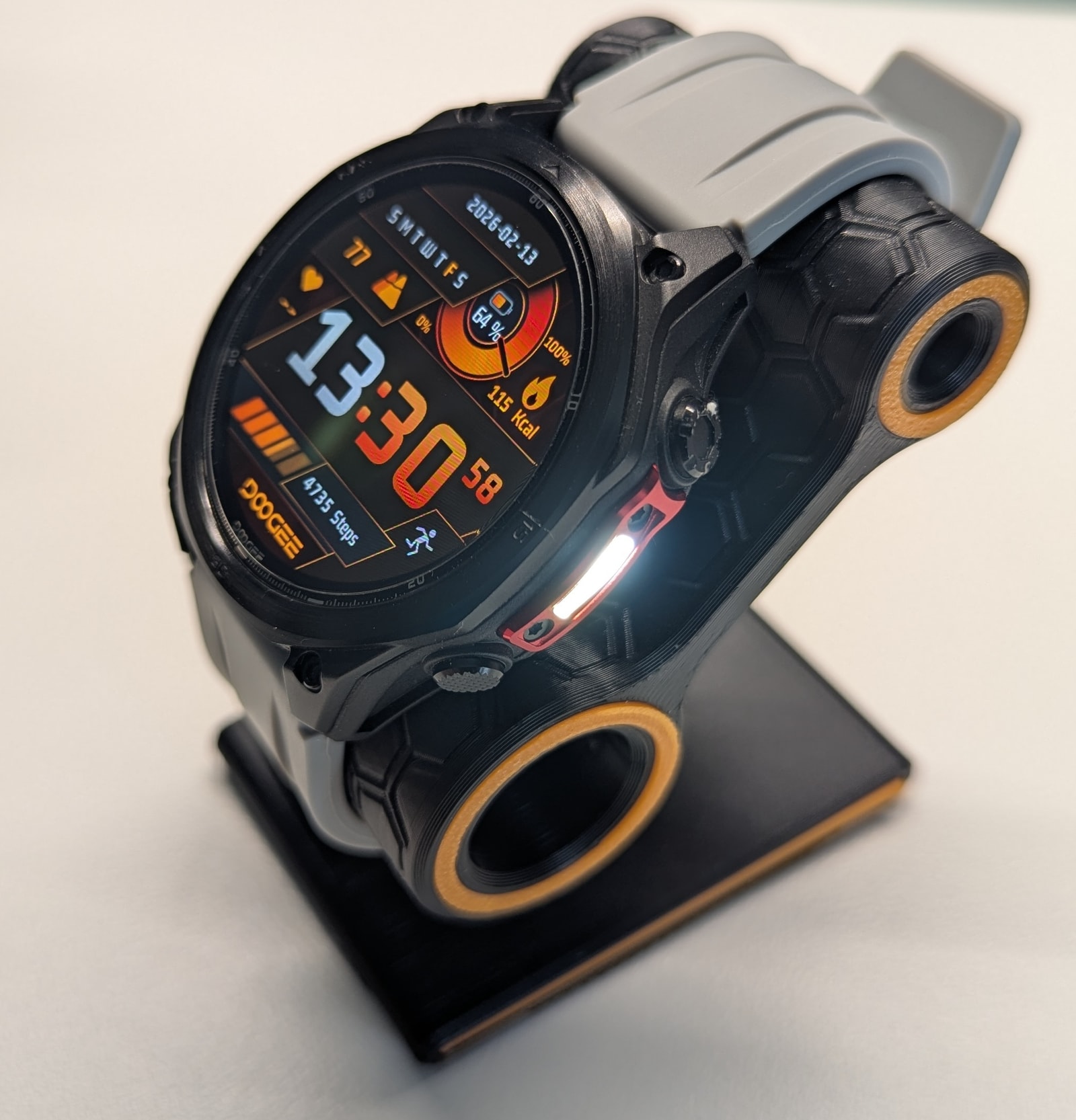
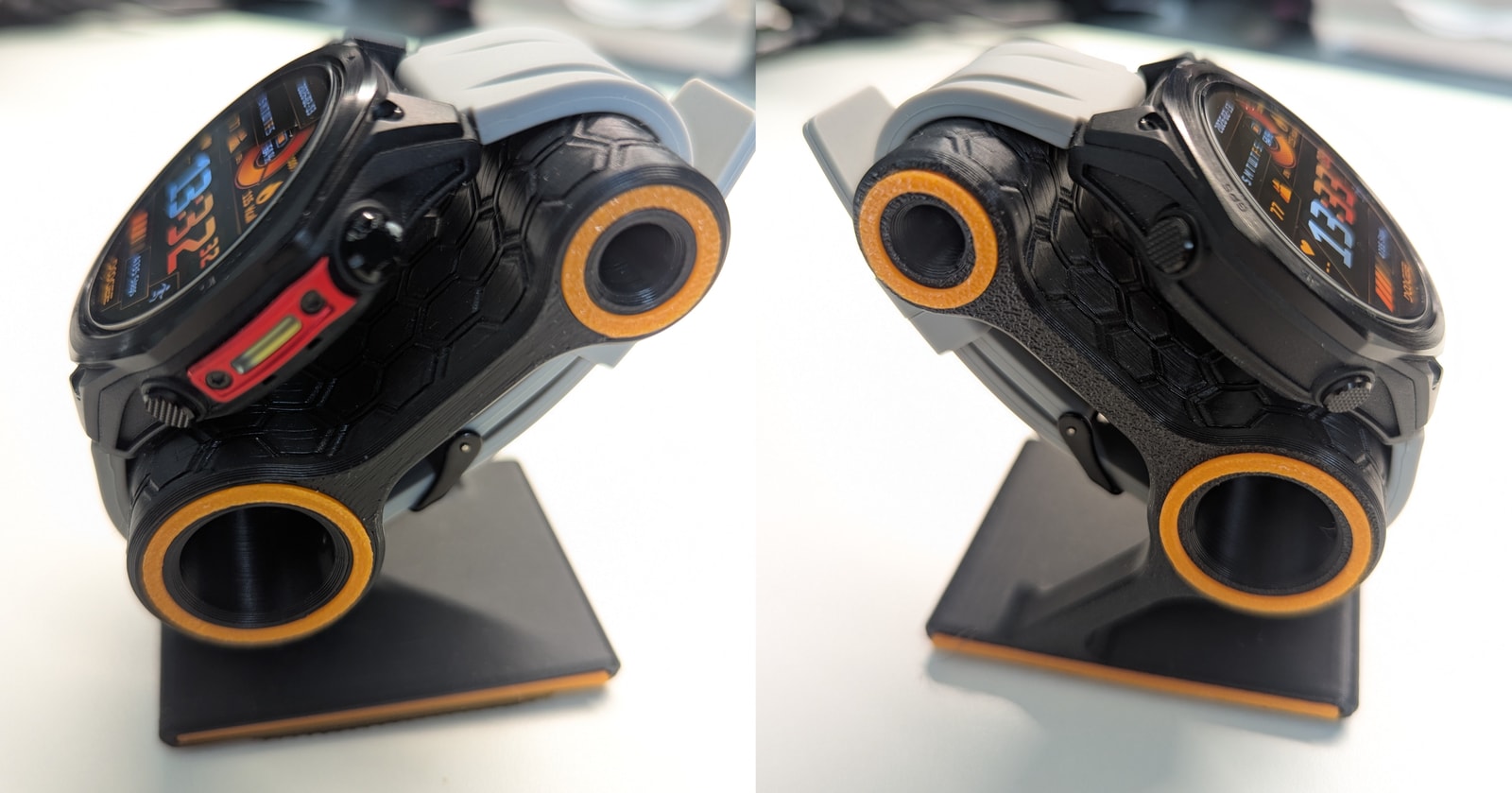
Looks-wise, I went with the black/red variant (gold and blue options are also available), which I think looks excellent. You don’t need to be too eagle-eyed to spot just how much the design borrows from the Garmin Fenix 8 - particularly the side “sensor guard”, which in this case houses the LED torch.
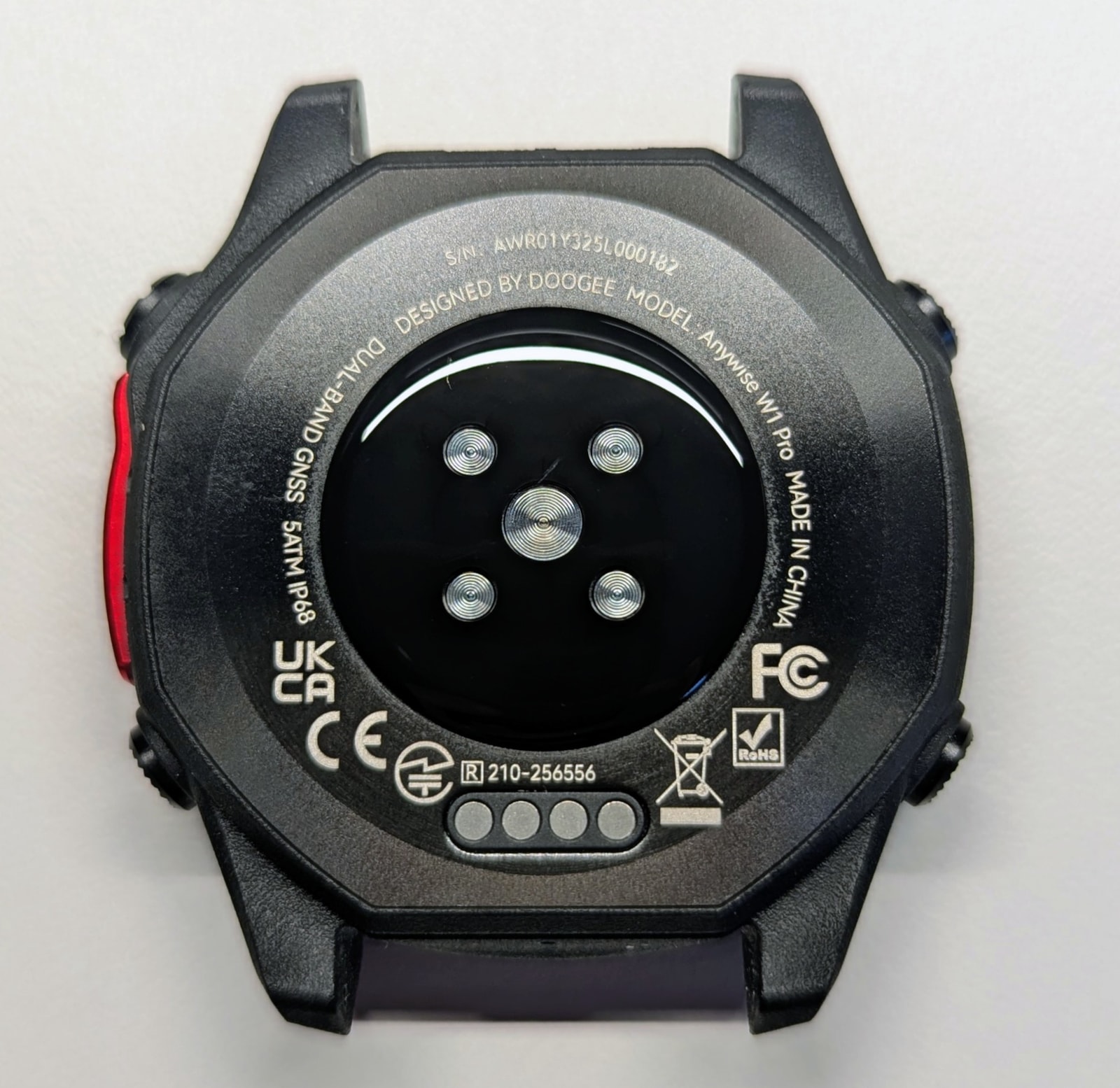
The charging port doubles as a data port - connect the watch to a computer and it presents itself as mass storage, letting you drop files directly onto it.
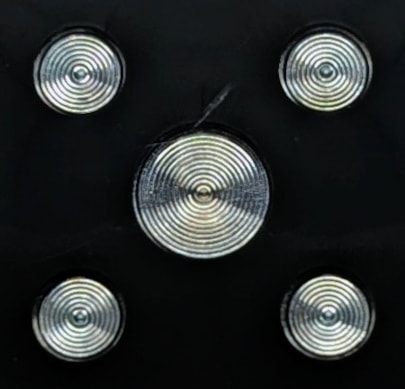
The sensor pod is covered in what looks like acrylic, with Fresnel lenses over the 2-LED, 4-PD heart rate sensor. It’s a shame they didn’t use a more durable material like glass here, because I managed to scuff it during testing. Scuffing over the sensor windows is bad news for heart rate accuracy, and for my OCD.
On the right side of the watch there are two steel buttons, plus the LED torch highlighted by the dummy Fenix-like sensor guard mentioned above. The left side has another two steel buttons.
The watch ships with three straps: a pre-fitted fluororubber strap, a segmented steel strap, and a woven-nylon strap. The fluororubber strap is, in my opinion, the best of the three - flexible yet firm, soft, comfortable, and well-suited to the black/red look of the watch. The steel strap is decent quality; its matte/brushed finish actually looks great on the watch, but the imprecise fit combined with the extra weight makes it a tough sell for sports tracking. The woven strap is the weakest of the three - it’s quite stiff, which isn’t ideal for a smartwatch, both for comfort and sensor accuracy.
Display
The watch features a 1.43-inch AMOLED panel with an 87% screen-to-body ratio and an anti-fingerprint coating. The cover is Panda Glass - a material I’ve seen on a number of Chinese watches. It seems a step above regular tempered glass, but nowhere near as tough as Gorilla Glass, let alone sapphire.
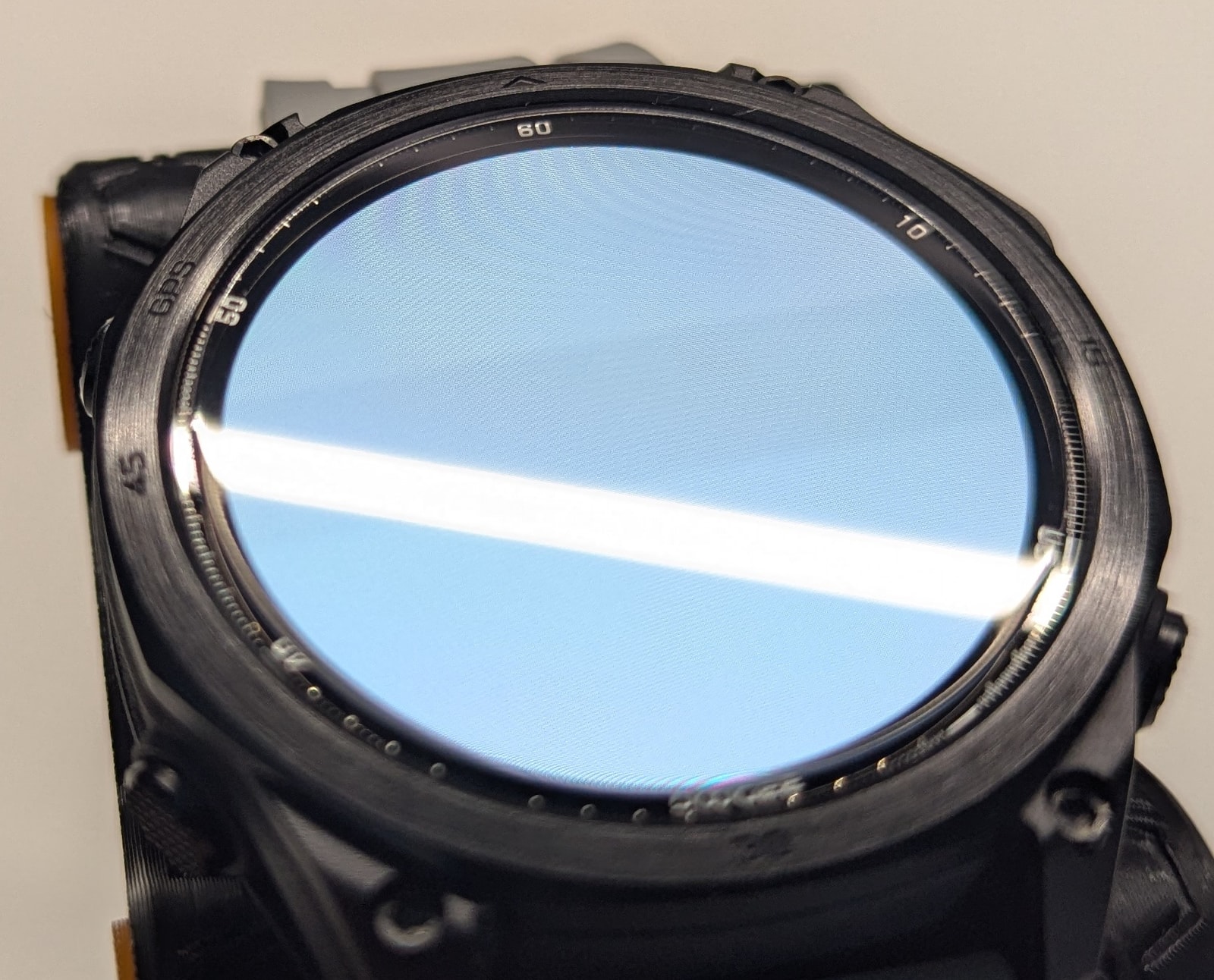
The anti-fingerprint coating works reasonably well, though I’d still recommend fitting the included screen protector for added shatter resistance.
The bezels are reasonably narrow, and the AMOLED panel delivers vivid colours and sharp contrast. Even so, despite using what looks like the typical 1.43-inch 466x466 AMOLED found in many smartwatches, the images aren’t quite as crisp as they could be - though it’s not a meaningful problem in everyday use.
Doogee doesn’t disclose the display’s brightness, but comparing it against several other watches I’d put it at around 600 nits. Under winter sun it’s perfectly legible at full brightness, but I’d expect it to struggle in summer - particularly wearing polarised sunglasses, though the screen does remain visible through them.
At this price point, I’d have expected at least 1000 nits with automatic brightness, and Gorilla Glass as standard.
Battery Life and Charging
Battery life was solid. The 550mAh battery is well-utilised, and on my particular usage pattern - no AOD, all health monitoring enabled, an average of 35 minutes of GNSS-tracked activity per day, and fairly liberal use of the torch at night - I could stretch it to just under nine days, which is respectable for a watch in this class.
The watch uses a standard magnetic pogo-pin charger, accepts up to 5V/500mA (do not use a wall charger - stick to a low-power port like a computer USB), and charges from empty to full in about an hour.
The torch
The torch is a bit of a mixed bag. It’s mounted on the dummy sensor guard on the right side of the watch, which has pros and cons. The upside is that the beam points in a useful direction when you’re working with your hands; the downside is that it means left-wrist-only wearing - there’s no way to flip the watch orientation in settings, so right-wrist wearers are out of luck. Part of the beam is also blocked by your hand, which wastes some of the output. I generally prefer torches positioned at the top of the watch, but your mileage may vary.
That said, the beam is genuinely bright. I don’t have a lumen rating, but it’s more than adequate for close-range use outdoors. It does draw on the battery, but given the overall battery life, it’s not a significant concern.
You can toggle it on and off with a double tap of the top-left button from the watch face - this works even with the screen off, which is handy. However, it doesn’t work from any other screen: not in menus, not in apps, and not within an active workout. If you want the torch available during an activity, you need to switch it on beforehand.
Watch system
Hardware platform
This is essentially a GloryFitPro smartwatch with a different skin, running the newer budget hardware platform we’ll be seeing a lot of in 2026: the ATS3085S4 MCU (the 1MB+8MB configuration that enables offline maps), paired with the VC9213-VP60A4 sensor - which is a significant step up from the VC30F-S. It’s also the same sensor found on the Kospet Magic R10.
It’s basically the hardware platform that we’ll see going forward for GloryFitPro smartwatches in 2026 - I already have a few on the queue to review like the Y102, X2 Pro and KM101.
The firmware
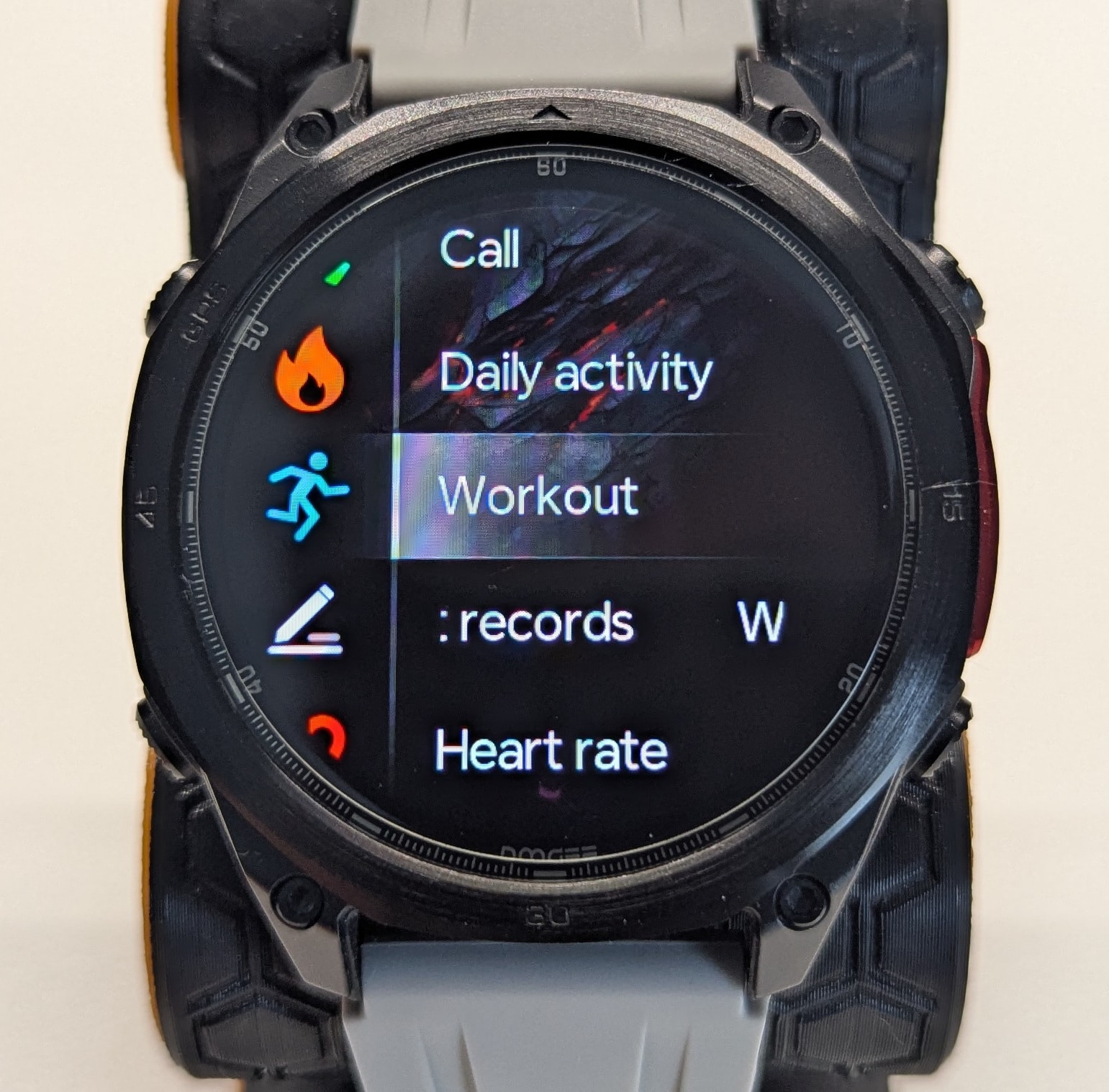
The GloryFitPro firmware has been fairly heavily modified in two main areas. First, it’s been completely re-skinned with a different red-black-square-button aesthetic. Second, and more interestingly, a lot of effort has gone into enabling proper button navigation - akin to adventure watches like the Garmin Fenix or Amazfit T-Rex series. You can scroll up and down through most menus, scrollable windows, and notifications using the left buttons, and confirm with the top-right button. I genuinely love this. Aesthetically, the team has taken more than a page from both Amazfit and especially Garmin, as you can see in the apps menu:
It’s not perfect - there are a few spots where button navigation breaks down or misbehaves. On some menus, for instance, the top-right button won’t activate the highlighted option. I’ve reported these to Doogee via the app, but haven’t heard back.
The underlying GloryFitPro firmware here is an earlier iteration of what’s running on the Kospet Magic R10, with some features absent (such as GNSS calibration of the altimeter), and offline maps bolted on top.
Watch interface
Swiping left reveals a selection of app screens - activity rings, weather, heart rate, and so on. These are the actual apps, not cut-down glance views, and the list is fully configurable. Transition animations are also configurable, and very smooth.
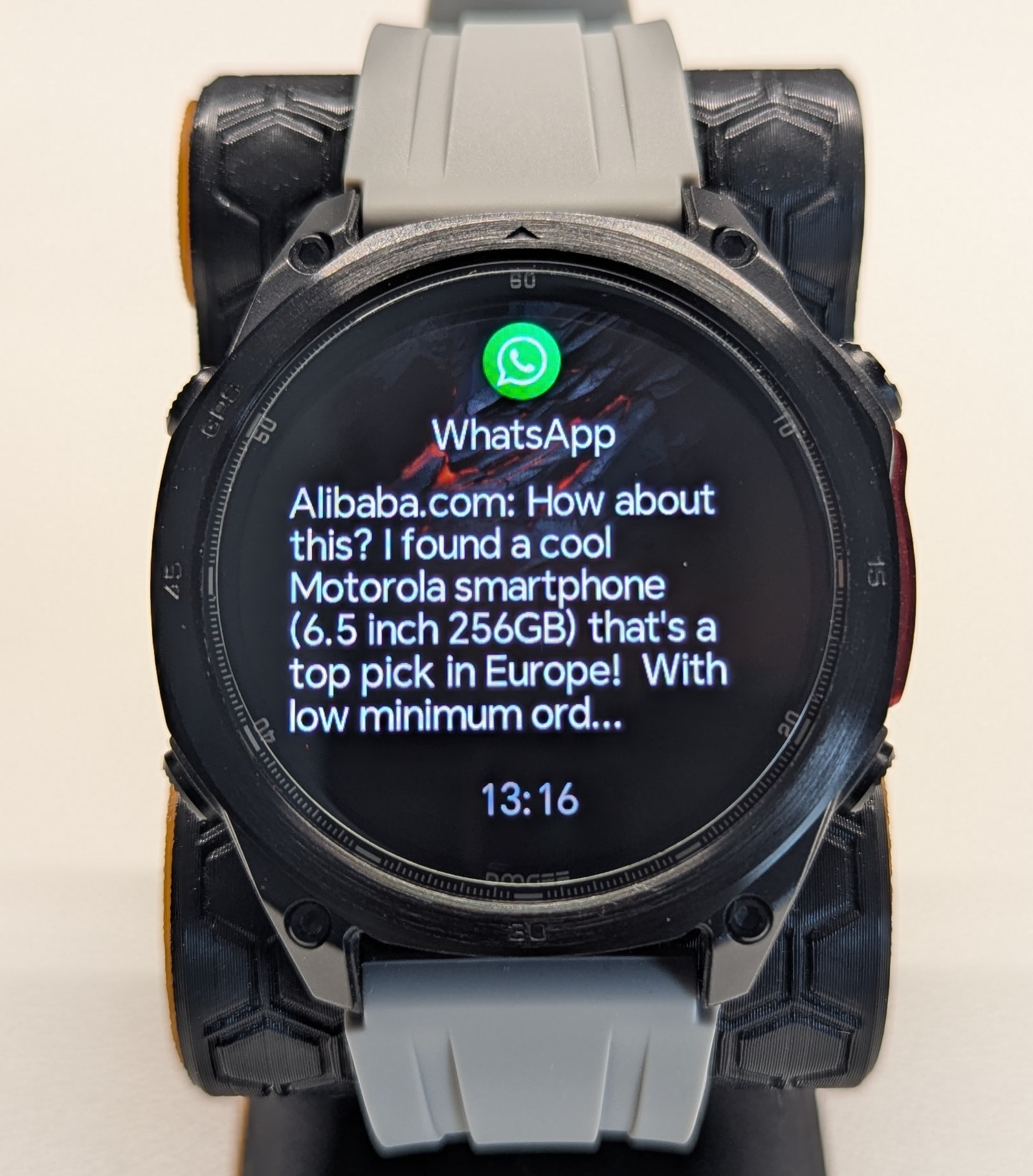
A right swipe shows notifications, grouped by app. Recognised apps get their own icon; everything else lands under “Other”. Notifications mirror your phone and show roughly a screenful of text before truncating. There’s no emoji support, which is a shame - newer GloryFitPro builds on other watches have added it, so it’s a noticeable omission here.
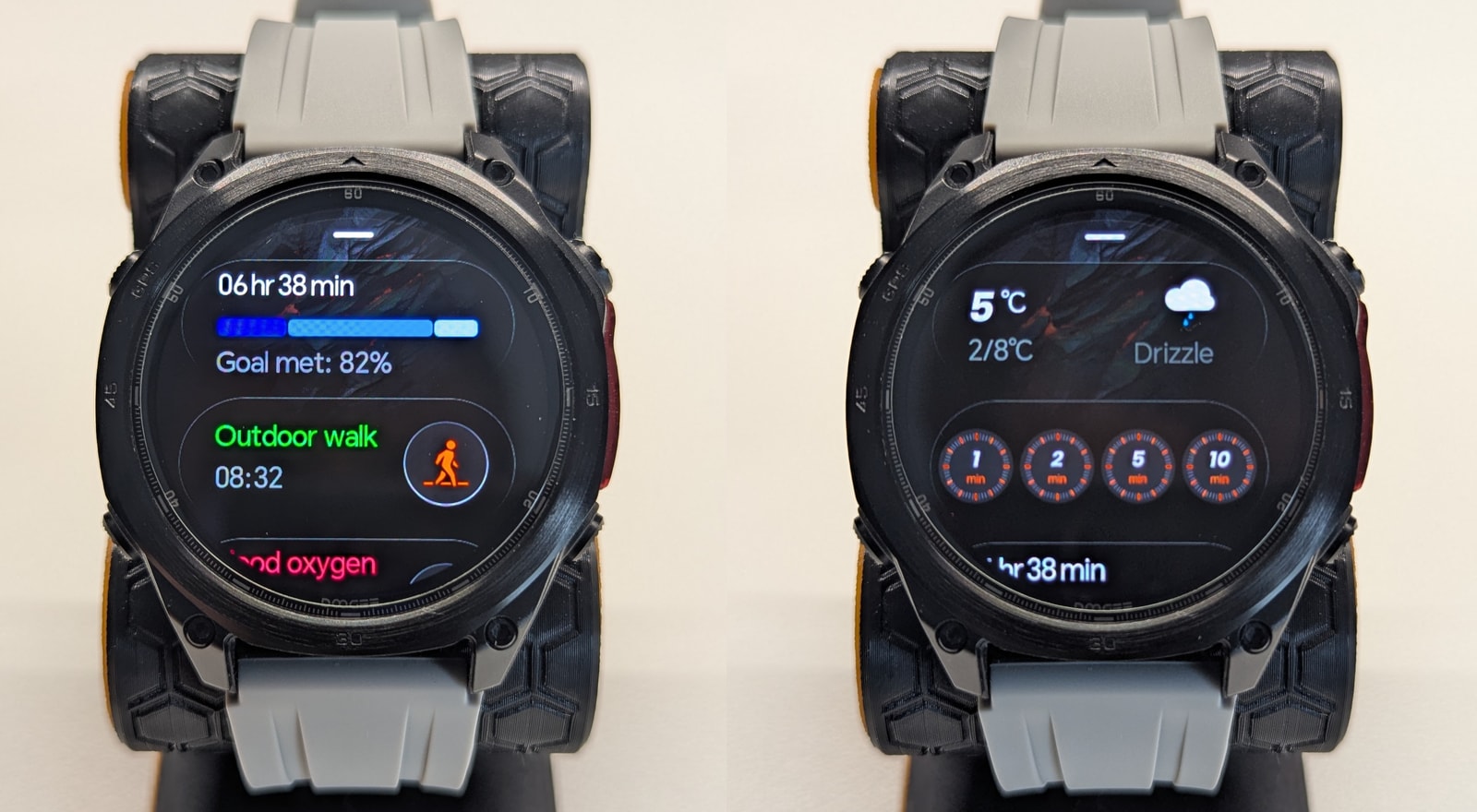
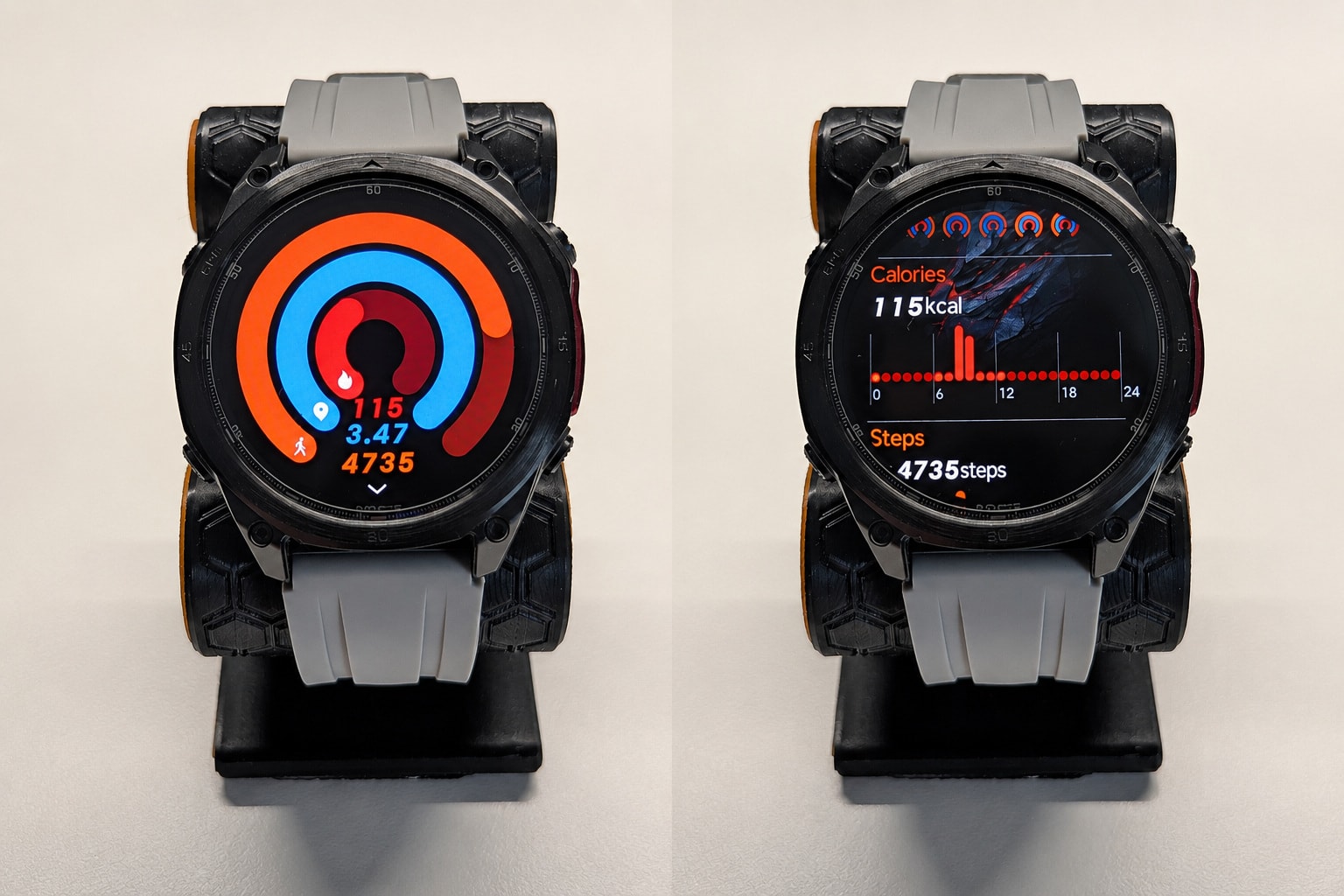
Swiping up opens the cards panel, covering daily activity, heart rate, sleep, timers, and more. This is the most efficient way to access most functions, and you can reorder or remove cards to suit your needs.
Note: some settings are buried inside individual apps on the watch (finer heart rate options, for example). Open the relevant app on the watch and scroll to the bottom to find them.
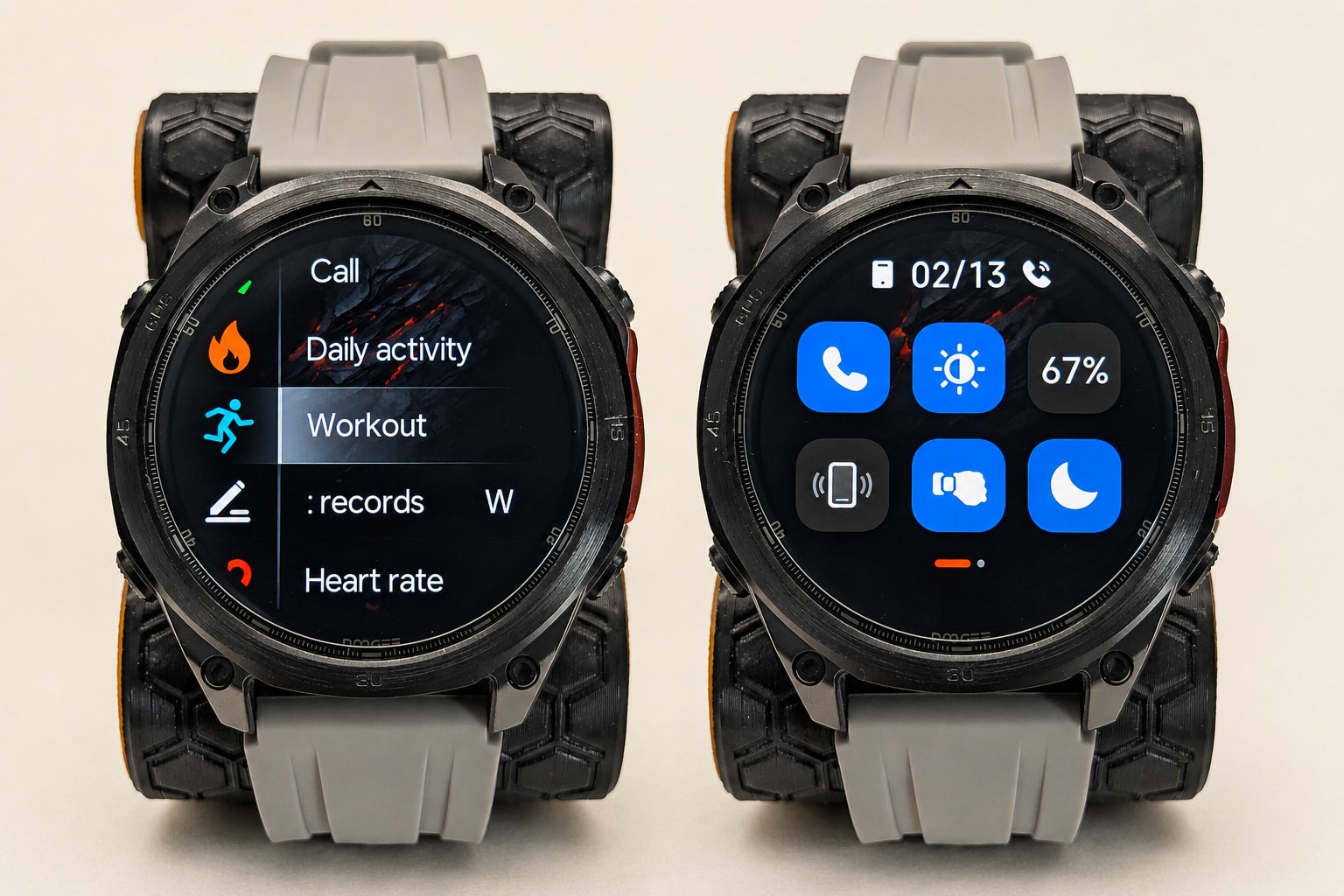
Pressing the top-right button opens the apps menu. Several layout styles are available (grid, etc.), but list view is the most practical - it shows app names inline, so you’re not playing icon-guessing games. The sort order is semi-random and not configurable, but given the relatively small number of installed apps, this isn’t a major issue. The interface is clearly Garmin-inspired, and it pulls it off fairly well.
From the watch face, swiping down opens an editable quick-settings panel with a solid set of useful toggles.
Buttons:
The buttons are packed with functionality - most have distinct short-press and long-press actions.
- Top right: Opens the apps menu from the watch face. Long-press opens the power menu. On screens with button navigation support (apps menu, workouts), it acts as SELECT.
- Bottom right: Short press is configurable; you can map a wide range of apps to it. Oddly, the options include a “Flashlight” mode that lights up the screen rather than activating the LED torch. Long-press triggers the AI assistant on your phone, and on most menus it also acts as BACK.
- Top left: Primarily the UP button on screens that support button navigation. From the watch face, a single press toggles the screen on/off, and a double tap toggles the LED torch. Long-press goes straight to the workouts menu.
- Bottom left: The DOWN button. From the watch face, a short press opens the cards menu. Long-press has no function assigned.
It takes a while to get comfortable with the buttons, mainly because their behaviour changes depending on the current screen. But it mostly works, even if it still needs some refinement.
Watch faces and AOD
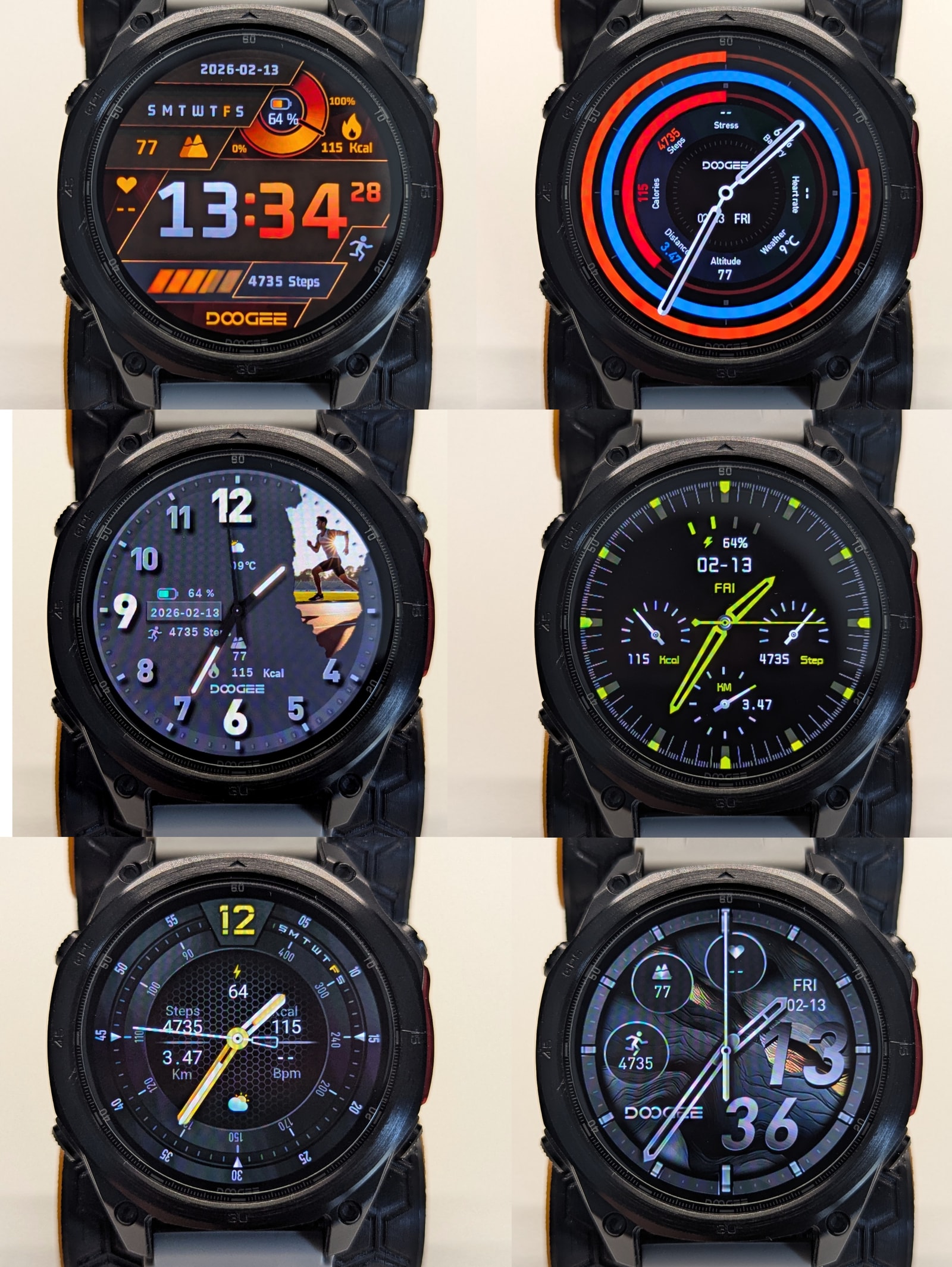
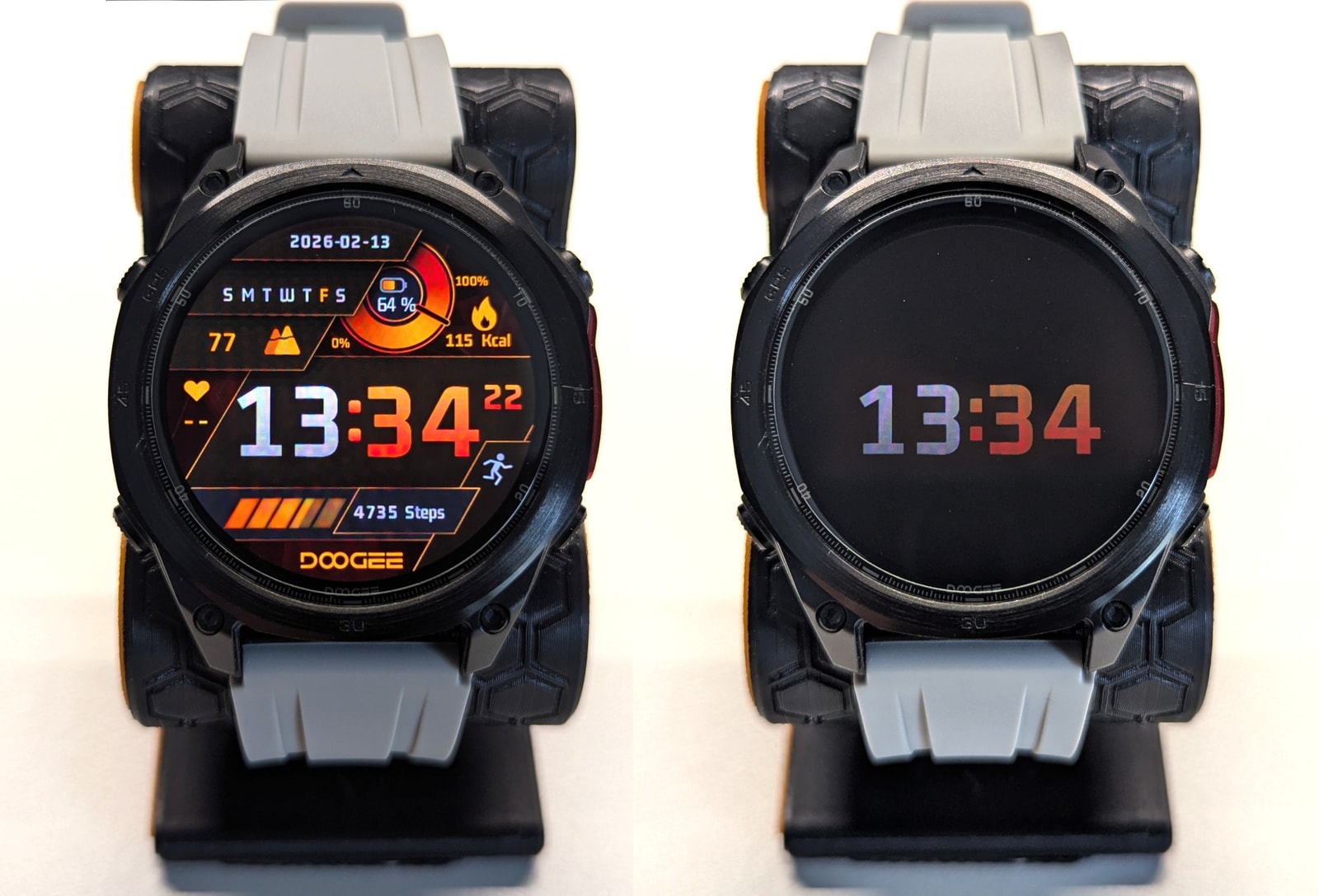
The watch ships with seven pre-installed watch faces. You can store one additional custom face using your own image via the app, plus four more downloaded from the watch face marketplace. None of the bundled faces are particularly to my taste - not even the Garmin tribute. Beyond aesthetics, a lot of them aren’t AMOLED-friendly, using light backgrounds instead of black and burning through battery unnecessarily.
Always On Display (AOD) is supported, though it will roughly halve your battery life. There’s a small separate pool of AOD watch faces, with one additional download slot available in the app. Some bundled faces include a matching AOD version:
The app’s watch face selection is identical to the standard GloryFitPro library - there’s a lot of filler in there, and genuinely usable options are thin on the ground.
Health Monitoring
The Anywise W1 Pro covers the usual budget-watch health basics: heart rate, blood oxygen, stress, mood, sleep, and daily activity tracking. The problem isn’t the feature list so much as the execution. The app gives you graphs and readouts, but very little in the way of interpretation or insight, so the whole health suite feels more like a data dump than anything particularly useful.
Heart rate and SpO2
The marketing materials claim that the watch supports “heart rate broadcasting” - this is misleading. By “broadcast” they mean voice announcements every so often during activities and not actually ANT+ support so that you can broadcast your heart rate to other fitness equipment.
The watch uses a 4 photodiode VC9213-VP60A4 heart rate sensor - as mentioned earlier, this is a lot better than the older VC30F-S, but it’s by no means stellar.
For passive monitoring, the sensor is merely acceptable. It does a decent job of estimating resting heart rate, but background tracking is sampled only every five minutes, and the sensor often spikes when it comes online and the firmware doesn’t seem to have any logic to discard readings during that initial calibration period, which leaves the daily graph dotted with readings that are clearly too high.
Sleep tracking
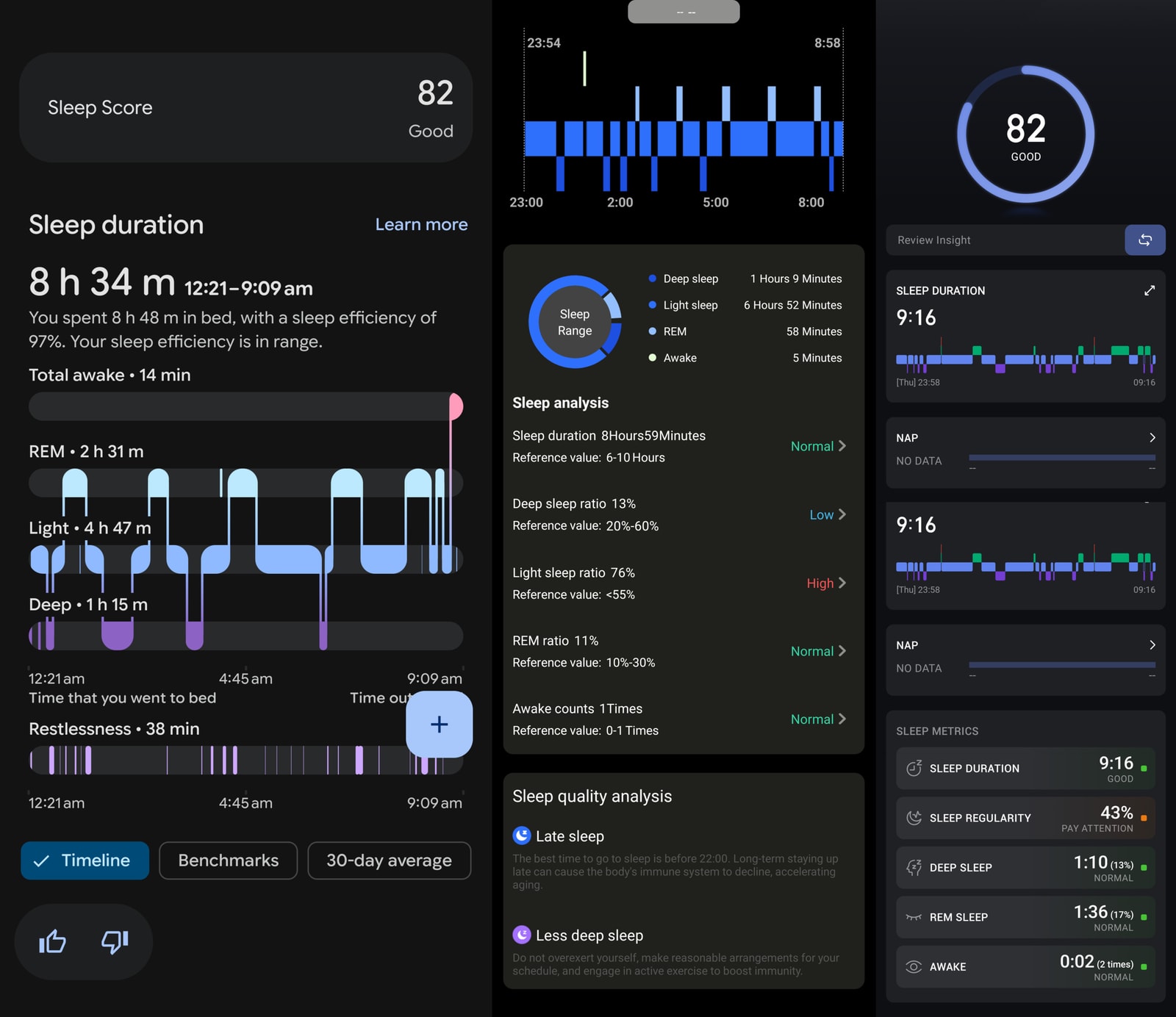
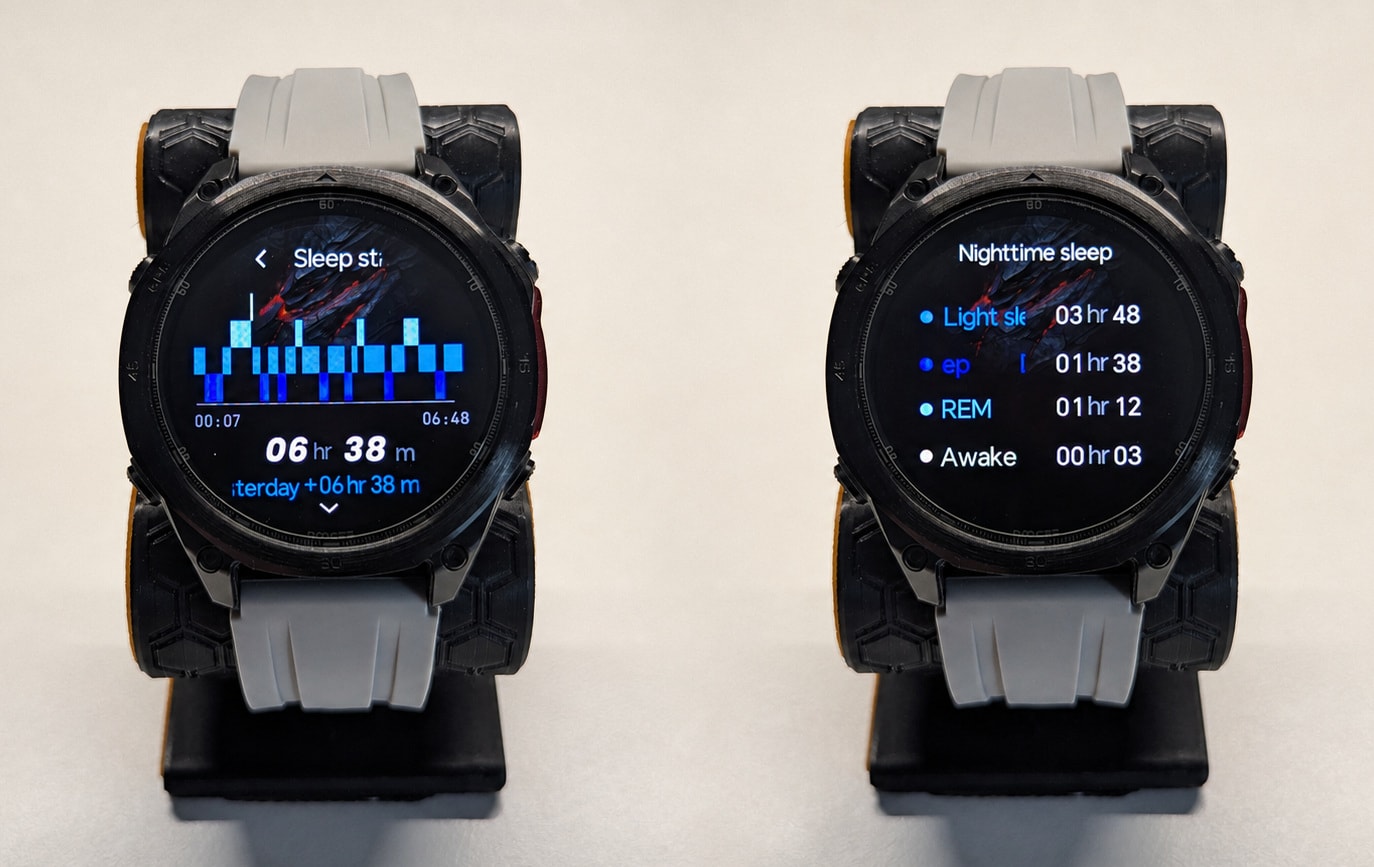
The watch does a fairly good job of detecting sleep onset and wake-up times, and sleep stage detection is not great but does provide a decent ballpark. To test this, I compared it against a Pixel Watch 2 (some of the best sleep tracking there is on wearables) and an Amazfit T-Rex 3 pro (not nearly as good).
Against the two “reference” devices (for a very loose definition of “reference”), the broad outline of the night was actually pretty believable. Total sleep time was a little generous, but not absurdly so, and deep sleep was surprisingly close across all three devices in this sample. Where the Anywise fell down was REM, which it reported far lower than either comparator, apparently collapsing too much of the night into light sleep instead.
That makes sleep tracking usable in the broad sense: good enough for bedtime, wake time, and a rough idea of how long you slept, but not something I’d lean on for stage analysis. The bigger black mark is nap detection. During testing, the watch logged naps when I wasn’t even wearing it, which is a fairly clear reminder that this is still a cheap wellness platform under the nicer casework.
Stress monitoring and standing stats
Stress, mood, standing reminders, and the rest of the “wellness” layer are present, but not especially compelling. As with heart rate and sleep, the app mostly surfaces raw values and simple graphs without much context, and nothing here felt robust enough to change how I’d actually use the watch.
Fitness and Outdoor Features
Sports modes
The W1 Pro claims over 170 sports modes, which is now standard for this category. In practice, the value comes from a much smaller set of core modes such as walking, running, strength training, and gym cardio, because those are the ones that actually expose richer metrics and make sensible use of the hardware.
Strava
Strava support is more limited than it should be. Activities without GNSS tracks don’t get synced, and the app offers no TCX or FIT export, which makes it much harder to work around the platform’s weak points or analyse indoor sessions elsewhere.
GNSS tracking
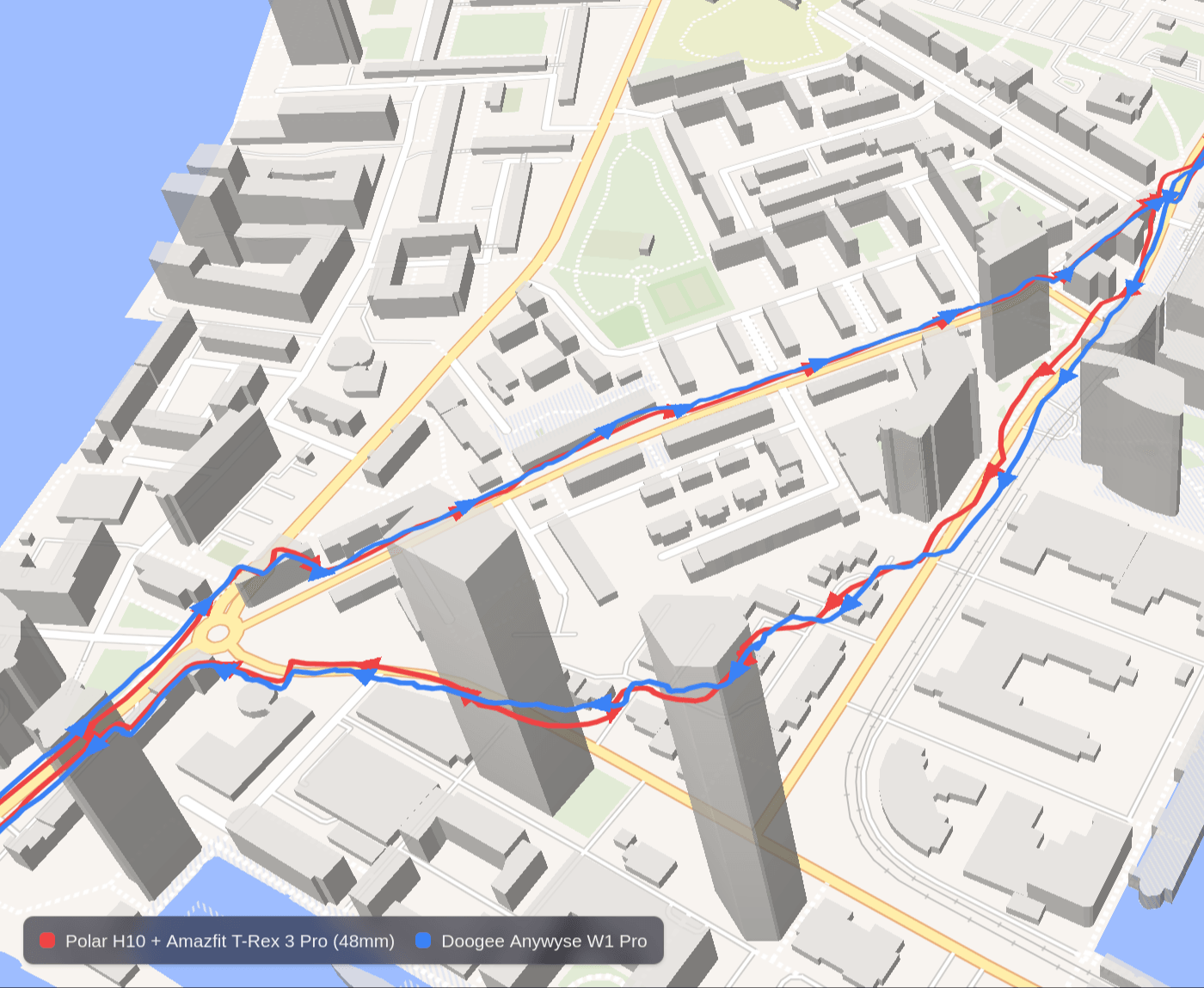
The watch is equipped with a dual-band (L1+L5) GNSS module, and in practice it does a fairly good job. It locks quickly - typically within ten to fifteen seconds when starting an activity - and once you’re out in the open it tracks cleanly enough that I don’t really have any complaints about distance or general route shape.
It doesn’t quite perform as well as I would’ve hoped for from a dual-band watch. On the urban route in the image, which includes a couple of proper city-canyon sections, it showed greater deviation than the Amazfit T-Rex 3 Pro I was comparing it against. That being said, this is a far cheaper watch, and the results fall within what I would consider acceptable.
Offline maps
The watch supports offline maps, though with several notable caveats:
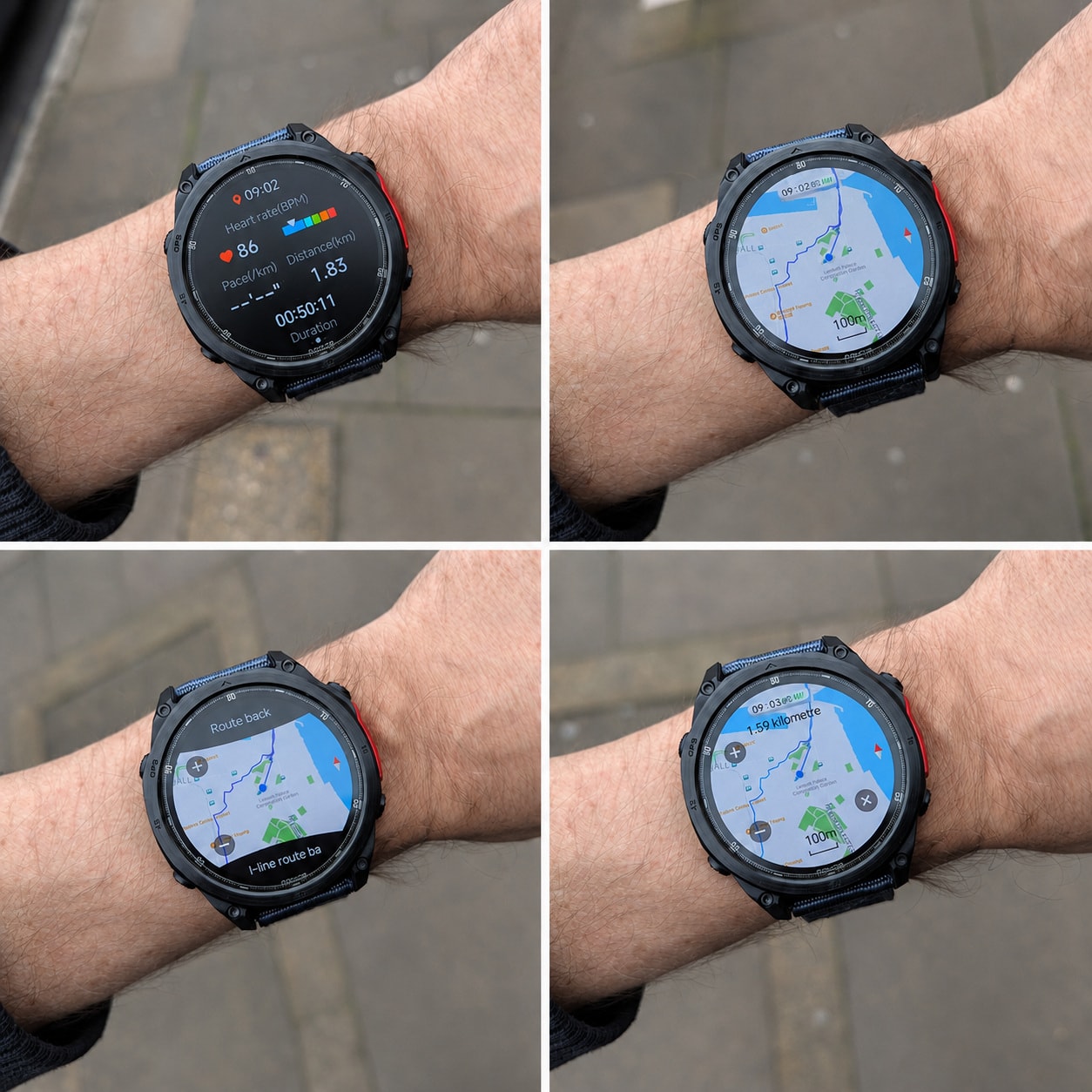
- The maps appear to be built from raster tiles rather than proper vector data.
- You cannot freely zoom in and out; the maximum useful zoom level is around 100 metres.
- There are very few labels, just a clean contour-style map in a Google Maps colour scheme.
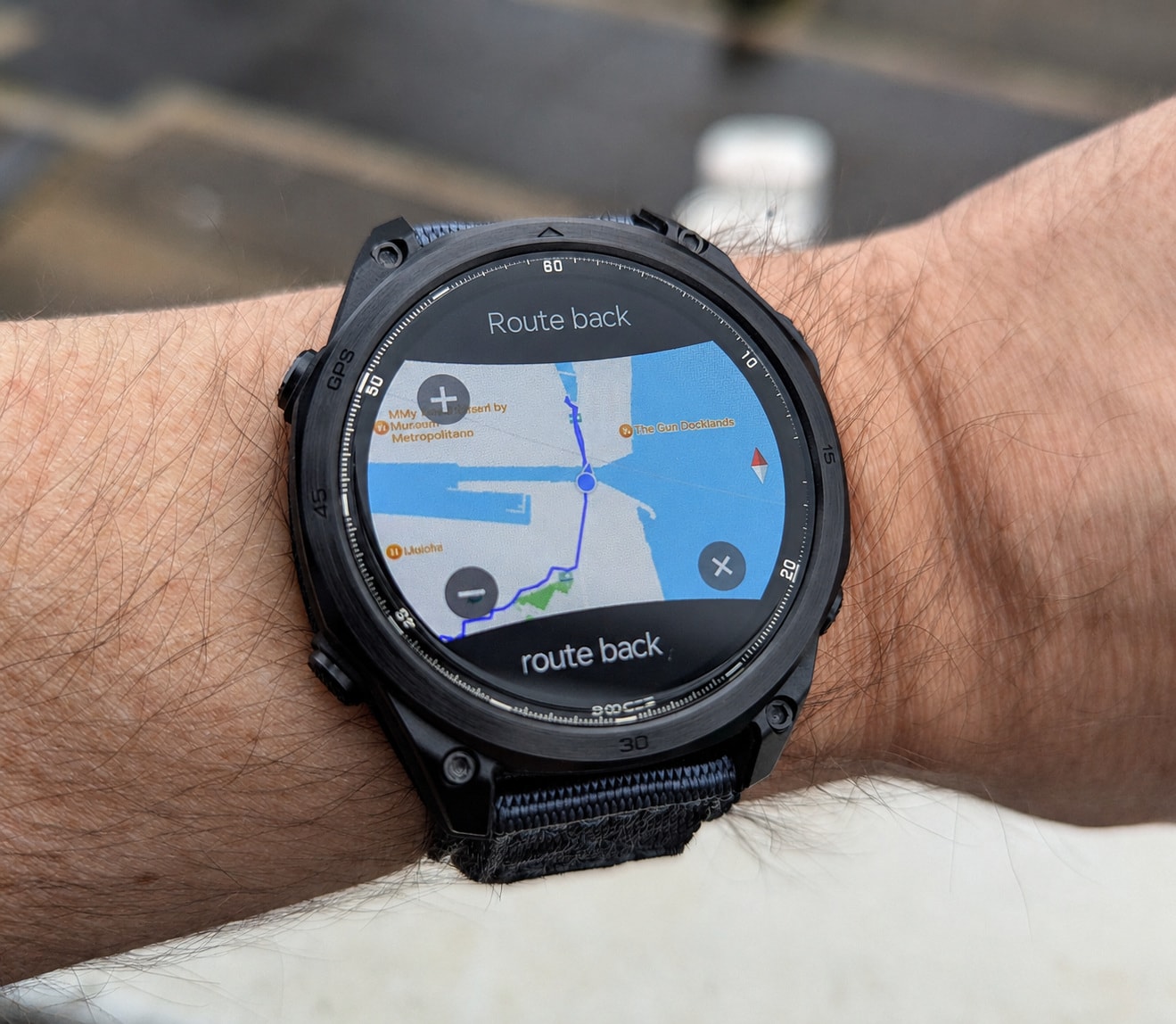
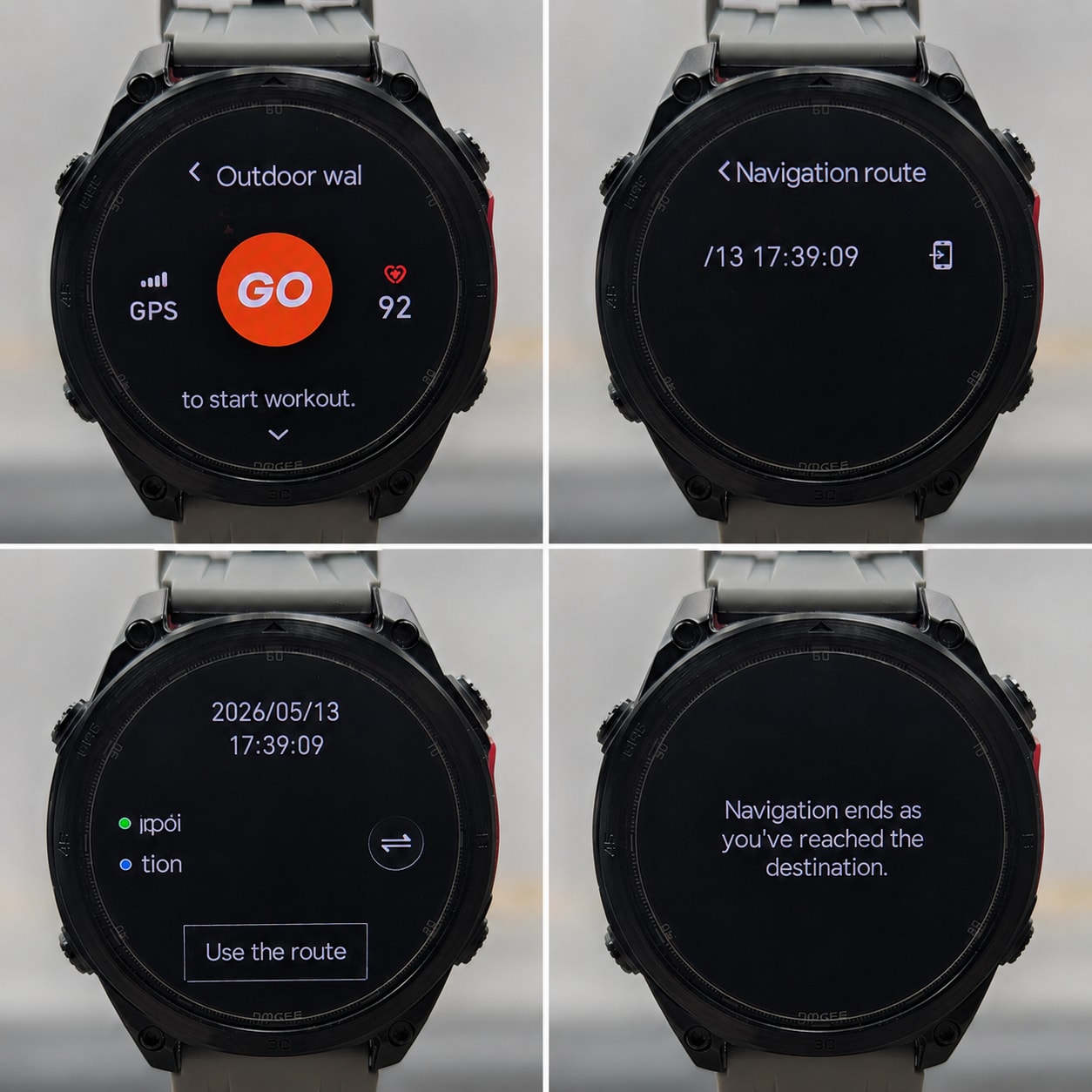
- You can push GPX routes to the watch via the app, but loading them into a walking workout failed in testing: the watch would always say “Navigation ends as you’ve reached the destination,” as shown in the photos.
This leaves the maps as more of a headline feature than a genuinely useful navigation tool. The watch does have enough local storage for a few map regions, and the app can slice and transfer them even when the phone-side map preview fails to render properly, but route guidance was simply broken in my testing. The maps are visually pleasing in a Google-ish way, but their practical value is limited. However, they are available during activities and are useful if you’re trying to orient yourself.
Compass and barometric altimeter
The compass works fine once calibrated, although it does need frequent figure-of-eight calibration to stay true. Once you do that, it behaves properly for a while.
The barometric altimeter is more frustrating, because the raw readings are actually good when compared with the Amazfit T-Rex 3 Pro.
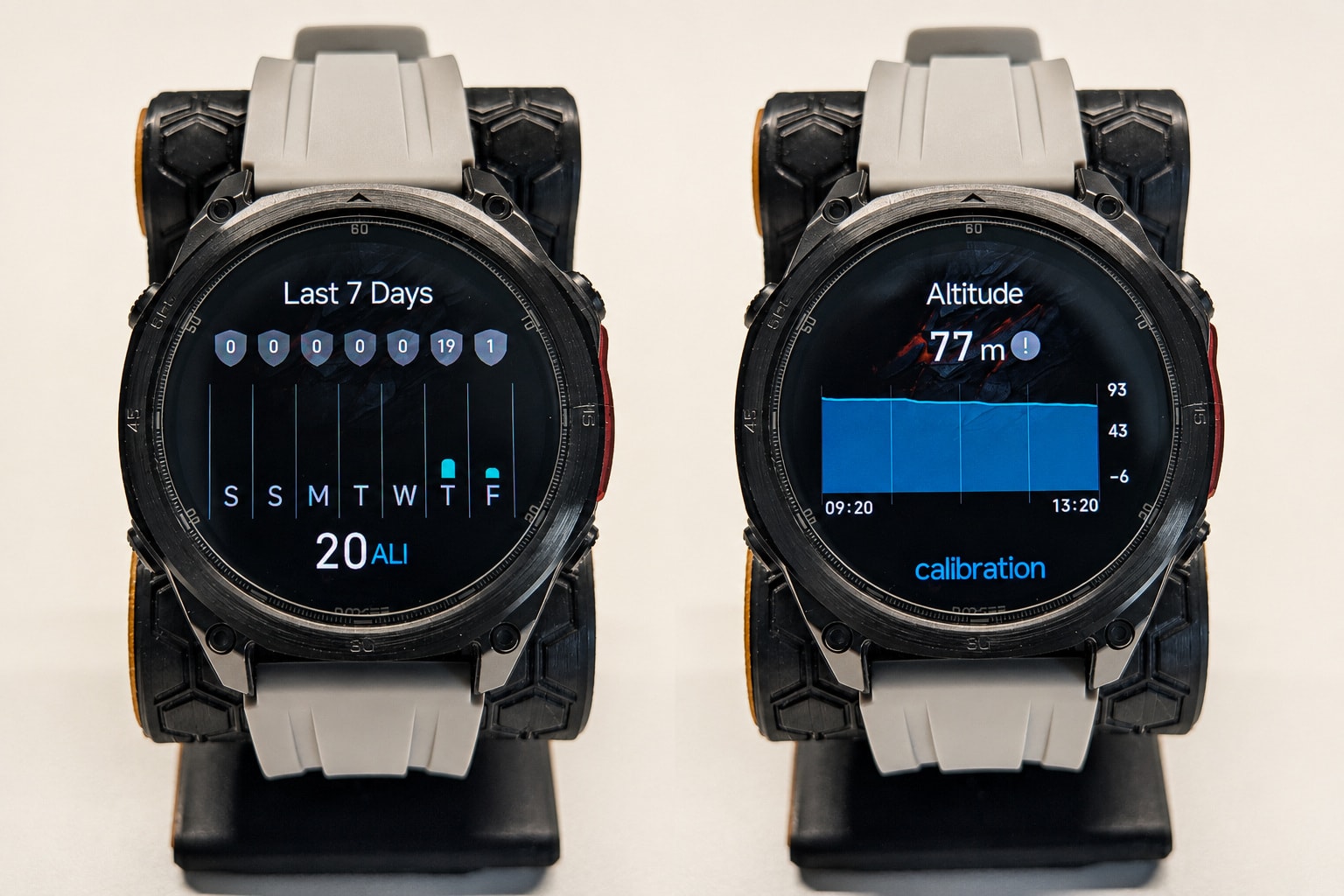
The problem is calibration. Unlike newer variants of the GloryFitPro firmware, the Anywise never received automatic GNSS-based altitude calibration at the start of a workout. You have to set altitude manually, and if you don’t, the readings drift badly enough over time to spoil your elevation stats. So the sensor itself is decent, but the implementation is incomplete.
Step counter
Step counting is good. In daily use, it felt accurate rather than flattering, produced believable totals indoors, and was spot on during activities. Calorie estimates can be conservative for some low-cardio activities, such as walking, but they are generally within a reasonable ballpark of what one would expect.
Sports tracking and tests
The W1 Pro makes a solid first impression as a sports watch. Core workout modes are easy to access, button navigation works well enough to be genuinely useful during exercise, GNSS acquisition is fast, and the watch can announce distance and heart rate every kilometre via voice broadcast. It’s also one of the better budget implementations I’ve used for timers and alarms, both of which matter more in day-to-day training than spec sheets suggest.
The trouble is that the watch keeps colliding with the limits of its platform. Heart rate is inconsistent once effort changes, activity export is poor, route guidance is broken, and some features that exist on newer GloryFitPro derivatives simply never made it into Doogee’s fork. That doesn’t make it a bad tracker, but it does cap how seriously I can take it as an all-round training watch.
GNSS-tracked outdoor walk
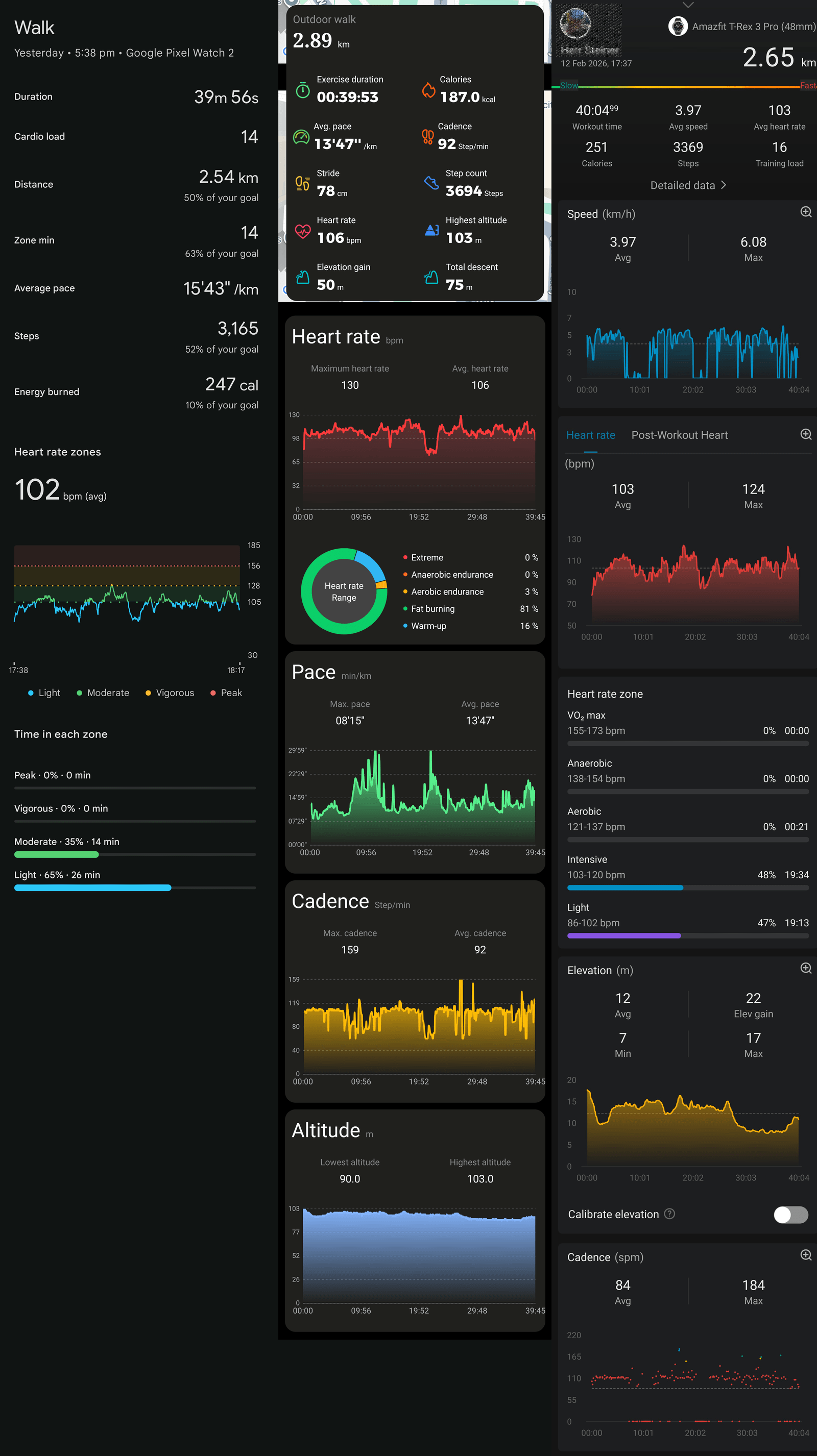
The watch performed relatively well on outdoor walks. Compared to a Pixel Watch 2 and an Amazfit T-Rex 3 Pro, stats like calories and steps were within the same rough ballpark, as were cadence and speed. Distances were off, though - in the image, the T-Rex 3 Pro has the most accurate distance of the three, and the W1 Pro was off by more than 10%, which I attribute to the wobblier GNSS tracking on the harder segments.
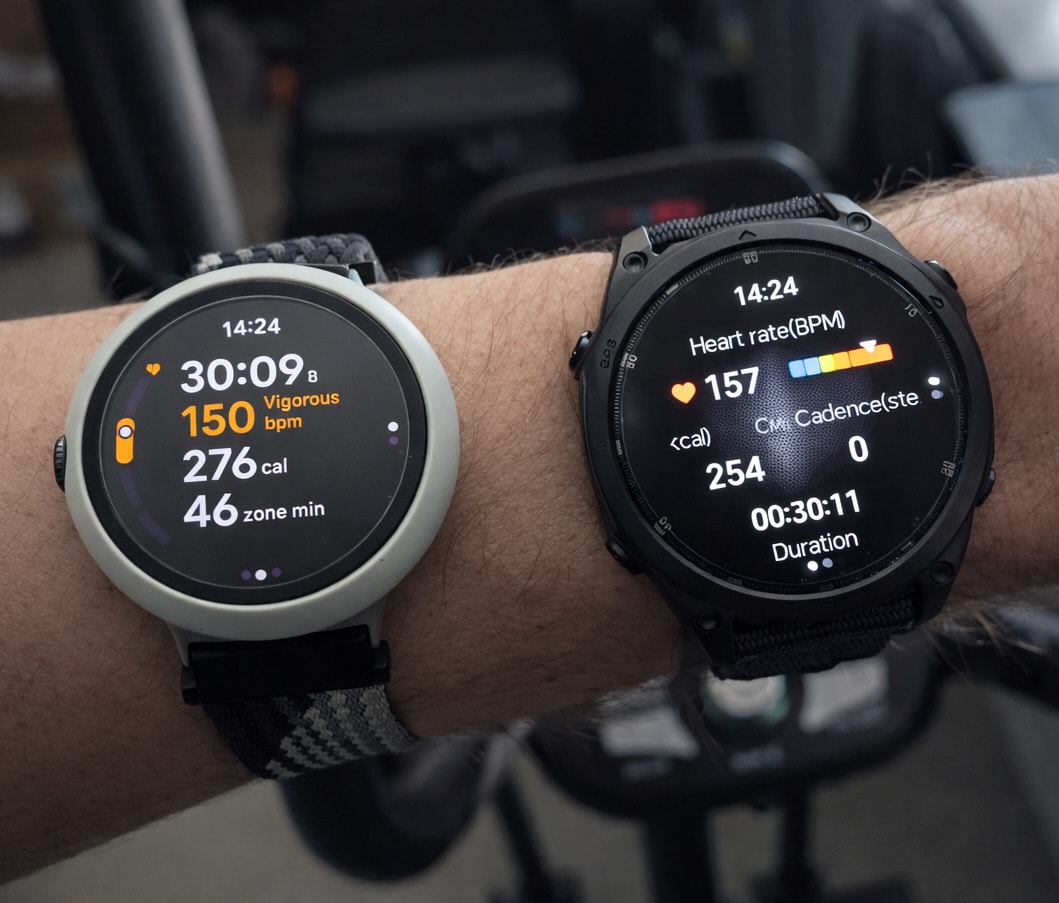
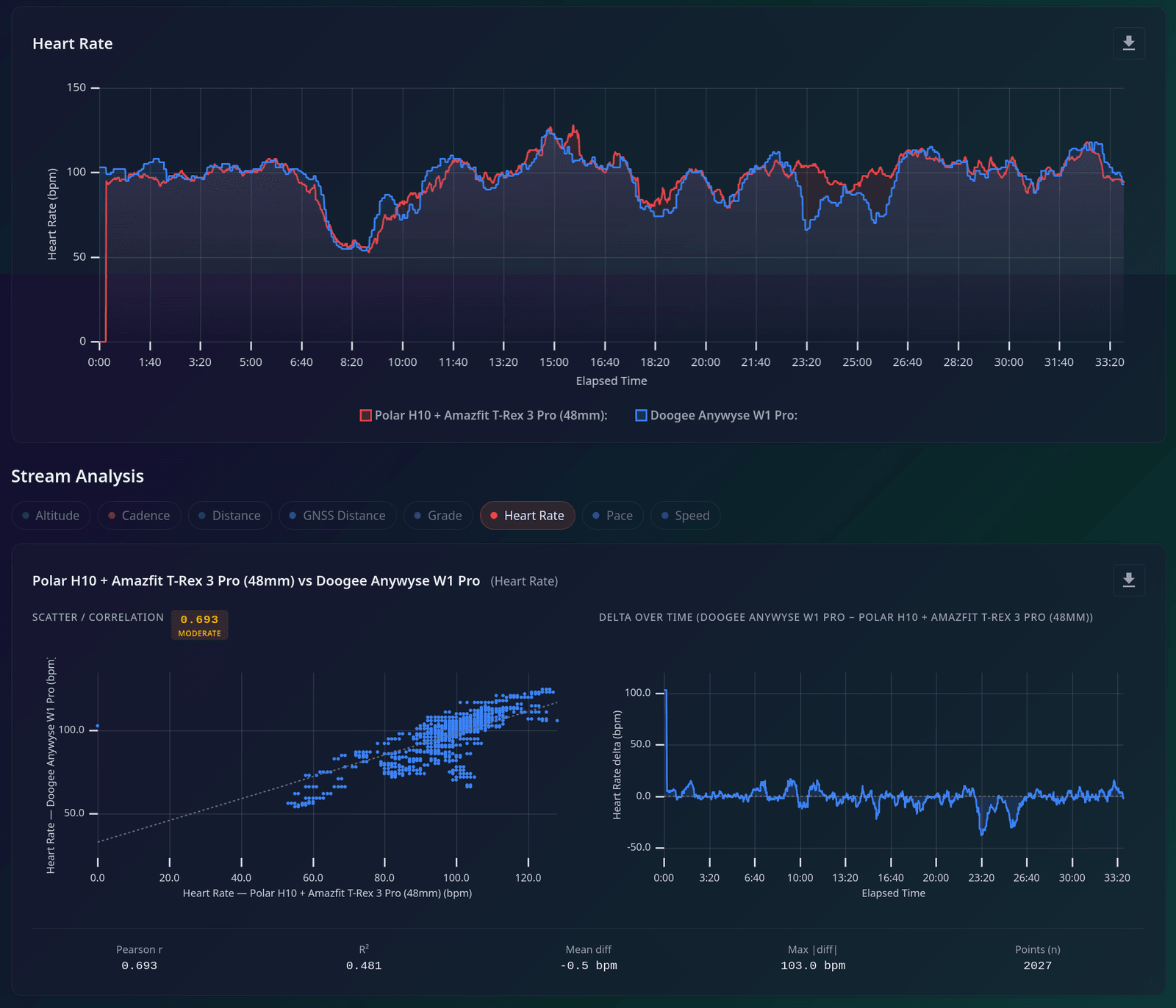
Heart rate tracking, as mentioned before, was just okay. If you look at the comparison image (against a Polar H10 chest strap slaved to my T-Rex 3 Pro), the overall trend was respected well enough, and the min/max/average readings line up reasonably well, but the watch seemed to struggle at times to get a good signal, which translated into a few drops.
Strength training
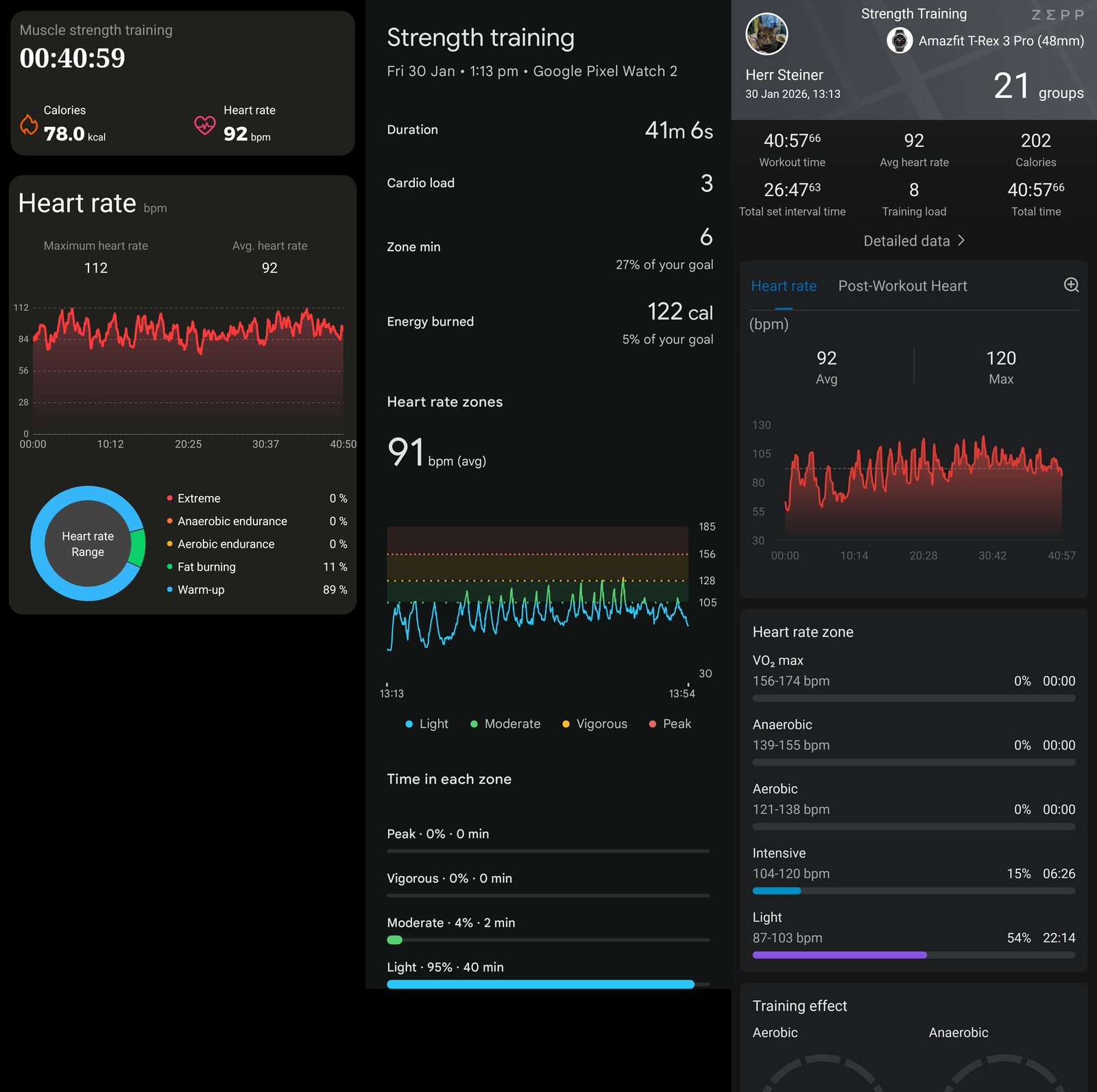
Strength training was just okay for very casual use - I could not get raw heart rate data from either the app or Strava for this, so you’ll need to squint at the report graphs. In general, heart rate tracking was lacking, with the vast majority of peaks missing, although average and max values were correct.
The stats given are extremely lackluster - just heart rate data and calories, though those were in a good ballpark. Amazfit devices tend to overestimate calories on non-cardio exercises like strength training, but the estimate was nearly identical to the Pixel Watch 2 (which counts BMR calories, not just active calories like the W1 Pro).
This is definitely not the watch for someone whose main activity is strength training.
Elliptical crosstrainer
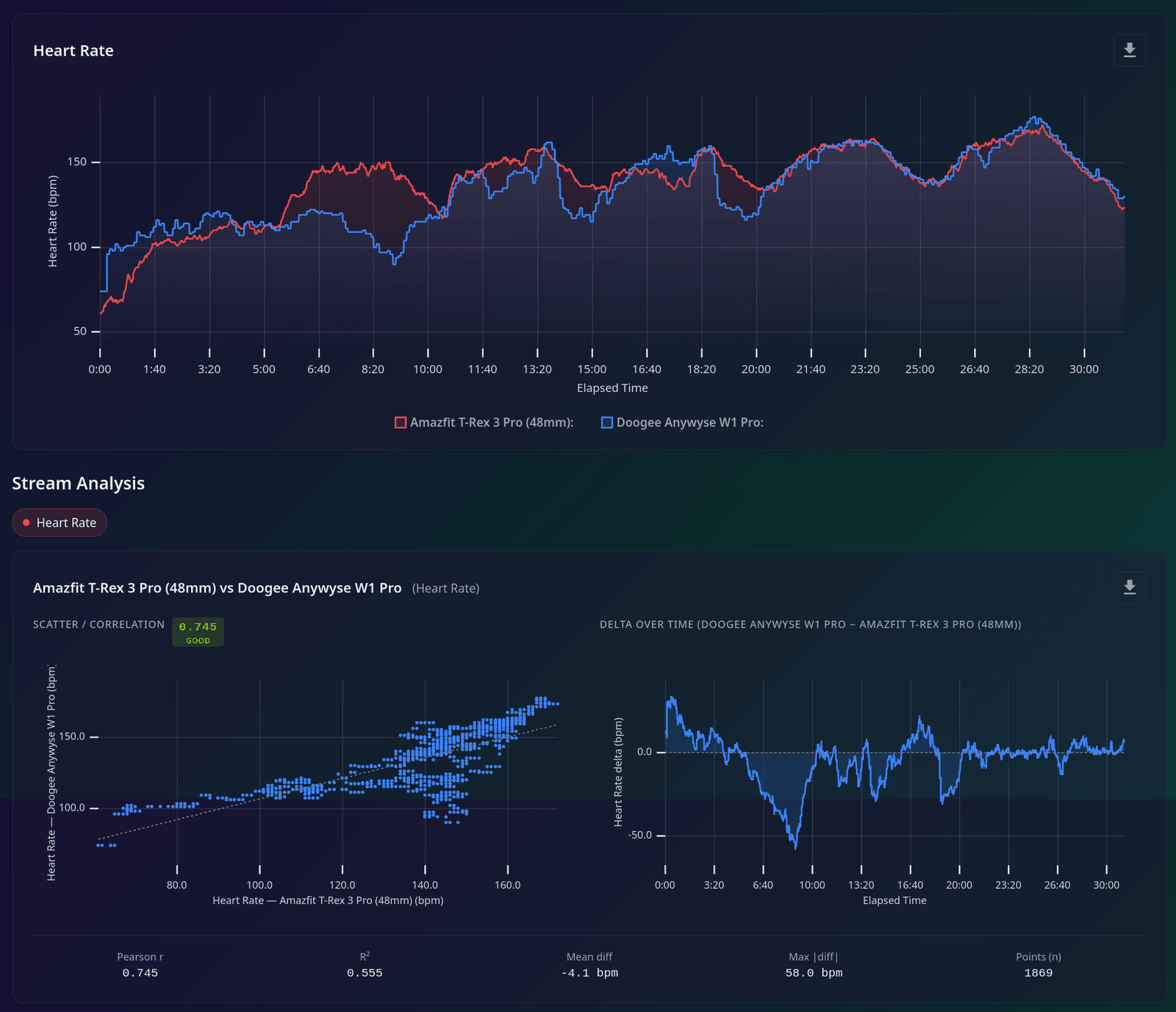
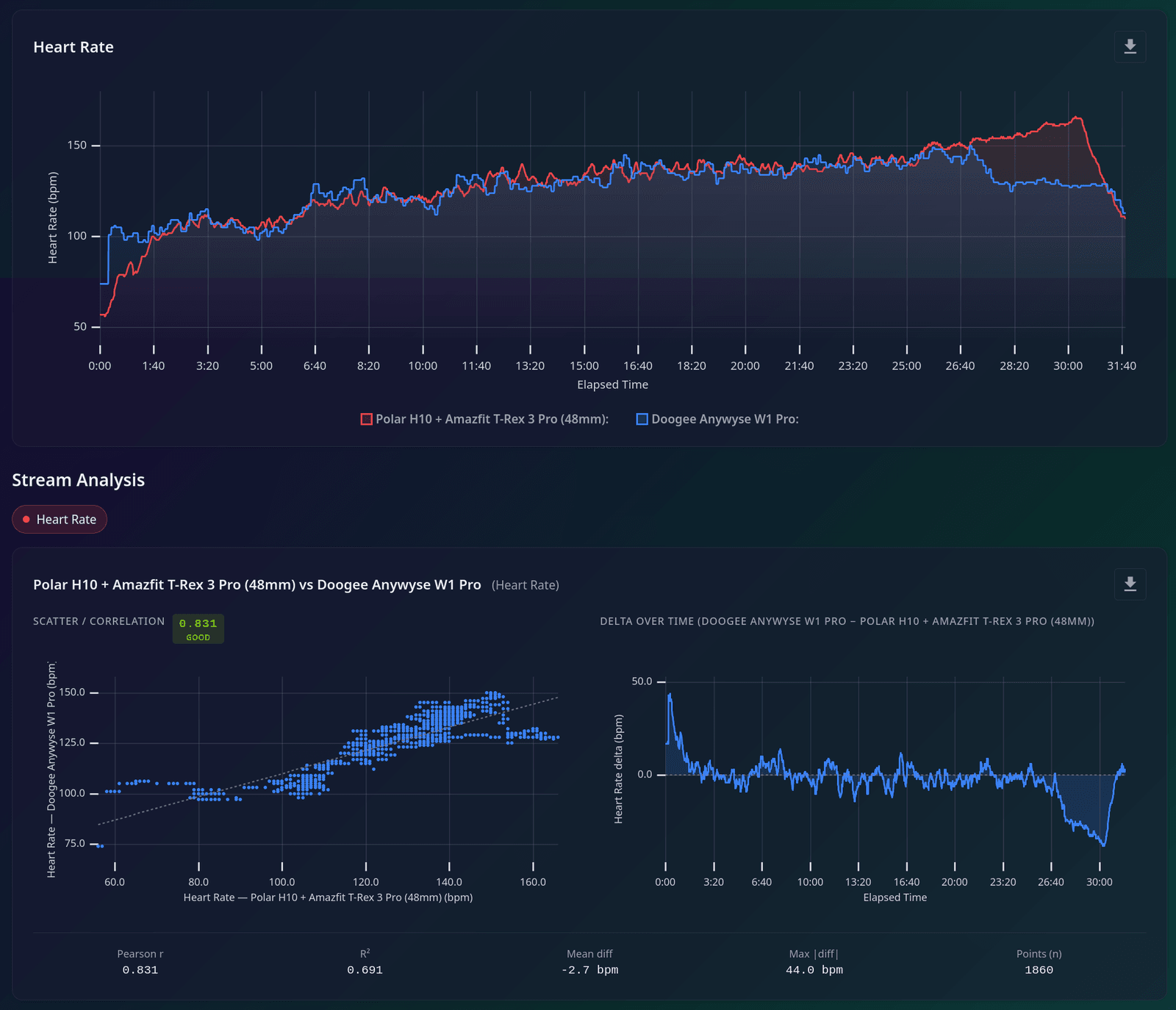
Now, for the elliptical crosstrainer, I was able to get raw heart rate data from Strava by moving my elliptical machine near the window to get GNSS lock, then using Outdoor Walk as an activity.
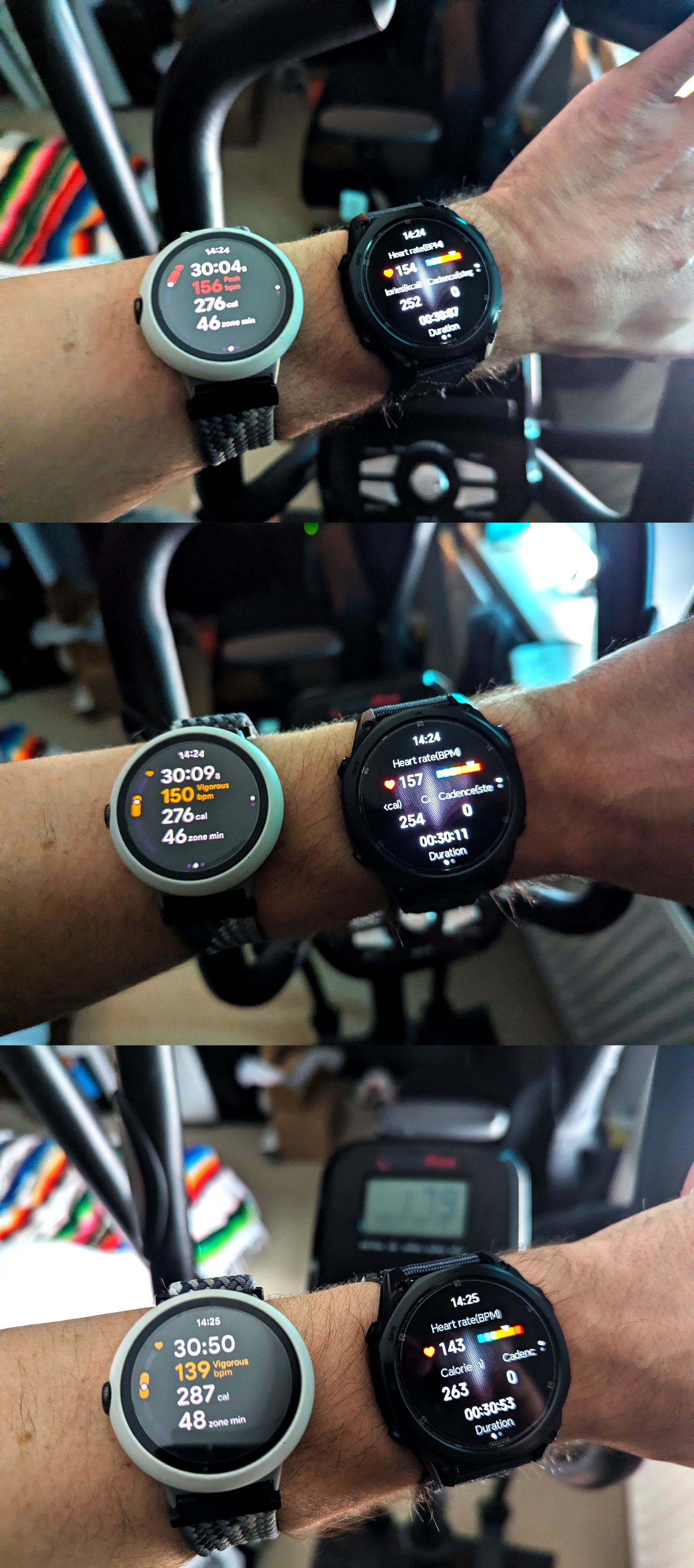
The elliptical sessions show both sides of the sensor story very clearly. On a HIIT elliptical session, the watch often struggled to keep up with the heart rate changes and would often drop signal.
During a steady cardio elliptical session, the results were better, but the watch unfortunately lost good tracking towards the end as I ramped up intensity for the last few minutes and went into cadence lock (~130 bpm, at 2x65 ppm cadence).
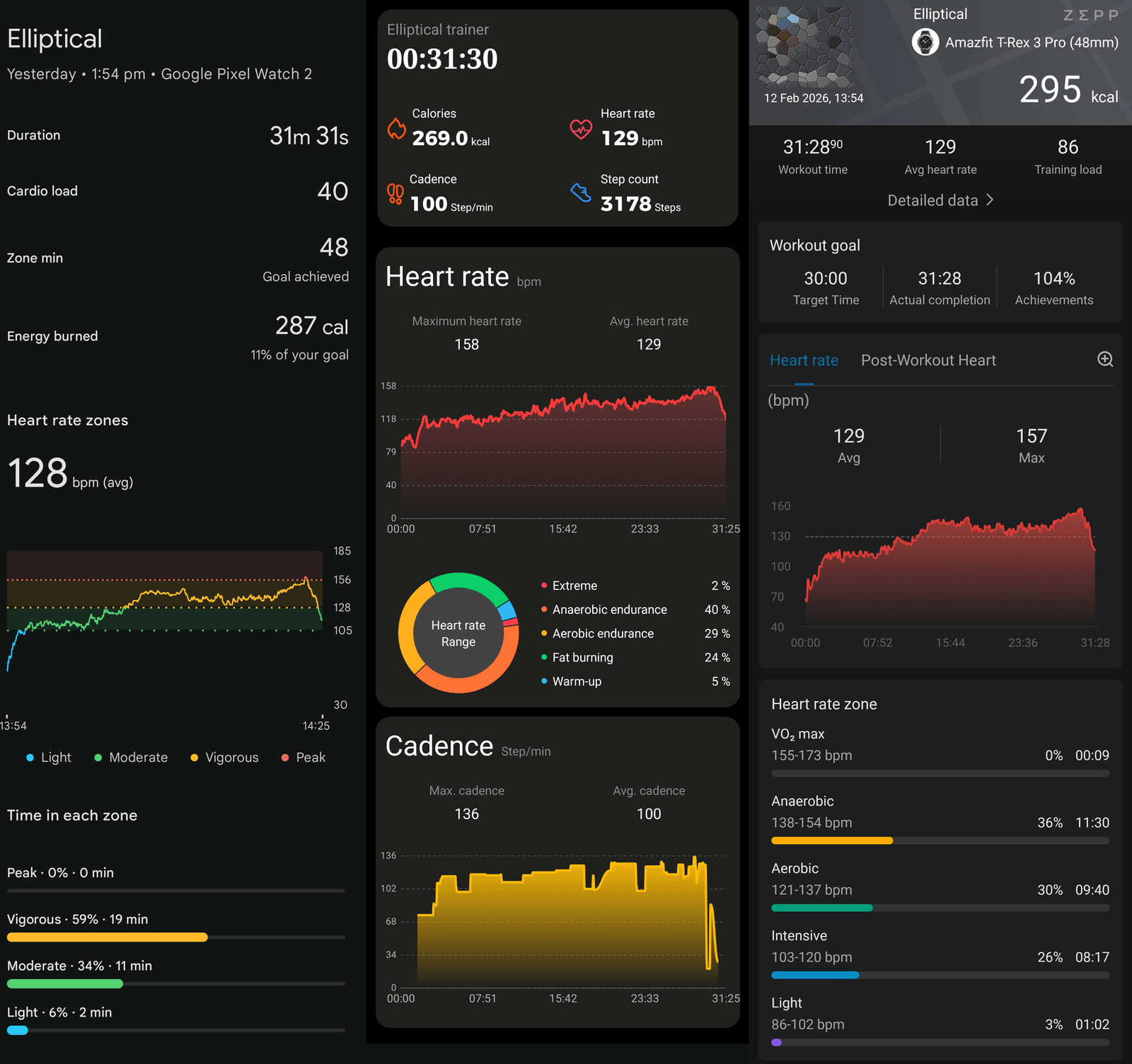
That didn’t always happen, though. In the image showing the workout report comparison with the Amazfit and Pixel devices, you can see another session where everything went swimmingly and worked absolutely fine.
That’s why I land at a middling score for activity tracking overall. The platform is capable enough to record a variety of workouts and produce decent summaries, but the sensor performance is too unstable to make it stand out.
Smartwatch Features
As a smartwatch, the Anywise W1 Pro is more competent than the health side might lead you to expect. The newer Actions MCU keeps animations and transitions smooth, the hardware buttons make the interface genuinely nicer to use, Bluetooth calling works properly, and Doogee has included just enough local-music support to make the watch more self-sufficient than most cheap rivals.
Key features include:
- Notifications/messages: Reliable, but basic. You can choose from a long list of supported phone apps, and notifications arrive consistently, though messages are truncated after a paragraph or two and there is no reply support.
-
Alarms: Set directly on the watch and work reliably.
-
Timers: Can be left running in the background.
-
Bluetooth calling: Excellent. Call volume is good, voice comes through clearly on both ends, and quick SMS replies for incoming calls are a nice extra.
-
Weather: One of the better implemented apps on the watch, even if the bright blue design clashes badly with the rest of the red-and-black aesthetic and hurts contrast.
-
Find my phone/watch: Works in both directions.
The haptics deserve a special mention as well. This isn’t just a cheap buzzer motor going off at random; menu interactions feel tight and distinct, and notifications, alarms, and timers are hard to miss. The LED torch remains the standout trick, but smaller details like this make the watch more pleasant to live with than many similarly specced budget models.
There are still some rough edges. The watch can control your phone’s voice assistant well enough, but both the separate “AI watch face” feature and the oddly named “ChatGPT” app failed in testing with recognition errors. The built-in voice recorder works, though you need to speak directly into the watch for it to be useful. Local music playback, on the other hand, is a genuine plus: there is about 150MiB of usable storage, you can transfer MP3 files and build playlists from the app, and Bluetooth headphone pairing worked properly.
The app: functional, but too basic for the price
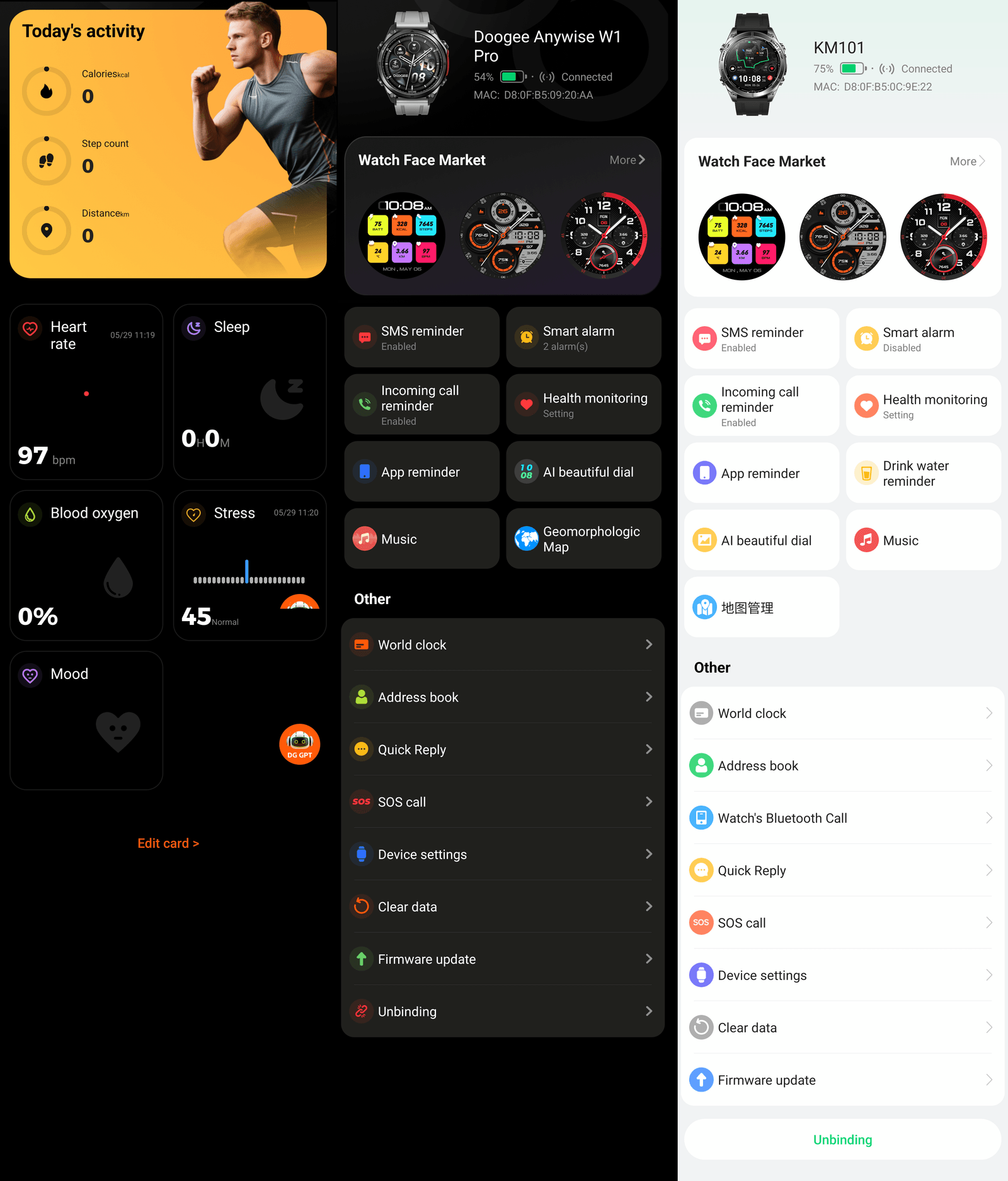
Doogee Fit is essentially a nicer-looking fork of GloryFitPro, and the underlying strengths and weaknesses are the same. Setup is straightforward enough, sync is acceptable, and phone-management settings are broadly fine, but the app offers very little real insight into your health data. You mostly get charts, numbers, and lists rather than meaningful interpretation.
Workout reports are a stronger area. For outdoor activities in particular, the app can show a decent spread of pace, speed, altitude, calories, and heart rate information, which gives the watch more credibility as a basic sports tracker than its health pages do. But even here there are rough edges: map transfer is hit and miss, the phone-side map can fail to render even while slicing still works, and too many settings live only on the watch instead of being mirrored in the app.
Watch-face management is another weak point. The library is large, but much of it is filler, and too many of the options are simply bad photo backgrounds with a digital or analogue clock slapped on top. The built-in faces are not much better, and several are surprisingly AMOLED-unfriendly.
Conclusion
The Doogee Anywise W1 Pro is one of those watches that is easy to like in day-to-day use and harder to recommend at full price. There is real effort here: build quality is good, the AMOLED display is decent, battery life is solid at around nine days in realistic mixed use, and the four-button navigation is genuinely useful once you learn it. The LED torch is also not a gimmick - it’s bright, practical, and one of the best-implemented “extra” features on any budget watch I’ve tested.
The problem is value and platform maturity. At around £100, too many fundamentals still feel unfinished: heart-rate reliability is inconsistent under changing effort, route guidance on offline maps was broken in my testing, altimeter calibration is manual-only, and app-side analytics are too shallow for anyone trying to train with intent. Even where features exist on paper (170+ sports modes, dual-band GNSS, Strava sync), the real-world experience is uneven enough that the spec sheet overpromises.
If this were priced closer to £60-£70, I’d call it an easy recommendation for casual users who want a rugged look, strong battery life, and a very handy torch. At £100, though, you can find stronger all-round alternatives with better sensor consistency and more complete software. So my final take is simple: the Anywise W1 Pro is a competent, occasionally impressive budget smartwatch, but it is currently overpriced for what it delivers.